Email Follow Up Outlook Addin 1.0.83
Auto Follow Up is an Outlook add-in designed to help you stay in touch with your contacts by automatically sending them follow up email messages if they don't reply to your email in a timely manner.
Product Specifications
| User Rating: | item has less then 1 vote |
|
| FileCart Rating | Not yet Rated | |
| Submitted by: | bogdani | |
| Homepage | Visit Homepage | |
| License | Shareware | |
| Expires | Either/Or | |
| Price | $29.95 | |
| Downloads | 677 | |
| OS Support | Windows Install and Uninstall | |
| File Name | follow-up-emails.exe | |
| File Size | 4.37 MB ( 4,477 KB ) | |
| Published | Jul 25, 2013 (13 years ago) | |
| Updated | Dec 17, 2013 (13 years ago) | |
Follow Us!
Latest Searches
oxfordshire virtual school ofsted preparation 57 seconds ago
linkedin explained 1 minute ago
portfolio 2 minutes ago
tcas 4 minutes ago
did obama ban fox news from the white house 8 minutes ago
75056 weather radar 11 minutes ago
8Privacy Policy 12 minutes ago
we will be spending te next two years on impeachment. Why? Clinton was impeached and...what? Trump was impeached and...what? 15 minutes ago
noveber 2026 17 minutes ago
Popular Searches
id cards 602 times
2025 495 times
2024 386 times
Softperfect 330 times
5g spf sonicwall compatible copper module 310 times
Gypsy 2.0 Onlyfans Leaked Photos 305 times
2026 304 times
targetamazon credit card.asp?highlight=0 275 times
Who is Music 273 times
Product Details
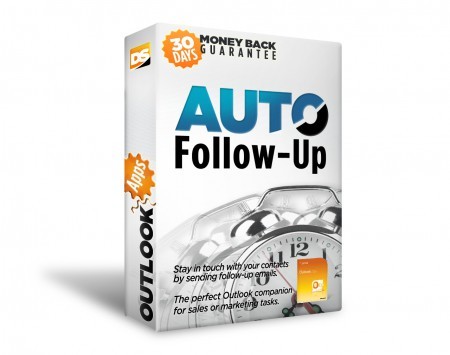
Auto Follow Up saves you from the time consumming task of checking a crowded mailbox to see if you received a reply on a given email and emailing your contact to nofity him that you did not receive a reply. It is the perfect Outlook companion for sales, public relations or marketing tasks, as it helps you to track 'dead' business leads and revive them by sending follow up email messages.
Auto Follow Up works within Microsoft Office Outlook, as a COM add-in. Relying on its intuitive, user-friendly interface, it uses Outlook data and functions to generate & send follow-up emails. Auto Follow Up works with any Outlook version, starting from Outlook 2002.
| Requirements: | Microsoft Office Outlook 2002 or newer |
| Release Info: | Major Update on Oct 08, 2013 |
| Release Notes: | added option to automatically follow up emails sent to distribution lists, added support for Outlook 2010 and 2013 x64, Windows 8 x64 |
| Related Tags: | email follow up alert notify message |
Reviews
Reviews of Email Follow Up Outlook Addin 1.0.83
You can be the first to write a review of Email Follow Up Outlook Addin!Other products submitted by this publisher
Auto Reply Manager for Outlook... email autoresponder for Outlook... quickly define Outlook reply rules and filters... auto email replies when out of office, on vacation or simply when you want to auto-confirm emails...
Bells and Whistles Outlook add inBells & Whistles is an Outlook add-in that includes more than 40 different features designed to help you manage and compose emails better and quicker.
Easy Mail Merge for OutlookEasy Mail Merge for Outlook gives you the power to fully personalize email messages and quickly deliver individual emails to your contacts list, being the perfect solution for your Outlook mail merge needs.
Email Address CollectorEmail Address Collector is an email extractor for Microsoft Outlook, Outlook Express, Windows Mail, Thunderbird, Windows Address Book, Outlook Contacts, DOC, PDF, mail EML files or for other local files.
Email Sentinel Pro Email AntiVirusEmail Sentinel Pro smoothly prevents malware emails from reaching your mailbox folders and running viruses, worms or exploit attacks. It intercepts emails before they reach your Inbox email folders, thus reducing the infection risk to zero.
Most Viewed Windows Outlook Add-ons
OpusFlow CRM for Outlook 6.0
Duplicates Remover for Outlook 2.10.1
Mail Merge Toolkit 3.0
OfficeCalendar for Microsoft Outlook 11.0.0.0
Lookeen Desktop Search 10.0.1.5814
WinZip Courier 6.0.11164
vCard Wizard 4.25
Auto Reply Manager Outlook Autoresponder 3.0.142
Advanced Folders Watch 2.1
Most Downloaded Windows Outlook Add-ons
Scan & Attach for Outlook? 1.6.1
vMail OST to PST Converter 7.5
Duplicates Remover for Outlook 2.10.1
Mail Merge Toolkit 3.0
OfficeCalendar for Microsoft Outlook 11.0.0.0
ShareO for Outlook 3.61
Attachments Processor for Outlook 4.5.0.11
WinZip Courier 6.0.11164
Auto Reply Manager Outlook Autoresponder 3.0.142