Scan & Attach for Outlook? 1.6.1
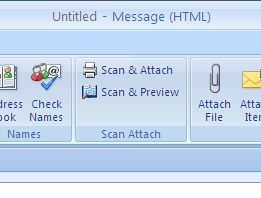
Scan & Attach saves you time whenever you want to scan a document and send it as Outlook? email attachment.It adds a "Scan & Attach" button to new Outlook? emails and replies. When that button is clicked the scanner begins the scanning process.
Product Specifications
| User Rating: | item has less then 1 vote |
|
| FileCart Rating | Not yet Rated | |
| Submitted by: | jiv | |
| Homepage | Visit Homepage | |
| License | Shareware | |
| Expires | 30 Days | |
| Price | $64 | |
| Downloads | 4,842 | |
| OS Support | Windows Install and Uninstall | |
| File Name | ScanAttachSetup.zip | |
| File Size | 2.95 MB ( 3,024 KB ) | |
| Published | Sep 08, 2010 (16 years ago) | |
| Updated | Dec 13, 2013 (13 years ago) | |
Follow Us!
Latest Searches
princess diary 5 minutes ago
aktiviti di taman rekreasi 80 hingga 100 patah perkeso 7 minutes ago
deepest scuba dive record 10 minutes ago
ou prendre un rdv pour une EFR à lopital dermont 12 minutes ago
cronograma de vencimientos sunat 2026 13 minutes ago
constructing a vegetable greenhouse 14 minutes ago
mirrors for tvs ronin 15 minutes ago
dinsos cilegon 16 minutes ago
I am on local cable, why is the local news station not coming through in Tyler, Tx? KLTV 16 minutes ago
Popular Searches
id cards 602 times
2025 495 times
2024 386 times
Softperfect 329 times
5g spf sonicwall compatible copper module 305 times
2026 300 times
Gypsy 2.0 Onlyfans Leaked Photos 298 times
targetamazon credit card.asp?highlight=0 273 times
Who is Music 269 times
Product Details
All the options you may possibly need to adjust, crop, flip or reorder the scanned images
before attaching them to the Outlook email are there. The editor supports multiple languages and 18 different skins to offer you the interface that you prefer best.
| Release Info: | New Release on Sep 30, 2010 |
| Release Notes: | White space in pdf bug fix and new size selection option. |
| Related Tags: | scan scanner email outlook attachment |
Reviews
Reviews of Scan & Attach for Outlook? 1.6.1
You can be the first to write a review of Scan & Attach for Outlook?!Other products submitted by this publisher
Plan company wide events that users can not delete, have a central category and color schema, create item in mobile calendar for other user's mobile calendar. Out of office and vacation schedules. Hide private info. Bundle resource calendars to one.
GroupCalendarMS Outlook calendar sharing application based on a database in a lan. Either with or without Exchange Server you can now get a overview of all appointments of all co workers without the use of anexternal program. Just stay in Outlook.
OpusFlow CRM for OutlookOpusFlow CRM uses the Outlook contact card as the starting point for linking and tracking of all related communication. The Outlook that you used to know has been extended with a wide range of functionalities.
OutlookDisclaimerOutlookDisclaimer is a tool to automatically format and brand outgoing email. You do not need Exchange or any other mail server to add the disclaimer because it is a client based tool. This means that you actualy see what you send out.
Most Viewed Windows Outlook Add-ons
OpusFlow CRM for Outlook 6.0
Duplicates Remover for Outlook 2.10.1
Mail Merge Toolkit 3.0
OfficeCalendar for Microsoft Outlook 11.0.0.0
Lookeen Desktop Search 10.0.1.5814
WinZip Courier 6.0.11164
vCard Wizard 4.25
Auto Reply Manager Outlook Autoresponder 3.0.142
Advanced Folders Watch 2.1
Most Downloaded Windows Outlook Add-ons
Scan & Attach for Outlook? 1.6.1
vMail OST to PST Converter 7.5
Duplicates Remover for Outlook 2.10.1
Mail Merge Toolkit 3.0
OfficeCalendar for Microsoft Outlook 11.0.0.0
ShareO for Outlook 3.61
Attachments Processor for Outlook 4.5.0.11
WinZip Courier 6.0.11164
Auto Reply Manager Outlook Autoresponder 3.0.142