
13downloads
0this week
FreeFreeware
0reviews
Screenshots
About Shizumu
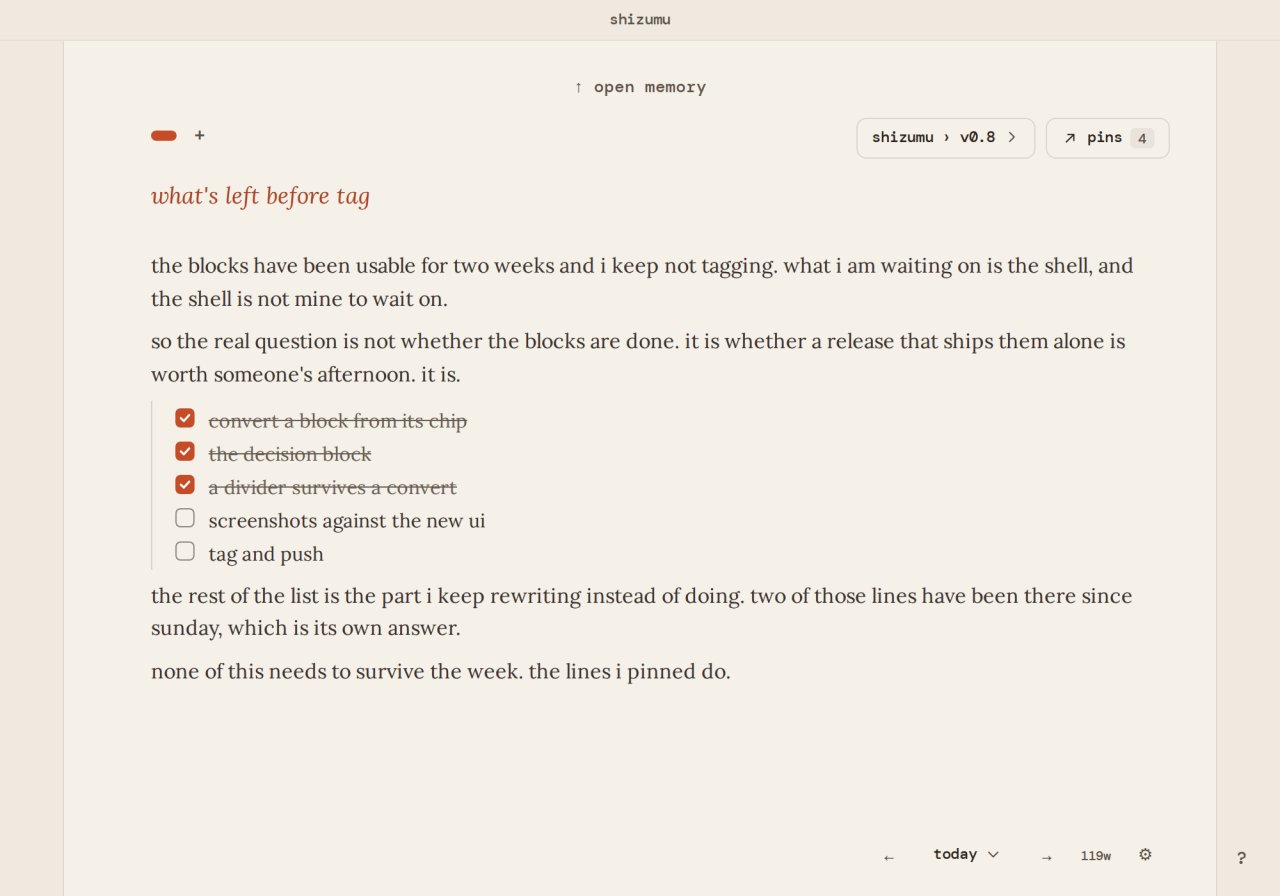
Shizumu is a private writing app. Open it and start the sentence: there is nothing to structure
first, and nowhere to file it. You write to think, you pin what matters, and you trail what continues.
The volume of writing is not the artifact; what you pin is. Every page starts empty, so the first
sentence is the first thing that happens.
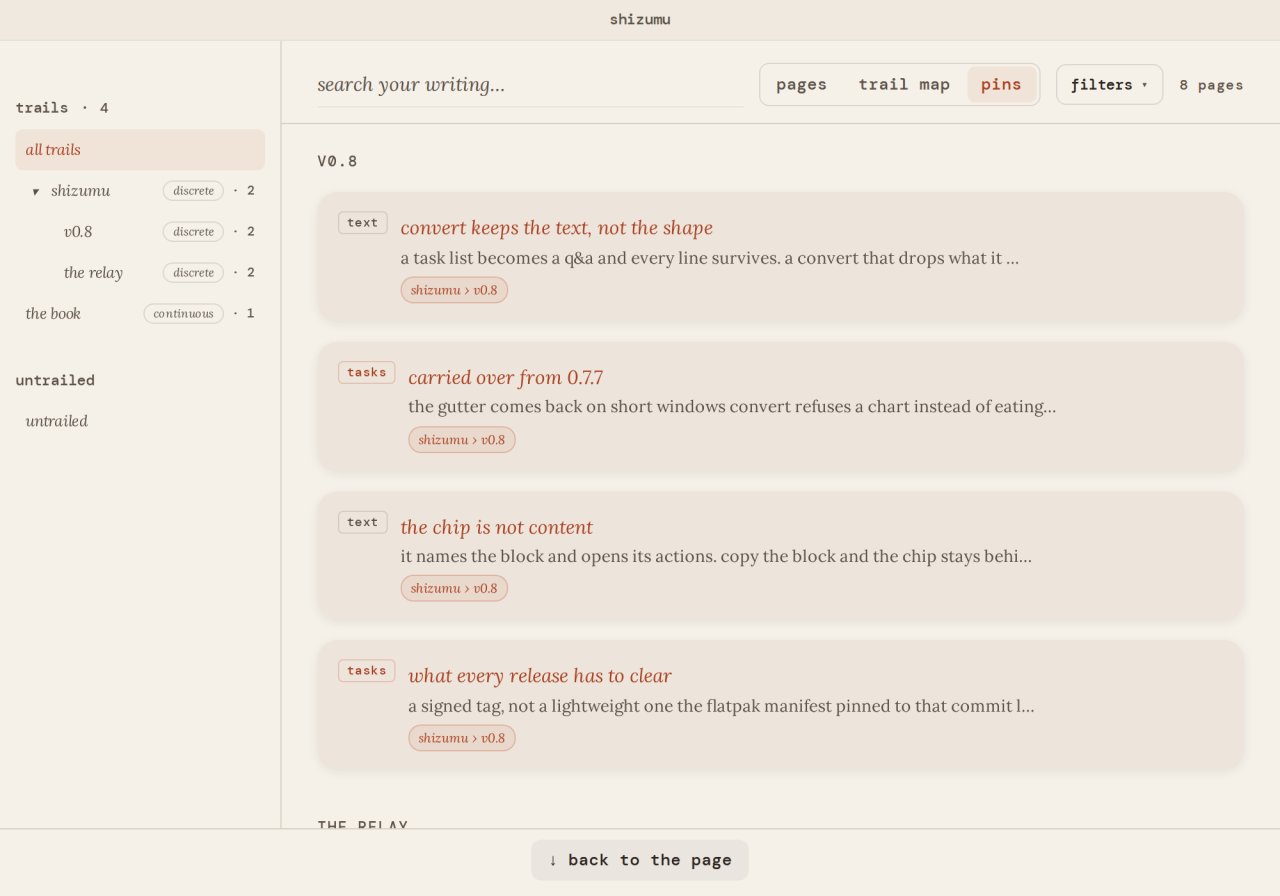
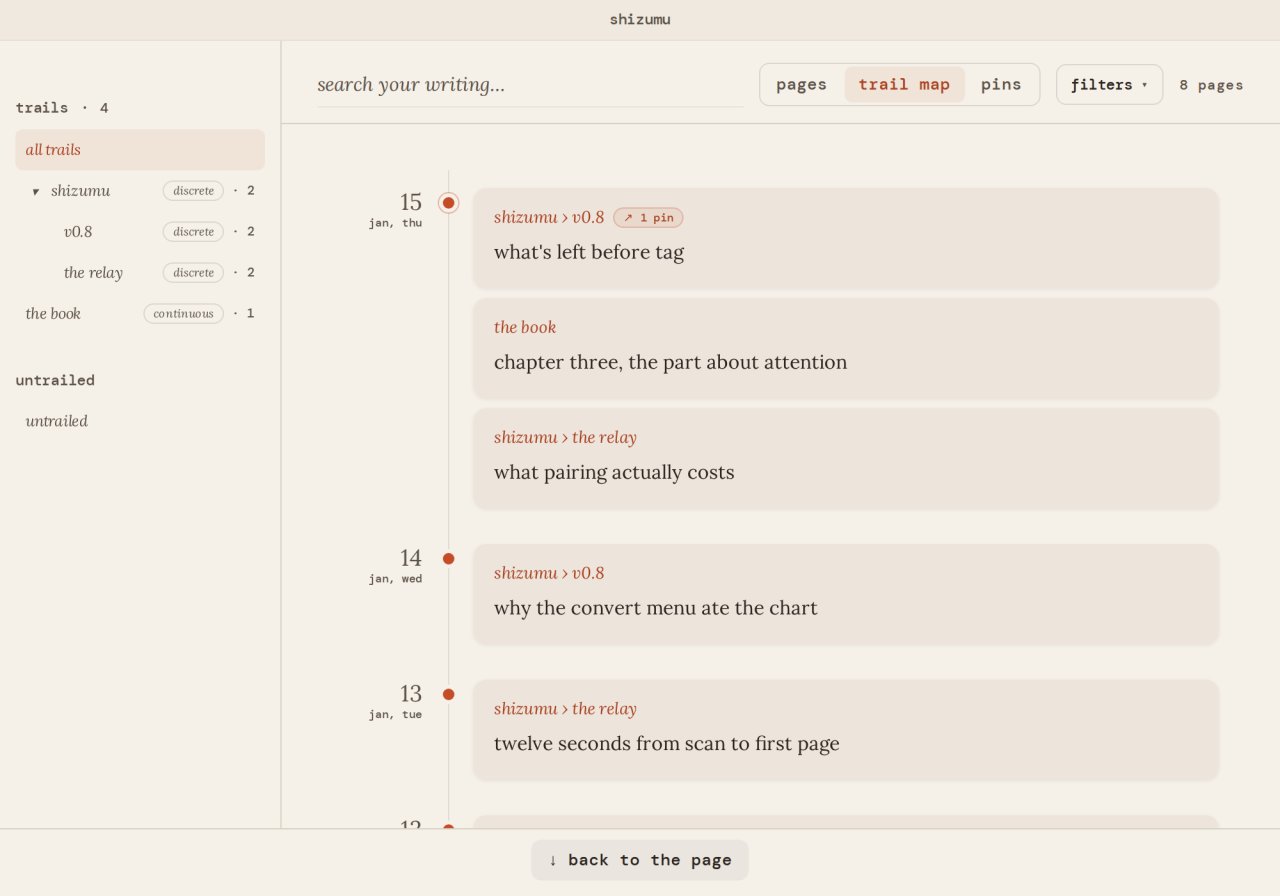
Pages flow into a daily memory you can scroll back through and search by content. Pins lift
the lines that matter out of the daily stream: checklists, references, anything you want close
at hand. Trails group writing that belongs together (a project, a book, an ongoing thread of thought)
without forcing you to design a structure first, and the first time you put a page on a trail,
the pins you already kept there come back onto the page. A trail can be a run of dated pages, or
a continuous trail: one living document for a thread that should keep growing, such as a book,
with a marker for each day you wrote in it. That is the one intentional exception, and you choose
it.
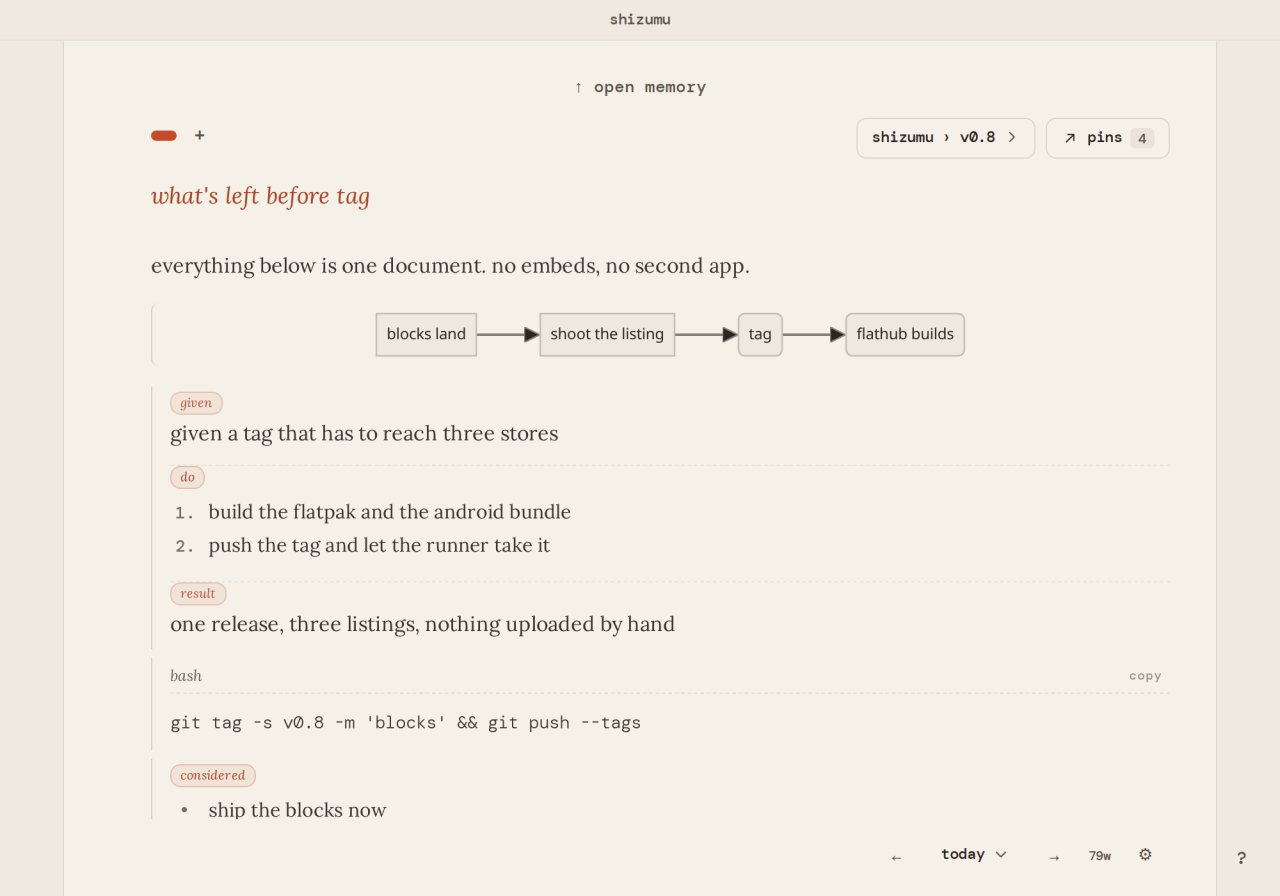
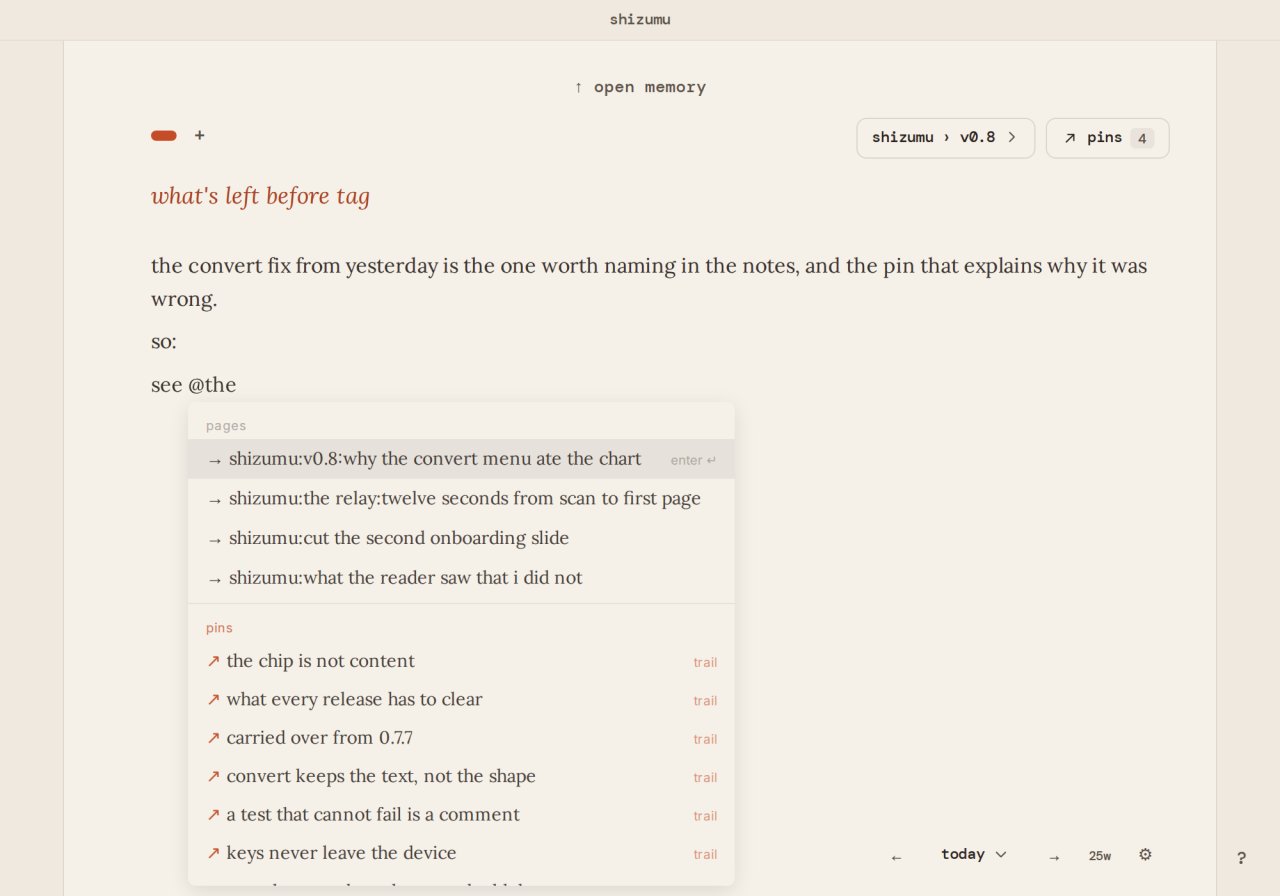
The editor is keyboard driven. Type / for a table, a chart, an outline or a block of code; type
@ to reach a page, a pin or a trail. Ctrl+K opens the trail index, Ctrl+P pins from the cursor,
Ctrl+F finds, and a shortcuts panel lists the rest.
Local-first by design. Everything stays on your device, in a SQLite database you can open with
any compatible tool. Sync is optional and end-to-end encrypted: your writing is sealed on your
device before it leaves it, the keys are derived there and never leave, and the relay holds what
it cannot read. Neither can we. Your writing remains yours.
Shizumu fits the writer who keeps a daily log, the developer with one trail per project, the
student capturing reading notes, and anyone who wants a private place to write to think without
learning a system first.
License: Apache-2.0
first, and nowhere to file it. You write to think, you pin what matters, and you trail what continues.
The volume of writing is not the artifact; what you pin is. Every page starts empty, so the first
sentence is the first thing that happens.
Pages flow into a daily memory you can scroll back through and search by content. Pins lift
the lines that matter out of the daily stream: checklists, references, anything you want close
at hand. Trails group writing that belongs together (a project, a book, an ongoing thread of thought)
without forcing you to design a structure first, and the first time you put a page on a trail,
the pins you already kept there come back onto the page. A trail can be a run of dated pages, or
a continuous trail: one living document for a thread that should keep growing, such as a book,
with a marker for each day you wrote in it. That is the one intentional exception, and you choose
it.
The editor is keyboard driven. Type / for a table, a chart, an outline or a block of code; type
@ to reach a page, a pin or a trail. Ctrl+K opens the trail index, Ctrl+P pins from the cursor,
Ctrl+F finds, and a shortcuts panel lists the rest.
Local-first by design. Everything stays on your device, in a SQLite database you can open with
any compatible tool. Sync is optional and end-to-end encrypted: your writing is sealed on your
device before it leaves it, the keys are derived there and never leave, and the relay holds what
it cannot read. Neither can we. Your writing remains yours.
Shizumu fits the writer who keeps a daily log, the developer with one trail per project, the
student capturing reading notes, and anyone who wants a private place to write to think without
learning a system first.
License: Apache-2.0
| Release info | Update on Nov 06, 2026 |
|---|---|
| Release notes | Find what you kept. The pins panel on the desktop and the pins screen on the phone have a search field and a row of chips with counts: this trail, all trails, carries forward, on this page, and kind. On a nested trail the pins sit in two sections, the ones kept on this trail and the ones from parent trails. On a wide window the pins sit beside the page, and the page stays live. Memory has a field to find a trail, shows the pages and pins of every trail, and lists the filters in force as pills you can remove. The trail map shows each page's first line and the pins kept from it. A decision can be standing or superseded: tap its chip, or press mod+enter on the desktop. A question with no answer reads as open until it is answered. The phone can export: settings, data, export packs every page as markdown files into one zip, in a folder per trail, and hands it to the share sheet. An export marks decisions, tables, code and pinned blocks, so reading it back keeps them. A kept block can be unpinned from the block itself, on both, and both ask first. One lock for every device. Turn the lock on, change the passphrase or turn it off on the desktop or the phone, and every paired device follows with the same passphrase. It travels end-to-end encrypted, like the pages, so it is never typed twice. The phone has the desktop's lock settings, including lock after inactivity. Fixes: a phone synced to a locked desktop no longer asks for a passphrase that could not open it. A page's focus no longer empties after a trail is created from the header. A pinned list turned into tasks keeps its pin. Pinning a range over a titled block no longer renames it. Escape out of a nested list leaves no empty line. A page that arrives unchanged from the other device no longer reloads under the caret. A pasted decision keeps its state. Deleting all writing says when some of it has not reached the other device yet. A keyring that starts locked no longer asks at every launch, and the desktop that… |
| Related tags | writing notebook journal |
| Listing data | Flathub |
Reviews
No reviews yet. Be the first to review Shizumu.
Used Shizumu? Tell other visitors what you thought.
Log in to write a reviewOther products by this publisher
- "No Distractions" for YouTube 4.10 ----
- #Bible 11.6.1 "Incredible App - My sister shared this app with me a few weeks ago and it is truly incredible.
- #filmphotography 1.4.2 So, you decided to shoot on film?
- #LookBusy Fake Calendar Events 1.0.6 Look Busy scans your work calendar for open time slots and fills them with realistic-looking (but secretly fake) work events.
- #Small Talk Is Canceled 1.0.2 #Small Talk Is Canceled — Conversations That Matter
Most viewed Linux Office
-
1
 Scrolex 0.13.1
Read PDFs and ebooks horizontally
-
2
 WPS 365 12.1.2.29183_807310
WPS 365 Suite
-
3
 Super Productivity v20.0.0
To-do list and time tracker
- 4 Textosaurus 0.9.13 Simple cross-platform text editor based on Qt and QScintilla
-
5
 Feishu 7.72.23
A collaboration platform
-
6
 Scribe 0.3.50
Markdown editor with live rendering
-
7
 Readest 0.12.20
Modern, feature-rich ebook reader
-
8
 Foliate 3.3.0
Read e-books in style
-
9
 Adobe Reader 9.5.5
PDF viewer
-
10
 Quick Lookup 2.1.2
Look up words quickly
Most downloaded Linux Office
- 1 sleek 2.1.1 todo manager based on the todo.txt syntax for Linux, free and open-source (FOSS)
- 2 Textosaurus 0.9.13 Simple cross-platform text editor based on Qt and QScintilla
-
3
 Nottodbox 0.2.3
Organize notes, to-dos and diaries
-
4
 TreeSheets 2.23.10
Free Form Data Organizer
-
5
 Fingrom 7.3.2
Platform-agnostic financial accounting application for personal finance management
-
6
 Linwood Butterfly 2.6.2
Infinite-canvas notes and sketches
-
7
 OpenDeck 2.14.2
Use stream controllers
- 8 Thoughts 0.20.0 Simple and powerful mind map
- 9 Koodo Reader 2.4.7 All-in-one ebook reader
-
10
Scribe 0.3.50
Markdown editor with live rendering