Koodo Reader 2.4.6
All-in-one ebook reader
Download
130.31 MB
18downloads
8this week
FreeFreeware
0reviews
Screenshots
About Koodo Reader
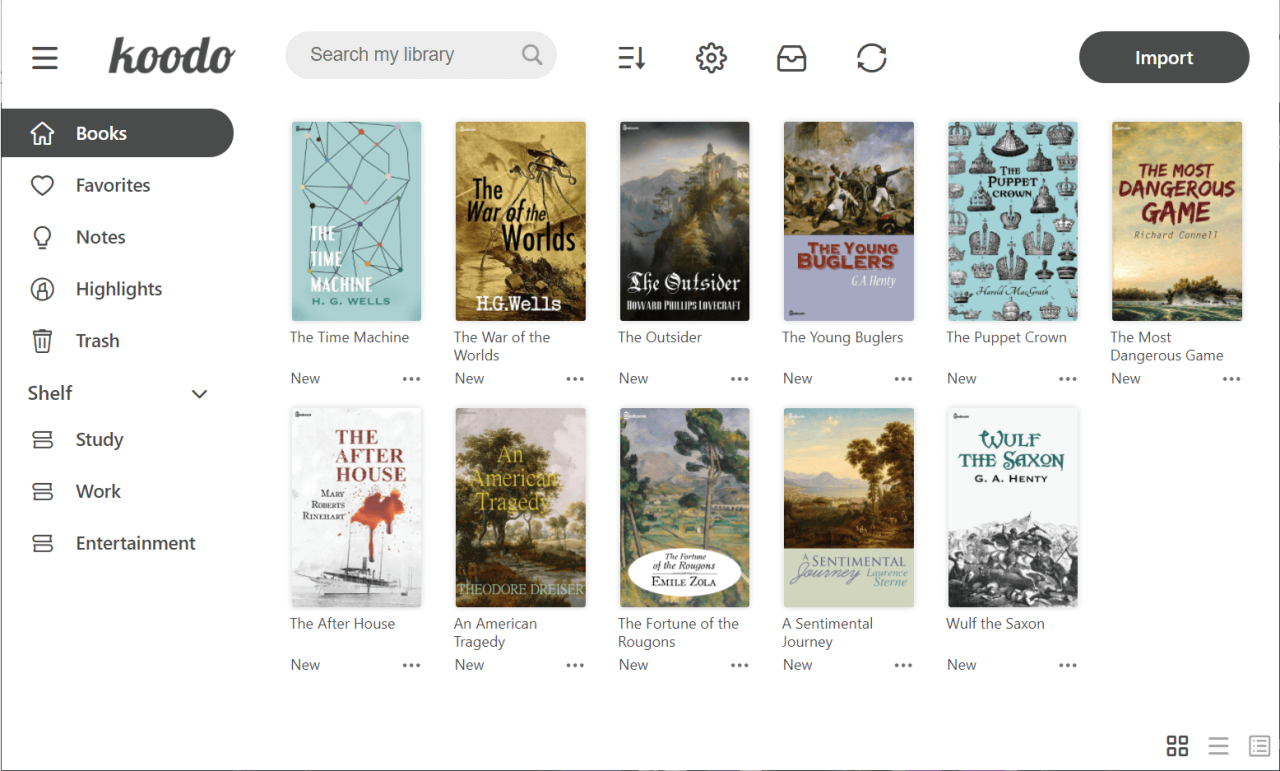
Koodo Reader is an all-in-one ebook reader that can help you better manage and study
your ebooks. It's free and open-source.
• Extensive formats support
• Save your data to Dropbox or Webdav
• Customize the source folder and synchronize among multiple devices using OneDrive,
iCloud, Dropbox, etc.
• Single-column, two-column, or continuous scrolling layouts
• Text-to-speech, translation, progress slider, touch screen support, batch import
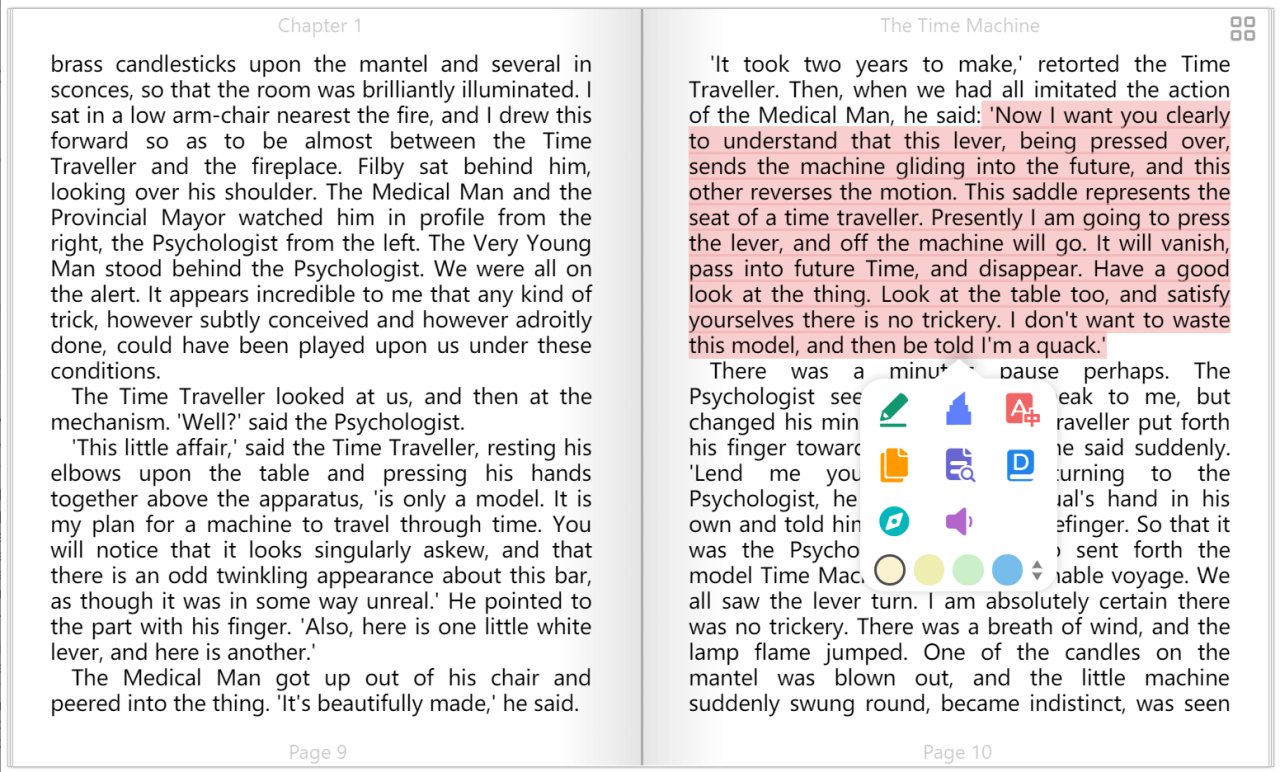
• Add bookmarks, notes, highlights to your books
• Adjust font size, font family, line-spacing, paragraph spacing, background color,
text color, margins, and brightness
• Night mode and theme color
• Text highlight, underline, boldness, italics and shadow
License: AGPL-3.0
your ebooks. It's free and open-source.
• Extensive formats support
• Save your data to Dropbox or Webdav
• Customize the source folder and synchronize among multiple devices using OneDrive,
iCloud, Dropbox, etc.
• Single-column, two-column, or continuous scrolling layouts
• Text-to-speech, translation, progress slider, touch screen support, batch import
• Add bookmarks, notes, highlights to your books
• Adjust font size, font family, line-spacing, paragraph spacing, background color,
text color, margins, and brightness
• Night mode and theme color
• Text highlight, underline, boldness, italics and shadow
License: AGPL-3.0
| Release info | Update on Oct 06, 2026 |
|---|---|
| Release notes | New Features • The table of content now displays the number of pages by default; there is no need to enable the “Total Pages” feature separately. • Software security has been optimized to address an arbitrary code execution vulnerability caused by metadata. • An additional confirmation step has been added when importing books via external links using the URL scheme to enhance security. • The “Ask AI” feature now supports the Ctrl + Enter shortcut for submitting questions. • Added an eraser tool to Doodle Mode • Added support for 7 languages on the official website • (Mobile) Added a feature to resync all book covers; go to Settings > Sync options • (Mobile) Optimized the smoothness of page-turning animations • (Mobile) Optimized the smoothness of certain app animations • (Mobile) Added an option to download images in CBZ comic mode Fixes • Fixed an issue where footnotes in some books did not appear in a pop-up window • Fixed an issue where reading progress could not be tracked for some books containing special styles • Fixed an issue where table of contents highlighting did not work after enabling “Total Pages” • Fixed an issue where page numbers were not displayed in the table of contents for some TXT books • (Mobile) Fixed an issue where authorization via the browser failed on older iOS versions, resulting in a blank page • (Mobile Version) Fixed abnormal slider behavior on iOS • (Mobile Version) Fixed an issue where swiping on an image triggered image preview in scroll mode • (Mobile Version) Fixed an issue where text could not be selected in the Android version after enabling recommended layout under certain conditions • (Mobile Version) Fixed stuttering issues when enabling TTS for some book • (Mobile) Fixed an issue on iOS where the horizontal bar in the bottom navigation bar did not automatically hide during reading • (Mobile) Fixed an issue where footnotes for some books did not appear in a pop-up window • (Mobile) Fixed an issue where reading progress… |
| Listing data | Flathub |
Reviews
No reviews yet. Be the first to review Koodo Reader.
Used Koodo Reader? Tell other visitors what you thought.
Log in to write a reviewOther products by this publisher
- "No Distractions" for YouTube 4.10 ----
- #Bible 11.5 "Incredible App - My sister shared this app with me a few weeks ago and it is truly incredible.
- #filmphotography 1.4.2 So, you decided to shoot on film?
- $quirrel 1.5.1 $quirrel Budget & Finance helps you plan each paycheck, track spending, manage debt, and see what is safe to spend before the next payday.
- % Percentage Calculator Pro 1.41 This is the Pro version of % Percentage Calculator.
Most viewed Linux Office
-
1
 WPS 365 12.1.2.29183_807310
WPS 365 Suite
-
2
 Feishu 7.72.23
A collaboration platform
-
3
 Foliate 3.3.0
Read e-books in style
-
4
 Actual Budget 26.11.0
Your Finances made simple
- 5 Adobe Reader 9.5.5 PDF viewer
-
6
 Blockstream 3.6.1
A simple and secure Bitcoin and Liquid Network wallet
- 7 Textosaurus 0.9.13 Simple cross-platform text editor based on Qt and QScintilla
-
8
 Scribe 0.3.35
Markdown editor with live rendering
-
9
 calibre 9.17.0
The one stop solution to all your e-book needs
-
10
 Quick Lookup 2.1.2
Look up words quickly
Most downloaded Linux Office
-
1
Scribe 0.3.35
Markdown editor with live rendering
-
2
 Readest 0.12.20
Modern, feature-rich ebook reader
- 3 Textosaurus 0.9.13 Simple cross-platform text editor based on Qt and QScintilla
-
4
 Fingrom 7.3.2
Platform-agnostic financial accounting application for personal finance management
- 5 sleek 2.1.1 todo manager based on the todo.txt syntax for Linux, free and open-source (FOSS)
-
6
 TreeSheets 2.23.1
Free Form Data Organizer
-
7
 Super Productivity 19.3.1
To-do list and time tracker
-
8
 Invoice Ninja 5.0.204
Create invoices, accept payments, track expenses & time tasks
- 9 Koodo Reader 2.4.6 All-in-one ebook reader
-
10
Quick Lookup 2.1.2
Look up words quickly