43downloads
1this week
FreeFreeware
0reviews
Screenshots

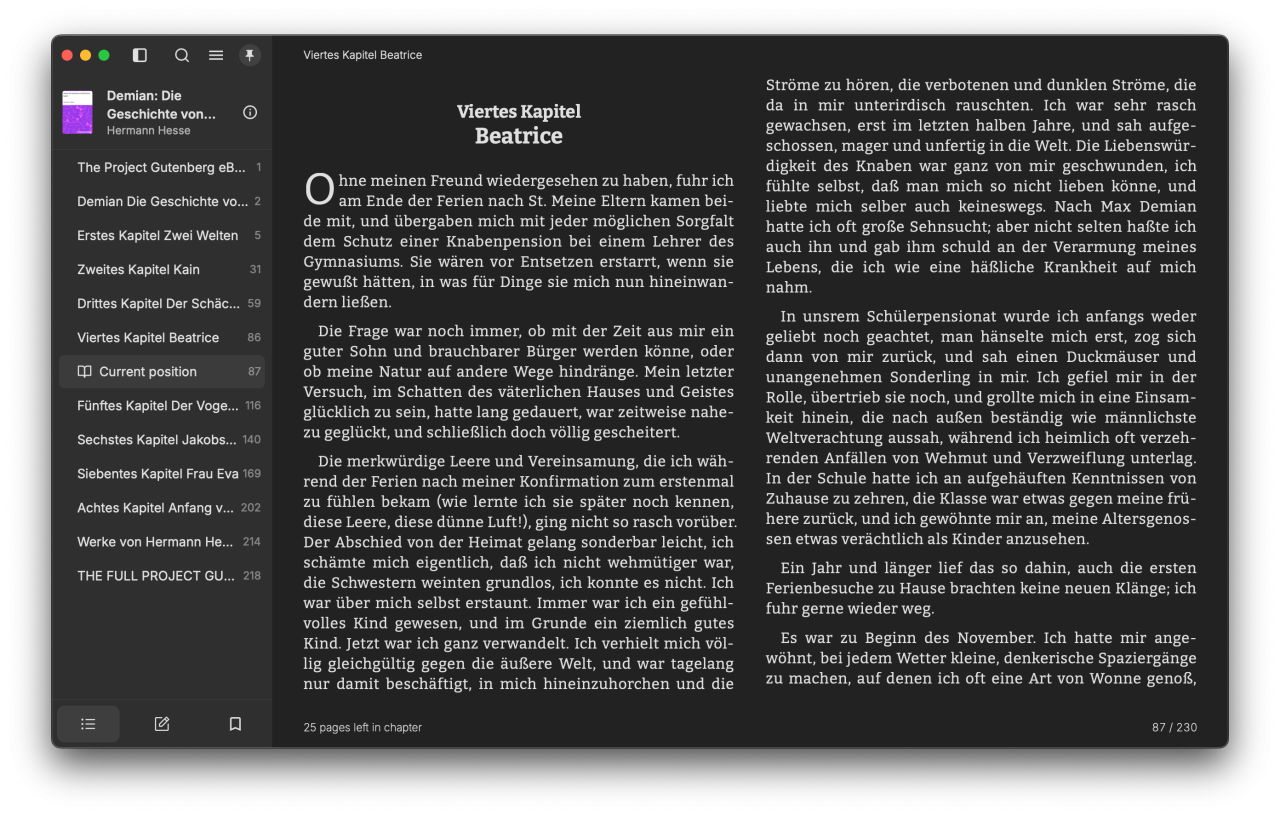
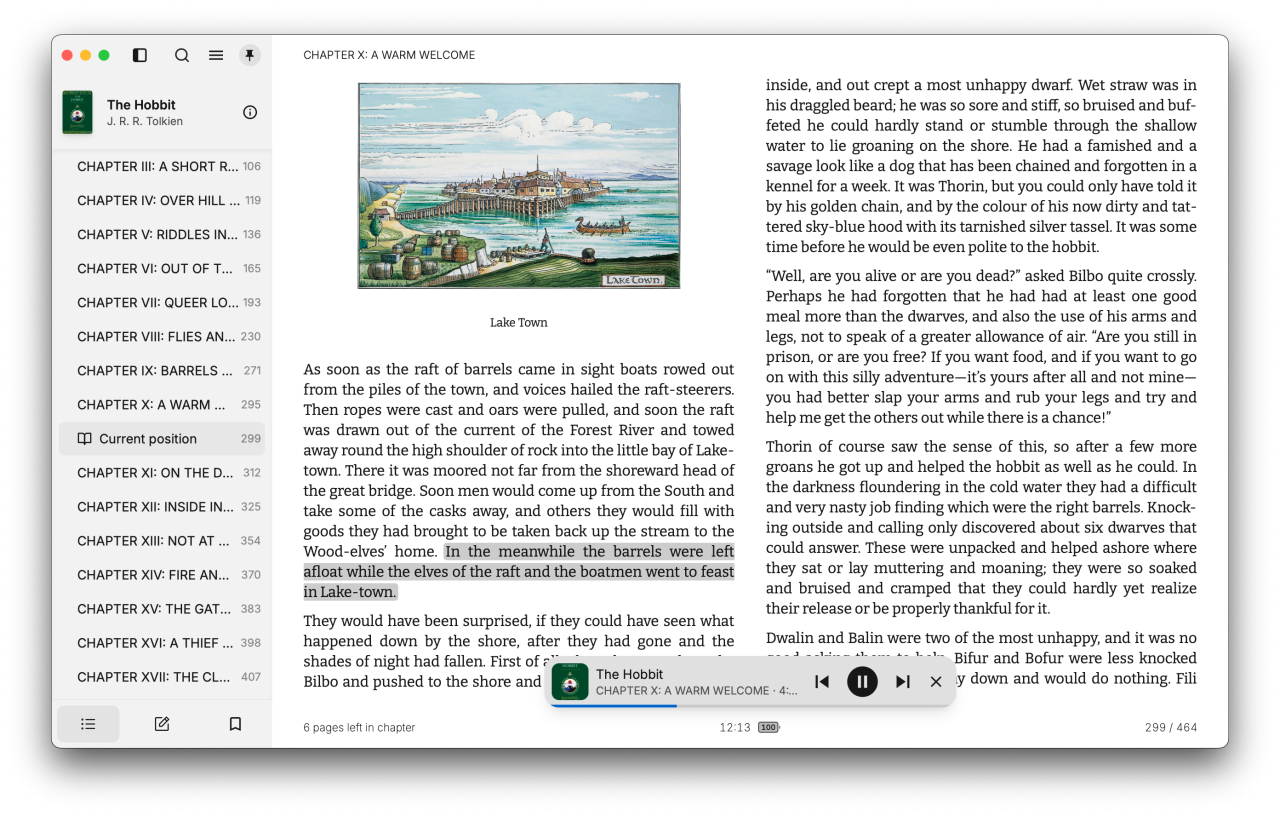
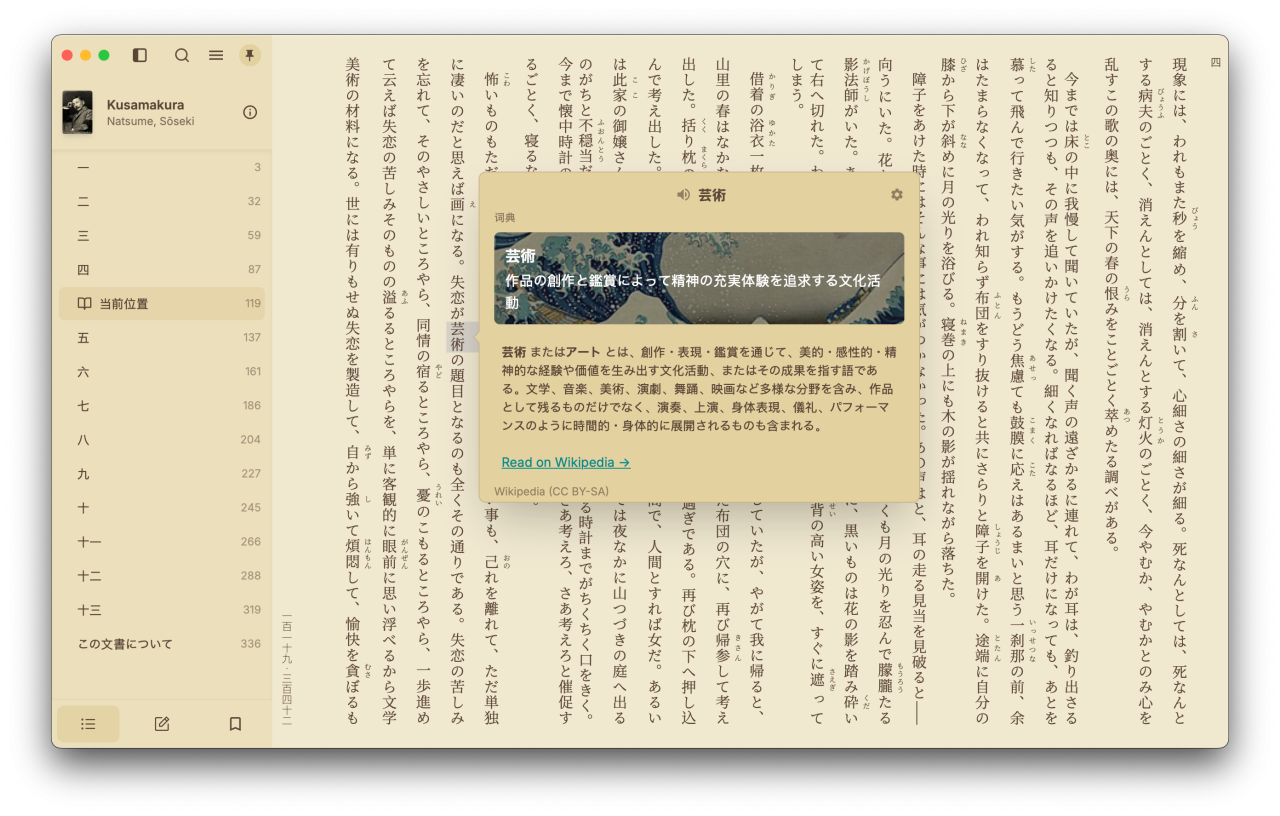
About Readest
Readest is a modern, feature-rich ebook reader designed for avid readers offering seamless cross-platform
access, powerful tools, and an intuitive interface to elevate your reading experience.
Built as a modern rewrite of Foliate, Readest leverages Next.js 15 and Tauri v2 to deliver a
smooth, cross-platform experience across macOS, Windows, Linux, Android, iOS, and the Web.
Whether you're analyzing complex texts, immersing yourself in stories, or exploring new ideas,
Readest adapts to your needs with powerful features for deep, thoughtful reading.
Key features include:
• Multi-format support for EPUB, MOBI, KF8 (AZW3), FB2, CBZ, TXT, and PDF (experimental).
• Switch between scrolling or paginated reading modes for your preferred reading style.
• Full-text search across the entire book to find relevant sections quickly.
• Add highlights, bookmarks, and notes to enhance your reading experience and learning.
• Easily excerpt text from books for detailed notes and analysis.
• Instantly look up words and terms with built-in dictionary and Wikipedia integration.
• Translate selected text instantly using DeepL for accurate translations.
• Parallel Reading: Read two books or documents simultaneously in a split-screen view, perfect
for researchers, language learners, and multitaskers.
• Customize fonts, layout, theme mode, and theme colors for a personalized reading experience.
• Cross-platform synchronization of book files, reading progress, notes, and bookmarks across
all supported platforms.
• Text-to-Speech functionality for a more accessible reading experience.
• Organize, sort, and manage your entire ebook library with advanced library management tools.
• One-click file association to quickly open files in Readest from your file browser.
Readest also includes custom CSS support for personalized styling, and code syntax highlighting
for technical books. The application is designed to honor the legacy of deep reading while embracing
modern technology for an enhanced experience.
License: AGPL-3.0-or-later
| Release info | Update on Nov 05, 2026 |
|---|---|
| Release notes | Release Highlights • Vocabulary: You can now build a vocabulary list, mark words as Learning or Mastered for Word Lens hints, and sync with Anki • Statistics: Added a reading statistics dashboard so you can see your reading habits at a glance • Reading: Added Page Flip and paper curl page turns, a page preview while dragging the progress slider, a straight-line reading ruler, and keyboard-only text selection • Styling: You can now ignore publisher fonts, make white image backgrounds transparent, and adjust dialogue highlighting • Text-to-Speech: You can now preview voices, pick a default voice per language, and sync downloaded read-aloud audio across devices • Library: You can now import pasted text and Word or RTF files, share collections as bundles, search for covers in the app • Sync: Added Grimmory, Obsidian, and CrossPoint 2.0 highlight sync, a new view of where your reading data goes, and a switch for servers with self-signed certificates • Dictionary: You can now resize the dictionary popup, customize AI context lookups, edit word hints, and choose your lookup app on Android • PDF: Text is now sharper, especially on iOS and Android, with smoother pinch zoom, panning, and gapless horizontal scrolling • More: The KOReader plugin can sign in with a QR code, iPhone Duo gets book mode on its inner display, and stylus annotation and sync are more reliable What's Changed Click to expand • feat(library): show the full book or group title on hover by @chrox in https://github.com/readest/readest/pull/6785 • fix(reader): keep the footer bar off the horizontal scrollbar when zoomed by @chrox in https://github.com/readest/readest/pull/6786 • fix(sync): keep imported annotations through the next sync (#6762) by @chrox in https://github.com/readest/readest/pull/6787 • fix(reader): release closed reader views from the cached book document, closes #6710 by @chrox in https://github.com/readest/readest/pull/6788 • fix(tts): skip bare superscript note markers when reading… |
| Related tags | readest ebook reader |
| Listing data | Flathub |
Reviews
No reviews yet. Be the first to review Readest.
Used Readest? Tell other visitors what you thought.
Log in to write a reviewOther products by this publisher
- "No Distractions" for YouTube 4.10 ----
- #Bible 11.6.1 "Incredible App - My sister shared this app with me a few weeks ago and it is truly incredible.
- #filmphotography 1.4.2 So, you decided to shoot on film?
- #LookBusy Fake Calendar Events 1.0.6 Look Busy scans your work calendar for open time slots and fills them with realistic-looking (but secretly fake) work events.
- #Small Talk Is Canceled 1.0.2 #Small Talk Is Canceled — Conversations That Matter
Most viewed Linux Office
-
1
 Scrolex 0.13.1
Read PDFs and ebooks horizontally
-
2
 WPS 365 12.1.2.29183_807310
WPS 365 Suite
-
3
 Super Productivity v20.1.0
To-do list and time tracker
- 4 Textosaurus 0.9.13 Simple cross-platform text editor based on Qt and QScintilla
-
5
 Feishu 7.72.23
A collaboration platform
-
6
 Readest 0.12.20
Modern, feature-rich ebook reader
-
7
 Scribe 0.3.50
Markdown editor with live rendering
-
8
 Foliate 3.3.0
Read e-books in style
-
9
 Adobe Reader 9.5.5
PDF viewer
-
10
 Quick Lookup 2.1.2
Look up words quickly
Most downloaded Linux Office
- 1 sleek 2.1.1 todo manager based on the todo.txt syntax for Linux, free and open-source (FOSS)
- 2 Textosaurus 0.9.13 Simple cross-platform text editor based on Qt and QScintilla
-
3
 Nottodbox 0.2.3
Organize notes, to-dos and diaries
-
4
 Fingrom 7.3.2
Platform-agnostic financial accounting application for personal finance management
-
5
 Linwood Butterfly 2.6.2
Infinite-canvas notes and sketches
-
6
 TreeSheets 2.24.3
Free Form Data Organizer
-
7
 OpenDeck 2.14.2
Use stream controllers
- 8 Thoughts 0.20.0 Simple and powerful mind map
- 9 Koodo Reader 2.4.7 All-in-one ebook reader
-
10
 Skribisto 3.3.3
Plan, write, manage your novels