9downloads
3this week
FreeFreeware
0reviews
Screenshots
About Scratchmark
# Markdown Editor for Writing
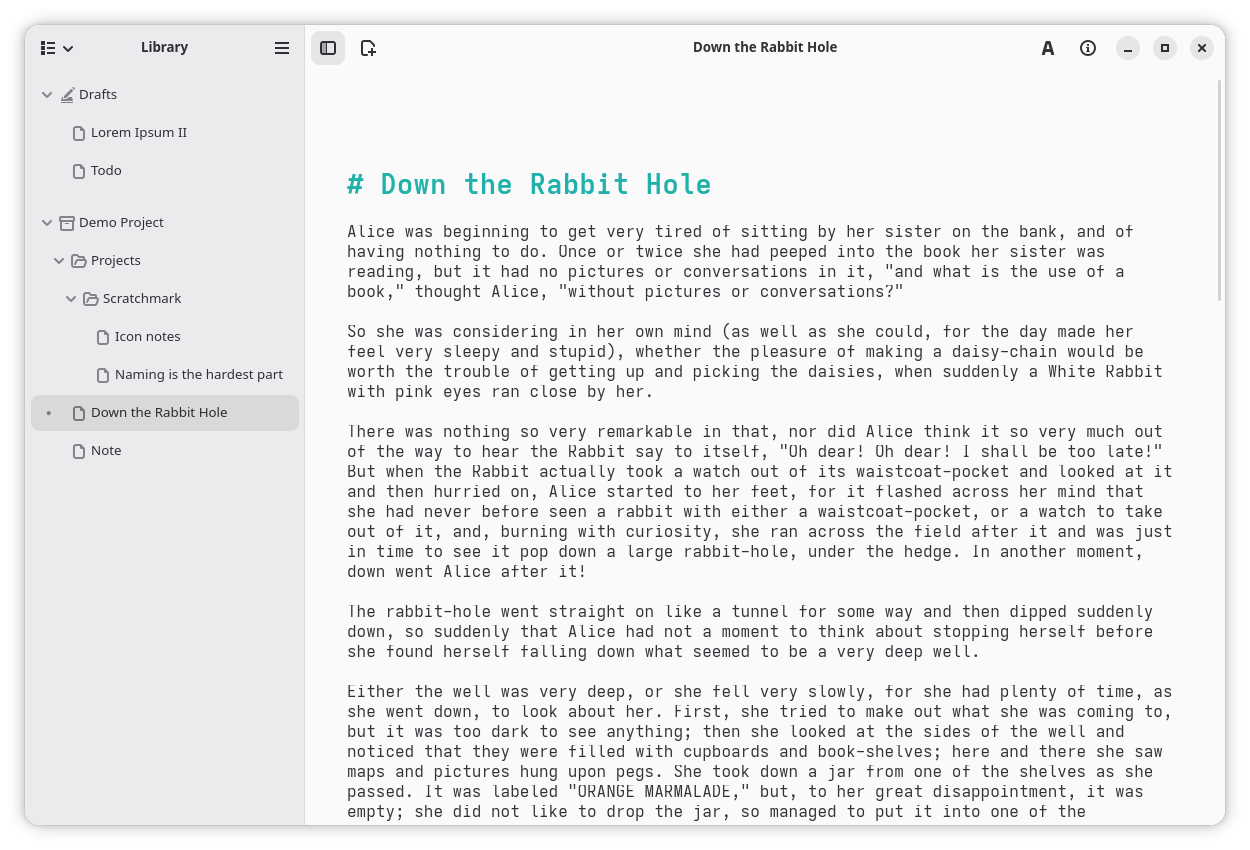
**Scratchmark** is a pleasant text editor for writing. It tries to give you everything you need
and otherwise stay out of your way so you can just focus on the text. The app can be used for writing
essays and making quick notes alike. Its file management is built around a folder structure that
can handle large projects with lots of files. You can add any folder on your computer to the library,
and move files around by dragging and dropping.
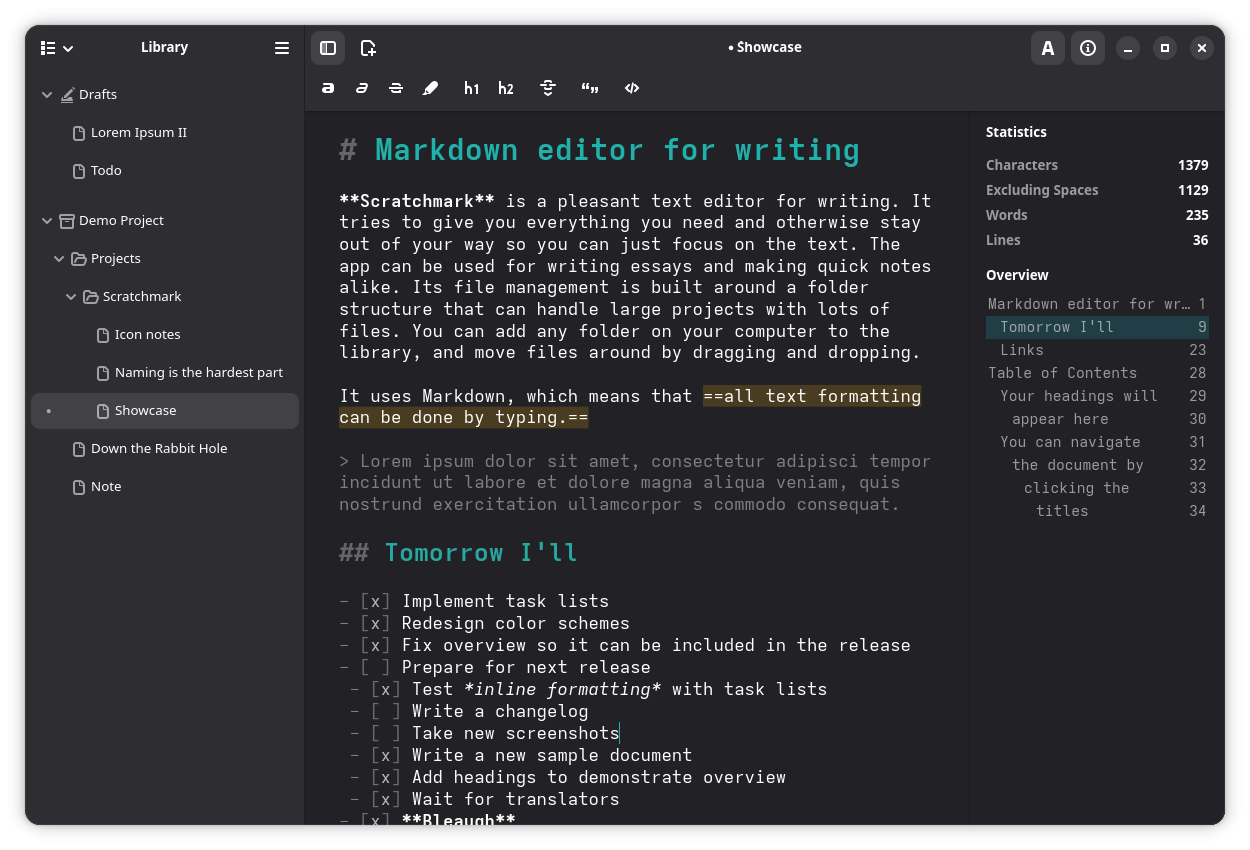
It uses Markdown, which means that ==all text formatting can be done by typing.==
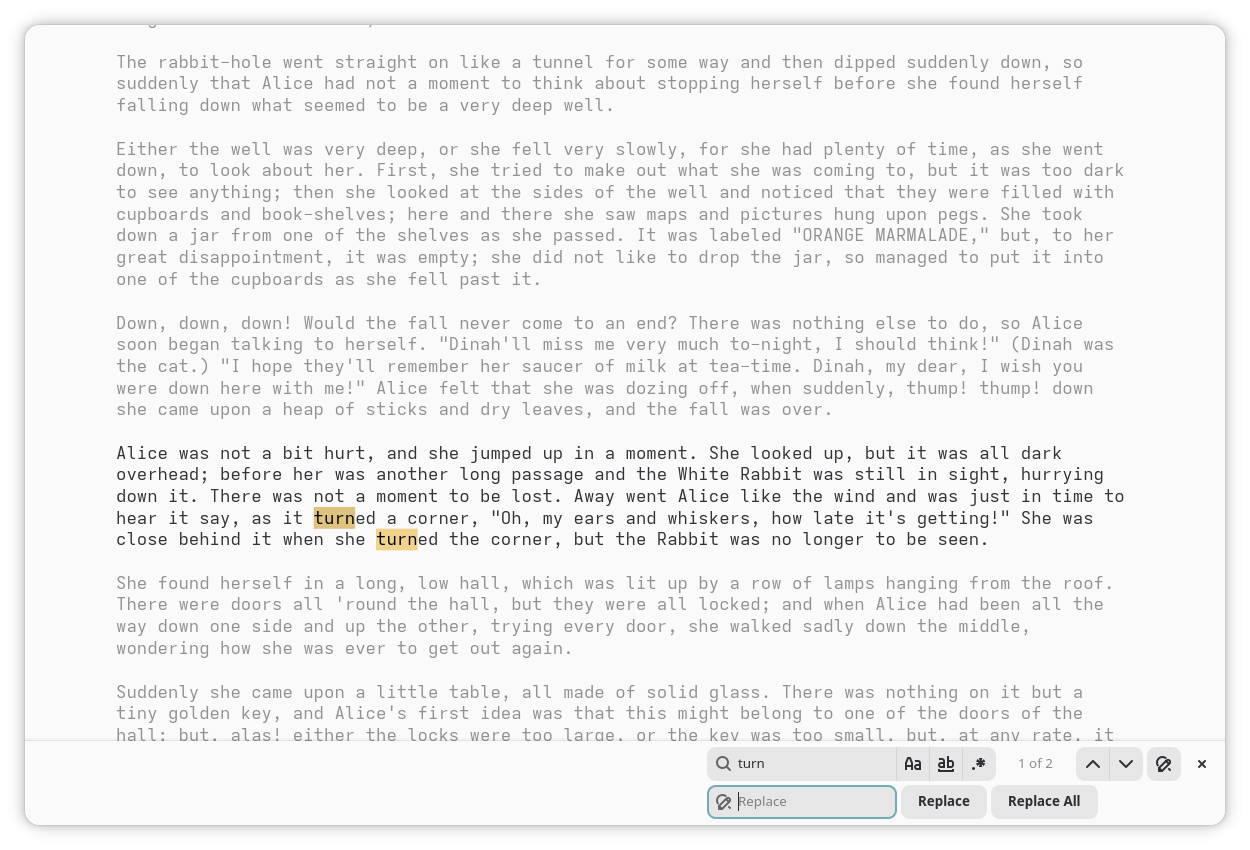
The editor is simple and intuitive, so anyone should be able to just pick it up and start writing.
It can display simple writing statistics, and has features, such as focus mode and fullscreen support
to reduce distractions.
Markdown is an open and widely used markup language. Documents created with Scratchmark are
more or less compatible with other similar apps. If you already have a "notebook" or a project
from another app, you can just add the folder to Scratchmark's library. This also goes the other
way: if you've had enough of Scratchmark, it's easy to switch to something else.
License: GPL-3.0-or-later
**Scratchmark** is a pleasant text editor for writing. It tries to give you everything you need
and otherwise stay out of your way so you can just focus on the text. The app can be used for writing
essays and making quick notes alike. Its file management is built around a folder structure that
can handle large projects with lots of files. You can add any folder on your computer to the library,
and move files around by dragging and dropping.
It uses Markdown, which means that ==all text formatting can be done by typing.==
The editor is simple and intuitive, so anyone should be able to just pick it up and start writing.
It can display simple writing statistics, and has features, such as focus mode and fullscreen support
to reduce distractions.
Markdown is an open and widely used markup language. Documents created with Scratchmark are
more or less compatible with other similar apps. If you already have a "notebook" or a project
from another app, you can just add the folder to Scratchmark's library. This also goes the other
way: if you've had enough of Scratchmark, it's easy to switch to something else.
License: GPL-3.0-or-later
| Release info | Update on Nov 03, 2026 |
|---|---|
| Release notes | • Feature: Table of contents navigation • Feature: Dark and light mode settings • Feature: Clickable links • Feature: Task lists • Fix: Inline formatting within blockquotes • Design: Different editor colors for dark and light mode • Misc: Rebuilt deprecated shortcuts dialog |
| Listing data | Flathub |
Reviews
No reviews yet. Be the first to review Scratchmark.
Used Scratchmark? Tell other visitors what you thought.
Log in to write a reviewOther products by this publisher
- "No Distractions" for YouTube 4.10 ----
- #Bible 11.6 "Incredible App - My sister shared this app with me a few weeks ago and it is truly incredible.
- #filmphotography 1.4.2 So, you decided to shoot on film?
- $quirrel 1.5.1 $quirrel Budget & Finance helps you plan each paycheck, track spending, manage debt, and see what is safe to spend before the next payday.
- % Percentage Calculator Pro 1.41 This is the Pro version of % Percentage Calculator.
Most viewed Linux Office
-
1
 Scrolex 0.13.1
Read PDFs and ebooks horizontally
-
2
 WPS 365 12.1.2.29183_807310
WPS 365 Suite
-
3
 Scribe 0.3.35
Markdown editor with live rendering
-
4
 Feishu 7.72.23
A collaboration platform
-
5
 Foliate 3.3.0
Read e-books in style
- 6 Adobe Reader 9.5.5 PDF viewer
-
7
 Super Productivity v20.0.0
To-do list and time tracker
-
8
 Actual Budget 26.11.0
Your Finances made simple
-
9
 calibre 9.17.0
The one stop solution to all your e-book needs
-
10
 TreeSheets 2.23.10
Free Form Data Organizer
Most downloaded Linux Office
- 1 sleek 2.1.1 todo manager based on the todo.txt syntax for Linux, free and open-source (FOSS)
- 2 Textosaurus 0.9.13 Simple cross-platform text editor based on Qt and QScintilla
-
3
 Fingrom 7.3.2
Platform-agnostic financial accounting application for personal finance management
-
4
TreeSheets 2.23.10
Free Form Data Organizer
-
5
Scribe 0.3.35
Markdown editor with live rendering
-
6
 Invoice Ninja 5.0.204
Create invoices, accept payments, track expenses & time tasks
-
7
 Nottodbox 0.2.3
Organize notes, to-dos and diaries
-
8
 Skribisto 3.3.0
Plan, write, manage your novels
-
9
 Linwood Butterfly 2.6.2
Infinite-canvas notes and sketches
-
10
 Readest 0.12.20
Modern, feature-rich ebook reader