RWR: onlooker alert 1.6.0
Warns you when someone behind you looks at your screen (shoulder surfing)
Download
16.21 MB
13downloads
0this week
FreeFreeware
0reviews
Screenshots
About RWR: onlooker alert
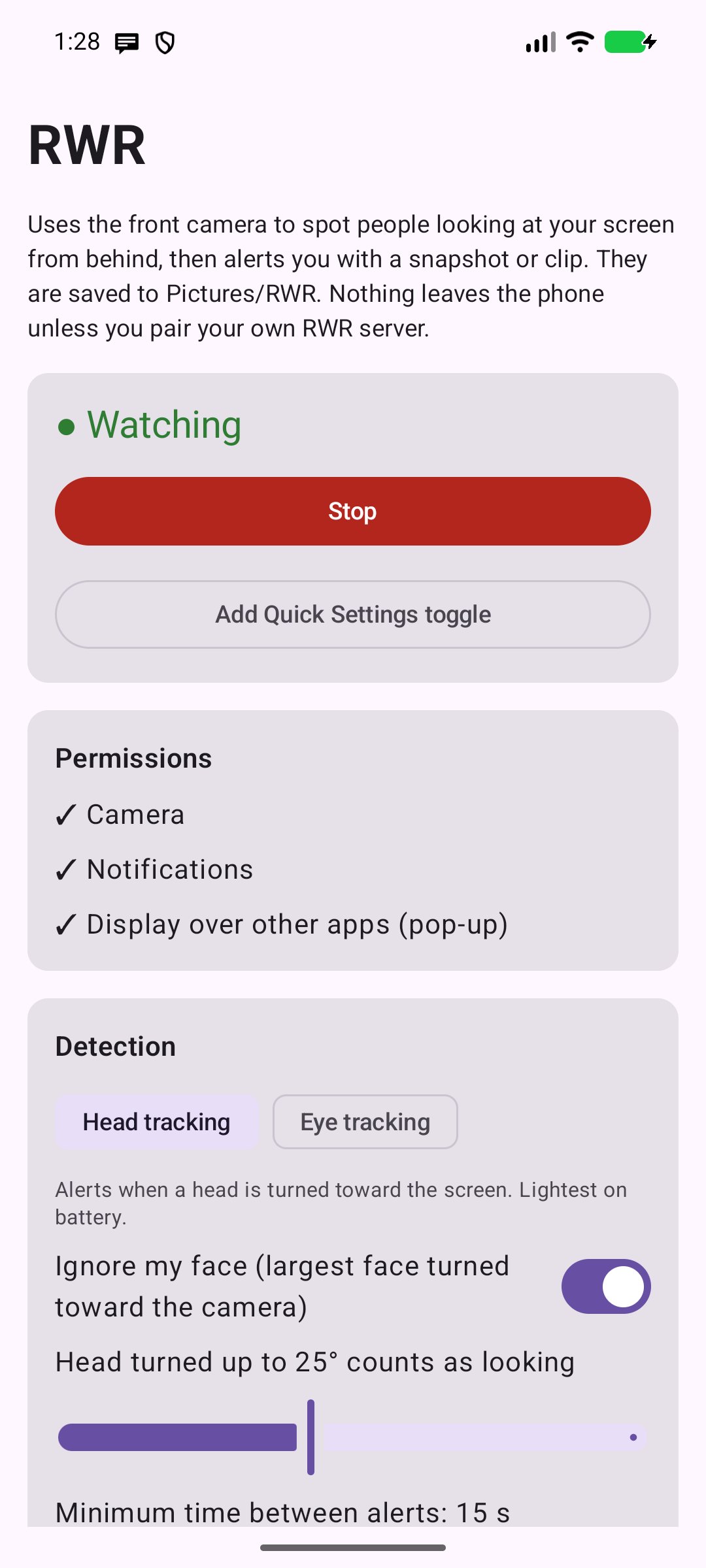
RWR watches through the front camera for people looking at your screen from behind (shoulder surfers). When it sees one, it:
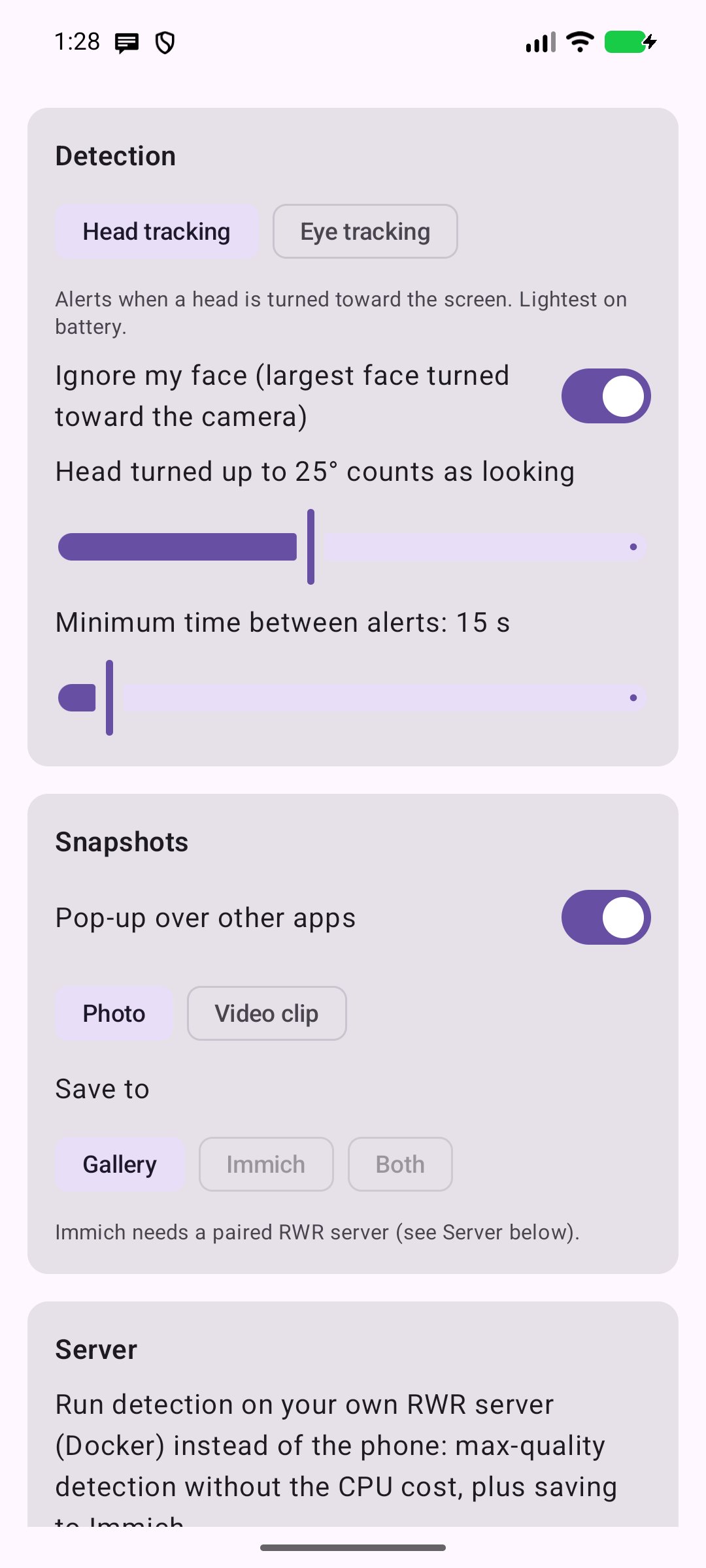
• pops up a card over whatever app you are using with a snapshot of the onlooker (boxed in red, with "laser eyes" showing where they look),
• posts a notification,
• saves a photo or a short video clip (for example 10 s before to 10 s after) to your gallery, and optionally to your own Immich server.
It runs in the background and can be switched on and off from the Quick Settings panel.
Detection
• Head tracking: a face turned toward the screen counts as looking. Lightest on battery.
• Eye tracking: follows the irises and combines them with head pose, so it alerts only when the eyes point at the screen.
• Your own face is recognised and ignored, and faces too far away to read the screen don't count.
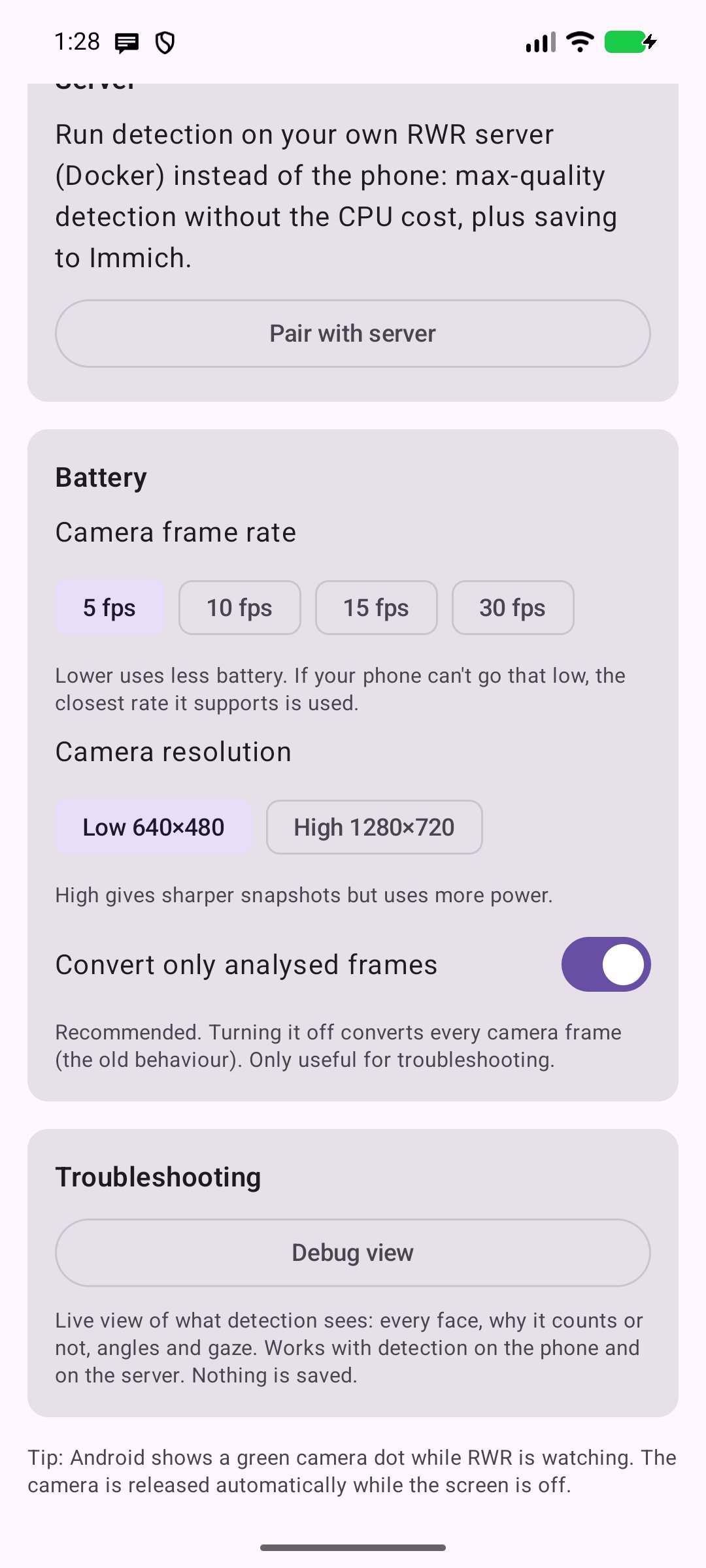
• A debug view shows live what the detector sees and why each face counts or not.
Private by design
• Detection runs on the phone, offline, with bundled open-source models (YuNet and MediaPipe Face Landmarker). No analytics, no ads, no accounts.
• Nothing leaves the phone unless you pair it with your own RWR server (Docker, open source, in the same repository). Then frames go only to your server, over TLS: detection runs there at full frame rate without draining your battery, and snapshots can be uploaded to Immich.
• The camera is always off while the screen is off. Android shows its camera indicator while RWR is watching.
Requires Android 10 or newer and a front camera. The pop-up needs the "Display over other apps" permission.
License: GPL-3.0-only
• pops up a card over whatever app you are using with a snapshot of the onlooker (boxed in red, with "laser eyes" showing where they look),
• posts a notification,
• saves a photo or a short video clip (for example 10 s before to 10 s after) to your gallery, and optionally to your own Immich server.
It runs in the background and can be switched on and off from the Quick Settings panel.
Detection
• Head tracking: a face turned toward the screen counts as looking. Lightest on battery.
• Eye tracking: follows the irises and combines them with head pose, so it alerts only when the eyes point at the screen.
• Your own face is recognised and ignored, and faces too far away to read the screen don't count.
• A debug view shows live what the detector sees and why each face counts or not.
Private by design
• Detection runs on the phone, offline, with bundled open-source models (YuNet and MediaPipe Face Landmarker). No analytics, no ads, no accounts.
• Nothing leaves the phone unless you pair it with your own RWR server (Docker, open source, in the same repository). Then frames go only to your server, over TLS: detection runs there at full frame rate without draining your battery, and snapshots can be uploaded to Immich.
• The camera is always off while the screen is off. Android shows its camera indicator while RWR is watching.
Requires Android 10 or newer and a front camera. The pop-up needs the "Display over other apps" permission.
License: GPL-3.0-only
| Release info | New Release on Oct 25, 2026 |
|---|---|
| Release notes | 1.6.0: servers behind authentik. - If your RWR server sits behind authentik forward auth (e.g. Nginx Proxy Manager + authentik), RWR now signs in with authentik in the browser (OAuth 2 + PKCE) and keeps working in the background. Setup: docs/authentik.md. |
| Listing data | F-Droid |
Reviews
No reviews yet. Be the first to review RWR: onlooker alert.
Used RWR: onlooker alert? Tell other visitors what you thought.
Log in to write a reviewOther products by this publisher
- "No Distractions" for YouTube 4.10 ----
- #Bible 11.6 "Incredible App - My sister shared this app with me a few weeks ago and it is truly incredible.
- #filmphotography 1.4.2 So, you decided to shoot on film?
- $quirrel 1.5.1 $quirrel Budget & Finance helps you plan each paycheck, track spending, manage debt, and see what is safe to spend before the next payday.
- % Percentage Calculator Pro 1.41 This is the Pro version of % Percentage Calculator.
Most viewed Android Security & Privacy
- 1 OTG Master 0.5.1 Mount VeraCrypt, LUKS, BitLocker and APFS USB drives on non-rooted Android
- 2 Vault Explorer 1.50.0 Encrypted container explorer: VeraCrypt, LUKS, BitLocker, Cryptomator, gocryptfs
- 3 CimBar Scanner 0.13.0 Send and receive files and text as animated color barcodes — offline
-
4
 ICdetection 3.1.8
Offline cellular anomaly auditor and radio monitor for Android
-
5
 Arcanum 1.7.0
Encrypted container manager compatible with VeraCrypt
-
6
 Passchain 1.1.2-rc2
Use security key with Bluetooth, NFC, USB or your phone secure element
-
7
 Pass 0.4.7
Private tools: deterministic passwords, 2FA codes, calculator and clock.
-
8
 PaperCript 1.3.5
Encrypted passwords on printable QR cards. No network, stores nothing.
- 9 KeePassVault 2.1.0 Client app for KeePass databases
- 10 Sidestep 1.2.7 Intercept URLs, remove tracking, and redirect to privacy-friendly frontends.
Most downloaded Android Security & Privacy
-
1
Arcanum 1.7.0
Encrypted container manager compatible with VeraCrypt
-
2
 Acutis Firewall 1.0.11
Parental control app that blocks adult content and dangerous sites on-device.
- 3 Flauth 1.2.0 Privacy-first, open-source TOTP authenticator for 2FA token management.
-
4
 PassPony: Git Password Manager 2.1.0
Password manager for pass and passage stores, synced with git
-
5
 Keyholm 0.1.0
Single-device passkeys on secure hardware
- 6 Zodl: Zcash Wallet 3.19.0-3234 The most private crypto wallet. Built for financial sovereignty.
-
7
 Pocket2FA 0.11.0
Secure 2FA code client of 2FAuth server that works offline
-
8
 Tokn - MFA / 2FA authenticator 1.8.3
Open-source 2FA authenticator. Encrypted on-device. No accounts.
- 9 HiddenProtectedWorkProfile 94.0 Hidden Profile owner Android security app.
-
10
 AWAGAM TLD and Domain Blocker 1.1.1
Block TLDs and domains at the DNS level using your own blocklists