
PassPony: Git Password Manager 2.1.0
Password manager for pass and passage stores, synced with git
Download
23.48 MB
59downloads
15this week
FreeFreeware
0reviews
Screenshots
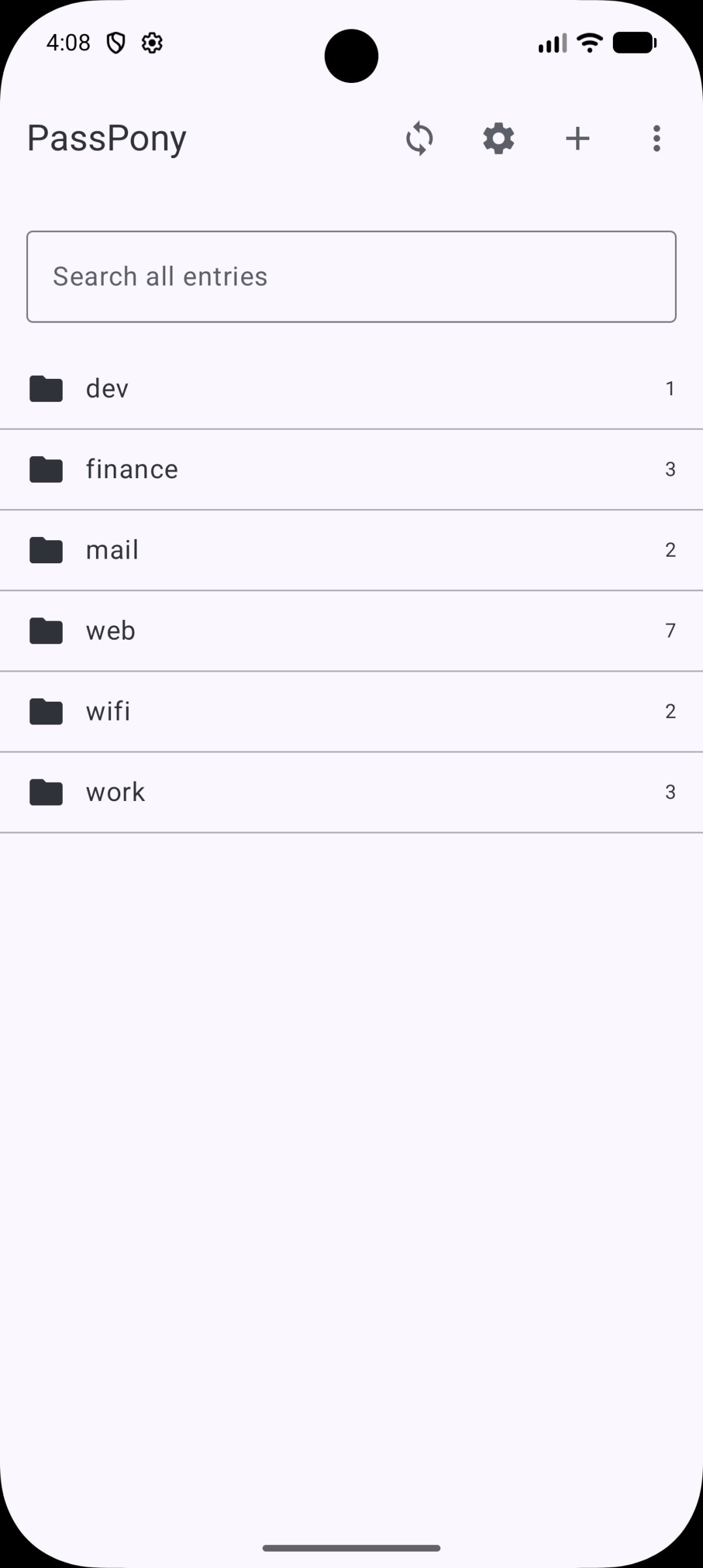
About PassPony: Git Password Manager
PassPony opens and edits pass (OpenPGP) and passage (age) password
stores. Your keys, your files, synced with your own git remote.
There is no server and no account. The store is just files, the
same format the pass and passage command line tools use, so it
stays interoperable with desktop clients.
Features:
* Browse and search entries across a pass or passage store
* One-time codes: scan a QR code, paste an otpauth link, or type
the key; live codes with a countdown ring, in the same format
pass-otp uses
* Password generator with length and character-class options
* An ephemeral clipboard that clears itself after 45 seconds
* Git sync: clone, push, and per-entry conflict resolution
* System Autofill. Only entry names are indexed; nothing decrypts
until you fill
* Biometric unlock with a shared grace window
* A Diagnostics screen with a copyable report for support
requests, with nothing secret in it
* Localized in English, Spanish, French, German, Simplified
Chinese, Brazilian Portuguese, and Russian, with live in-app
language switching
* A first-run tour: pick a language, choose a format, clone an
existing store or import keys, add a first entry, and turn on
autofill without leaving the app
Open source, Apache-2.0. The crypto core is a separate,
independently auditable Rust library shared with PassPony iOS.
stores. Your keys, your files, synced with your own git remote.
There is no server and no account. The store is just files, the
same format the pass and passage command line tools use, so it
stays interoperable with desktop clients.
Features:
* Browse and search entries across a pass or passage store
* One-time codes: scan a QR code, paste an otpauth link, or type
the key; live codes with a countdown ring, in the same format
pass-otp uses
* Password generator with length and character-class options
* An ephemeral clipboard that clears itself after 45 seconds
* Git sync: clone, push, and per-entry conflict resolution
* System Autofill. Only entry names are indexed; nothing decrypts
until you fill
* Biometric unlock with a shared grace window
* A Diagnostics screen with a copyable report for support
requests, with nothing secret in it
* Localized in English, Spanish, French, German, Simplified
Chinese, Brazilian Portuguese, and Russian, with live in-app
language switching
* A first-run tour: pick a language, choose a format, clone an
existing store or import keys, add a first entry, and turn on
autofill without leaving the app
Open source, Apache-2.0. The crypto core is a separate,
independently auditable Rust library shared with PassPony iOS.
| Release info | Update on Oct 26, 2026 |
|---|---|
| Release notes | PassPony (Android) 2.1.0 2.1 is a design and polish release: a plainer look, screens that say what is going on, and translations that were missing since 1.x. • Saves that fail now say so. Adding or editing an entry used to close the screen whether or not the entry was written, so a save into a pass store with no .gpg-id, or with no usable key, vanished without a word. Add, Edit and the first-run tour now stay put and show the error. • Design: PassPony orange with neutral surfaces in light and dark, instead of the placeholder palette and wallpaper colors. Dropdown menus replace segment rows whose translated labels got cut off, settings rows are grouped with dividers, whole rows toggle their switch, and Settings, Sync and Re-encrypt use the app bar's back arrow. • Clearer states: the store list and the autofill picker show loading, no-match and couldn't-open screens instead of "No entries" for everything. The lock screen no longer shows raw error text, and sync results and counts are proper translated strings and plurals ("1 unpushed change"). • Translations: about fifty labels that showed English in every language (Cancel, Back, the autofill picker, the lock screen and several settings rows) are now translated in all six, and the em dashes are gone from every locale. • More from NorseHorse now lists VaultPony, ScrubPony and TapPony. Verification • Content hash: b560ef8622dc44732825faa5c06c248a62cd4108af24293fbdd2b9b66a36922f • SHA-256: c98c2990c23056136219df66124634488d2ef2b8e7c38d5747d7cbbb1caf9b75 PassPonyAndroid-2.1.0-foss.apk (also in PassPonyAndroid-2.1.0-SHA256SUMS.txt) • Reproduce this build yourself: tools/verify_repro.sh rebuild v2.1.0 PassPonyAndroid-2.1.0-foss.apk See docs/REPRODUCIBLE.md for what "content hash" means and why it isn't a whole-file SHA-256. |
| Listing data | F-Droid |
Reviews
No reviews yet. Be the first to review PassPony: Git Password Manager.
Used PassPony: Git Password Manager? Tell other visitors what you thought.
Log in to write a reviewOther products by this publisher
- "No Distractions" for YouTube 4.10 ----
- #Bible 11.6 "Incredible App - My sister shared this app with me a few weeks ago and it is truly incredible.
- #filmphotography 1.4.2 So, you decided to shoot on film?
- $quirrel 1.5.1 $quirrel Budget & Finance helps you plan each paycheck, track spending, manage debt, and see what is safe to spend before the next payday.
- % Percentage Calculator Pro 1.41 This is the Pro version of % Percentage Calculator.
Most viewed Android Security & Privacy
- 1 OTG Master 0.4.2 Mount VeraCrypt and LUKS encrypted USB drives on non-rooted Android
- 2 Vault Explorer 1.50.0 Encrypted container explorer: VeraCrypt, LUKS, BitLocker, Cryptomator, gocryptfs
-
3
 PaperCript 1.3.3
Encrypted passwords on printable QR cards. No network, stores nothing.
-
4
 Pass 0.4.7
Private tools: deterministic passwords, 2FA codes, calculator and clock.
-
5
 Arcanum 1.7.0
Encrypted container manager compatible with VeraCrypt
- 6 KeePassVault 2.1.0 Client app for KeePass databases
-
7
 PassVault 2.2.2
A secure, lightweight, and 100% offline password manager.
- 8 Sidestep 1.2.7 Intercept URLs, remove tracking, and redirect to privacy-friendly frontends.
- 9 DroidCrypt 1.1 A file and text encryption tool for Android
-
10
 TrovePass 1.0.0
Offline password generator — one master password for every site
Most downloaded Android Security & Privacy
-
1
PassPony: Git Password Manager 2.1.0
Password manager for pass and passage stores, synced with git
- 2 Flauth 1.2.0 Privacy-first, open-source TOTP authenticator for 2FA token management.
-
3
 Pocket2FA 0.11.0
Secure 2FA code client of 2FAuth server that works offline
-
4
 Tokn - MFA / 2FA authenticator 1.8.3
Open-source 2FA authenticator. Encrypted on-device. No accounts.
-
5
PaperCript 1.3.3
Encrypted passwords on printable QR cards. No network, stores nothing.
- 6 GPG Key Manager 2.0.0 GPG Tool for Android
- 7 HiddenProtectedWorkProfile 94.0 Hidden Profile owner Android security app.
-
8
Arcanum 1.7.0
Encrypted container manager compatible with VeraCrypt
- 9 DNS Toggle 3.1.0 Easily toggle and automate Private DNS through the Quick Settings panel.
-
10
 PGPony 4.7.3
Encrypt, decrypt and sign with OpenPGP. Post-quantum keys and security keys.