57downloads
16this week
FreeFreeware
0reviews
Screenshots
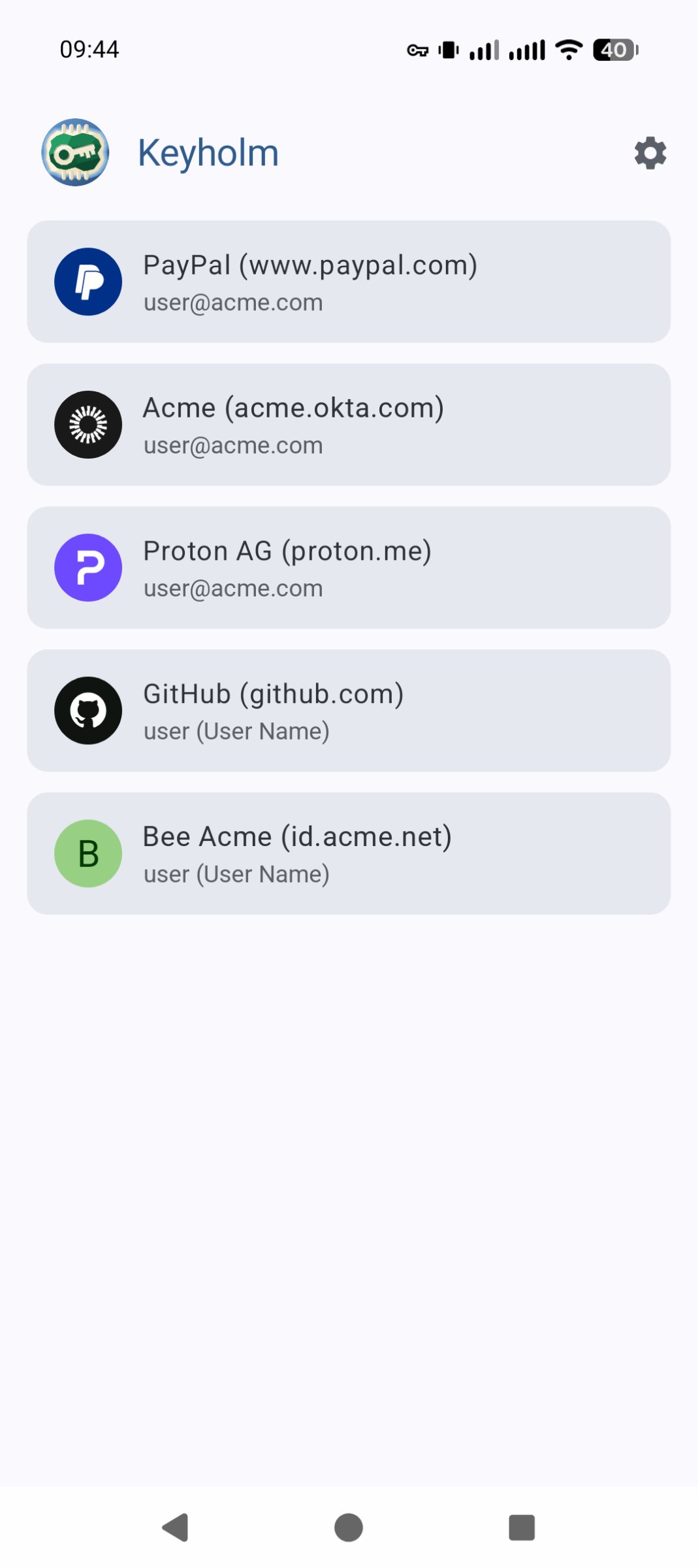
About Keyholm
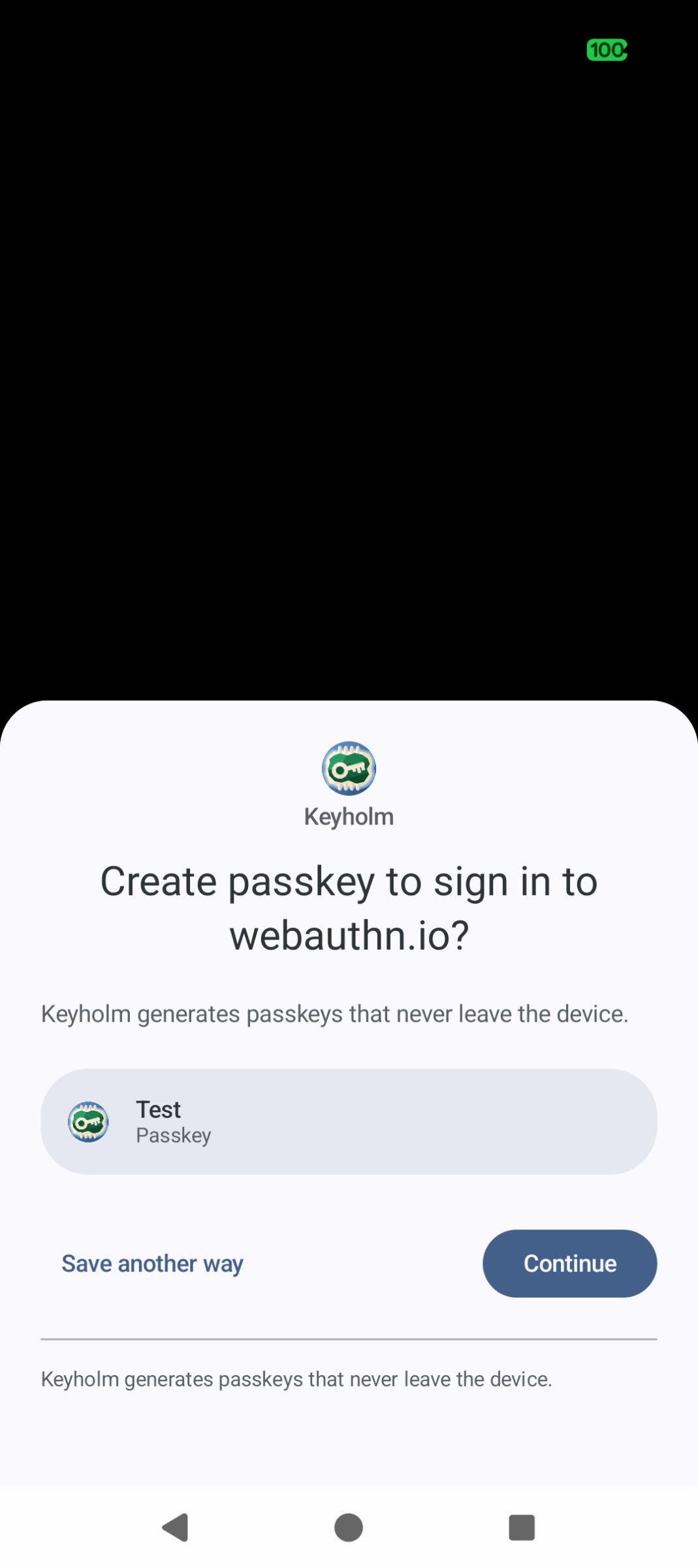
Keyholm is all about single-device passkeys (i.e. client-side discoverable credentials) whose private key is protected by secure hardware.
You can never export or sync these passkeys. Think of Keyholm as a way to activate the built-in security key on your phone.
• target devices: phones with secure hardware (including Pixels)
• no INTERNET permission
• no Google Play Services ever
• takes advantage of latest Android version/APIs
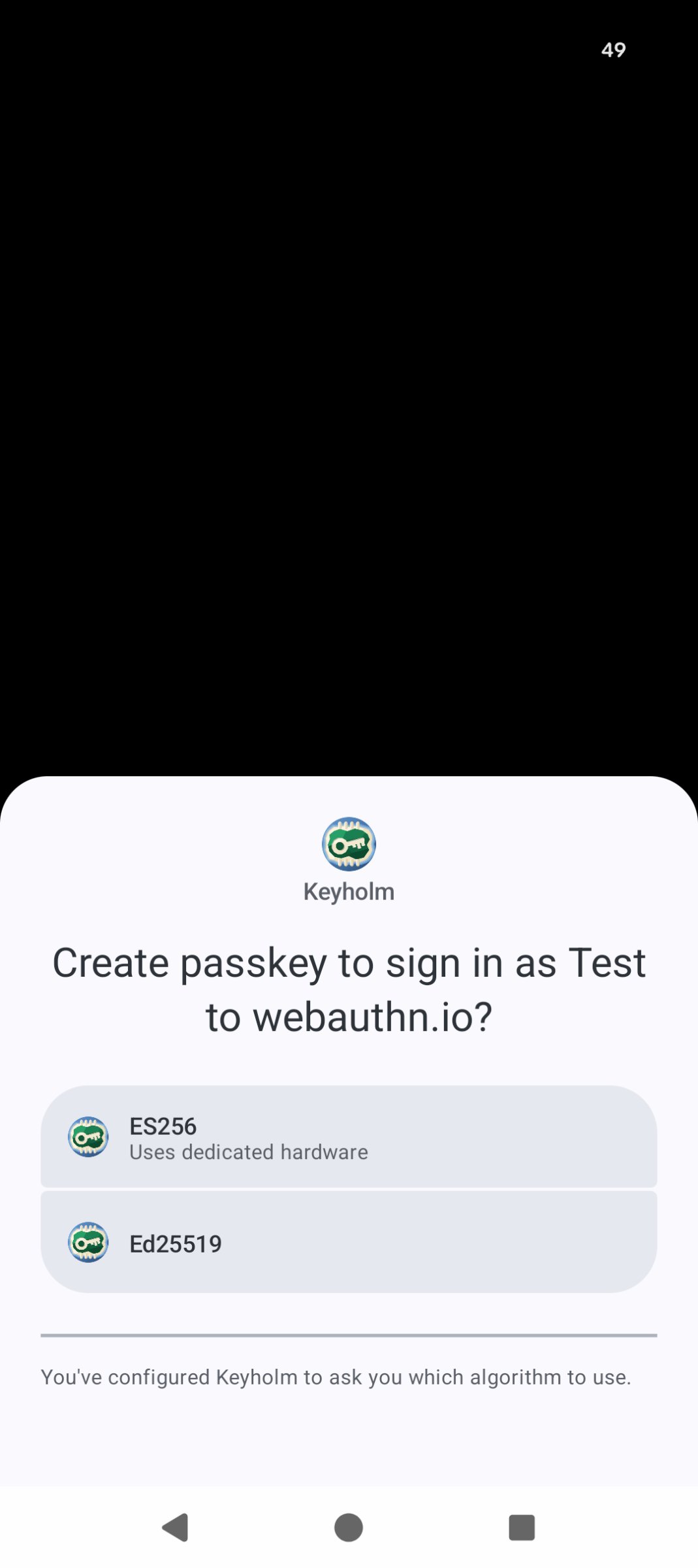
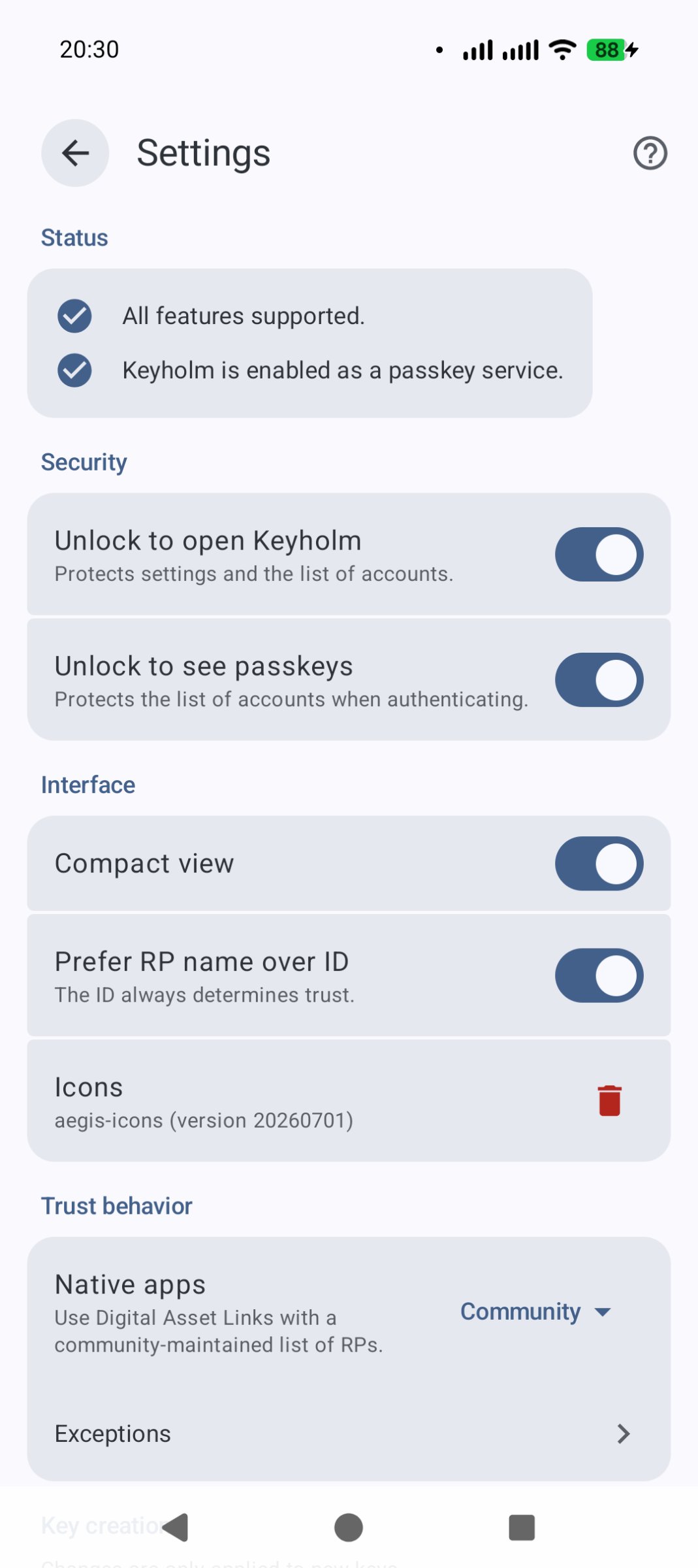
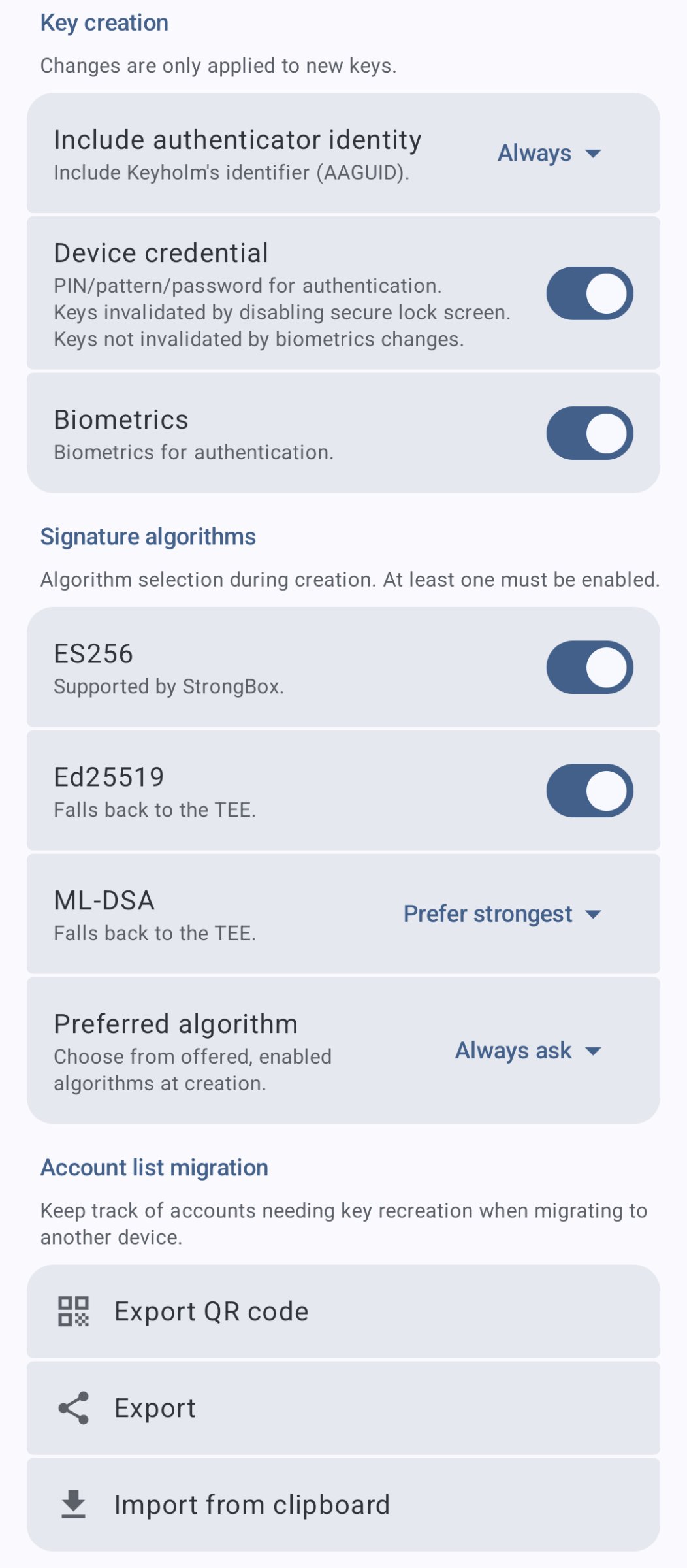
• allows extensive control over particulars of what credentials it creates and how
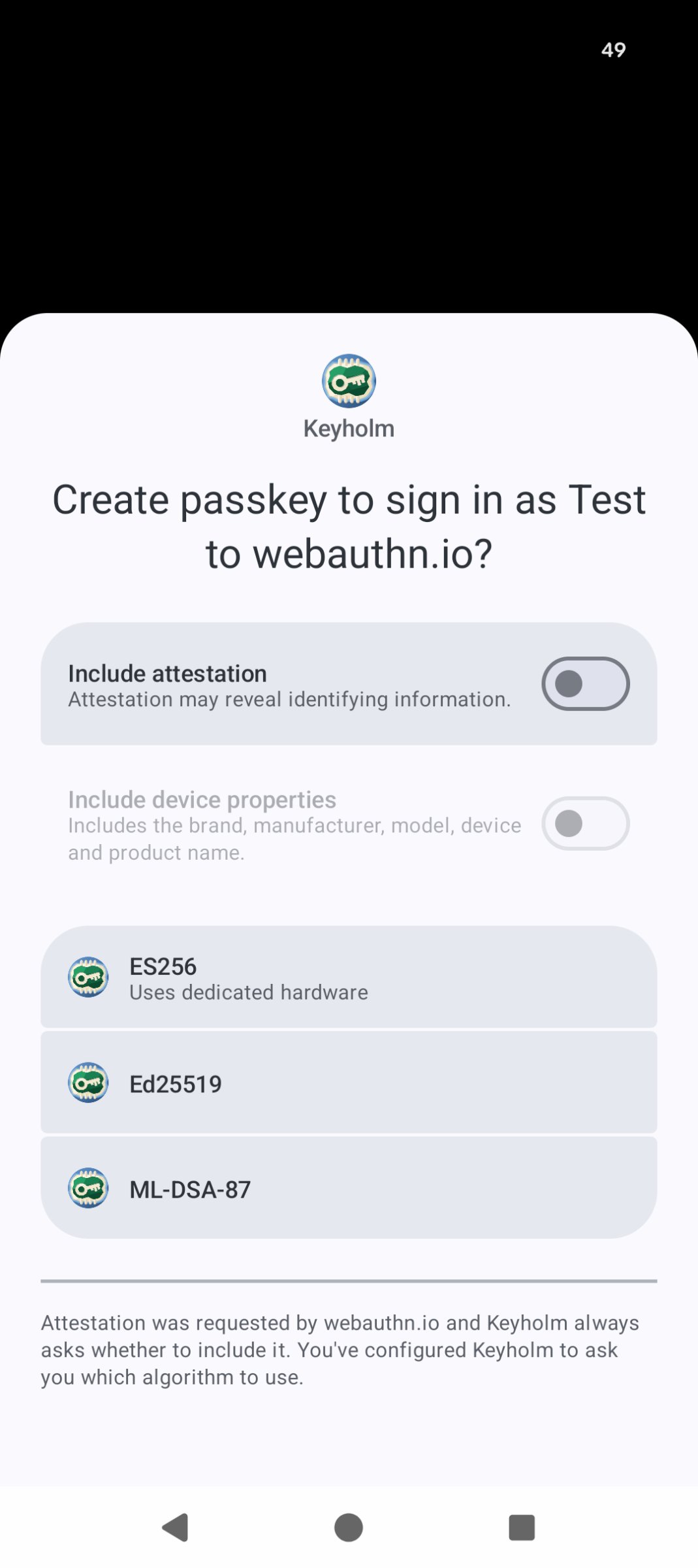
• supports ES256: it's the only EC, StrongBox-backed algorithm
• supports Ed25519: it's not NIST, it's fast and safe but TEE-only
• supports ML-DSA: post-quantum! but Android 17 and TEE-only
• supports android-key attestation
• supports PRF extension
• uses QUERY_ALL_PACKAGES in order to display icons for apps that were denied passkey usage
• account list export/import for making it marginally easier to switch devices. All keys still need to be manually recreated on the new device!
License: GPL-3.0-only
You can never export or sync these passkeys. Think of Keyholm as a way to activate the built-in security key on your phone.
• target devices: phones with secure hardware (including Pixels)
• no INTERNET permission
• no Google Play Services ever
• takes advantage of latest Android version/APIs
• allows extensive control over particulars of what credentials it creates and how
• supports ES256: it's the only EC, StrongBox-backed algorithm
• supports Ed25519: it's not NIST, it's fast and safe but TEE-only
• supports ML-DSA: post-quantum! but Android 17 and TEE-only
• supports android-key attestation
• supports PRF extension
• uses QUERY_ALL_PACKAGES in order to display icons for apps that were denied passkey usage
• account list export/import for making it marginally easier to switch devices. All keys still need to be manually recreated on the new device!
License: GPL-3.0-only
| Release info | Update on Oct 27, 2026 |
|---|---|
| Release notes | What's Changed Keyholm now guarantees app data backwards compatibility, starting with this version's. WARNING: If you're upgrading from v0.0.4 or below and don't want to lose your data, you must upgrade to v0.0.5 first to migrate! Keyholm only supports encrypted at rest data from now on. Otherwise there are just small UX improvements in this release. Full Changelog: https://github.com/keyholm/keyholm/compare/v0.0.5...v0.1.0 Artifacts | | | |-|-| | keyholm.apk | the release APK, signed with the release key | | keyholm-unsigned.apk | the reproducible build output, before signing | | keyholm-unsigned.apk.sigstore.json | keyless Sigstore bundles proving the APK was produced by this workflow | | keyholm.apk.sigstore.json | keyless Sigstore bundles proving the APK was verified by this workflow | The signed APK's ZIP payload is byte-identical to keyholm-unsigned.apk. Only the APK Signing Block differs. See the workflow run for the recorded SHA-256 of each. Verify provenance Install cosign: bash SHA=54303ca266a4d8ea2187da90d2632536fe33edc5 Or if you have a local clone SHA=$(git rev-parse "v0.1.0^{commit}") gh release download v0.1.0 cosign verify-blob \ --bundle keyholm.apk.sigstore.json \ --certificate-identity-regexp '^https://github\.com/keyholm/keyholm/\.github/workflows/release\.yml@' \ --certificate-oidc-issuer https://token.actions.githubusercontent.com \ --certificate-github-workflow-sha $SHA \ keyholm.apk cosign verify-blob \ --bundle keyholm-unsigned.apk.sigstore.json \ --certificate-identity-regexp '^https://github\.com/keyholm/keyholm/\.github/workflows/release\.yml@' \ --certificate-oidc-issuer https://token.actions.githubusercontent.com \ --certificate-github-workflow-sha $SHA \ keyholm-unsigned.apk Both APKs also have build provenance attestations: bash gh attestation verify keyholm.apk \ --repo keyholm/keyholm \ --signer-workflow keyholm/keyholm/.github/workflows/release.yml \ --source-digest $SHA gh attestation verify keyholm-unsigned.apk… |
| Listing data | F-Droid |
Reviews
No reviews yet. Be the first to review Keyholm.
Used Keyholm? Tell other visitors what you thought.
Log in to write a reviewOther products by this publisher
- "No Distractions" for YouTube 4.10 ----
- #Bible 11.6 "Incredible App - My sister shared this app with me a few weeks ago and it is truly incredible.
- #filmphotography 1.4.2 So, you decided to shoot on film?
- $quirrel 1.5.1 $quirrel Budget & Finance helps you plan each paycheck, track spending, manage debt, and see what is safe to spend before the next payday.
- % Percentage Calculator Pro 1.41 This is the Pro version of % Percentage Calculator.
Most viewed Android Security & Privacy
- 1 OTG Master 0.5.0 Mount VeraCrypt and LUKS encrypted USB drives on non-rooted Android
- 2 Vault Explorer 1.50.0 Encrypted container explorer: VeraCrypt, LUKS, BitLocker, Cryptomator, gocryptfs
-
3
 Pass 0.4.7
Private tools: deterministic passwords, 2FA codes, calculator and clock.
-
4
 Arcanum 1.7.0
Encrypted container manager compatible with VeraCrypt
-
5
 PaperCript 1.3.5
Encrypted passwords on printable QR cards. No network, stores nothing.
- 6 KeePassVault 2.1.0 Client app for KeePass databases
-
7
 PassVault 2.2.3
A secure, lightweight, and 100% offline password manager.
- 8 Sidestep 1.2.7 Intercept URLs, remove tracking, and redirect to privacy-friendly frontends.
- 9 DroidCrypt 1.1 A file and text encryption tool for Android
-
10
 TrovePass 1.0.0
Offline password generator — one master password for every site
Most downloaded Android Security & Privacy
-
1
 PassPony: Git Password Manager 2.1.0
Password manager for pass and passage stores, synced with git
- 2 Flauth 1.2.0 Privacy-first, open-source TOTP authenticator for 2FA token management.
-
3
 Keyholm 0.1.0
Single-device passkeys on secure hardware
-
4
 Pocket2FA 0.11.0
Secure 2FA code client of 2FAuth server that works offline
-
5
 Tokn - MFA / 2FA authenticator 1.8.3
Open-source 2FA authenticator. Encrypted on-device. No accounts.
-
6
PaperCript 1.3.5
Encrypted passwords on printable QR cards. No network, stores nothing.
- 7 GPG Key Manager 2.0.0 GPG Tool for Android
- 8 HiddenProtectedWorkProfile 94.0 Hidden Profile owner Android security app.
- 9 DNS Toggle 3.1.0 Easily toggle and automate Private DNS through the Quick Settings panel.
-
10
Arcanum 1.7.0
Encrypted container manager compatible with VeraCrypt