
11downloads
0this week
FreeFreeware
0reviews
Screenshots
About KDE Itinerary
KDE Itinerary is a digital travel assistant with a priority on protecting your privacy.
Features:
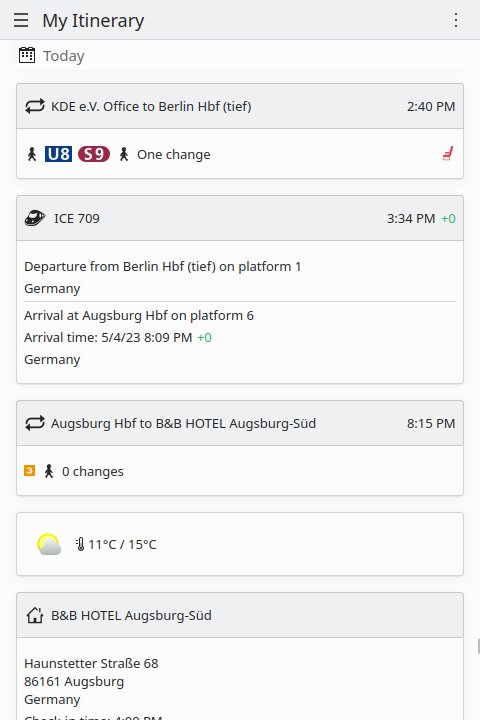
• Timeline view of a unified travel itinerary with automatic trip grouping.
• Supports train, bus and flight bookings as well as hotel, restaurant, event and rental car
reservations.
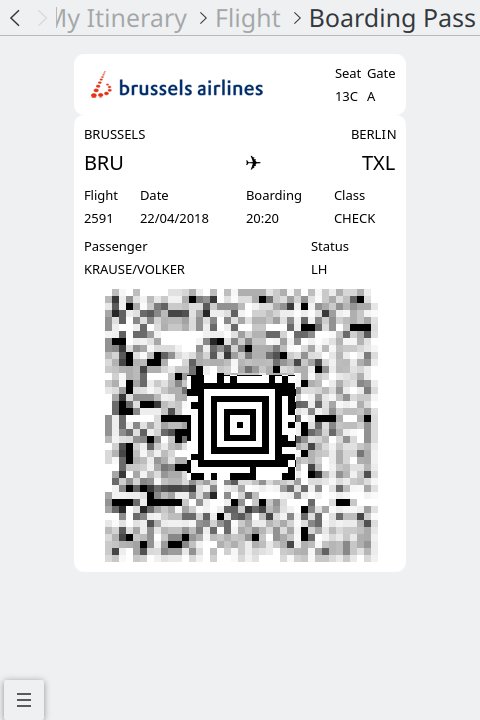
• Boarding pass management.
• Supports ticket management for multi-traveler and multi-ticket bookings.
• Automatic booking data extraction from various input formats, performed locally on your device.
• Real-time delay and platform change information for trains.
• Weather forecast for destination along your trip.
• Full control over all online access.
• Selection of alternative train connections on unbound tickets or on missed connections.
• Local ground transportation navigation between elements of your itinerary.
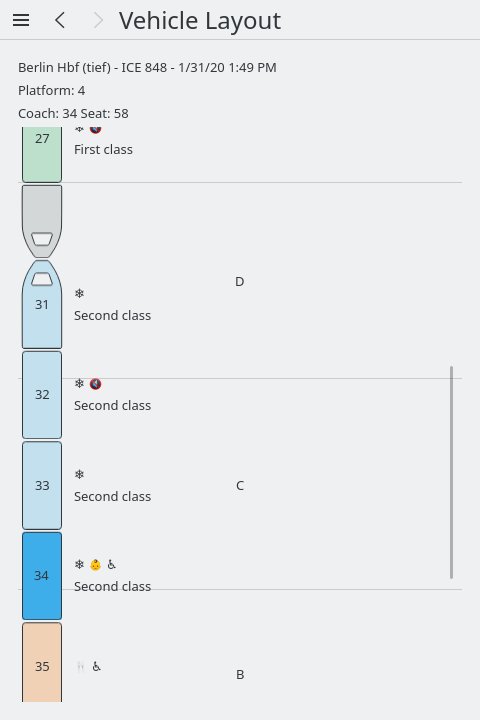
• Train coach layout view (for some operators only).
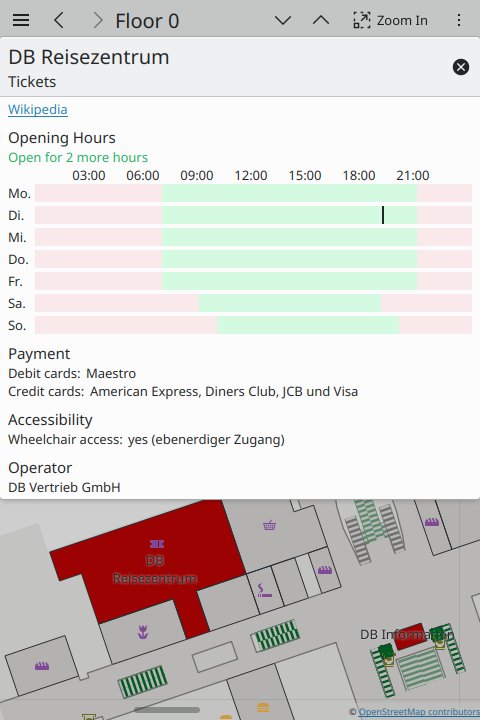
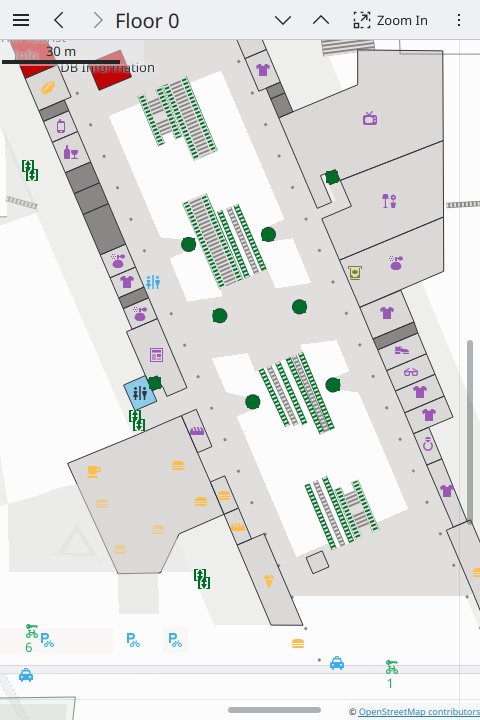
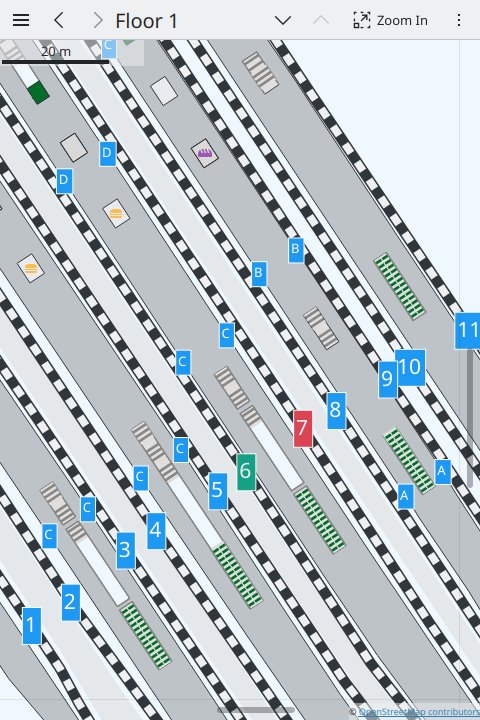
• Train station and airport per-floor maps based on OpenStreetMap data.
• Available dock-based or free-floating rental bikes can be displayed on the train station
map.
• Personal travel statistics to monitor environmental impact.
KDE Itinerary works best alongside KMail's itinerary extraction plug-in and KDE Connect, or
Nextcloud Hub and DavDroid.
License: LGPL-2.0-or-later
Features:
• Timeline view of a unified travel itinerary with automatic trip grouping.
• Supports train, bus and flight bookings as well as hotel, restaurant, event and rental car
reservations.
• Boarding pass management.
• Supports ticket management for multi-traveler and multi-ticket bookings.
• Automatic booking data extraction from various input formats, performed locally on your device.
• Real-time delay and platform change information for trains.
• Weather forecast for destination along your trip.
• Full control over all online access.
• Selection of alternative train connections on unbound tickets or on missed connections.
• Local ground transportation navigation between elements of your itinerary.
• Train coach layout view (for some operators only).
• Train station and airport per-floor maps based on OpenStreetMap data.
• Available dock-based or free-floating rental bikes can be displayed on the train station
map.
• Personal travel statistics to monitor environmental impact.
KDE Itinerary works best alongside KMail's itinerary extraction plug-in and KDE Connect, or
Nextcloud Hub and DavDroid.
License: LGPL-2.0-or-later
| Release info | Update on Nov 04, 2026 |
|---|---|
| Release notes | • New or improved travel document extractors for Accor, ALSA, Delta Air Lines, Entur, Frontier Airlines, Ouigo and Snållåget. • Fix unreachable transfer warning indicator not being shown. • Fix booking card visibility on reservation details pages. • Fix some cases of importing via sharing on Android. |
| Listing data | Flathub |
Reviews
No reviews yet. Be the first to review KDE Itinerary.
Used KDE Itinerary? Tell other visitors what you thought.
Log in to write a reviewOther products by this publisher
- "No Distractions" for YouTube 4.10 ----
- #Bible 11.6.1 "Incredible App - My sister shared this app with me a few weeks ago and it is truly incredible.
- #filmphotography 1.4.2 So, you decided to shoot on film?
- #LookBusy Fake Calendar Events 1.0.6 Look Busy scans your work calendar for open time slots and fills them with realistic-looking (but secretly fake) work events.
- #Small Talk Is Canceled 1.0.2 #Small Talk Is Canceled — Conversations That Matter
Most viewed Linux Office
-
1
 Scrolex 0.13.1
Read PDFs and ebooks horizontally
-
2
 WPS 365 12.1.2.29183_807310
WPS 365 Suite
-
3
 Super Productivity v20.0.0
To-do list and time tracker
-
4
 Feishu 7.72.23
A collaboration platform
- 5 Textosaurus 0.9.13 Simple cross-platform text editor based on Qt and QScintilla
-
6
 Readest 0.12.20
Modern, feature-rich ebook reader
-
7
 Foliate 3.3.0
Read e-books in style
-
8
 Scribe 0.3.50
Markdown editor with live rendering
-
9
 Quick Lookup 2.1.2
Look up words quickly
-
10
 Adobe Reader 9.5.5
PDF viewer
Most downloaded Linux Office
- 1 sleek 2.1.1 todo manager based on the todo.txt syntax for Linux, free and open-source (FOSS)
- 2 Textosaurus 0.9.13 Simple cross-platform text editor based on Qt and QScintilla
-
3
 Nottodbox 0.2.3
Organize notes, to-dos and diaries
-
4
 TreeSheets 2.23.10
Free Form Data Organizer
-
5
 Fingrom 7.3.2
Platform-agnostic financial accounting application for personal finance management
-
6
 Linwood Butterfly 2.6.2
Infinite-canvas notes and sketches
-
7
 OpenDeck 2.14.2
Use stream controllers
- 8 Thoughts 0.20.0 Simple and powerful mind map
- 9 Koodo Reader 2.4.7 All-in-one ebook reader
-
10
 Skribisto 3.3.3
Plan, write, manage your novels