Group Policy Object Search Tool 3.0.0.1
Group Policy Object Search Tool - Group Policy Management Search tool help individual settings search locate GPO JiJi GPO Search tool enables Group Policy Management easy to search GPO It extends GPO search by Advanced Group Policy Search Management
Download
4.27 MB
548downloads
3this week
$49Shareware
0reviews
Screenshots
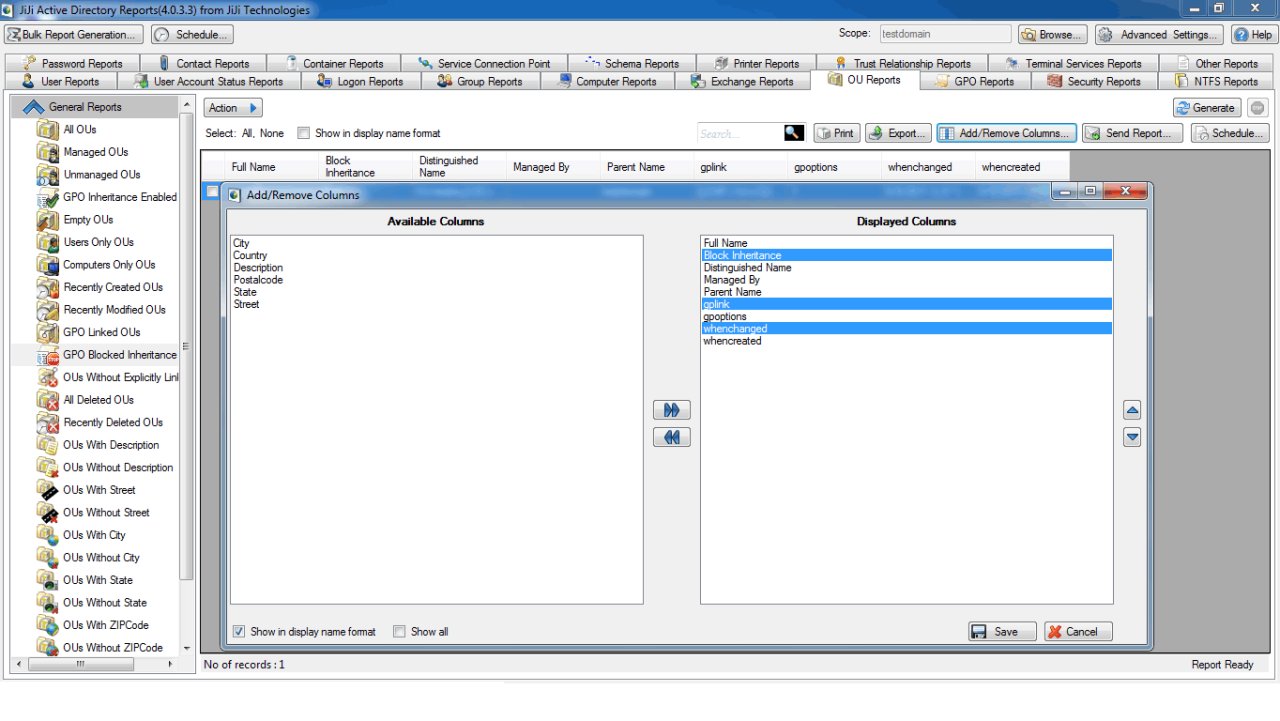
About Group Policy Object Search Tool
Group Policy Object Search Tool - Group Policy Search Management tool helps individual settings search locate GPO JiJi GPO Search tool enables Group Policy Management easy to search GPO It extends GPO search by Advanced Group Policy Management search Group Policy Management editor
Whats the problem with GPMC Search?
Builtin Search facility available in Group Policy Management Console (GPMC) can be used to find the existence of a GPO Extension or a group of settings and not the actual individual setting or a user specified keyword. Also in GPMC search it is difficult to locate the GPOs, when you have more number of GPOs.
Why you have to go for JiJi GPO Search?
Keyword Search:
User can search GPOs by simply typing the setting name or value of thier interest as keyword. User can search keyword across the GPOs under single or multiple domain.
Administrators can use the following keyword types
- GPO Name or GUID ("Default Domain Policy" or "{31B2F340-016D-11D2-945F-00C04FB984F9}"),
- WMI Filter ( MyWmiFilter),
- Security Filter ( "JiJi Developers" ,
- GPO Links (jiji.local/Domain Controllers or Domain Controllers),
- Individual Setting Name or Value ( Maximum Password Age or its value '42'),
- Software Installation( Adobe Acrobat Reader,"Skype")
Advanced Group Policy Management Search:
Advanced search provides more option in searching a keyword. You can search keyword in a particular extension or a policy type for the entire GPOs. More than one search criteria can be used here.
Classifications such as SearchItem, Condition and Value can be chosen as in GPMC's search facility. Additionally a keyword input matching the setting name can be given.
GPO Viewer:
Search listed GPOs can be viewed through GPOViewer. It lists only the configured settings of a GPO, unlike gpedit.msc, which lists all possible settings of a GPO. GPO Viewer will list the individual configured settings with their values.
You can find more info here: [link removed]
| Requirements | Dot Net Framework 3.5 |
|---|---|
| Release info | Major Update on Sep 24, 2010 |
| Related tags | Group Policy Object Search Tool GPO Search Advanced Group Policy Search Group Policy Tools Group Policy Management |
Reviews
No reviews yet. Be the first to review Group Policy Object Search Tool.
Used Group Policy Object Search Tool? Tell other visitors what you thought.
Log in to write a reviewOther products by this publisher
- Active Directory Bulk Manager 2.0.0.9.3 AD Bulk manager Enables Active Directory Bulk Export Import Active Directory Bulk Users Creation Modification Active Directory Password Reset Bulk User Account Control Remove Delete Unlock Users Move ActiveDirectory Bulk Export
- Active Directory Bulk Manager 2.0.0.9.3 AD Bulk manager Enables Active Directory Bulk Export Import Active Directory Bulk Users Creation Modification Active Directory Password Reset Bulk User Account Control Remove Delete Unlock Users Move ActiveDirectory Bulk Export
- Active Directory Bulk Manager 2.0.0.9.3 AD Bulk manager Enables Active Directory Bulk Export Import Active Directory Bulk Users Creation Modification Active Directory Password Reset Bulk User Account Control Remove Delete Unlock Users Move ActiveDirectory Bulk Export
-
 AD Password Expiration Notification Tool 1.0.5.7.2
AD Password Expiration Notification Tool notifies Password expiry. Password Expiry notifier set Password Expire Notification period, configure Password Expire warning, Password Expiration. Password Expiration Notification tool checks AD
-
 AD Password Expiration Notification Tool 1.0.5.7.2
AD Password Expiration Notification Tool notifies Password expiry. Password Expiry notifier set Password Expire Notification period, configure Password Expire warning, Password Expiration. Password Expiration Notification tool checks AD
Most viewed Windows System Maintenance
- 1 Diskeeper Professional 2011 Diskeeper is a fast, simple solution designed to optimize the performance of your PC, while maximizing file access speeds. Diskeeper is the only solution that can prevent performance-robbing fragmentation before it happens, so your PC is always fast.
- 2 V-locity 2.0 V-locity 2 optimizes the entire virtual platform with new technology that operates invisibly with zero system resource conflicts.
-
3
 CCleaner 7.11.1522.1958
CCleaner is a freeware system optimization, privacy and cleaning tool. It removes unused files from your system - allowing Windows to run faster and freeing up valuable hard disk space.
-
4
 Asmw PC-Optimizer pro 8.0
Power Full Tools To Keep Your PC Running Smoothly and with out Errors.
-
5
 NetScream 2.5.26.2014
NetScream is a tool for all that allows you to modify your modem settings to increase internet performance up to 200 percent!! No modifications to your hardware are made and all adjustments and settings are done in an easy to use interface.
- 6 Carambis Driver Updater 2.0.0.6003 You do not need to be a system administrator or even an experienced user to secure the stability of your computer. You do not need to search for drivers all over the Internet; all you have to do is download Carambis Driver Updater to find drivers.
-
7
 DriverMax 9.37
Driver update for any hardware device! Update your Windows 10, 8, 7, Vista or Windows XP computer easily and automatically. Find drivers even for devices that Windows doesn't recognize and backup or restore all your installed drivers.
- 8 Active Password Changer 10.0.0 Forgotten password recovery software has a simple user interface, supports multiple hard disk drives, detects several SAM databases (if multiple OS were installed on one volume) and more. New Ultimate package includes linux-based Active@ LiveCD.
-
9
 SIW 2026.10.14.7
SIW is a tool that gathers detailed information about your system properties and settings. A utility that includes detailed specs for Hardware, Software and Network as well as real-time monitors for CPU and Memory Usage.
-
10
 Hardware Helper 3.2
Hardware Helper's device identification engine automatically determines the exact components and peripherals installed on your PC or laptop and quickly pings our Smart Update software location system for available stability and performance updates
Most downloaded Windows System Maintenance
-
1
CCleaner 7.11.1522.1958
CCleaner is a freeware system optimization, privacy and cleaning tool. It removes unused files from your system - allowing Windows to run faster and freeing up valuable hard disk space.
- 2 Diskeeper Professional 2011 Diskeeper is a fast, simple solution designed to optimize the performance of your PC, while maximizing file access speeds. Diskeeper is the only solution that can prevent performance-robbing fragmentation before it happens, so your PC is always fast.
- 3 V-locity 2.0 V-locity 2 optimizes the entire virtual platform with new technology that operates invisibly with zero system resource conflicts.
-
4
Asmw PC-Optimizer pro 8.0
Power Full Tools To Keep Your PC Running Smoothly and with out Errors.
- 5 Carambis Driver Updater 2.0.0.6003 You do not need to be a system administrator or even an experienced user to secure the stability of your computer. You do not need to search for drivers all over the Internet; all you have to do is download Carambis Driver Updater to find drivers.
-
6
DriverMax 9.37
Driver update for any hardware device! Update your Windows 10, 8, 7, Vista or Windows XP computer easily and automatically. Find drivers even for devices that Windows doesn't recognize and backup or restore all your installed drivers.
- 7 Active Password Changer 10.0.0 Forgotten password recovery software has a simple user interface, supports multiple hard disk drives, detects several SAM databases (if multiple OS were installed on one volume) and more. New Ultimate package includes linux-based Active@ LiveCD.
-
8
 PerfectUpdater 2.0
PerfectUpdater is the perfect tool to update your device drivers.
-
9
NetScream 2.5.26.2014
NetScream is a tool for all that allows you to modify your modem settings to increase internet performance up to 200 percent!! No modifications to your hardware are made and all adjustments and settings are done in an easy to use interface.
-
10
SIW 2026.10.14.7
SIW is a tool that gathers detailed information about your system properties and settings. A utility that includes detailed specs for Hardware, Software and Network as well as real-time monitors for CPU and Memory Usage.