11downloads
5this week
FreeLicense
0reviews
Screenshots
About indiPDF
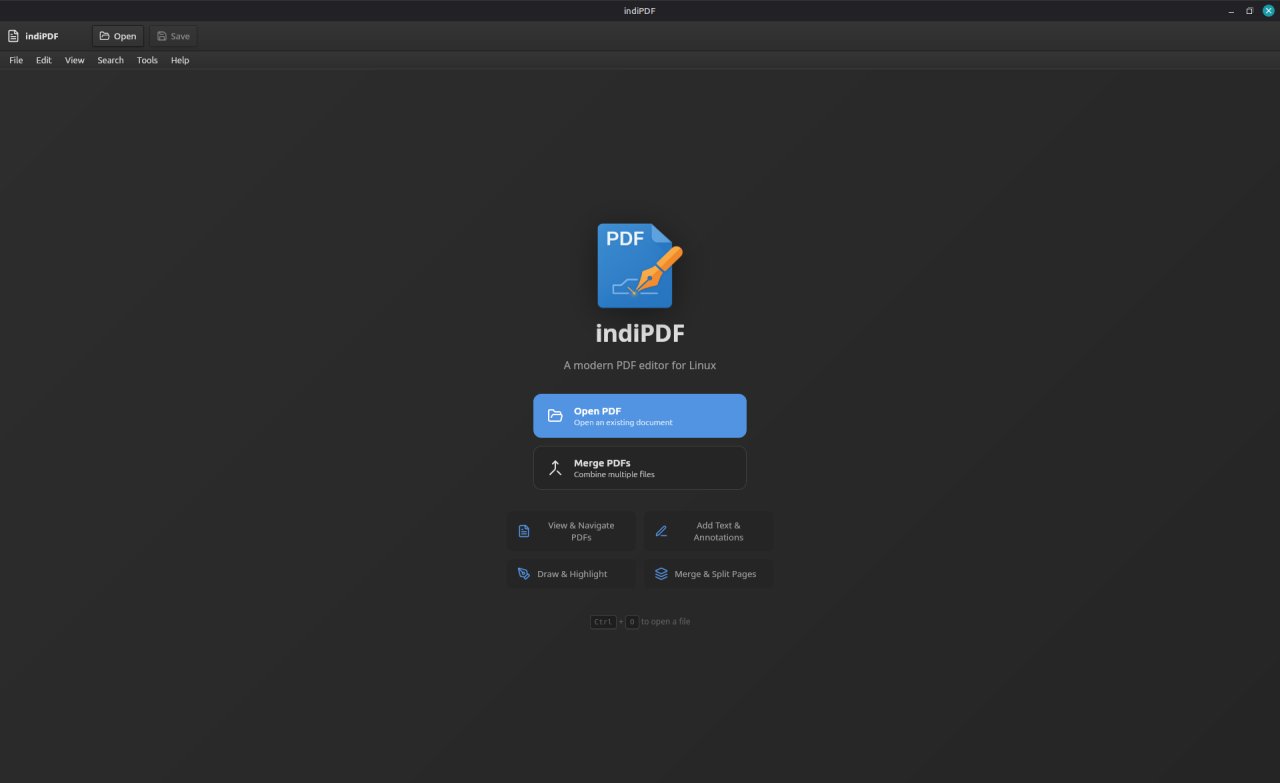
indiPDF is a comprehensive PDF editing application designed specifically for Linux.
It provides all the tools you need to view, annotate, edit, and manage PDF documents
with a native GTK-styled interface that integrates seamlessly with your desktop.
Features include:
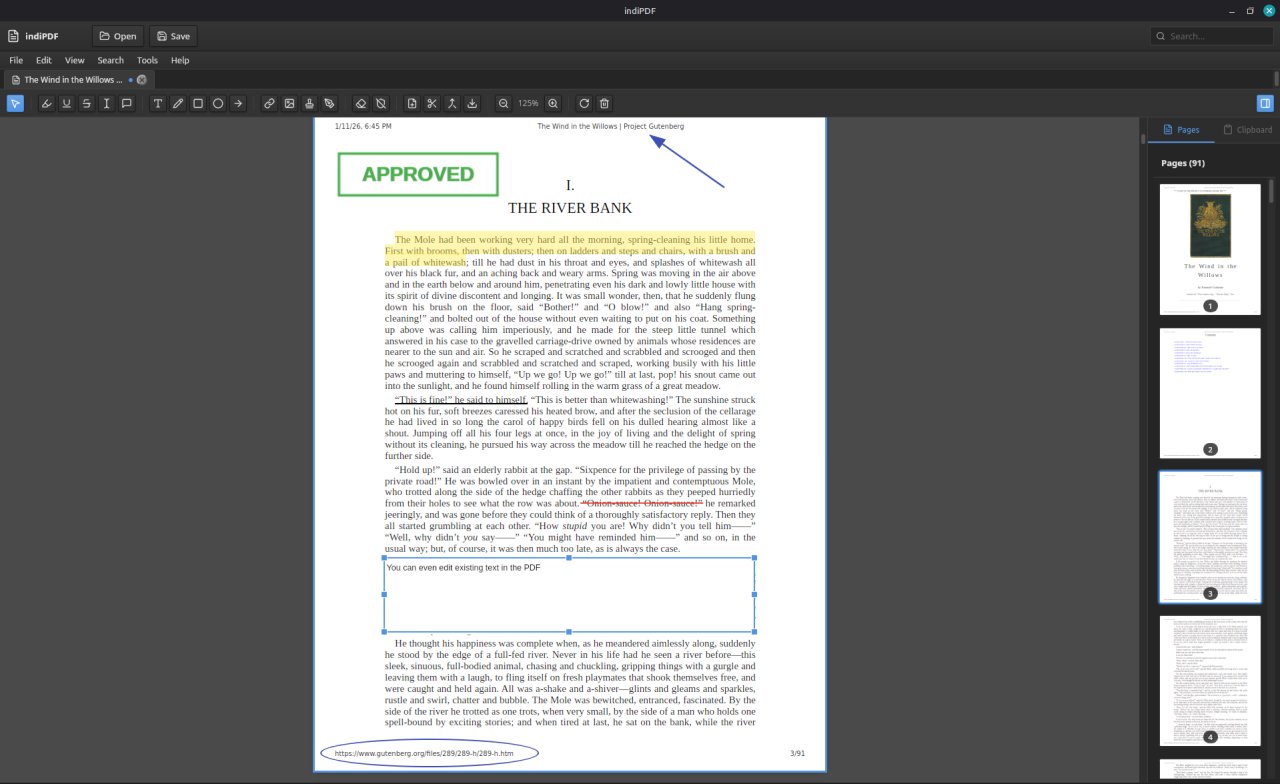
• View and navigate multi-page PDF documents
• Edit text in existing PDF documents
• Highlight, underline, and strikethrough text
• Add text annotations and sticky notes
• Draw freehand with customizable colors and stroke widths
• Insert shapes: rectangles, circles, lines, and arrows
• Add images to your documents
• Create and manage digital signatures
• Fill out PDF forms, including Adobe XFA forms that other readers show as a blank placeholder
• Merge multiple PDFs into one
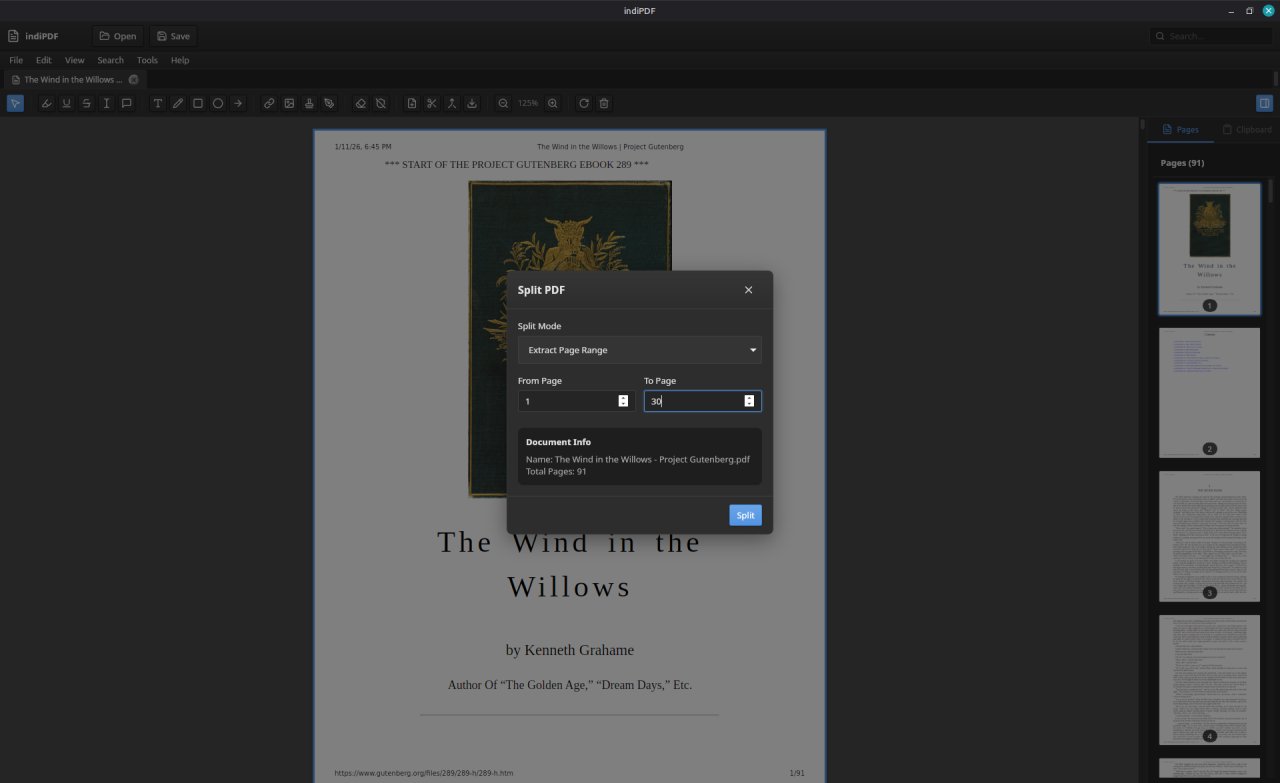
• Split PDFs and extract pages
• Rotate, reorder, and delete pages
• Export pages as images (PNG, JPEG, WebP)
• OCR (Optical Character Recognition) for scanned documents
• Scanner support via SANE for digitizing paper documents
• Add non-PDF files (images, Office documents) to your PDFs
• Automatic update checking
• Built-in text search across documents
• Dark mode support following system preferences
indiPDF respects your privacy and works entirely offline. Your documents never
leave your computer.
License: Proprietary
It provides all the tools you need to view, annotate, edit, and manage PDF documents
with a native GTK-styled interface that integrates seamlessly with your desktop.
Features include:
• View and navigate multi-page PDF documents
• Edit text in existing PDF documents
• Highlight, underline, and strikethrough text
• Add text annotations and sticky notes
• Draw freehand with customizable colors and stroke widths
• Insert shapes: rectangles, circles, lines, and arrows
• Add images to your documents
• Create and manage digital signatures
• Fill out PDF forms, including Adobe XFA forms that other readers show as a blank placeholder
• Merge multiple PDFs into one
• Split PDFs and extract pages
• Rotate, reorder, and delete pages
• Export pages as images (PNG, JPEG, WebP)
• OCR (Optical Character Recognition) for scanned documents
• Scanner support via SANE for digitizing paper documents
• Add non-PDF files (images, Office documents) to your PDFs
• Automatic update checking
• Built-in text search across documents
• Dark mode support following system preferences
indiPDF respects your privacy and works entirely offline. Your documents never
leave your computer.
License: Proprietary
| Release info | Update on Oct 24, 2026 |
|---|---|
| Release notes | Fixes for work being lost, and for radio buttons: • Adding pages no longer discards the comments, annotations and other changes made since the document was last saved; nor do scanning into an open document, removing the watermark or repairing. • Radio button choices are saved, and saved choices show when a form is opened. • Cleared fields and radio choices stay as you left them when the page is redrawn. • Bold and italic text boxes keep their formatting when reopened. • Undo no longer takes back values typed into a form. • Split and PDF/A export include changes not yet saved. |
| Related tags | pdf editor viewer |
| Listing data | Flathub |
Reviews
No reviews yet. Be the first to review indiPDF.
Used indiPDF? Tell other visitors what you thought.
Log in to write a reviewOther products by this publisher
- "No Distractions" for YouTube 4.10 ----
- #Bible 11.6 "Incredible App - My sister shared this app with me a few weeks ago and it is truly incredible.
- #filmphotography 1.4.2 So, you decided to shoot on film?
- $quirrel 1.5.1 $quirrel Budget & Finance helps you plan each paycheck, track spending, manage debt, and see what is safe to spend before the next payday.
- % Percentage Calculator Pro 1.41 This is the Pro version of % Percentage Calculator.
Most viewed Linux Office
-
1
 Scrolex 0.13.1
Read PDFs and ebooks horizontally
-
2
 WPS 365 12.1.2.29183_807310
WPS 365 Suite
-
3
 Scribe 0.3.50
Markdown editor with live rendering
-
4
 Foliate 3.3.0
Read e-books in style
-
5
 Feishu 7.72.23
A collaboration platform
-
6
 Super Productivity v20.0.0
To-do list and time tracker
-
7
 Adobe Reader 9.5.5
PDF viewer
-
8
 Actual Budget 26.11.0
Your Finances made simple
-
9
 Quick Lookup 2.1.2
Look up words quickly
-
10
 Blockstream 3.6.1
A simple and secure Bitcoin and Liquid Network wallet
Most downloaded Linux Office
- 1 sleek 2.1.1 todo manager based on the todo.txt syntax for Linux, free and open-source (FOSS)
- 2 Textosaurus 0.9.13 Simple cross-platform text editor based on Qt and QScintilla
-
3
 Fingrom 7.3.2
Platform-agnostic financial accounting application for personal finance management
-
4
 TreeSheets 2.23.10
Free Form Data Organizer
-
5
Scribe 0.3.50
Markdown editor with live rendering
-
6
 Nottodbox 0.2.3
Organize notes, to-dos and diaries
-
7
 Skribisto 3.3.1
Plan, write, manage your novels
-
8
 Invoice Ninja 5.1.24
Invoices, payments and expenses
-
9
 Linwood Butterfly 2.6.2
Infinite-canvas notes and sketches
-
10
 OpenDeck 2.14.2
Use stream controllers