HTML Email Archiver for Outlook 2.0.1
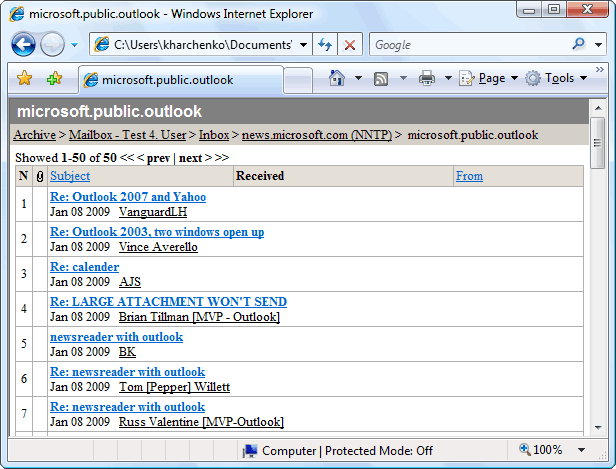
Archiving messages, contacts, tasks and other items of Microsoft Outlook into HTML or CHM format, publishing Microsoft Outlook folders on the Internet, moving data from Outlook to other software and hardware platforms, including mobile devices.
Product Specifications
| User Rating: | item has less then 1 vote |
|
| FileCart Rating | ||
| Submitted by: | mapi | |
| Homepage | Visit Homepage | |
| License | Shareware | |
| Expires | 30 Days | |
| Price | $49 | |
| Downloads | 770 | |
| OS Support | Windows Install and Uninstall | |
| File Name | email_archiver.zip | |
| File Size | 9.06 MB ( 9,282 KB ) | |
| Published | Nov 13, 2004 (22 years ago) | |
| Updated | Dec 15, 2013 (13 years ago) | |
Follow Us!
Latest Searches
2022 robins 7 minutes ago
"english for primary school" Chinese version 7 minutes ago
Question 2Cinematography refers to:The expansion size of the apertureEverything that is filmedHow the shots are put in orderHow the camera is used 9 minutes ago
Choose the correct sentence: She dont like ice cream.She dont likes ice cream. She doesnt like ice cream.She doesnt likes ice cream. 10 minutes ago
Babahoyo post.php?highlight=0 10 minutes ago
Dean DeLeo 13 minutes ago
.baiyeacg.com 14 minutes ago
how to say thank you for your support professional and believing in the BandGrit. The backdrop in amazon 14 minutes ago
bmw i7 3d model 15 minutes ago
Popular Searches
id cards 602 times
2025 495 times
2024 386 times
Softperfect 331 times
Gypsy 2.0 Onlyfans Leaked Photos 330 times
5g spf sonicwall compatible copper module 327 times
2026 310 times
ds1628 compatible 10gb sfp cards 281 times
Who is Music 280 times
Product Details
Product homepage:
http://www.mapilab.com/outlook/email_archiver/
| Requirements: | Microsoft Outlook 2000/2002/XP/2003/2007 |
| Release Info: | Major update on Dec 12, 2012 |
| Release Notes: | Compatibility with Microsoft Windows Vista and Microsoft Office 2007 |
| Related Tags: | outlook email addin addon plugin |
Reviews
Reviews of HTML Email Archiver for Outlook 2.0.1
You can be the first to write a review of HTML Email Archiver for Outlook!Other products submitted by this publisher
Microsoft Outlook add-in. Add Contacts automatically, adds e-mail addresses to the contact folder when you reply to a message and/or send a new message. This will help you avoid losing addresses of people you correspond with.
Advanced Folders WatchMonitors new mail messages and posts appearing in Microsoft Outook folders and public folders on Microsoft Exchange Server. A wide set of filters, passive and/or active user notifications. Works as an add-in to Microsoft Outlook 2000/XP/2003/2007.
Advanced Security for OutlookUse Advanced Security for Outlook to learn what programs are trying to access Microsoft Outlook and permanently allow or deny access to the program next time it requests access. The action you choose for this program will be executed automatically.
Attachment Save for ExchangeAttachment Save for Exchange is a solution for Microsoft Exchange Server 2013, 2010, 2007, 2003 designed for automatic processing of emails and attached files.
Attachments Processor for OutlookThe program can automatically extract attachments from incoming messages to save them to disk (they are replaced with a link to the file or with a text description), unpack archived attachments, and pack attachments in the outgoing messages.
Most Viewed Windows Miscellaneous
Recovery Toolbox for Outlook Express 1.8.45
Recovery Toolbox for Outlook 3.3.17
Recover My Email Mail Recovery Software 5.6.8.189
Recovery Toolbox for Address Book 1.2.23
Mail Recovery for Outlook Express 2.3.1
BackRex Outlook Backup 2.8.178
DataNumen Exchange Recovery 8.8
Recovery Toolbox for Outlook Password 1.2.29
Outlook Email Extractor Pro 2.3
Most Downloaded Windows Miscellaneous
OE-Mail Recovery 1.8.32
Recovery Toolbox for Outlook 3.3.17
Mail Recovery for Outlook Express 2.3.1
Advanced Email Extractor 3.9.2702
Recover My Email Mail Recovery Software 5.6.8.189
BackRex Outlook Backup 2.8.178
Outlook Email Extractor Pro 2.3
Recovery Toolbox for Address Book 1.2.23
Tweaker for Outlook Express 1.0