
13downloads
2this week
FreeFreeware
0reviews
Screenshots

About GTasks
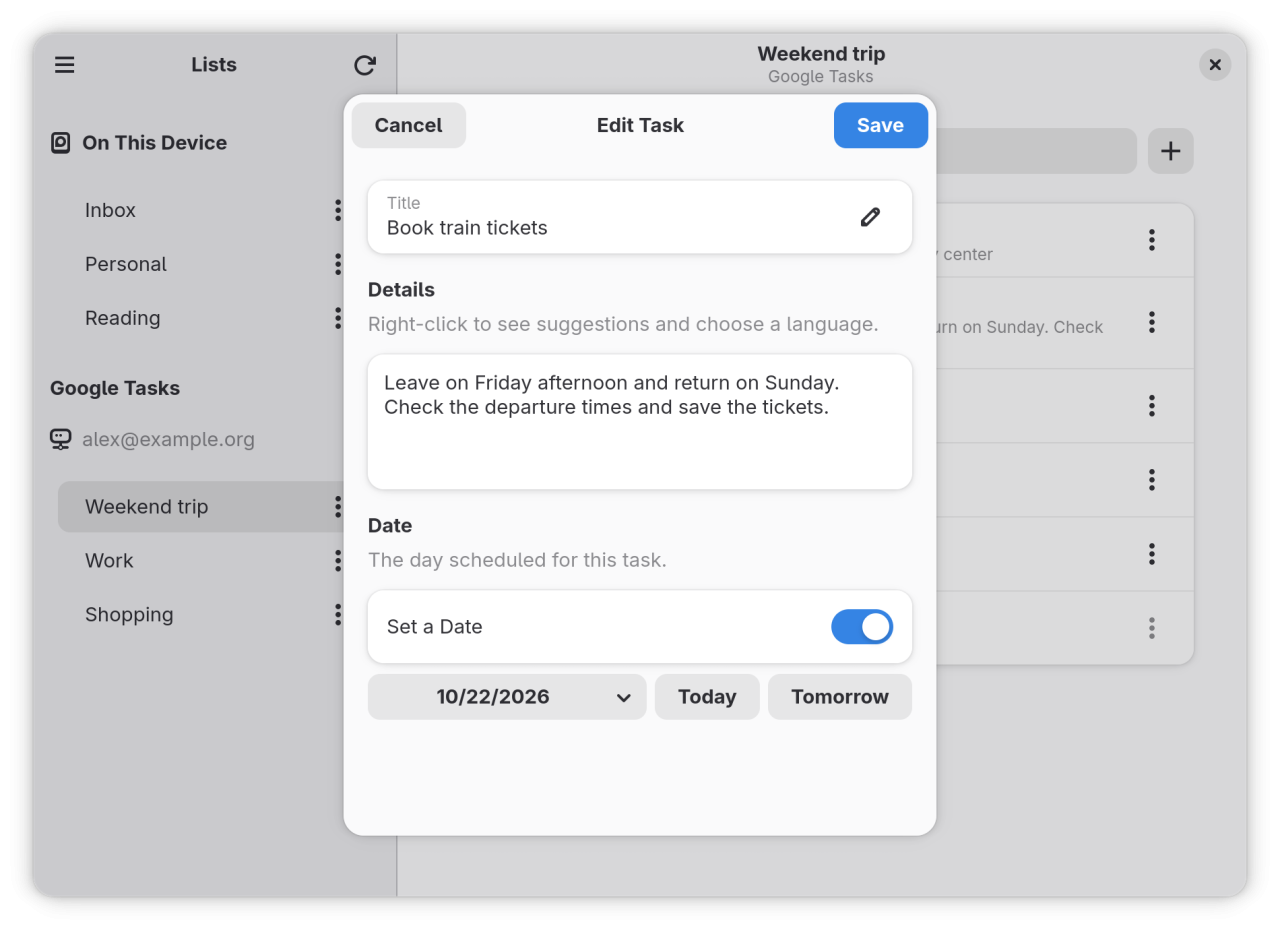
Plan your day, organize projects, and keep track of what you have finished. GTasks brings local
lists and Google Tasks together in an adaptive application for GNOME. Start with lists on your
computer without needing a Google account.
• Create and organize lists for work, studies, shopping, and personal projects.
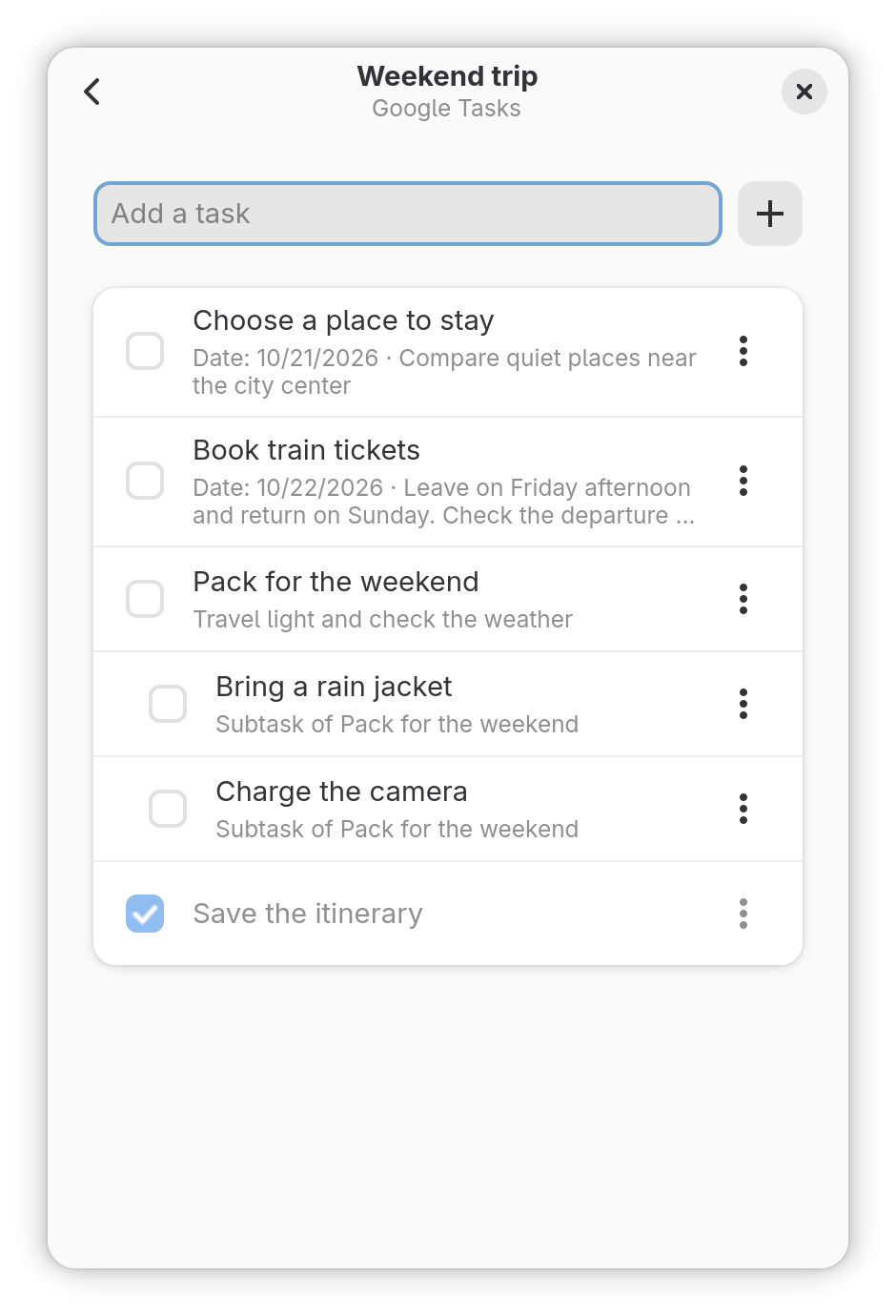
• Add notes and dates to tasks, and break them into smaller steps with subtasks.
• Complete or reopen tasks, show or hide completed items, and move tasks between lists in the
same account or between local lists.
• Access multiple Google accounts configured in GNOME Online Accounts, with manual or automatic
refresh.
• Check spelling in task titles, notes, and list names using dictionaries available on your
system.
• Use a layout that adapts to narrow windows, with keyboard shortcuts for common actions.
Local lists work fully offline and stay on your computer. Previously synchronized Google lists
and tasks can be viewed offline; creating or changing Google items requires an internet connection.
Local lists are not automatically uploaded to Google.
Google Tasks integration is optional and requires GNOME Online Accounts (GOA) to be installed
and running on your host system, with a Google account authorized for Google Tasks. GOA is not
included in this Flatpak. Without GOA, you can still create and manage local lists and tasks offline.
License: GPL-3.0-or-later
| Release info | New Release on Oct 20, 2026 |
|---|---|
| Release notes | First release of GTasks. • Organize local lists and tasks offline, with notes, dates, and subtasks. • Connect Google Tasks accounts through GNOME Online Accounts, with manual or automatic refresh. • Use an adaptive interface with spell checking, keyboard shortcuts, and Brazilian Portuguese translations. |
| Related tags | Tasks Todo To-do |
| Listing data | Flathub |
Reviews
No reviews yet. Be the first to review GTasks.
Used GTasks? Tell other visitors what you thought.
Log in to write a reviewOther products by this publisher
- "No Distractions" for YouTube 4.10 ----
- #Bible 11.6.1 "Incredible App - My sister shared this app with me a few weeks ago and it is truly incredible.
- #filmphotography 1.4.2 So, you decided to shoot on film?
- #LookBusy Fake Calendar Events 1.0.6 Look Busy scans your work calendar for open time slots and fills them with realistic-looking (but secretly fake) work events.
- #Small Talk Is Canceled 1.0.2 #Small Talk Is Canceled — Conversations That Matter
Most viewed Linux Office
-
1
 Scrolex 0.13.1
Read PDFs and ebooks horizontally
-
2
 WPS 365 12.1.2.29183_807310
WPS 365 Suite
- 3 Textosaurus 0.9.13 Simple cross-platform text editor based on Qt and QScintilla
-
4
 Readest 0.12.26
Modern, feature-rich ebook reader
-
5
 Super Productivity v20.1.0
To-do list and time tracker
-
6
 Feishu 7.72.23
A collaboration platform
-
7
 Scribe 0.3.50
Markdown editor with live rendering
-
8
 MarkText 0.23.0
Next generation markdown editor
-
9
 Foliate 3.3.0
Read e-books in style
-
10
 Adobe Reader 9.5.5
PDF viewer
Most downloaded Linux Office
- 1 sleek 2.1.1 todo manager based on the todo.txt syntax for Linux, free and open-source (FOSS)
- 2 Textosaurus 0.9.13 Simple cross-platform text editor based on Qt and QScintilla
-
3
 Nottodbox 0.2.3
Organize notes, to-dos and diaries
-
4
 Fingrom 8.5.0
Platform-agnostic financial accounting application for personal finance management
-
5
 Linwood Butterfly 2.6.3
Infinite-canvas notes and sketches
-
6
 TreeSheets 2.24.6
Free Form Data Organizer
-
7
 OpenDeck 2.14.2
Use stream controllers
-
8
 Thoughts 0.20.0
Simple and powerful mind map
- 9 Koodo Reader 2.4.7 All-in-one ebook reader
-
10
Scribe 0.3.50
Markdown editor with live rendering