DroidFS 2.3.3
Store & access your files securely
Download
10.27 MB
13downloads
1this week
FreeFreeware
0reviews
Screenshots
About DroidFS
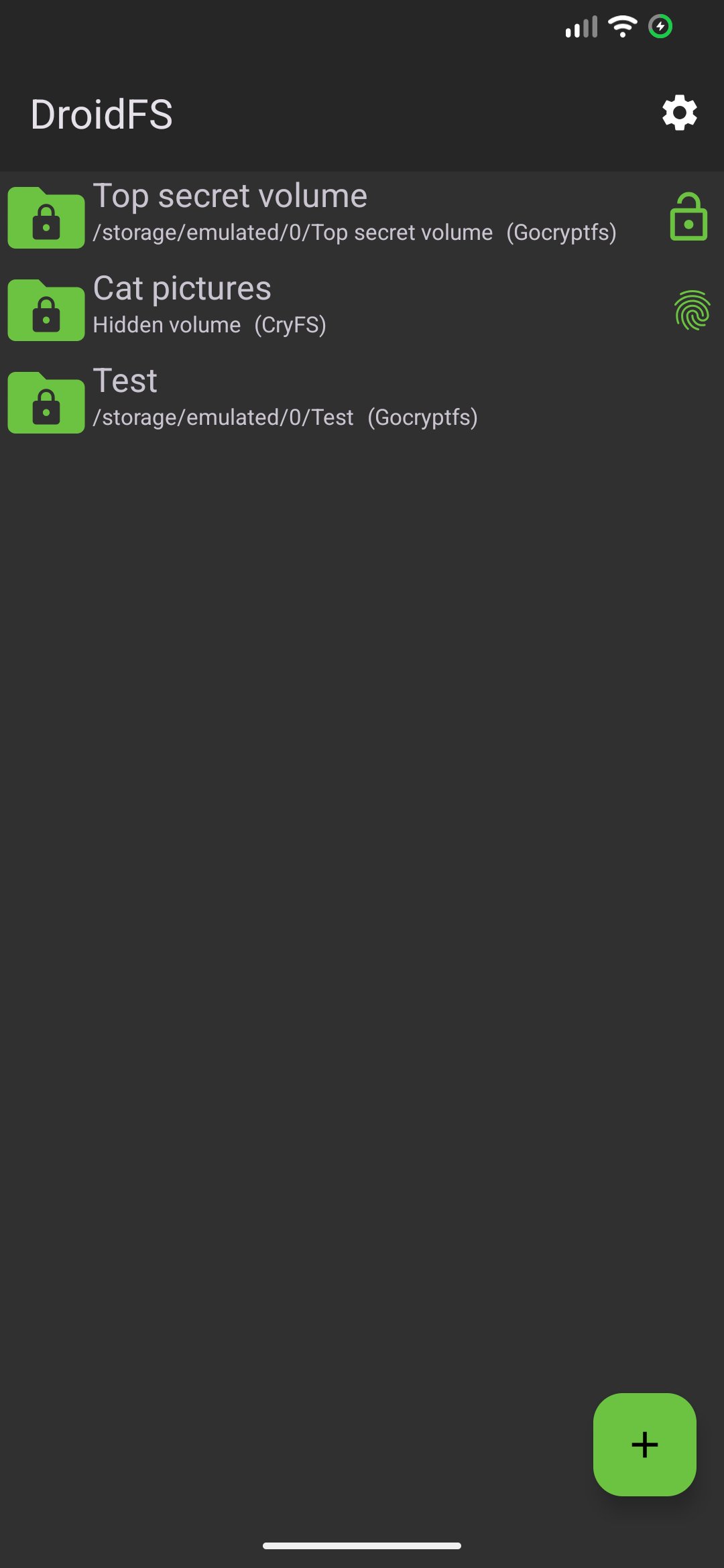
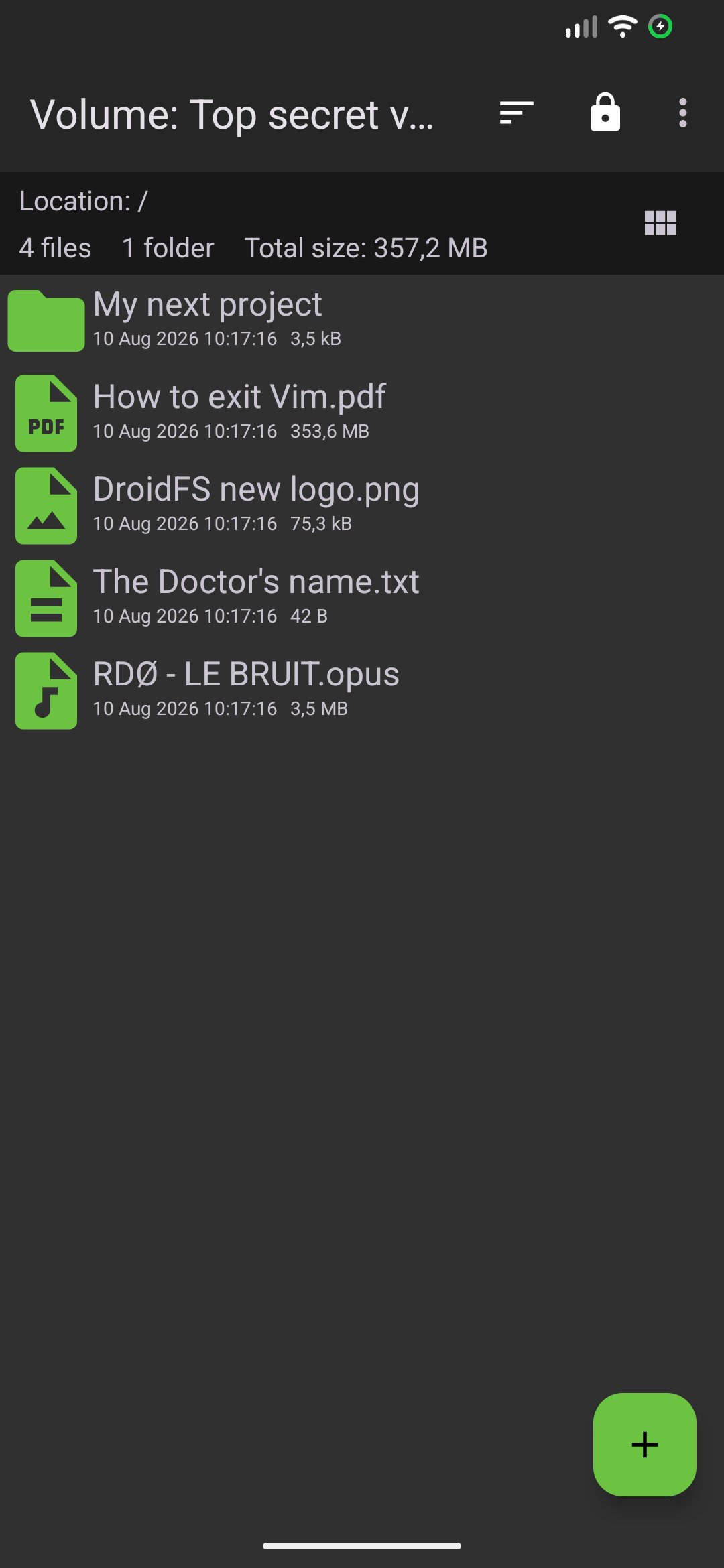
DroidFS is an alternative way to use encrypted overlay file-systems on Android that uses its own internal file explorer instead of mounting volumes. This allows you to store files in encrypted vaults that other apps can't decrypt.
Currently, DroidFS supports the following encrypted containers:
- gocryptfs ([link removed]): encrypts file contents and file names but doesn't hide directory structure or file sizes.
- CryFS ([link removed]): slower, but encrypts everything and obfuscates file sizes.
Features:
- Compatible with original encrypted volume implementations
- Internal support for video, audio, images, text and PDF files
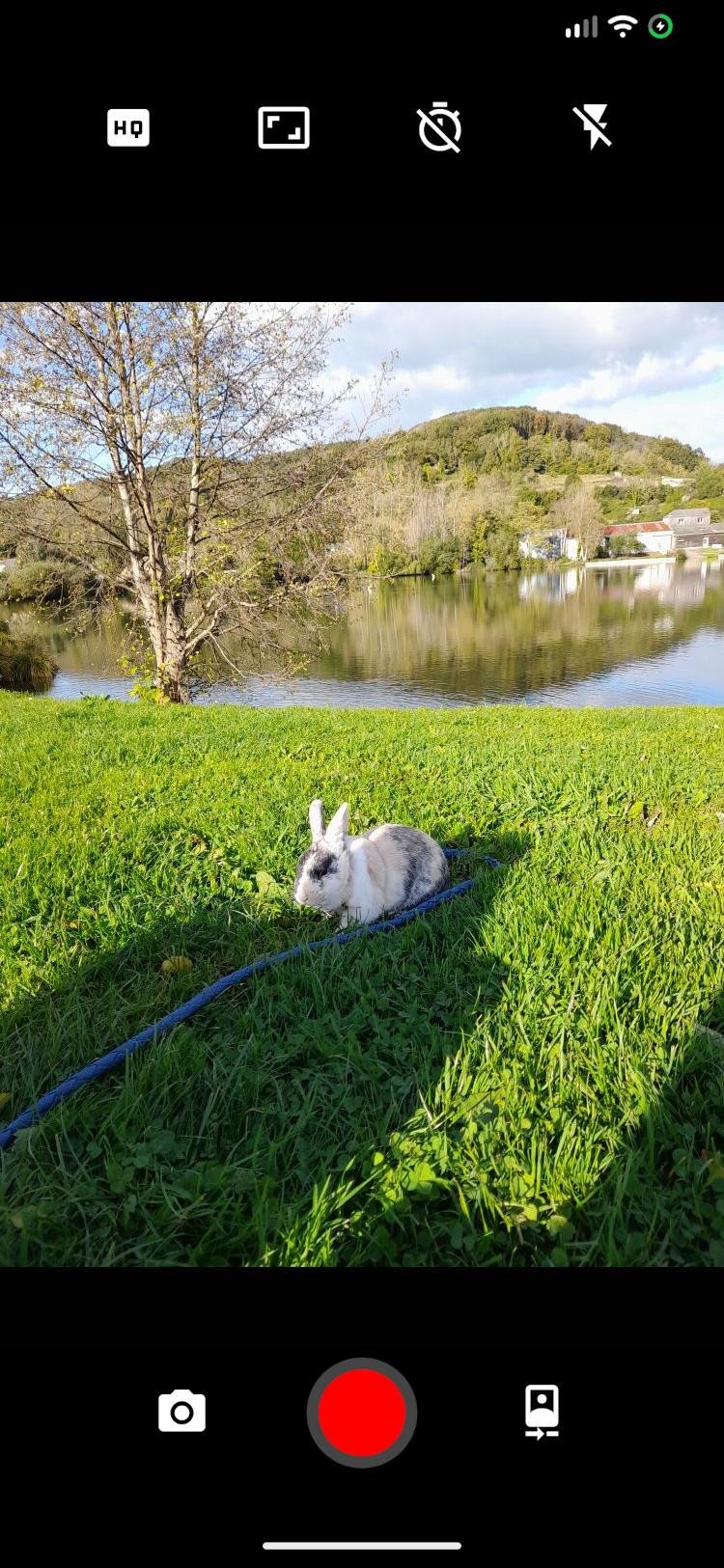
- Built-in camera to take on-the-fly encrypted photos and videos
- Ability to expose volumes to other applications
- Unlocking volumes using fingerprint authentication
- Volume auto-locking when the app goes in background
Permissions:
Read & write access to shared storage: required to access volumes located on shared storage.
Biometric/Fingerprint hardware: needed to encrypt/decrypt password hashes using a fingerprint protected key.
Camera: required to take encrypted photos or videos directly from the app.
Record audio: required if you want sound on videos recorded with DroidFS.
Notifications: used to report file operations progress and notify about volumes kept open
All of these permissions can be denied if you don't want to use the corresponding feature.
DroidFS is free, open-source, and you can find the project's repository:
- on GitHub: [link removed]
- on Tangled: [link removed]
Warning !
Security is neither absolute nor definitive. DroidFS does not come with any warranty and should not be considered as an absolute safe way to store files.
License: AGPL-3.0-only
Currently, DroidFS supports the following encrypted containers:
- gocryptfs ([link removed]): encrypts file contents and file names but doesn't hide directory structure or file sizes.
- CryFS ([link removed]): slower, but encrypts everything and obfuscates file sizes.
Features:
- Compatible with original encrypted volume implementations
- Internal support for video, audio, images, text and PDF files
- Built-in camera to take on-the-fly encrypted photos and videos
- Ability to expose volumes to other applications
- Unlocking volumes using fingerprint authentication
- Volume auto-locking when the app goes in background
Permissions:
Read & write access to shared storage: required to access volumes located on shared storage.
Biometric/Fingerprint hardware: needed to encrypt/decrypt password hashes using a fingerprint protected key.
Camera: required to take encrypted photos or videos directly from the app.
Record audio: required if you want sound on videos recorded with DroidFS.
Notifications: used to report file operations progress and notify about volumes kept open
All of these permissions can be denied if you don't want to use the corresponding feature.
DroidFS is free, open-source, and you can find the project's repository:
- on GitHub: [link removed]
- on Tangled: [link removed]
Warning !
Security is neither absolute nor definitive. DroidFS does not come with any warranty and should not be considered as an absolute safe way to store files.
License: AGPL-3.0-only
| Release info | Update on Oct 27, 2026 |
|---|---|
| Release notes | - Optional thumbnail animation - Faster directory import - Check mark replaced by paste icon to paste files - Gocryptfs fixes - UI bug fixes - Updated Russian translation - Dependencies update |
| Listing data | F-Droid |
Reviews
No reviews yet. Be the first to review DroidFS.
Used DroidFS? Tell other visitors what you thought.
Log in to write a reviewOther products by this publisher
- "No Distractions" for YouTube 4.10 ----
- #Bible 11.6 "Incredible App - My sister shared this app with me a few weeks ago and it is truly incredible.
- #filmphotography 1.4.2 So, you decided to shoot on film?
- $quirrel 1.5.1 $quirrel Budget & Finance helps you plan each paycheck, track spending, manage debt, and see what is safe to spend before the next payday.
- % Percentage Calculator Pro 1.41 This is the Pro version of % Percentage Calculator.
Most viewed Android Security & Privacy
- 1 OTG Master 0.4.2 Mount VeraCrypt and LUKS encrypted USB drives on non-rooted Android
- 2 Vault Explorer 1.50.0 Encrypted container explorer: VeraCrypt, LUKS, BitLocker, Cryptomator, gocryptfs
-
3
 PaperCript 1.3.3
Encrypted passwords on printable QR cards. No network, stores nothing.
-
4
 Pass 0.4.7
Private tools: deterministic passwords, 2FA codes, calculator and clock.
-
5
 Arcanum 1.7.0
Encrypted container manager compatible with VeraCrypt
- 6 KeePassVault 2.1.0 Client app for KeePass databases
-
7
 PassVault 2.2.2
A secure, lightweight, and 100% offline password manager.
- 8 Sidestep 1.2.7 Intercept URLs, remove tracking, and redirect to privacy-friendly frontends.
- 9 DroidCrypt 1.1 A file and text encryption tool for Android
-
10
 TrovePass 1.0.0
Offline password generator — one master password for every site
Most downloaded Android Security & Privacy
-
1
 PassPony: Git Password Manager 2.1.0
Password manager for pass and passage stores, synced with git
- 2 Flauth 1.2.0 Privacy-first, open-source TOTP authenticator for 2FA token management.
-
3
 Pocket2FA 0.11.0
Secure 2FA code client of 2FAuth server that works offline
-
4
 Tokn - MFA / 2FA authenticator 1.8.3
Open-source 2FA authenticator. Encrypted on-device. No accounts.
-
5
PaperCript 1.3.3
Encrypted passwords on printable QR cards. No network, stores nothing.
- 6 GPG Key Manager 2.0.0 GPG Tool for Android
- 7 HiddenProtectedWorkProfile 94.0 Hidden Profile owner Android security app.
-
8
Arcanum 1.7.0
Encrypted container manager compatible with VeraCrypt
- 9 DNS Toggle 3.1.0 Easily toggle and automate Private DNS through the Quick Settings panel.
-
10
 PGPony 4.7.3
Encrypt, decrypt and sign with OpenPGP. Post-quantum keys and security keys.