14downloads
0this week
FreeFreeware
0reviews
Screenshots
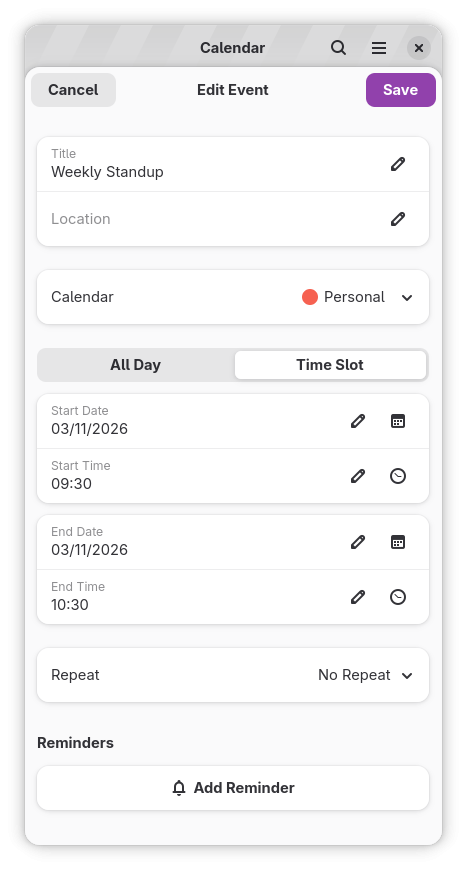
About Calendar
GNOME Calendar is an elegant tool to help you plan and stay on top of your schedule for
upcoming days and weeks, whether your months are filled with meetings and appointments,
public events, travel logistics, or other commitments in your life.
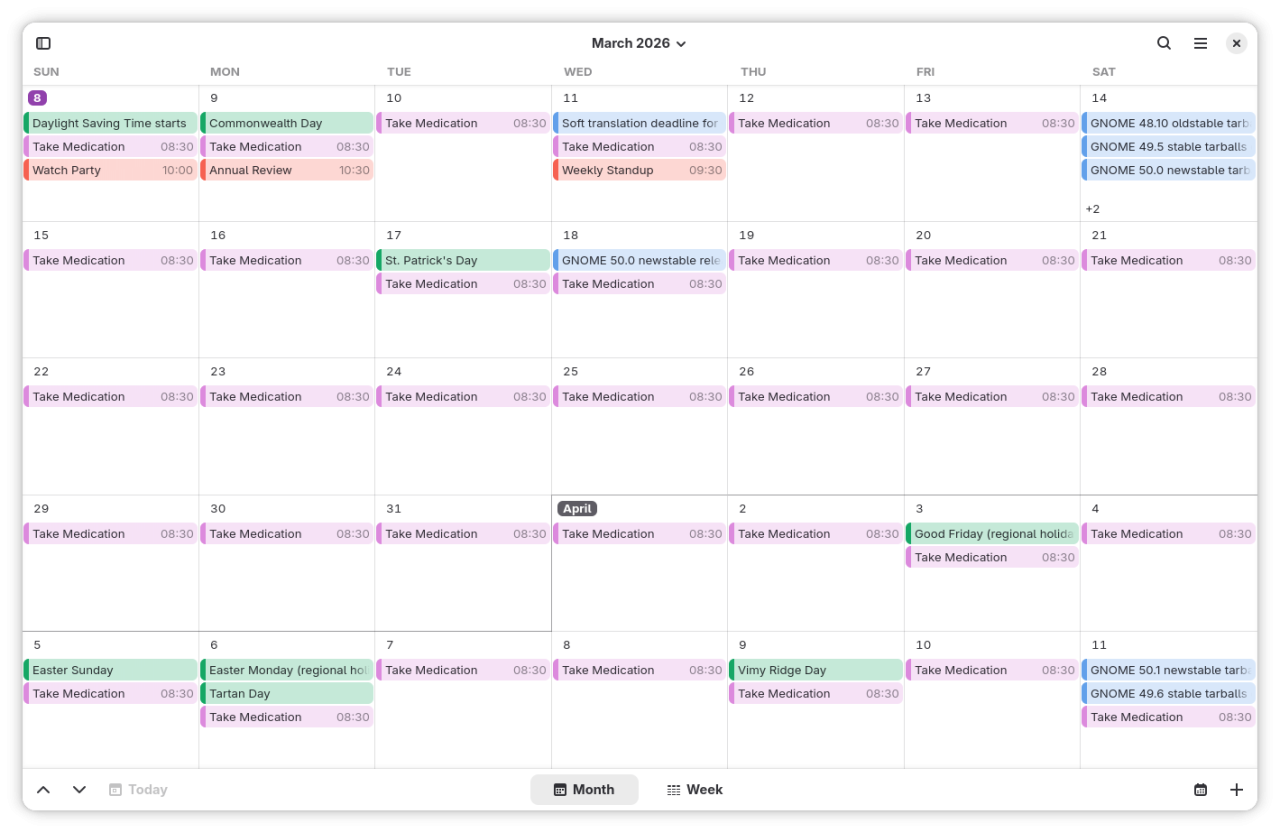
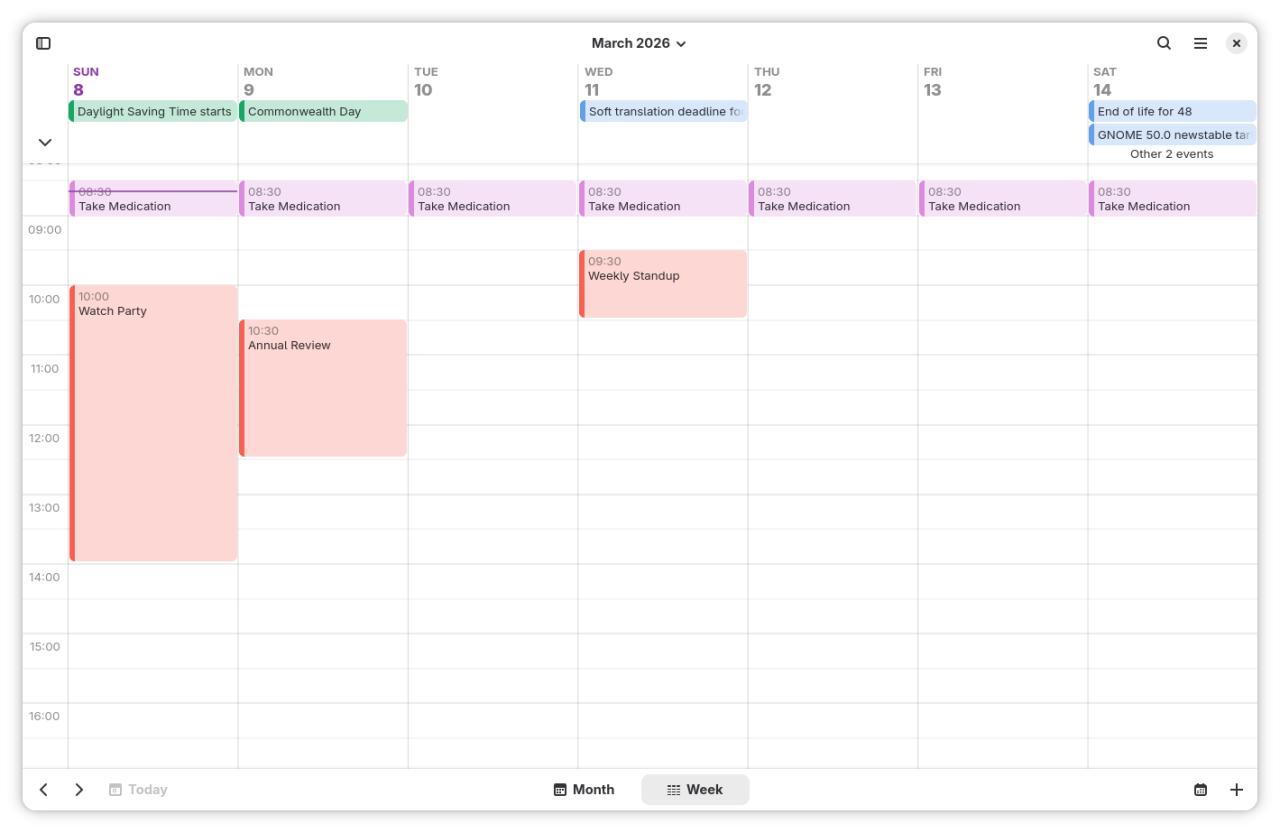
Easily create and manage unlimited calendars and events with GNOME Calendar's infinite
scrolling month view, week timetable, and scheduling list view.
Integrating the latest GNOME technologies and design best practices, GNOME Calendar builds on
top of the mature Evolution data server to manage large quantities of events and to provide
integration with other applications. You can add calendars from various online calendaring
services (like NextCloud, Google Calendar, and CalDAV / WebDAV servers), enabling you to
synchronize your events across multiple devices and platforms. GNOME Calendar also supports
local and offline calendaring, so you can use it anywhere and anytime while travelling
(or after civilization's collapse.)
License: GPL-3.0-or-later
| Release info | New Release on Sep 10, 2026 |
|---|---|
| Release notes | GNOME Calendar 51.0 is now available! This is a remarkable release for us, as it is one of the biggest releases in the history of the project, and we're excited to share a slightly longer update on it. The first thing many users will notice is how GNOME Calendar will feel snappier now. During the past six months, a lot of work was put in optimizing GNOME Calendar from the inside out. This includes a major change in how it handles events internally, vastly reducing the amount of data transferred between GNOME Calendar and other components of the desktop, and applying many different tricks and strategies to make it render faster. Really, this is probably the most optimized the project has ever been. Another front in which GNOME Calendar has been consistently improving is accessibility and keyboard navigation. During this development cycle, another big batch of improvements on these fronts were merged. You can now navigate between events and days in the Month view using only your keyboard. The Week view is now properly styled when the high-contrast setting is enabled. The event editor dialog was another area of focus, with a variety of cleanups and improvements. In particular, the Notes section of the event editor dialog received a visual shift. A few other highlights: • Zooming in the Week view behaves like other apps • Improved drag and drop behavior on the Month view • Accept slightly misformatted iCalendar files • Support the maps URI for opening locations • Use a better month name formatting in various places • Add support for Teams links • Fix various crashes • New and updated translations On the non-technical side, in the past few months the project received contributions from many new contributors, as well as long time contributors. Our issue tracker continues to be in excellent shape, well triaged, and properly labeled. Our three latest releases were the biggest releases in the history of the project. Thank you all very much for… |
| Related tags | calendars events meetings |
| Listing data | Flathub |
Reviews
No reviews yet. Be the first to review Calendar.
Used Calendar? Tell other visitors what you thought.
Log in to write a reviewOther products by this publisher
- "No Distractions" for YouTube 4.10 ----
- #Bible 11.6.1 "Incredible App - My sister shared this app with me a few weeks ago and it is truly incredible.
- #filmphotography 1.4.2 So, you decided to shoot on film?
- #LookBusy Fake Calendar Events 1.0.6 Look Busy scans your work calendar for open time slots and fills them with realistic-looking (but secretly fake) work events.
- #Small Talk Is Canceled 1.0.2 #Small Talk Is Canceled — Conversations That Matter
Most viewed Linux Office
-
1
 Scrolex 0.13.1
Read PDFs and ebooks horizontally
-
2
 WPS 365 12.1.2.29183_807310
WPS 365 Suite
-
3
 Super Productivity v20.1.0
To-do list and time tracker
- 4 Textosaurus 0.9.13 Simple cross-platform text editor based on Qt and QScintilla
-
5
 Readest 0.12.20
Modern, feature-rich ebook reader
-
6
 Feishu 7.72.23
A collaboration platform
-
7
 Foliate 3.3.0
Read e-books in style
-
8
 Scribe 0.3.50
Markdown editor with live rendering
-
9
 Adobe Reader 9.5.5
PDF viewer
-
10
 Quick Lookup 2.1.2
Look up words quickly
Most downloaded Linux Office
- 1 sleek 2.1.1 todo manager based on the todo.txt syntax for Linux, free and open-source (FOSS)
- 2 Textosaurus 0.9.13 Simple cross-platform text editor based on Qt and QScintilla
-
3
 Nottodbox 0.2.3
Organize notes, to-dos and diaries
-
4
 TreeSheets 2.24.2
Free Form Data Organizer
-
5
 Fingrom 7.3.2
Platform-agnostic financial accounting application for personal finance management
-
6
 Linwood Butterfly 2.6.2
Infinite-canvas notes and sketches
-
7
 OpenDeck 2.14.2
Use stream controllers
- 8 Thoughts 0.20.0 Simple and powerful mind map
- 9 Koodo Reader 2.4.7 All-in-one ebook reader
-
10
Scribe 0.3.50
Markdown editor with live rendering