1downloads
1this week
FreeLicense
0reviews
Screenshots
About PDF 30-in-1
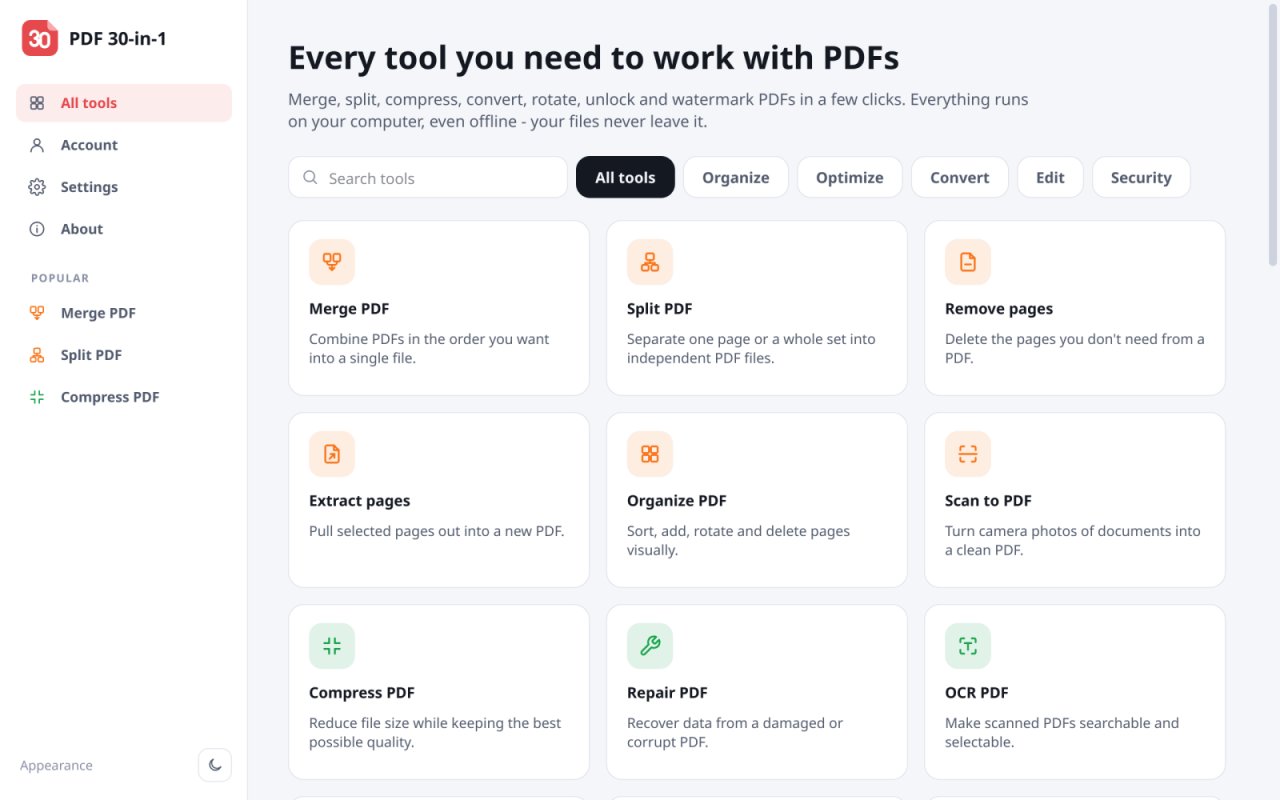
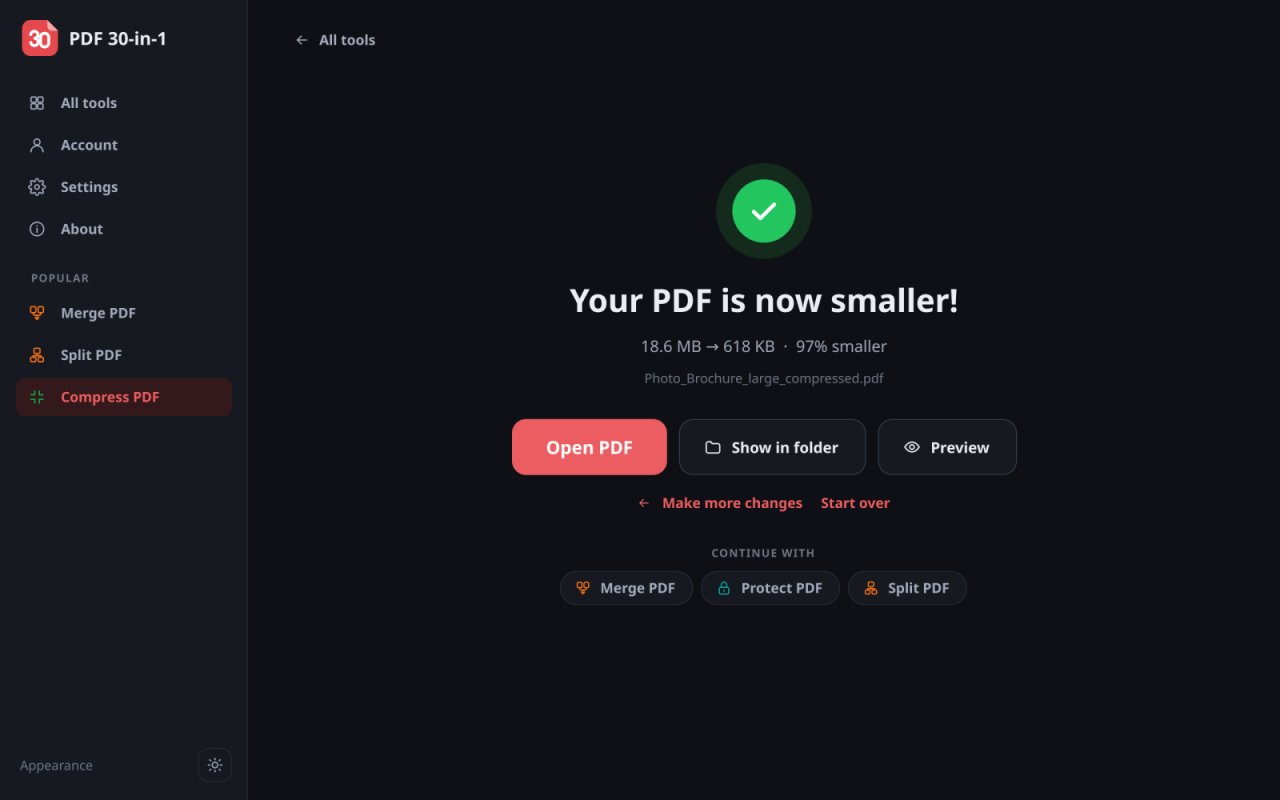
PDF 30-in-1 is an all-in-one PDF editor and converter. Merge, split, compress and convert PDF
files, edit PDF text, fill in forms and sign PDFs – 30+ PDF tools in one desktop app. Your files
are processed on this computer and never uploaded.
Organize PDF files
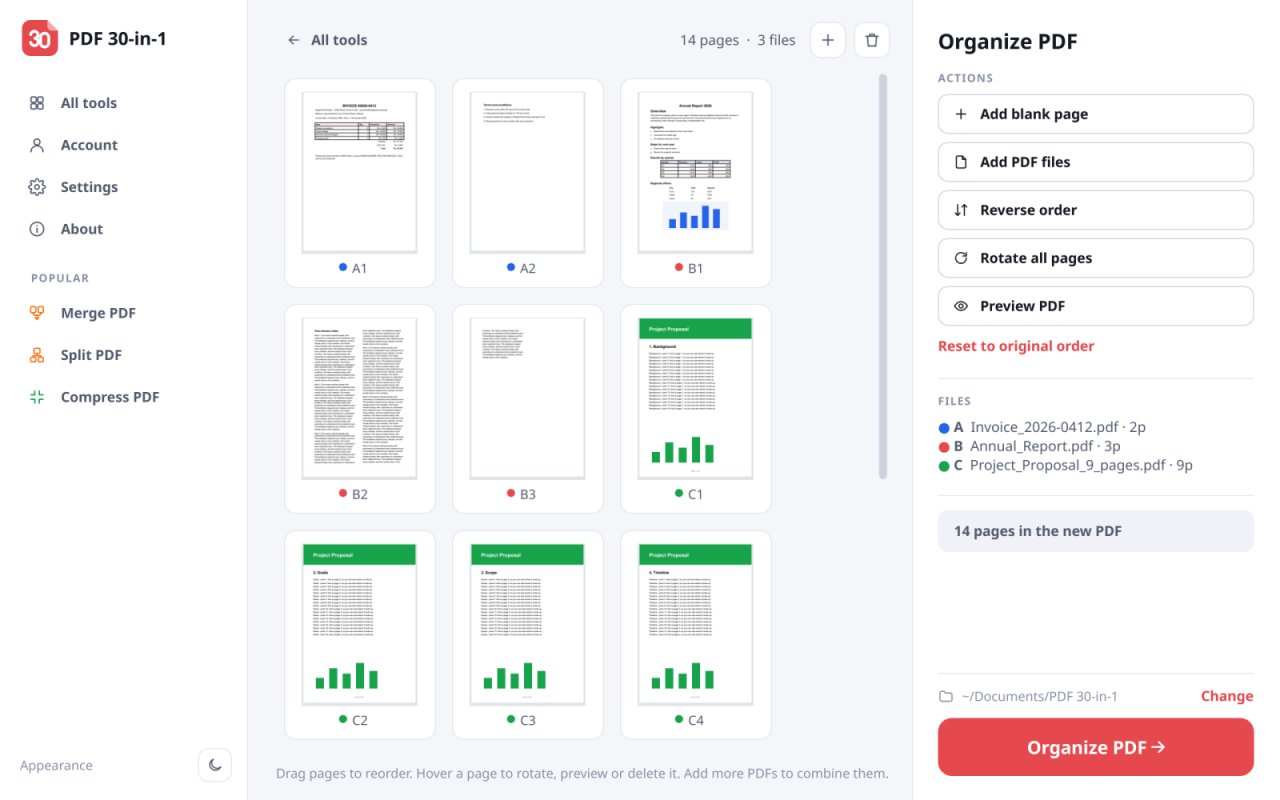
• Merge PDF: combine several PDF files into one, in any order
• Split PDF by page ranges, every few pages, or by file size for e-mail
• Remove, extract, rotate and reorder PDF pages
• Scan to PDF: turn phone photos of documents into a clean PDF
Optimize
• Compress PDF: reduce PDF file size and keep text sharp
• Repair damaged or corrupt PDF files
• OCR: make scanned PDFs searchable, in over 100 languages
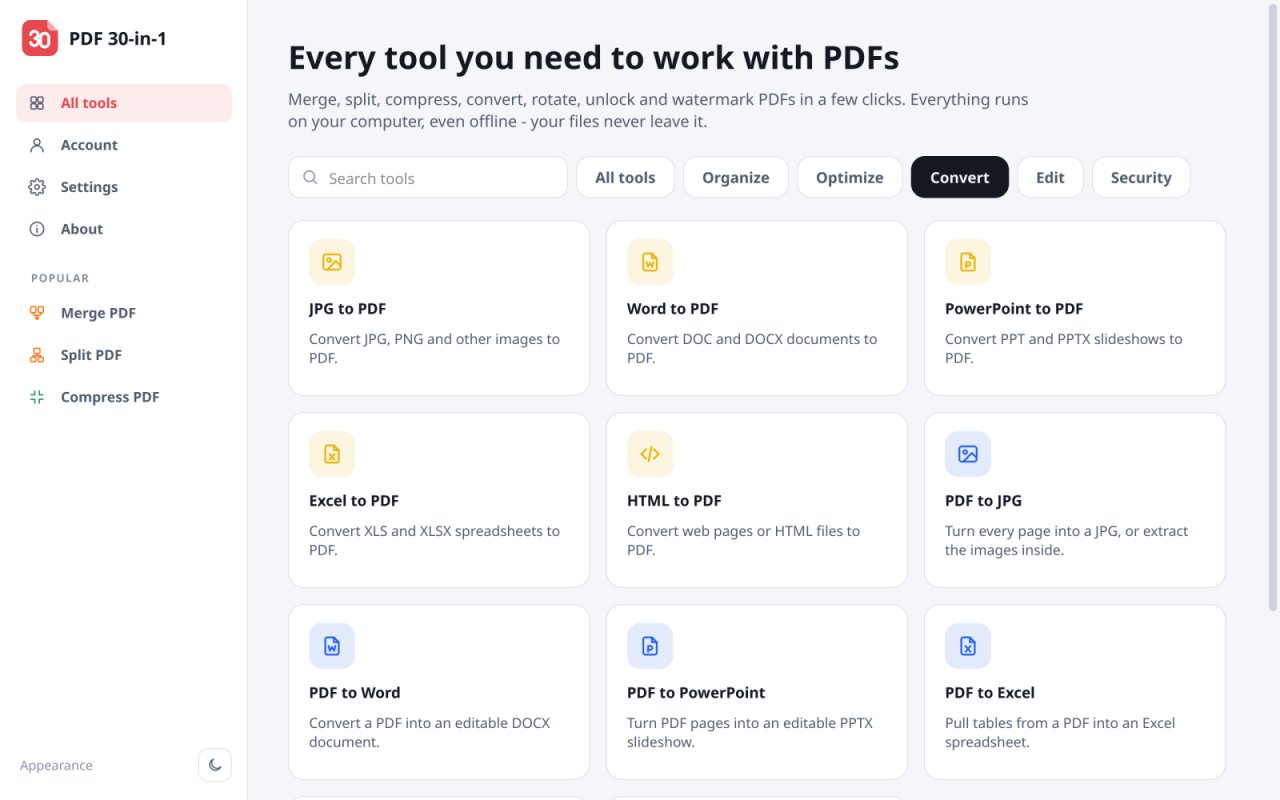
Convert
• PDF to Word (DOCX), PDF to Excel (XLSX), PDF to PowerPoint (PPTX), PDF to JPG and PDF to
Markdown
• Word, Excel, PowerPoint, JPG, PNG and web pages (HTML) to PDF
• PDF/A for long-term archiving
Edit and sign
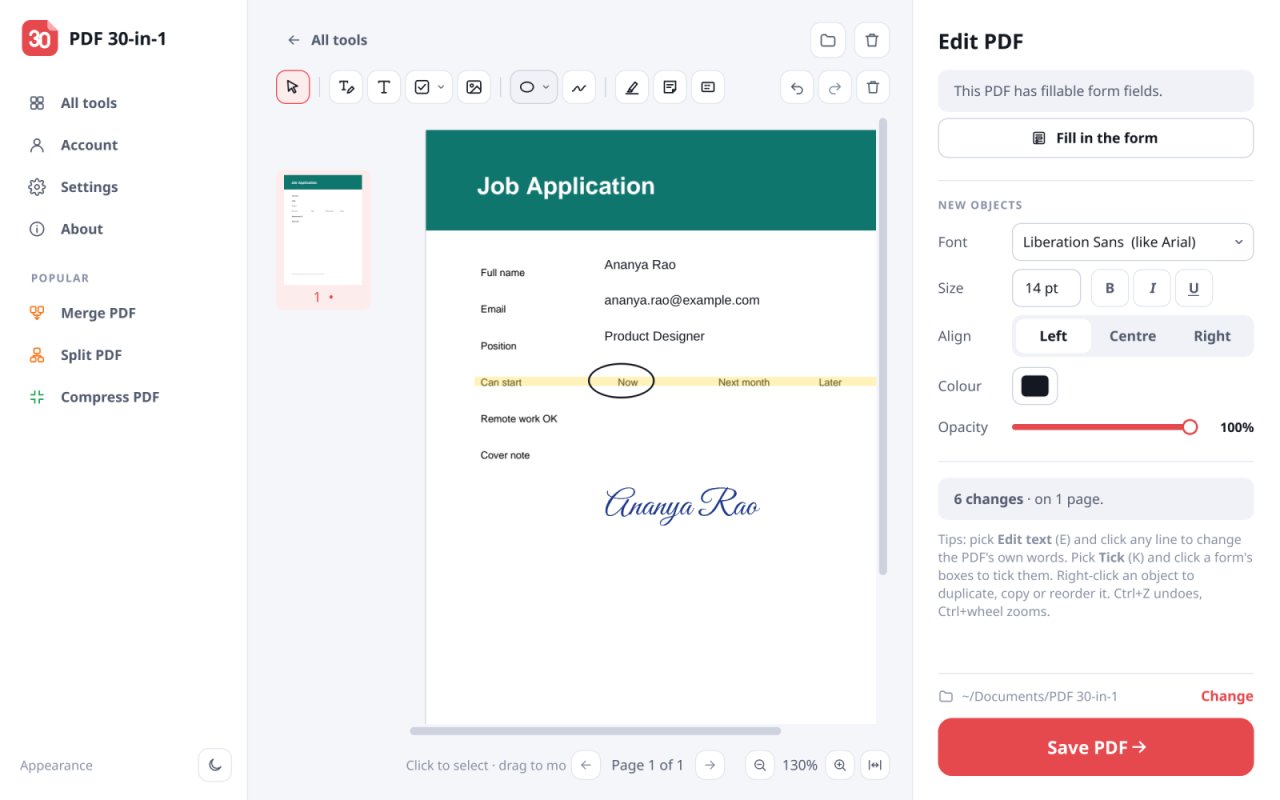
• PDF editor: change the PDF's own text, add text, highlights, shapes, images and drawings
• Fill in PDF forms, or create fillable PDF forms
• Sign PDFs with a drawn, typed or uploaded signature, or a digital certificate
• Add page numbers and watermarks, crop pages, redact sensitive text
Security
• Protect PDFs with a password (AES-256), unlock PDFs, compare two PDFs side by side
Works offline, with no sign-up and no watermarks on your files. Available in 19 languages, with
light and dark themes and touchscreen support. Free plan: 3 tasks a day; PRO removes the limits
with a one-time payment.
License: Proprietary
files, edit PDF text, fill in forms and sign PDFs – 30+ PDF tools in one desktop app. Your files
are processed on this computer and never uploaded.
Organize PDF files
• Merge PDF: combine several PDF files into one, in any order
• Split PDF by page ranges, every few pages, or by file size for e-mail
• Remove, extract, rotate and reorder PDF pages
• Scan to PDF: turn phone photos of documents into a clean PDF
Optimize
• Compress PDF: reduce PDF file size and keep text sharp
• Repair damaged or corrupt PDF files
• OCR: make scanned PDFs searchable, in over 100 languages
Convert
• PDF to Word (DOCX), PDF to Excel (XLSX), PDF to PowerPoint (PPTX), PDF to JPG and PDF to
Markdown
• Word, Excel, PowerPoint, JPG, PNG and web pages (HTML) to PDF
• PDF/A for long-term archiving
Edit and sign
• PDF editor: change the PDF's own text, add text, highlights, shapes, images and drawings
• Fill in PDF forms, or create fillable PDF forms
• Sign PDFs with a drawn, typed or uploaded signature, or a digital certificate
• Add page numbers and watermarks, crop pages, redact sensitive text
Security
• Protect PDFs with a password (AES-256), unlock PDFs, compare two PDFs side by side
Works offline, with no sign-up and no watermarks on your files. Available in 19 languages, with
light and dark themes and touchscreen support. Free plan: 3 tasks a day; PRO removes the limits
with a one-time payment.
License: Proprietary
| Release info | New Release on Oct 21, 2026 |
|---|---|
| Release notes | 30+ PDF tools in one desktop app, in 19 countries languages. • Merge, split, compress, rotate, crop and organize PDF pages • Convert PDF to and from Word, Excel, PowerPoint, JPG and HTML, with OCR in over 100 languages • Edit PDF text, fill in forms, sign with a drawn signature or a certificate • Light and dark themes, touchscreen support, and everything works offline |
| Related tags | pdf ocr watermark |
| Listing data | Flathub |
Reviews
No reviews yet. Be the first to review PDF 30-in-1.
Used PDF 30-in-1? Tell other visitors what you thought.
Log in to write a reviewOther products by this publisher
- "No Distractions" for YouTube 4.10 ----
- #Bible 11.6.1 "Incredible App - My sister shared this app with me a few weeks ago and it is truly incredible.
- #filmphotography 1.4.2 So, you decided to shoot on film?
- $quirrel 1.5.1 $quirrel Budget & Finance helps you plan each paycheck, track spending, manage debt, and see what is safe to spend before the next payday.
- % Percentage Calculator Pro 1.41 This is the Pro version of % Percentage Calculator.
Most viewed Linux Office
-
1
 Scrolex 0.13.1
Read PDFs and ebooks horizontally
-
2
 WPS 365 12.1.2.29183_807310
WPS 365 Suite
-
3
 Super Productivity v20.0.0
To-do list and time tracker
-
4
 Feishu 7.72.23
A collaboration platform
-
5
 Scribe 0.3.50
Markdown editor with live rendering
-
6
 Foliate 3.3.0
Read e-books in style
- 7 Textosaurus 0.9.13 Simple cross-platform text editor based on Qt and QScintilla
-
8
 Adobe Reader 9.5.5
PDF viewer
-
9
 Readest 0.12.20
Modern, feature-rich ebook reader
-
10
 Quick Lookup 2.1.2
Look up words quickly
Most downloaded Linux Office
- 1 sleek 2.1.1 todo manager based on the todo.txt syntax for Linux, free and open-source (FOSS)
- 2 Textosaurus 0.9.13 Simple cross-platform text editor based on Qt and QScintilla
-
3
 TreeSheets 2.23.10
Free Form Data Organizer
-
4
 Fingrom 7.3.2
Platform-agnostic financial accounting application for personal finance management
-
5
 Nottodbox 0.2.3
Organize notes, to-dos and diaries
-
6
 Linwood Butterfly 2.6.2
Infinite-canvas notes and sketches
-
7
Scribe 0.3.50
Markdown editor with live rendering
-
8
 Skribisto 3.3.2
Plan, write, manage your novels
-
9
 OpenDeck 2.14.2
Use stream controllers
- 10 Thoughts 0.20.0 Simple and powerful mind map