
Noty - Notes in Notification 1.0.7
Pin your notes to notifications — always visible, never forgotten.
Download
2.70 MB · noty-v1.0.7.apk
86downloads
15this week
FreeFreeware
0reviews
Screenshots
About Noty - Notes in Notification
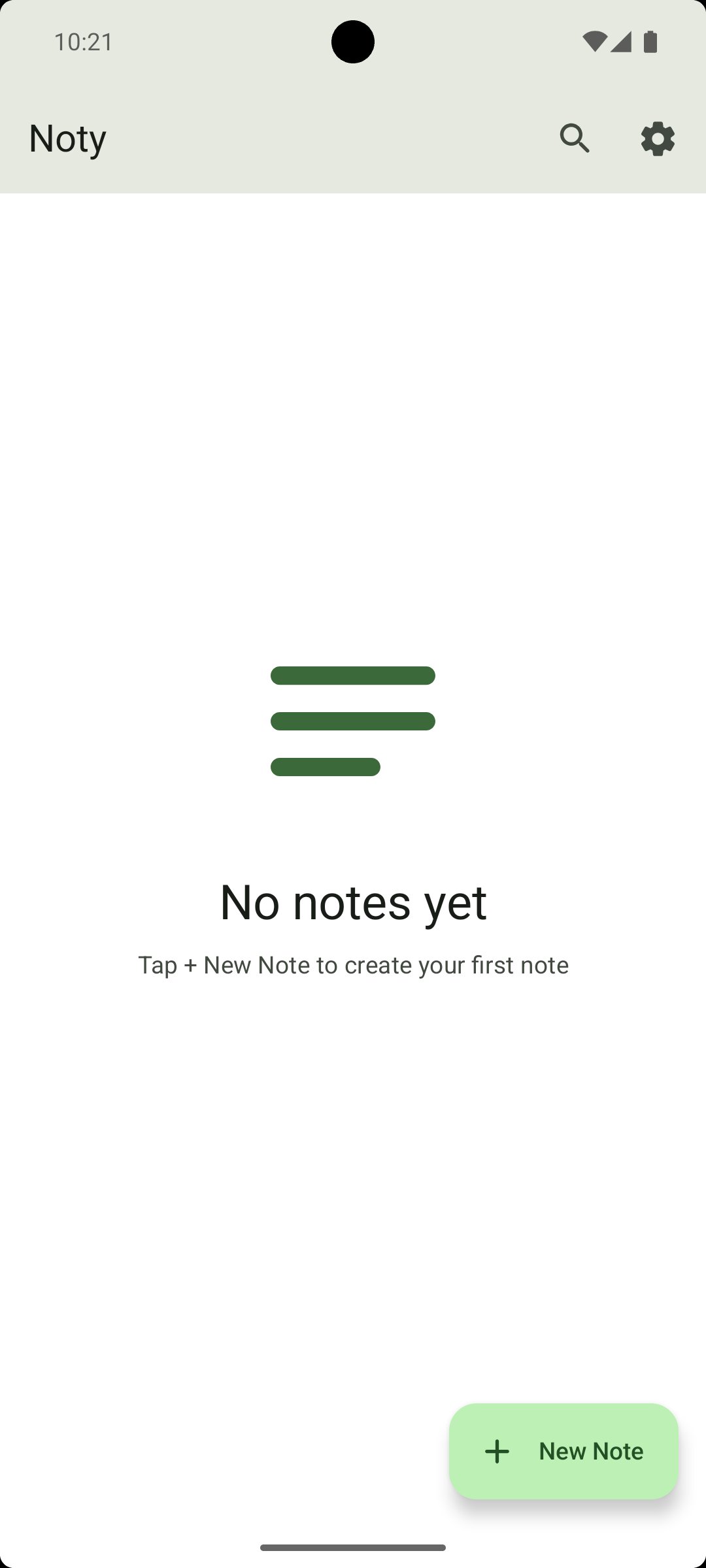
Never forget a task again. Noty keeps your notes exactly where you look dozens of times a day -- your notification shade.
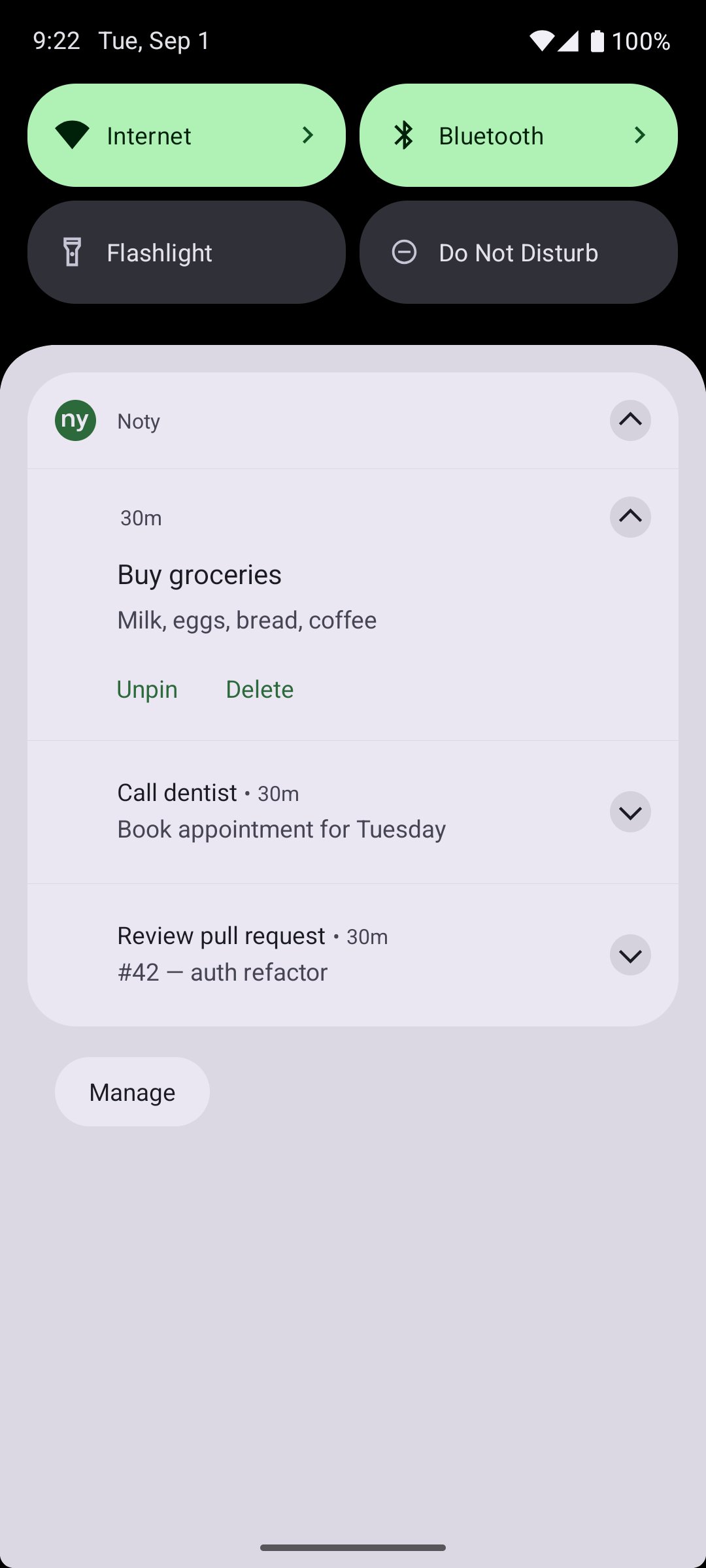
Write a note, and it instantly appears as a persistent notification in your status bar. It stays there until you're done with it. No need to open any app, set a reminder, or remember to check a list.
KEY FEATURES
Persistent Notifications
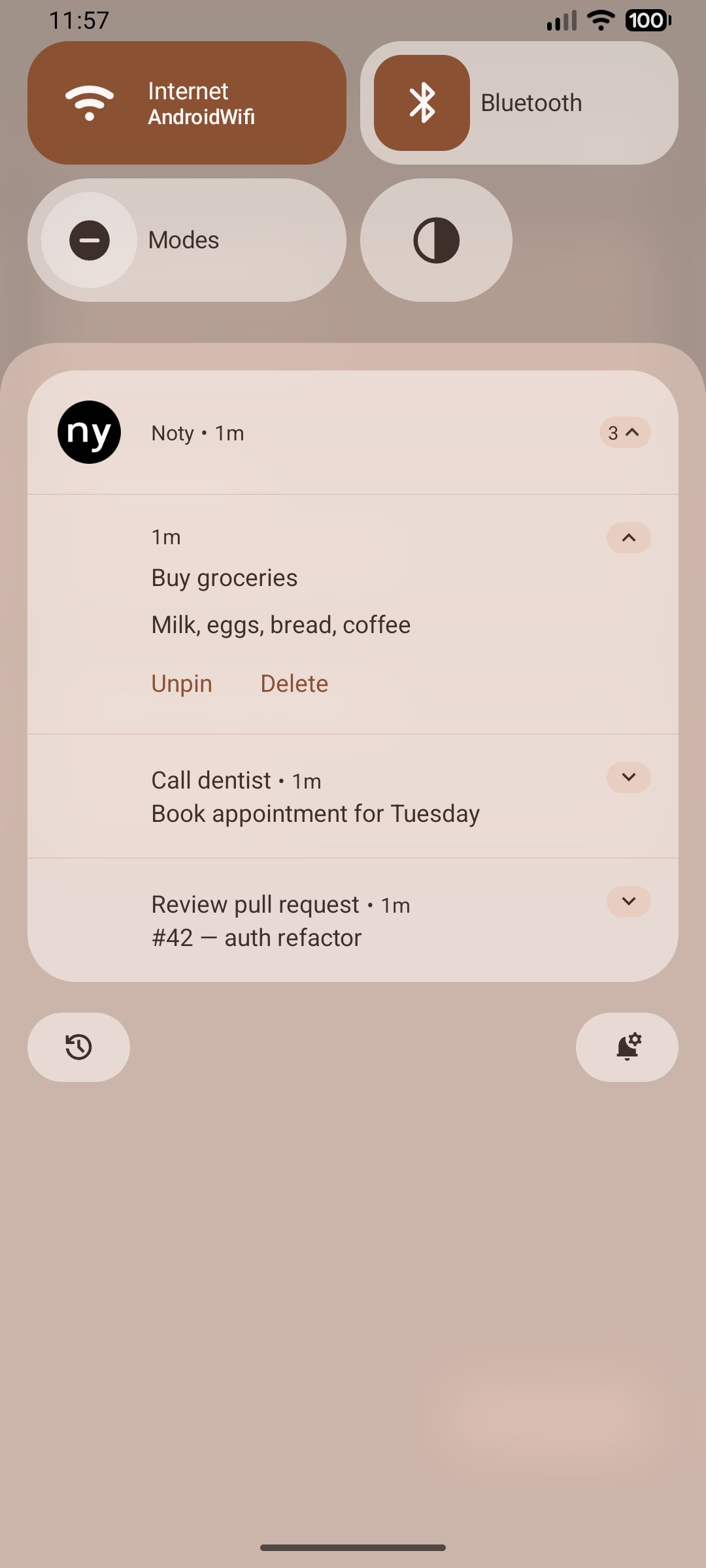
Every note you create appears as a notification that stays in your status bar. Your notes are always one swipe away.
Survives Everything
Notes are restored automatically after a phone restart. The app runs a lightweight background service to keep your notifications alive even after you close the app.
? Add, Edit, Delete -- Instantly
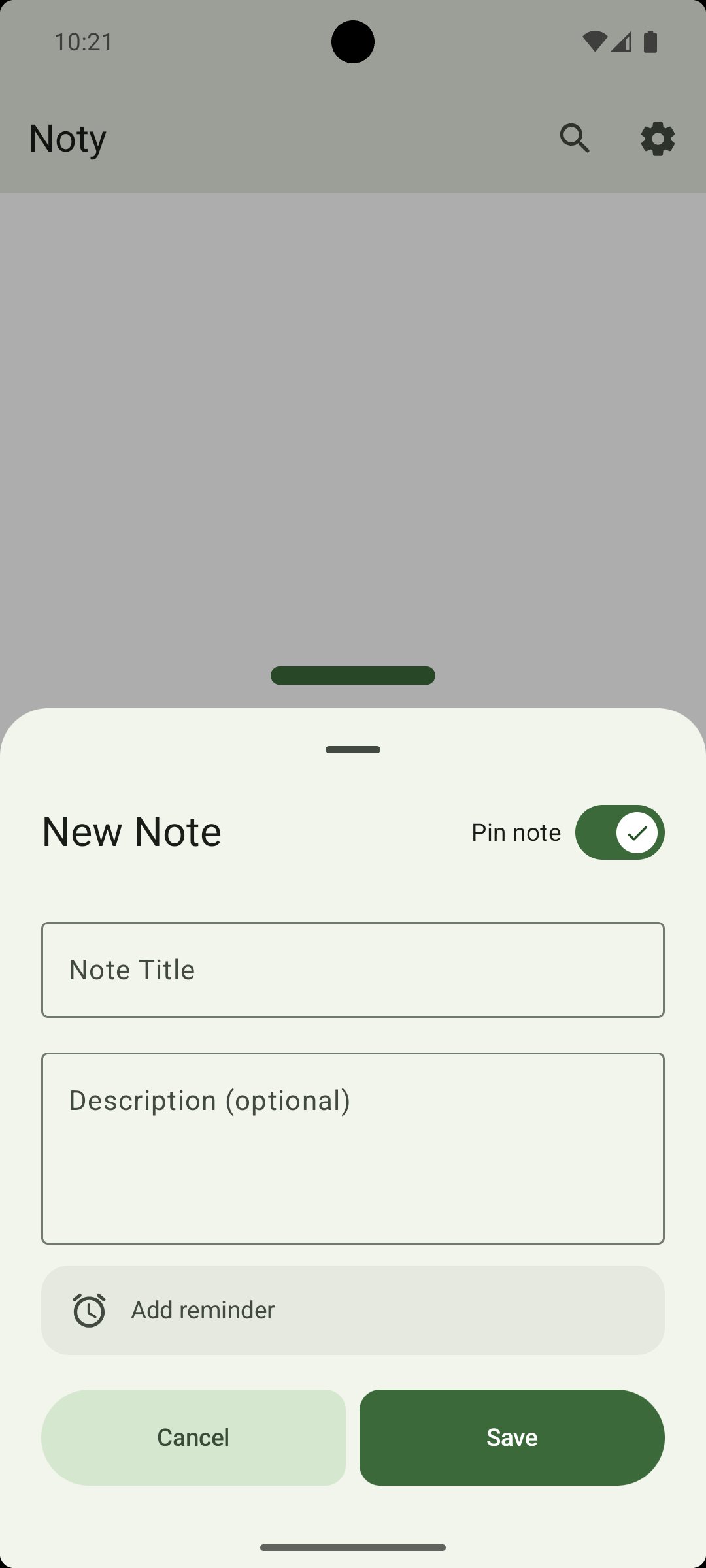
Create notes with a title and optional description. Edit or delete any note with a tap. A confirmation step prevents accidental deletions.
Pin or Unpin Anytime
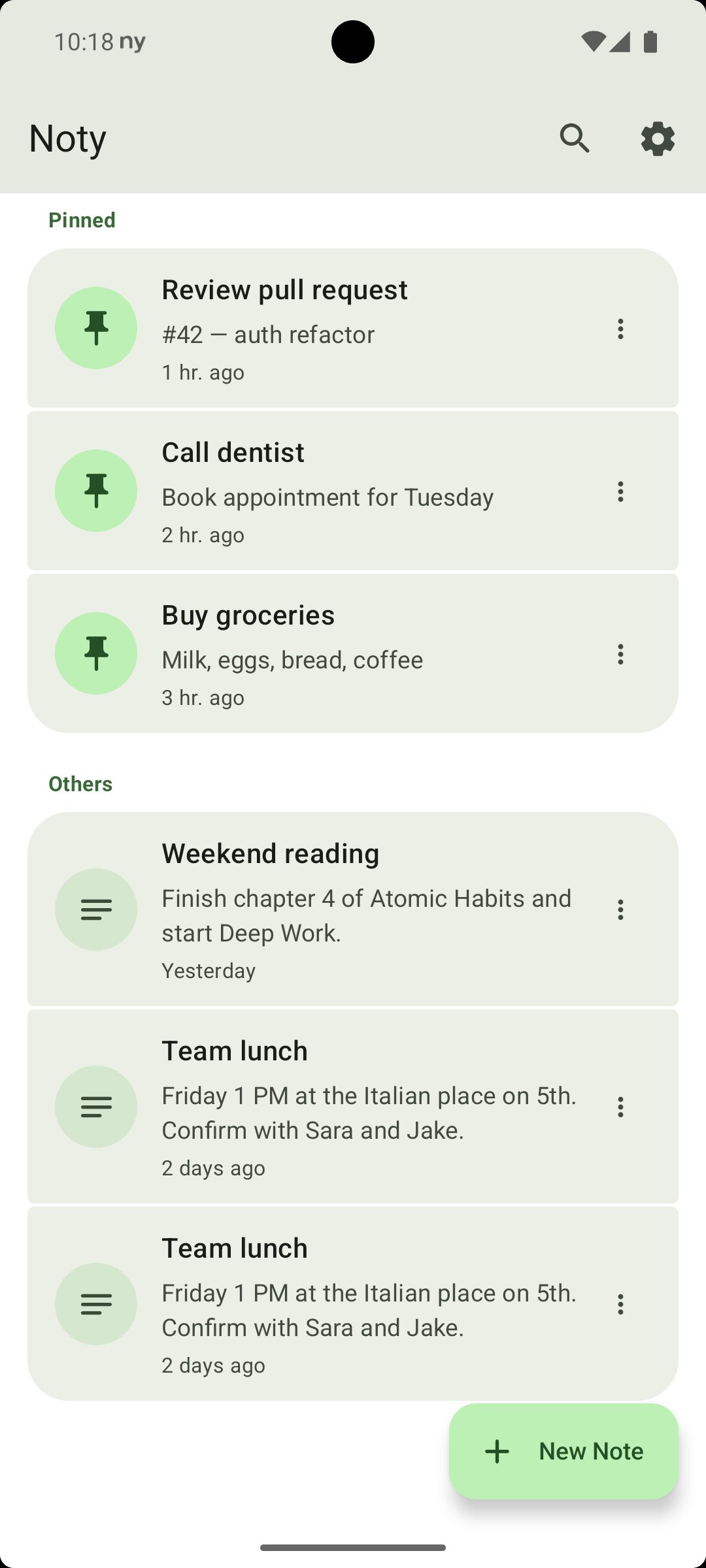
Choose which notes appear as notifications. Pin a note and it shows up in your status bar, locked in place until you remove it. Unpin it and it quietly moves back to the app -- no notification, no clutter. Switch between pinned and unpinned at any time, directly from the notification or from the app.
? Quick Settings Tile
Add a "Quick Note" tile to your Quick Settings panel. Tap it to jump straight to the add-note screen, without hunting for the app.
Material You Design
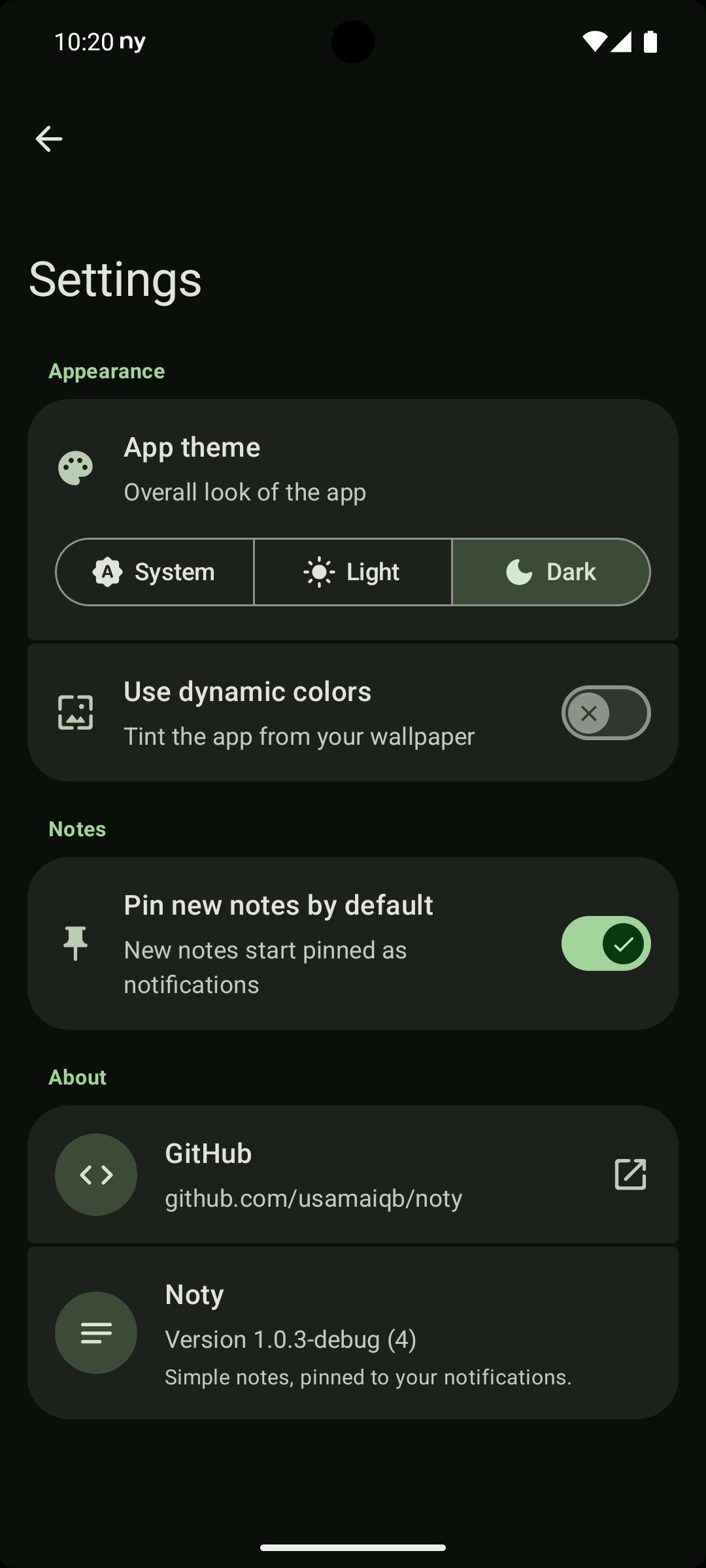
Noty uses Material 3 with dynamic color -- on Android 12 and above, the app automatically matches your wallpaper's color palette. Light, Dark, and System themes are all supported and persist across sessions.
? Make It Yours
Open Settings to switch themes, toggle wallpaper-based dynamic color on Android 12 and above, pick Noty's language separately from your phone's on Android 13 and above, and choose whether new notes start out pinned. Your choices are remembered between launches.
Search Your Notes
Quickly filter your notes by title or description with the built-in search bar.
? Reminders
Set a one-time reminder on any note with a date and time picker. Noty fires a notification right on time using exact alarms, so you never miss it.
Back Up and Restore
Export all your notes to a file, then import them on a new phone or after reinstalling. Importing merges with the notes you already have: nothing is overwritten unless the backup holds a newer edit.
100% Private
Noty is entirely local. No accounts, no cloud, no network access. Your notes never leave your device unless you export them yourself.
PERMISSIONS EXPLAINED
o Notifications -- required to show your notes as persistent notifications
o Run at Startup -- used to restore your notes and reschedule reminders after your phone restarts
o Foreground Service -- allows Noty to keep notifications active in the background
o Exact Alarms -- used to deliver note reminders at the exact time you set
No ads. No in-app purchases. No data collection.
License: GPL-3.0-only
| Release info | Update on Nov 07, 2026 |
|---|---|
| Release notes | What's Changed Features • feat(theme): use MaterialExpressiveTheme by @usamaiqb in https://github.com/usamaiqb/noty/pull/68 • feat(db): track when notes were created and last edited (schema v7) by @usamaiqb in https://github.com/usamaiqb/noty/pull/74 • feat(backup): export and import notes as a file (#24) by @usamaiqb in https://github.com/usamaiqb/noty/pull/75 • feat(i18n): Supplement Chinese(Simplified) translation by @ReikoOnCloud in https://github.com/usamaiqb/noty/pull/78 Bug Fixes • fix(home): hold the tile callback in rememberUpdatedState by @usamaiqb in https://github.com/usamaiqb/noty/pull/67 • fix(notes): never delete on swipe, say when notifications are off, report failed saves by @usamaiqb in https://github.com/usamaiqb/noty/pull/72 Documentation • docs: add a translation progress table kept current by a bot PR by @usamaiqb in https://github.com/usamaiqb/noty/pull/65 Maintenance • build: use noty.app application ID for Google Play builds by @usamaiqb in https://github.com/usamaiqb/noty/pull/64 • refactor: drop LiveData, and four dependencies with it by @usamaiqb in https://github.com/usamaiqb/noty/pull/66 • build: export Room schemas and test migrations on an emulator in CI by @usamaiqb in https://github.com/usamaiqb/noty/pull/70 • ci: upload releases and the store listing to Google Play by @usamaiqb in https://github.com/usamaiqb/noty/pull/76 • chore(release): v1.0.7 by @usamaiqb in https://github.com/usamaiqb/noty/pull/82 New Contributors • @github-actions[bot] made their first contribution in https://github.com/usamaiqb/noty/pull/73 Full Changelog: https://github.com/usamaiqb/noty/compare/v1.0.6...v1.0.7 |
| Listing data | F-Droid |
Reviews
No reviews yet. Be the first to review Noty - Notes in Notification.
Used Noty - Notes in Notification? Tell other visitors what you thought.
Log in to write a reviewOther products by this publisher
- "No Distractions" for YouTube 4.10 ----
- #Bible 11.6.1 "Incredible App - My sister shared this app with me a few weeks ago and it is truly incredible.
- #filmphotography 1.4.2 So, you decided to shoot on film?
- #LookBusy Fake Calendar Events 1.0.6 Look Busy scans your work calendar for open time slots and fills them with realistic-looking (but secretly fake) work events.
- #Small Talk Is Canceled 1.0.2 #Small Talk Is Canceled — Conversations That Matter
Most viewed Android Productivity
-
1
 Nikki 1.5.0
Native Memos client with task management and a typography-first design
- 2 TaskDav 1.0.1 Tasks, notes and calendar over CalDAV — or local-only on your phone.
-
3
 Mindwtr - GTD Task Manager 1.3.8
Clear your head: capture tasks fast, see your next step. Offline, free, GTD.
- 4 PDF Inspector 0.3.2 Inspect, select, edit and delete the elements inside any PDF
-
5
 Mission 1.3
Daily habit tracker, as simple as possible
-
6
 Markor 2026.10.0
Text editor - Notes & ToDo. Lightweight. Markdown and todo.txt support.
- 7 Timetable 1.7 An App for students to save their timetable, homework, notes and exams.
-
8
 VerveDo 3.6.1
A concise to-do app that follows Material 3 Expressive.
-
9
 Cfait 1.2.1
Powerful, fast and elegant TODO / task manager. (CalDAV and local)
- 10 0x54ask 1.1.2 (fork of Simpletask Todo.txt manager. Offline, works with Syncthing. Fork of SimpleTask Cloudless
Most downloaded Android Productivity
-
1
 ntodotxt 0.20.0
Manage your todos in a todo.txt file
-
2
 Kairos 4.0.0
Tasks in the right order, fitted into your day, with on-device machine learning.
-
3
 NC Collectives 3.2.0
Unofficial Android client for Nextcloud Collectives wiki notebooks.
-
4
VerveDo 3.6.1
A concise to-do app that follows Material 3 Expressive.
- 5 GitNote 26.10.2 Take note, using a git backend
- 6 Karui ToDo 2.2 145kB aesthetic todo list app with calendar, reminders, sync and widgets
-
7
 Notes Tech 3.3.0
Encrypted Markdown notes, 100% local. No Internet permission.
-
8
 Tine 0.8.4
Fast local-first Logseq-compatible outliner
- 9 DoNotNotify 7.1 Block unwanted notifications. Fast, private, and fully offline.
-
10
 SkillApp 4.2.0
Simple, fully offline time-tracking app