Kairos 4.0.0
Your tasks in the right order, fitted into your day. No account, no network.
Download
3.33 MB · Kairos-android.apk
45downloads
16this week
FreeFreeware
0reviews
Screenshots
About Kairos
Kairos puts your tasks in the order to do them and fits them into the gaps of your day, at the right time.
An order you can explain
Each task gets a priority score (WSJF): its value (priority P0, P1 or P2, plus the urgency of its deadline) divided by its effort in points. Small and important goes before big and distant; an overdue task always comes first. “Why this position?” shows the calculation in one tap.
A realistic day
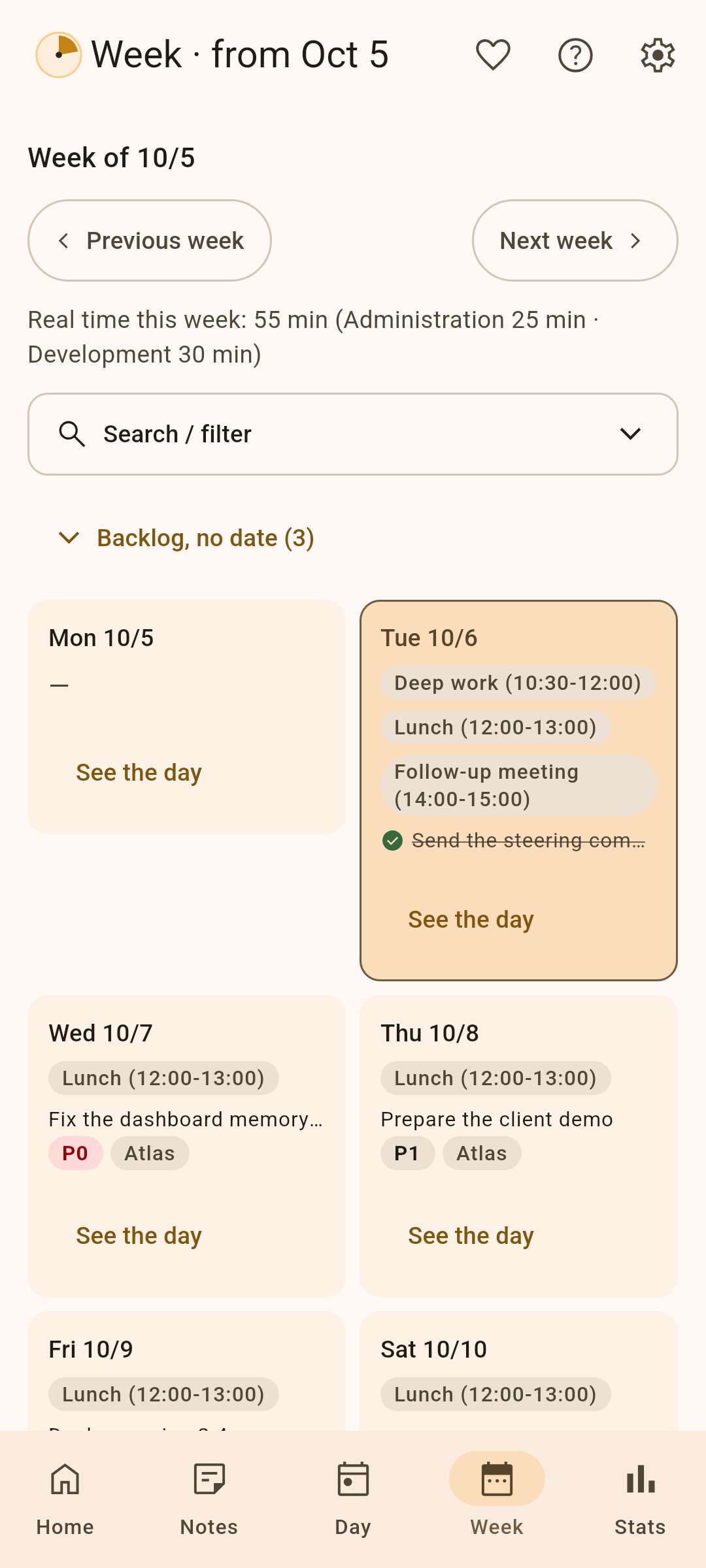
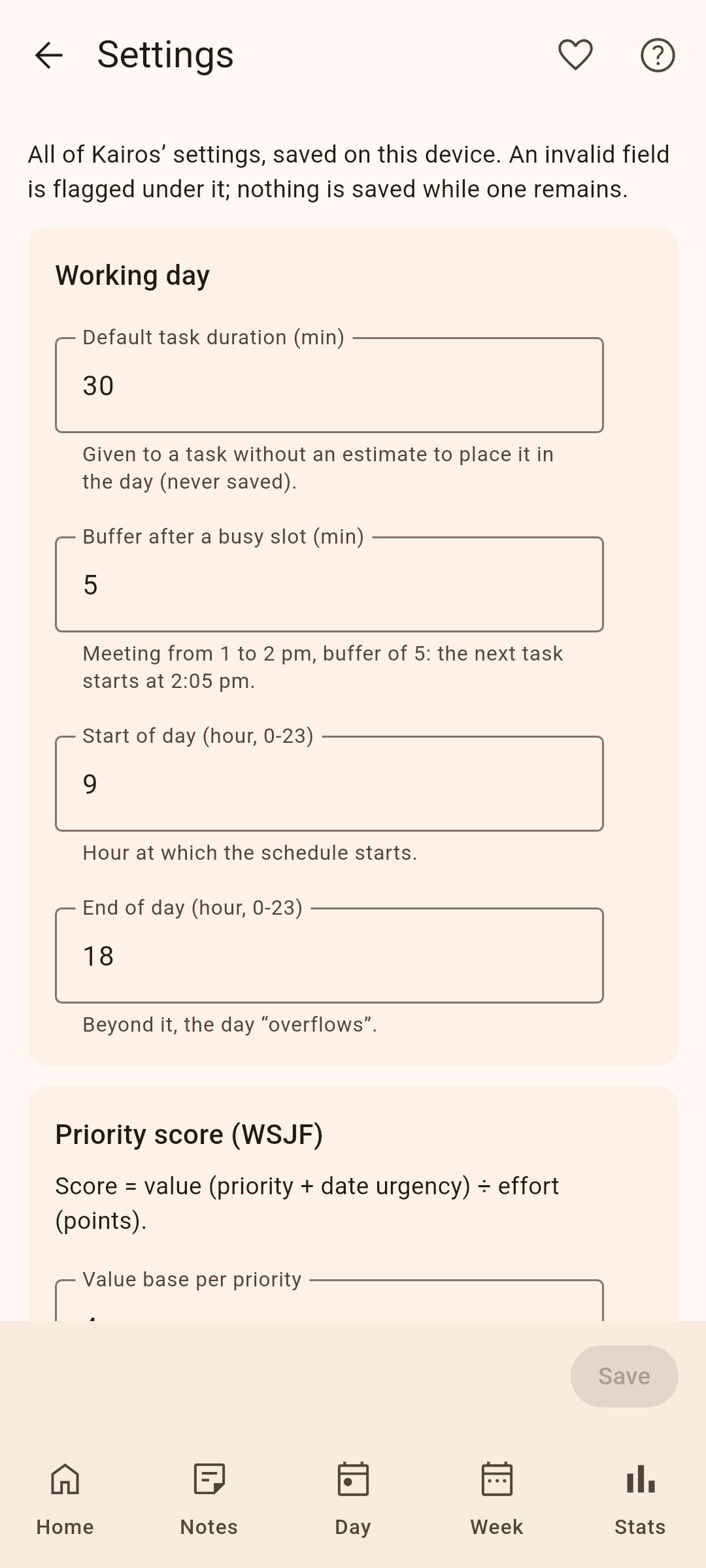
• Tasks are placed around your meetings, with a buffer after each one.
• Deep-work slots are protected; in the afternoon, complex tasks give way to lighter ones.
• Fixed times, recurring tasks (daily, weekdays, weekly, “on the 23rd of the month”), dependencies between tasks, editable subtasks, French public holidays.
Capture without friction (GTD)
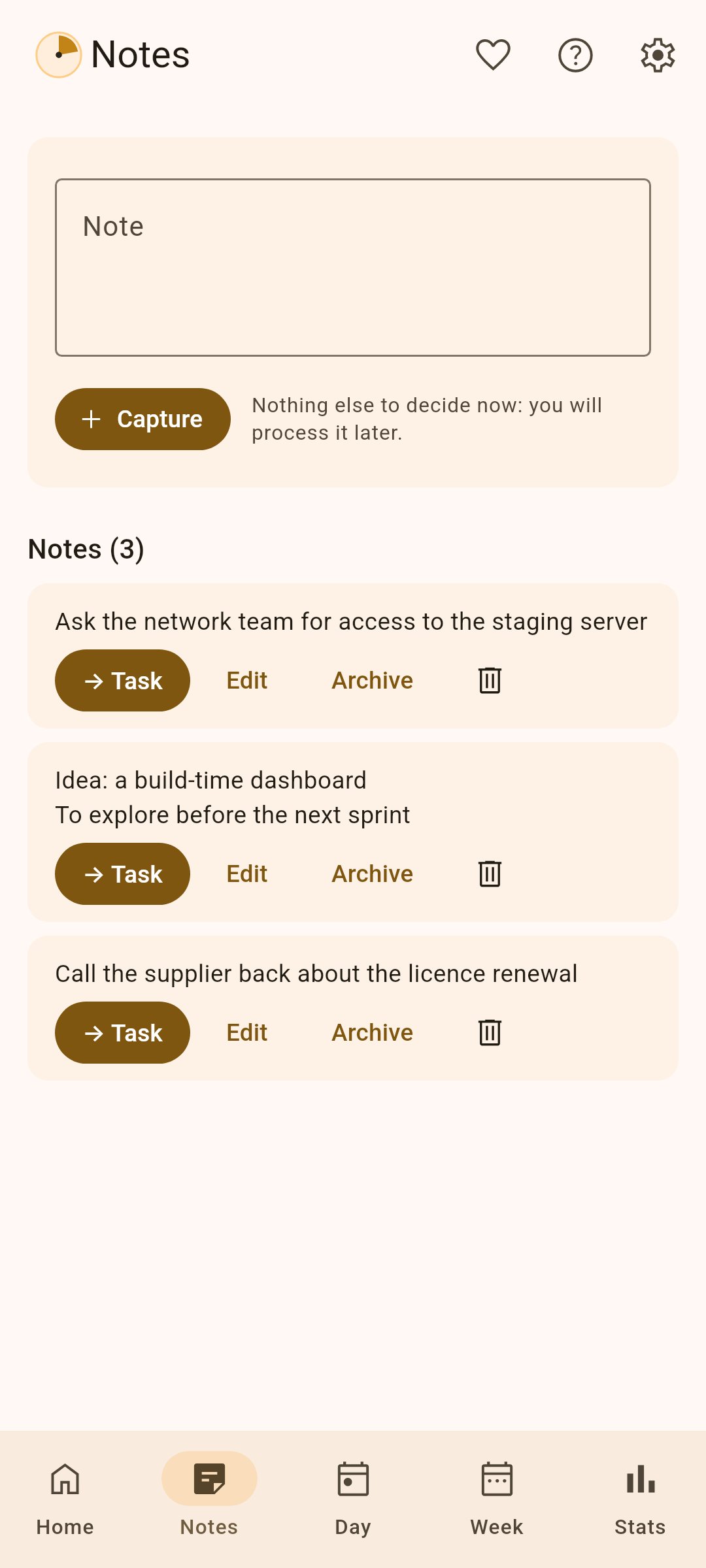
An idea? A note. A task? A title is enough: it waits in “To process” until you give it a priority and a size, one tap each.
Real time
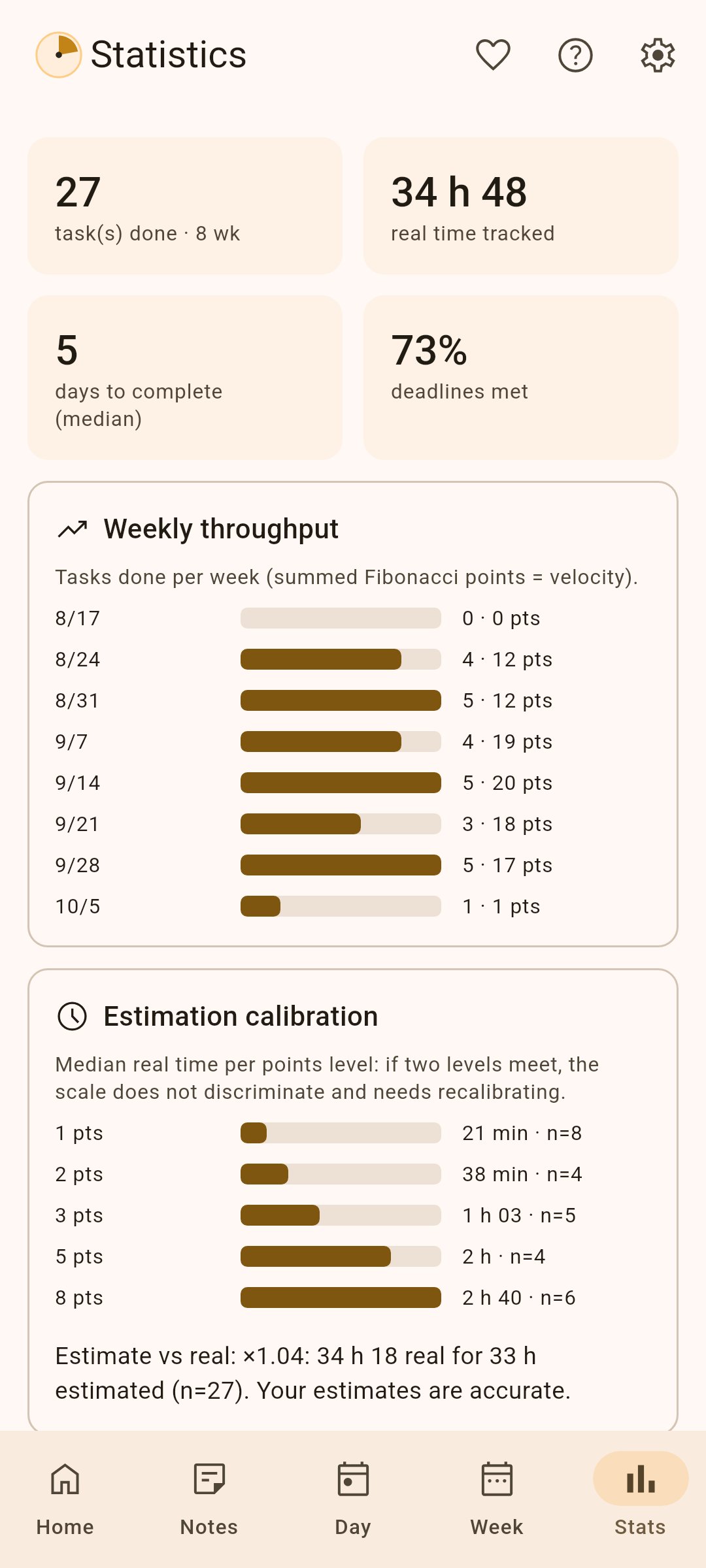
A timer per task, with an ongoing notification; alerts when you go past the estimate, forget a running timer or need a break, even with the app closed. Statistics compare your estimates with the time actually spent.
Manage a team (optional)
Off by default, team management adds a second space for the manager, who remains the only user:
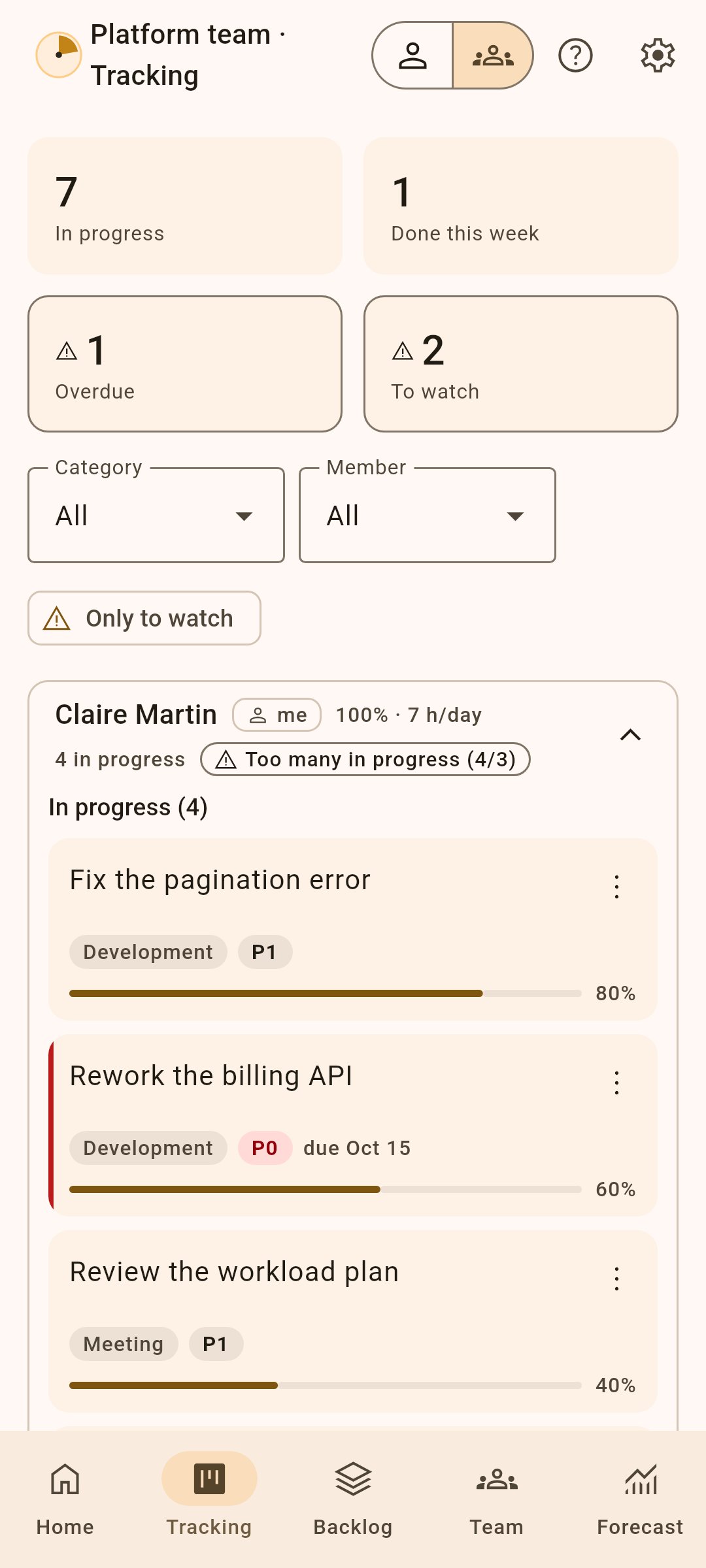
• Members and absences, a shared backlog, progress tracking with its log.
• Each person’s load against their capacity, and a suggested split of the tasks; your own personal tasks can count in your load.
• Monte Carlo forecasts: finish dates as percentage chances, threatened deadlines, “What if…?” scenarios.
• File exchanges with members who use Kairos: they receive their tasks and send back their progress.
• Everything stays on the device; the personal space never shows anything from the team.
Your data stays with you
• No account, no ads, no trackers, no network permission.
• Export and import a JSON file, to back up or switch devices; or keep an up-to-date copy in a folder you sync.
• Meetings from a calendar file (.ics: Outlook, Google, Thunderbird) or, optionally, from your phone’s calendars: Kairos then asks for calendar access, read only, and still never connects to the network.
Kairos is also available for Windows, Linux and macOS, and in the browser. Free software under the MIT licence, in English, French, Spanish, German, Russian and Italian (your choice in the settings; by default your system’s language when it is one of these, English otherwise).
An order you can explain
Each task gets a priority score (WSJF): its value (priority P0, P1 or P2, plus the urgency of its deadline) divided by its effort in points. Small and important goes before big and distant; an overdue task always comes first. “Why this position?” shows the calculation in one tap.
A realistic day
• Tasks are placed around your meetings, with a buffer after each one.
• Deep-work slots are protected; in the afternoon, complex tasks give way to lighter ones.
• Fixed times, recurring tasks (daily, weekdays, weekly, “on the 23rd of the month”), dependencies between tasks, editable subtasks, French public holidays.
Capture without friction (GTD)
An idea? A note. A task? A title is enough: it waits in “To process” until you give it a priority and a size, one tap each.
Real time
A timer per task, with an ongoing notification; alerts when you go past the estimate, forget a running timer or need a break, even with the app closed. Statistics compare your estimates with the time actually spent.
Manage a team (optional)
Off by default, team management adds a second space for the manager, who remains the only user:
• Members and absences, a shared backlog, progress tracking with its log.
• Each person’s load against their capacity, and a suggested split of the tasks; your own personal tasks can count in your load.
• Monte Carlo forecasts: finish dates as percentage chances, threatened deadlines, “What if…?” scenarios.
• File exchanges with members who use Kairos: they receive their tasks and send back their progress.
• Everything stays on the device; the personal space never shows anything from the team.
Your data stays with you
• No account, no ads, no trackers, no network permission.
• Export and import a JSON file, to back up or switch devices; or keep an up-to-date copy in a folder you sync.
• Meetings from a calendar file (.ics: Outlook, Google, Thunderbird) or, optionally, from your phone’s calendars: Kairos then asks for calendar access, read only, and still never connects to the network.
Kairos is also available for Windows, Linux and macOS, and in the browser. Free software under the MIT licence, in English, French, Spanish, German, Russian and Italian (your choice in the settings; by default your system’s language when it is one of these, English otherwise).
| Release info | Update on Nov 04, 2026 |
|---|---|
| Release notes | What's Changed • Duration estimator: extract the interface and the fallback chain (#99, step 1) by @SKOHscripts in https://github.com/SKOHscripts/Kairos/pull/173 • Duration estimator: the local model and its backtests in core (#99, step 2) by @SKOHscripts in https://github.com/SKOHscripts/Kairos/pull/174 • Duration estimator: wire the model in and show it everywhere (#99, step 3) by @SKOHscripts in https://github.com/SKOHscripts/Kairos/pull/175 • Duration estimator: model ranges drive team forecasts (#99, step 4) by @SKOHscripts in https://github.com/SKOHscripts/Kairos/pull/176 • Duration estimator: day-of-week and time-of-day pace factor (#99, step 5) by @SKOHscripts in https://github.com/SKOHscripts/Kairos/pull/177 • Duration estimator: "estimates changed" banner and review of typed estimates (#99, step 6) by @SKOHscripts in https://github.com/SKOHscripts/Kairos/pull/178 • Duration estimator: robustness pass from three independent reviews (#99) by @SKOHscripts in https://github.com/SKOHscripts/Kairos/pull/179 • Duration estimator: feature it as on-device machine learning, the major feature of 4.0 (#99) by @SKOHscripts in https://github.com/SKOHscripts/Kairos/pull/180 • CI: manual test build of a single commit before a release by @SKOHscripts in https://github.com/SKOHscripts/Kairos/pull/182 • Arch Linux package: kairos-bin on the AUR, published by CI (4.0.0) by @SKOHscripts in https://github.com/SKOHscripts/Kairos/pull/172 • File sync: hybrid clock, scope and local reconciliation (#88, step 1) by @SKOHscripts in https://github.com/SKOHscripts/Kairos/pull/183 • File sync: state merge, repairs and property tests (#88, step 2) by @SKOHscripts in https://github.com/SKOHscripts/Kairos/pull/184 • File sync: database tables, export format 3 and repository (#88, step 3) by @SKOHscripts in https://github.com/SKOHscripts/Kairos/pull/185 • File sync: the linked file merges instead of guarding (#88, step 4) by @SKOHscripts in https://github.com/SKOHscripts/Kairos/pull/188 •… |
| Listing data | F-Droid |
Reviews
No reviews yet. Be the first to review Kairos.
Used Kairos? Tell other visitors what you thought.
Log in to write a reviewOther products by this publisher
- "No Distractions" for YouTube 4.10 ----
- #Bible 11.6 "Incredible App - My sister shared this app with me a few weeks ago and it is truly incredible.
- #filmphotography 1.4.2 So, you decided to shoot on film?
- $quirrel 1.5.1 $quirrel Budget & Finance helps you plan each paycheck, track spending, manage debt, and see what is safe to spend before the next payday.
- % Percentage Calculator Pro 1.41 This is the Pro version of % Percentage Calculator.
Most viewed Android Productivity
-
1
 Markor 2026.10.0
Text editor - Notes & ToDo. Lightweight. Markdown and todo.txt support.
- 2 Timetable 1.7 An App for students to save their timetable, homework, notes and exams.
- 3 PDF Inspector 0.3.2 Inspect, select, edit and delete the elements inside any PDF
-
4
 VerveDo 3.6.1
A concise to-do app that follows Material 3 Expressive.
-
5
 Mission 1.3
Daily habit tracker, as simple as possible
- 6 0x54ask 1.1.2 (fork of Simpletask Todo.txt manager. Offline, works with Syncthing. Fork of SimpleTask Cloudless
-
7
 Markdownr 1.6.1
Converts an URL to markdown and share it
-
8
 Cfait 1.2.1
Powerful, fast and elegant TODO / task manager. (CalDAV and local)
- 9 Text Launcher 1.4.1 A lightweight Android Launcher.
-
10
 Nocean 0.2.0
Offline rich-text notes with fonts, media and no cloud
Most downloaded Android Productivity
- 1 GPA Whiz 1.2.1 Offline academic tracker: GPA, CGPA, timetable, and scholarship deadlines
-
2
 ntodotxt 0.20.0
Manage your todos in a todo.txt file
- 3 GitNote 26.10.2 Take note, using a git backend
-
4
 Faz agora! 2.3.15
Tasks, subtasks and reminders with optional WebDAV synchronization.
-
5
 DavNotes 1.2.1
Simple notes synced with your own CalDAV server, such as Radicale
-
6
 neutriNote CE 4.6.9
A hub of written thoughts in fast searchable plain text
- 7 Encly: Encrypted Offline Notes 2.3.1 Secure notepad with a PIN lock: notes & tasks. No account, no internet, no ads.
- 8 Karui ToDo 2.2 145kB aesthetic todo list app with calendar, reminders, sync and widgets
-
9
 PlaneTxt 2.3.0
Todo, agenda, journal and notes in plain Markdown files
- 10 keepIT 1.0.0 Notes, checklists and voice notes. Offline-first, synced on your own server.