
Magnolie Notes 2.0.30
Local notes and tasks with encrypted sharing to Magnolie Organizer
Download
5.10 MB
90downloads
0this week
FreeFreeware
0reviews
Screenshots
About Magnolie Notes
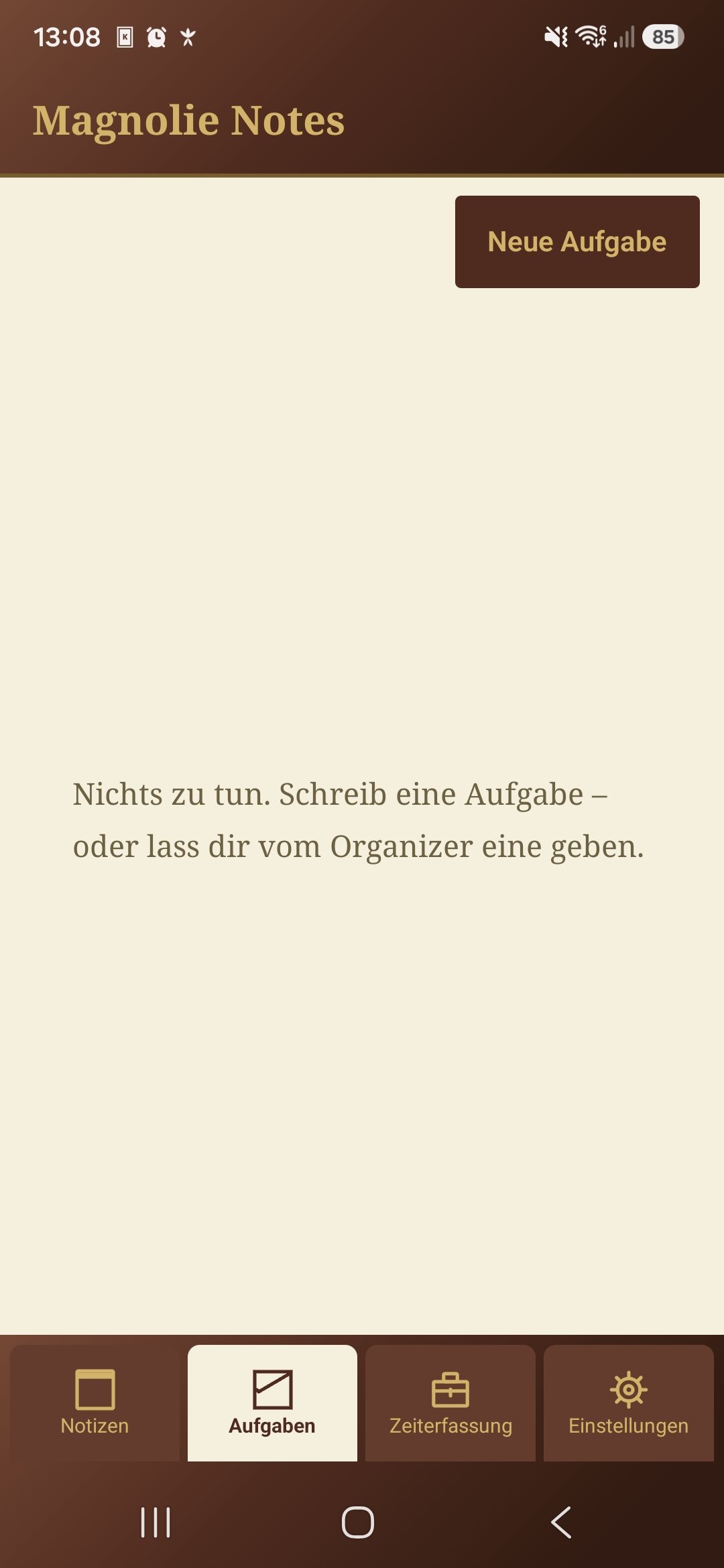
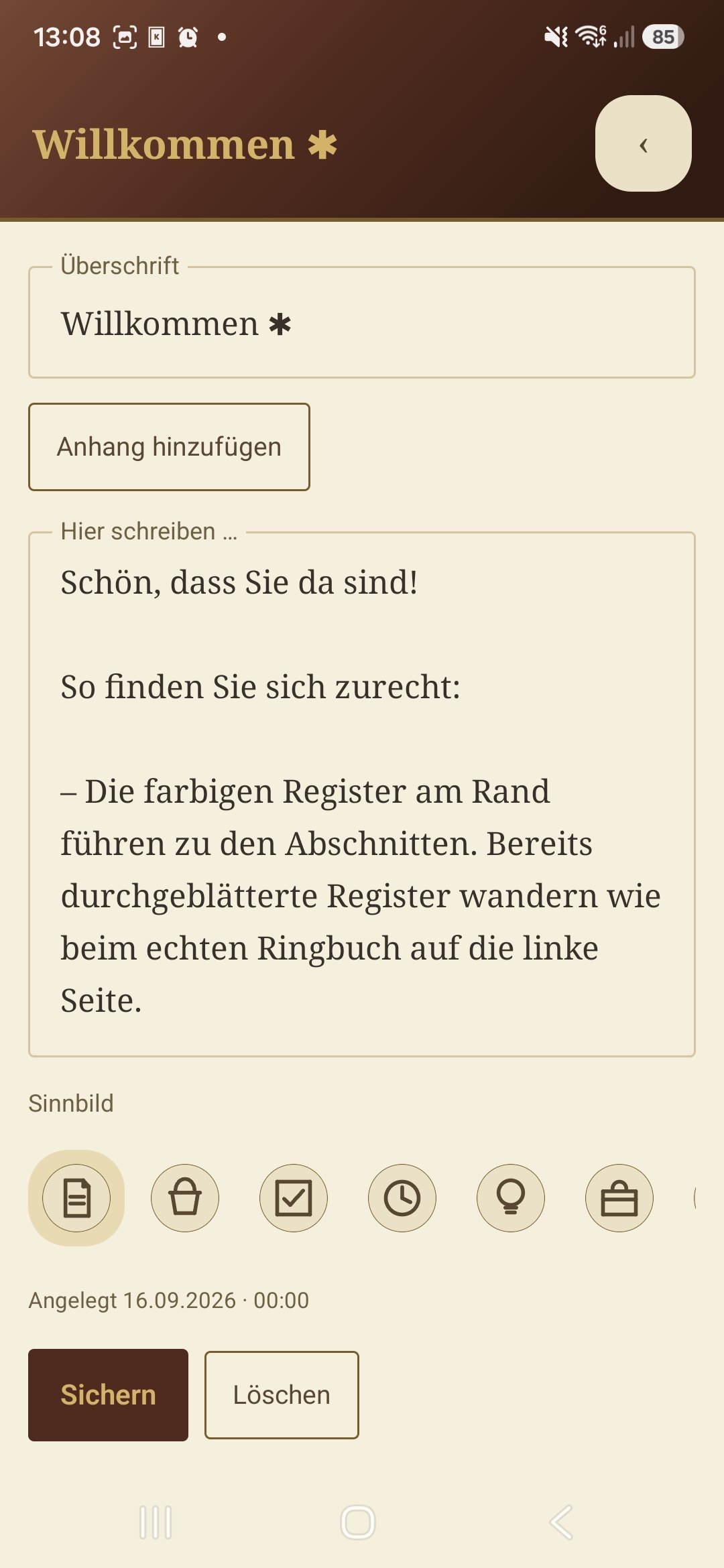
Magnolie Notes is a local notebook and task list for Android. Organize notes in notebooks, attach images or PDF files, and import text shared by other apps.
Features:
* Notes with creation and modification dates, notebooks and attachments.
* Tasks with due dates, priorities and optional reminders.
* Optional time tracking with scheduled and manual pauses, alarms, encrypted history and monthly printing. Synchronize time records with your own Organizer after both devices opt in; local Notes removals do not delete Organizer records. Region and holidays are inherited from Organizer.
* Import shared text and supported exported note files.
* Local encrypted storage and user-controlled backups.
* Optional encrypted sharing with paired Magnolie Organizer installations on Linux and Windows.
* Twenty interface languages.
No account or cloud service is required to use the notebook. Magnolie Organizer is a separate, free desktop application.
Optional connections and permissions:
* Discover Organizer or Magnolienbaum devices on the local network using UDP broadcast and Android network service discovery (NSD/mDNS). Discovery announces connection details; it does not authorize another device to read your notes. Pairing requires confirmation.
* Share and synchronize selected notes and tasks with paired devices over encrypted connections. Bluetooth/RFCOMM can be enabled as a data fallback when the operating system and the paired devices support it; automatic Personal Sync remains Wi-Fi-only.
* Allow a paired desktop to request outgoing calls on this phone, show incoming-call information, and request answering or ending a call. These actions depend on Android permissions and system restrictions. Call-related permissions include phone state, phone-number access and, where Android requires it for caller identification, call-log access.
* Read Android contacts and their available photos, import reviewed contact cards, or synchronize contacts with a permitted branch. Contact writing needs its own Android permission. Read-only desktop access does not write phone contacts.
* Optionally mirror the titles and text of notifications from apps you choose to the paired desktop. This requires enabling Magnolie Notes in Android’s notification-access settings and selecting the apps to share; it does not grant unrestricted access to those apps’ private data.
* Optional time-tracking autostart can detect a selected visible Wi-Fi SSID without connecting or logging in. Android requires precise location permission and location services for these scans. Notes reads Wi-Fi observations, not GPS coordinates. An ongoing notification shows monitoring; Android may delay scans. Open the app after a device restart to resume monitoring.
* A permitted own desktop can read, start, pause, resume or end local timers when time tracking is enabled. Developer options can separately allow redacted technical connection and crash diagnostics over the confirmed own Wi-Fi link.
These integrations are opt-in through pairing, feature choices and the relevant Android permission or access prompts. They are not required for local note-taking. You can disable a feature, revoke its permission or remove a paired device. Bluetooth data transport is separate from any system-managed hands-free call-audio connection. Magnolie Notes does not provide native SMS or RCS messaging.
Version information: Opening the About page requests public release information from GitHub and compares the published Notes version locally. No note content or account credentials are sent. A release link opens your browser; Notes does not download or install APK updates itself.
License: GPL-3.0-or-later
| Release info | Update on Oct 31, 2026 |
|---|---|
| Release notes | Korrekturveröffentlichung / Correction release Deutsch Diese Ausgabe ersetzt 2.0.29 als aktuellen Korrekturstand. • Linux-Einstellungen: Einheitliche Reiter wiederhergestellt. Lange Beschriftungen bleiben einzeilig und werden bei Bedarf gekürzt; der vollständige Name bleibt zugänglich. (#286) • Windows-Aktualisierung: Die kurze Frist für die Versionsabfrage begrenzt nicht mehr den großen Installerdownload. Paketdownloads erhalten eine eigene begrenzte Frist; Signatur-, Prüfsummen- und Dateirechteprüfungen bleiben erhalten. (#287) • Native Linux-Paketprüfungen: Persönliche EDS-Quellen und Caches werden von den Prüfprofilen getrennt. (#285) • Magnolie Notes bleibt unverändert bei 1.0.21. Update von Windows 2.0.29: Wenn dessen eingebauter Download nach ungefähr 30 Sekunden abbricht, die Magnolie-Organizer-Windows-2.0.30-Setup-x64.exe direkt aus dieser Veröffentlichung herunterladen und starten. Der bereits installierte alte Downloader wird nicht allein durch die Veröffentlichung repariert. Die neue Frist gilt nach Installation des Fixes; Konten und persönliche Daten werden dabei nicht zurückgesetzt. Weiterhin offen: Der konkrete Bericht einer unerwünschten Magnolienbaum-Aktivierung wird unter #289 weiter untersucht; hierfür wird kein belegter Ursachenfix behauptet. Der vollständige zusätzliche Microsoft-Kontakt-/Kalenderabgleich ohne eigene Anbieterregistrierung bleibt in Entwicklung (#29). Die externe F-Droid-Prüfung von Notes 1.0.21 läuft im bestehenden Merge Request weiter. TuxedoOS-AppImage: Die dokumentierte AppArmor-Freigabe des System-bubblewrap bleibt Voraussetzung (#209). Globale AppArmor- und Sandbox-Schutzfunktionen nicht abschalten. DEB und Flatpak bleiben alternative Paketformate. English This correction release supersedes 2.0.29. • Restores uniform Linux settings tabs, with single-line shortened labels and accessible full names. (#286) • Gives Windows installer downloads their own bounded deadline instead of the short update-check deadline… |
| Listing data | F-Droid |
Reviews
No reviews yet. Be the first to review Magnolie Notes.
Used Magnolie Notes? Tell other visitors what you thought.
Log in to write a reviewOther products by this publisher
- "No Distractions" for YouTube 4.10 ----
- #Bible 11.6.1 "Incredible App - My sister shared this app with me a few weeks ago and it is truly incredible.
- #filmphotography 1.4.2 So, you decided to shoot on film?
- #LookBusy Fake Calendar Events 1.0.6 Look Busy scans your work calendar for open time slots and fills them with realistic-looking (but secretly fake) work events.
- #Small Talk Is Canceled 1.0.2 #Small Talk Is Canceled — Conversations That Matter
Most viewed Android Productivity
-
1
 Nikki 1.5.0
Native Memos client with task management and a typography-first design
- 2 TaskDav 1.0.1 Tasks, notes and calendar over CalDAV — or local-only on your phone.
-
3
 Mindwtr - GTD Task Manager 1.3.9
Clear your head: capture tasks fast, see your next step. Offline, free, GTD.
- 4 PDF Inspector 0.3.2 Inspect, select, edit and delete the elements inside any PDF
-
5
 Mission 1.3
Daily habit tracker, as simple as possible
-
6
 Cfait 1.2.1
Powerful, fast and elegant TODO / task manager. (CalDAV and local)
- 7 Timetable 1.7 An App for students to save their timetable, homework, notes and exams.
-
8
 Markor 2026.10.0
Text editor - Notes & ToDo. Lightweight. Markdown and todo.txt support.
- 9 CipherNotes 2.3.0 Notes. Encrypted. Local. Nothing more.
-
10
 VerveDo 3.6.1
A concise to-do app that follows Material 3 Expressive.
Most downloaded Android Productivity
-
1
VerveDo 3.6.1
A concise to-do app that follows Material 3 Expressive.
-
2
 DavNotes 1.2.5
Simple notes synced with your own CalDAV server or a free account
-
3
 ntodotxt 0.20.0
Manage your todos in a todo.txt file
-
4
 Kairos 4.5.0
You capture. Kairos decides. A to-do list that sorts itself.
- 5 Al-Azan - Prayer Times 2.4.1 Privacy focused open-source muslim Adhan (islamic prayer times) and qibla app
-
6
 NC Collectives 3.2.0
Unofficial Android client for Nextcloud Collectives wiki notebooks.
-
7
 PlaneTxt 2.3.0
Todo, agenda, journal and notes in plain Markdown files
-
8
 Faz agora! 2.3.15
Tasks, subtasks and reminders with optional WebDAV synchronization.
- 9 Fatto 1.1.0 your Taskwarrior Android companion
- 10 DoNotNotify 7.3 Block unwanted notifications. Fast, private, and fully offline.