Word Document to PDF 3.0
Word Document to PDF can batch Turn any Word file into a high quality PDF that works in all PDF readers. Word to PDF Software is the best solution for converting Word to PDF, Doc to PDF, Docx to PDF, text to PDF.
Product Specifications
| User Rating: | item has less then 1 vote |
|
| FileCart Rating | Not yet Rated | |
| Submitted by: | FoxPDF | |
| License | Shareware | |
| Expires | 30 Days | |
| Price | $29.95 | |
| Downloads | 288 | |
| OS Support | Windows Install and Uninstall | |
| File Name | WordtoPDF.exe | |
| File Size | 14.26 MB ( 14,603 KB ) | |
| Published | Dec 06, 2012 (13 years ago) | |
| Updated | Dec 17, 2013 (12 years ago) | |
Latest Searches
maravilla sinonimo 5 minutes ago
Honda CR V ES 2WD 5 minutes ago
philiphenri card 6 minutes ago
Redmi a5 rct tool 6 minutes ago
cooked 13 minutes ago
PAPAGO N291s 13 minutes ago
sinonimos de apoyarme 13 minutes ago
moodle ebc 16 minutes ago
fox network 1990 sketcfhab 16 minutes ago
Popular Searches
id cards 602 times
2025 412 times
2024 385 times
Softperfect 317 times
Database Workbench Pro 258 times
TeraByte Drive Image Backup and Restore 255 times
Elcomsoft Phone Breaker 251 times
Elcomsoft Phone Viewer 232 times
SAM Broadcaster Cloud 223 times
Product Details
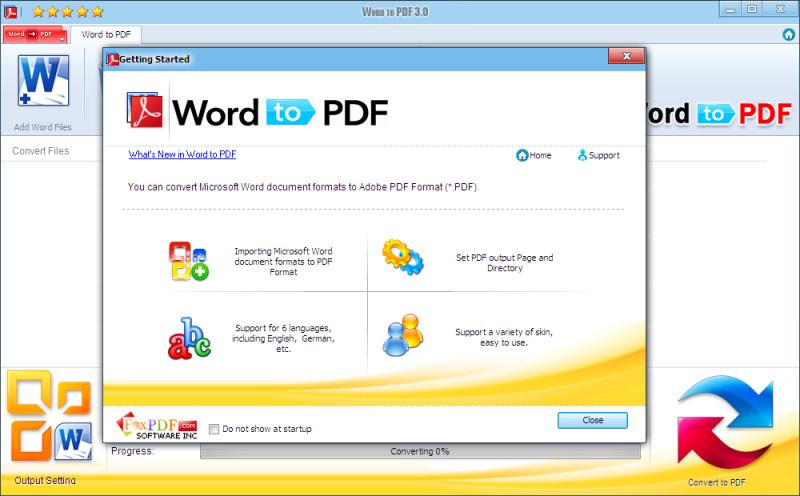
1): Easy and Suppot Any Word File Format!
Word Document to PDF is easy to use. Just click the button to canvert your PDF.
2): Preserve hyperlinks in Word to PDF conversion
Most PDF conversion utilities lose your hyperlinks during the conversion. After conversion, you end up with blue underlined text, but it is not clickable.
Word Document to PDF Software preserves your links and keeps them working in the resulting PDF file. Whether they point to a web page, or internal links to a target cell in the sheet.
3): PDF Encryption
Word Document to PDF can set Two Types of Password.
Two Types of Password are:
Open Password (User Password) - The encrypted file will require the password to open file.
Permissions Password (Owner Password) - The encrypted file will be restricted for Printing, Document Assembly, Allow Form Fill-in, Signing, Comments, Changing, Copy of content and Content Accessibility. Tool provides the options to set these permissions whether to allow or not allow.
4): Compatibility
Word Document to PDF is compatible with Microsoft Windows 2000, XP, Vista, Windows 7, Windows 8, as well as Microsoft Word 2000, Word 2003, Word 2007, Word 2010, Word 2013.
| Requirements: | CPU - 350 Mhz |
| Release Info: | New Release on Nov 26, 2012 |
| Release Notes: | PDF Converter |
Reviews
You must be logged in to write a review
Reviews of Word Document to PDF 3.0
You can be the first to write a review of Word Document to PDF!