Vulcan 0.30.1
A full-featured home screen with no internet access, ads or trackers
Download
0.39 MB · vulcan-launcher.apk
3downloads
3this week
FreeFreeware
0reviews
Screenshots
About Vulcan
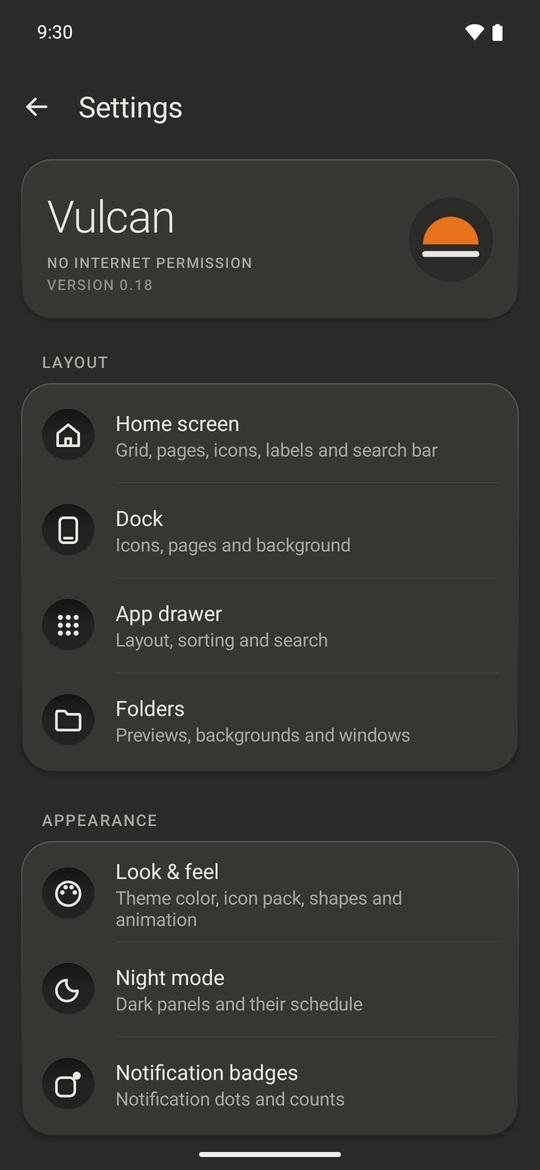
A home screen for Android with the features people use Nova Launcher for, and no internet access at all: nothing it does can leave your phone. No ads, trackers or analytics.
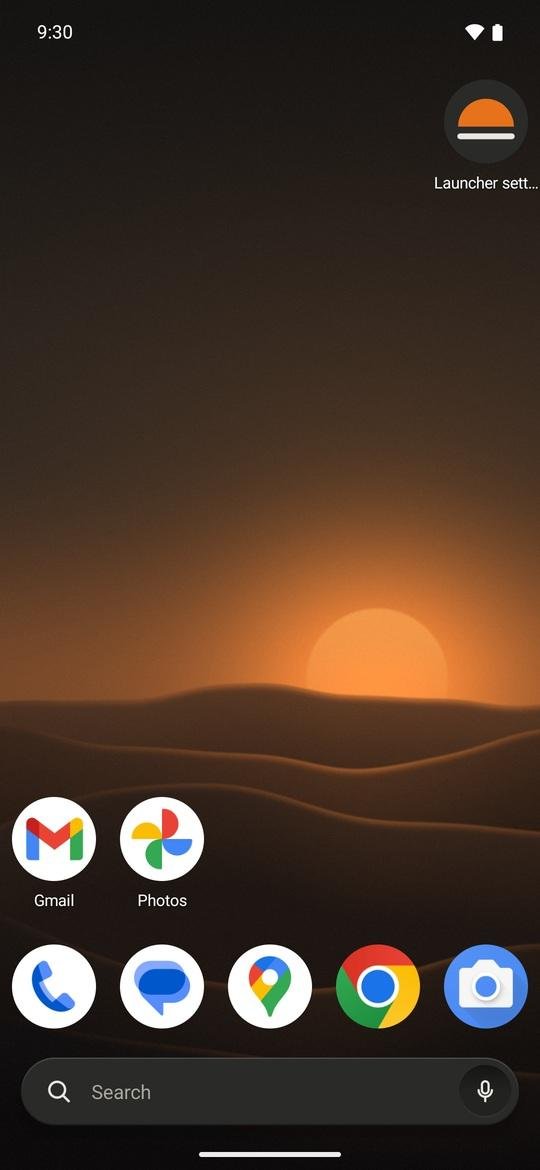
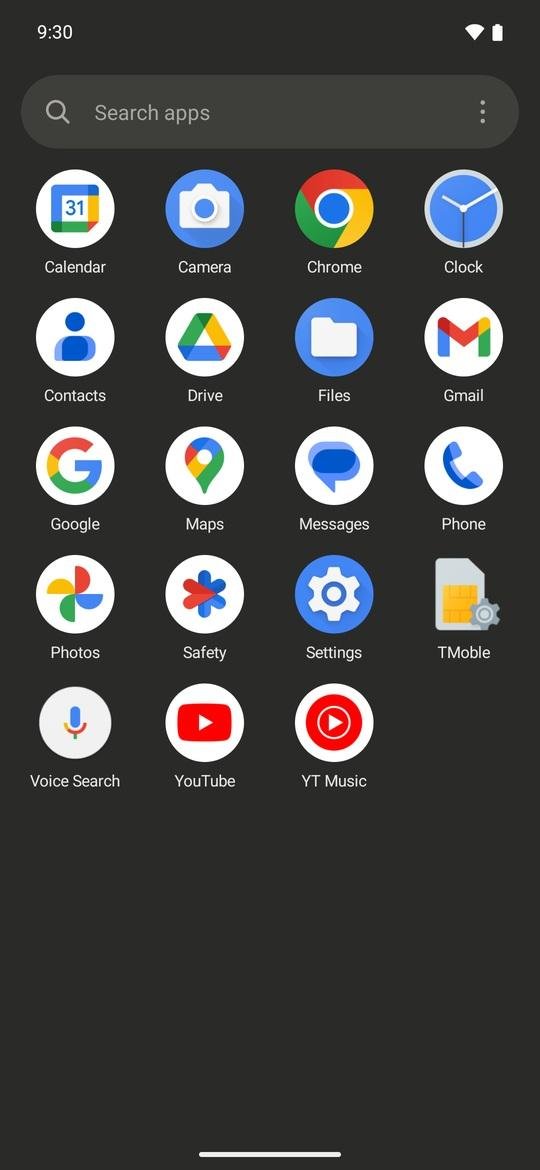
It looks like a well-made appliance rather than a phone skin: warm-grey panels (light or night), small printed labels, and one orange dot for whatever is live. Your wallpaper and your apps' own icons are left alone.
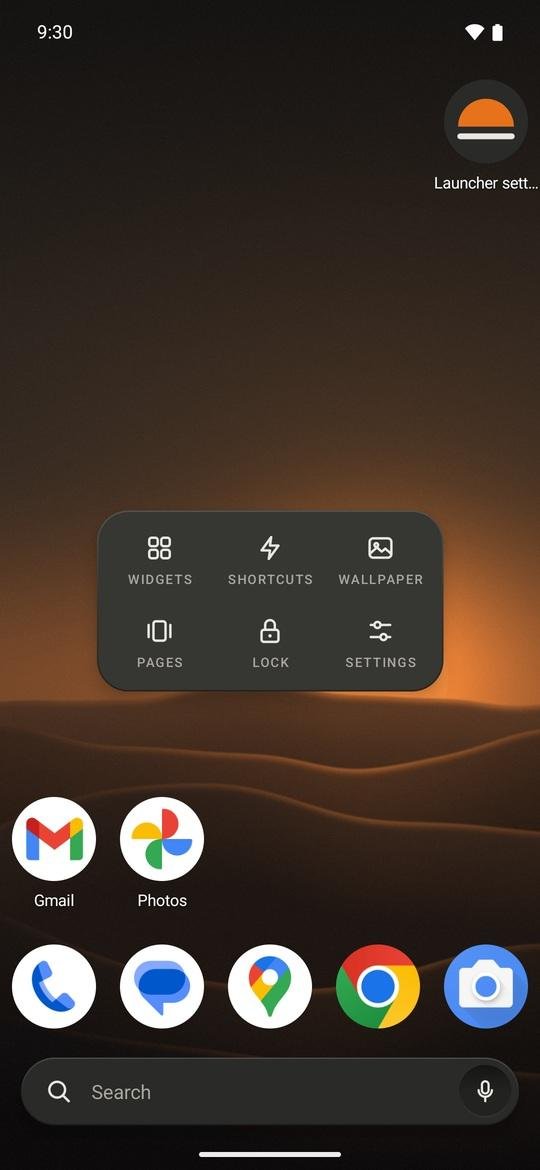
• Arrange your home screen your way: grids up to 12 by 12, up to 9 pages, subgrid positioning, resizable widgets, and a dock you can hide or scroll.
• Find apps fast: an A to Z app drawer with the search bar at the bottom, a letter index, and tabs or folders to group apps. Hide the apps you don't want to see.
• Gestures: swipe, double-tap, pinch or rotate on the home screen to open notifications, an app, the drawer, the screen lock and more. Each icon can have its own swipe-up action.
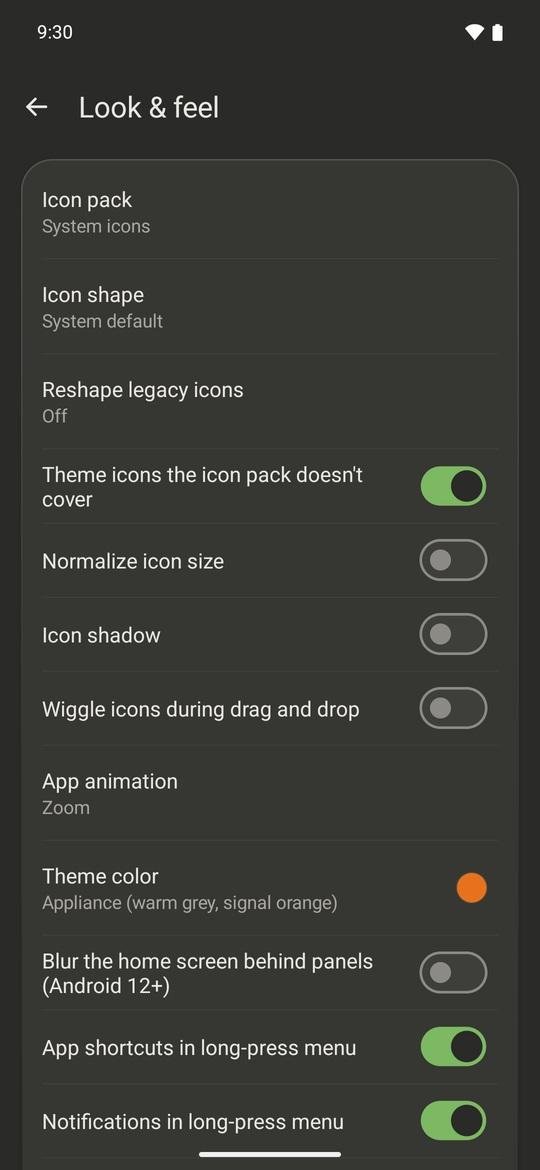
• Change the look: icon packs, 15 icon shapes, your own icons and labels, folder styles, 13 page transitions, and a night mode that follows the system or a schedule.
• Long-press an app for its shortcuts, notifications, app info or uninstall.
• Now page: swipe right on the first page for the date, music controls, upcoming events and favourite contacts. Everything is read on the phone.
• Coming from Nova? Import a .novabackup file: apps, folders, dock, grid size and most shortcuts come over.
• Back up your whole setup to a readable file, which you can also hand to an AI assistant to design a layout for you.
Permissions that read personal data (contacts, calendar, location for sunset night mode) are only requested when you turn on the feature that needs them. Notification access and the accessibility service (for screen lock and recent apps) stay off until you enable them.
License: MIT
It looks like a well-made appliance rather than a phone skin: warm-grey panels (light or night), small printed labels, and one orange dot for whatever is live. Your wallpaper and your apps' own icons are left alone.
• Arrange your home screen your way: grids up to 12 by 12, up to 9 pages, subgrid positioning, resizable widgets, and a dock you can hide or scroll.
• Find apps fast: an A to Z app drawer with the search bar at the bottom, a letter index, and tabs or folders to group apps. Hide the apps you don't want to see.
• Gestures: swipe, double-tap, pinch or rotate on the home screen to open notifications, an app, the drawer, the screen lock and more. Each icon can have its own swipe-up action.
• Change the look: icon packs, 15 icon shapes, your own icons and labels, folder styles, 13 page transitions, and a night mode that follows the system or a schedule.
• Long-press an app for its shortcuts, notifications, app info or uninstall.
• Now page: swipe right on the first page for the date, music controls, upcoming events and favourite contacts. Everything is read on the phone.
• Coming from Nova? Import a .novabackup file: apps, folders, dock, grid size and most shortcuts come over.
• Back up your whole setup to a readable file, which you can also hand to an AI assistant to design a layout for you.
Permissions that read personal data (contacts, calendar, location for sunset night mode) are only requested when you turn on the feature that needs them. Notification access and the accessibility service (for screen lock and recent apps) stay off until you enable them.
License: MIT
| Release info | Update on Nov 11, 2026 |
|---|---|
| Release notes | • Drop Polish strings removed from the English base • Give the designer button a soft glow • Add a designer call to action to the home page • Point site links at vulcanlauncher.dev • Site: designer page with live preview, looks, shuffle and undo • Drop the Now page calendar window and Calendars picker • Drawer tabs that follow the finger, drag to reorder, Now page cards • Fix effect crash, folder swipe, keyboard, widget resize, label alignment • Add 0.29 keys: icon_from_app, action_locklayout, action_work, action_open_folder, no_work_profile • Address review feedback: distinguish remove/uninstall, fix orientation, hidden_apps_info • Add de/ru translations for 0.25–0.29 • perf: prefetch drawer icons off the UI thread and keep the icon cache across hides • Fix string.xml • Update strings.xml • Polish translate Contributors: thanks to @PierBez @fmb4910-ops @tmpjx555 |
| Listing data | F-Droid |
Reviews
No reviews yet. Be the first to review Vulcan.
Used Vulcan? Tell other visitors what you thought.
Log in to write a reviewOther products by this publisher
- "No Distractions" for YouTube 4.10 ----
- #Bible 11.6 "Incredible App - My sister shared this app with me a few weeks ago and it is truly incredible.
- #filmphotography 1.4.2 So, you decided to shoot on film?
- $quirrel 1.5.1 $quirrel Budget & Finance helps you plan each paycheck, track spending, manage debt, and see what is safe to spend before the next payday.
- % Percentage Calculator Pro 1.41 This is the Pro version of % Percentage Calculator.
Most viewed Android Launcher
- 1 Entropy's Defiance 3.4.0 Minimalist launcher and time-horizon task manager.
- 2 Cyclauncher 1.0.0 Ergonomic one-handed launcher with side alphabet grid, tags & widgets
- 3 Alt Launcher 1.0.6 Launch apps on boot and fastboot on Phoenix Android (and similar) radios
- 4 DroidOS Launcher 5.0 Cover-screen launcher and window manager for DroidOS.
- 5 G2L 2.2 Gesture Launcher
- 6 Scratchpad Launcher 2026.10.5 A minimal launcher with an always-visible scratchpad. Zero ads.
- 7 Slauncher 0.1.5 I use this launcher.
- 8 Defang 0.1.25 Launcher that puts speed bumps between you and the apps engineered against you
-
9
 Dragon Launcher 4.6.1
Launch your apps via gesture
- 10 Activity Launcher 2.5.0-alpha.1 Create shortcuts for apps and activities
Most downloaded Android Launcher
- 1 Focus Launcher 1.1.55 A text-only, black and white launcher with app timers and a weekly review
- 2 Cyclauncher 1.0.0 Ergonomic one-handed launcher with side alphabet grid, tags & widgets
-
3
 Slate 1.6
Minimal text-only Android home screen. No icons. No analytics. Zero network.
-
4
 SearchLauncher 0.1.5
Search apps, contacts and the web, and open results in an ad-free browser
- 5 Defang 0.1.25 Launcher that puts speed bumps between you and the apps engineered against you
- 6 Launch - Minimalist Launcher 8.0 A clean, efficient, and minimalist Android launcher.
-
7
 MX3 Launcher 0.0.55
Minimal launcher screen for Google TV
- 8 Murine Launcher 1.3.0 A modern, lightweight Launcher3 fork for an enhanced stock++ Android experience.
- 9 Fokus Launcher 1.9.8 Minimal launcher with clock, weather, fast app search, and gesture navigation.
- 10 KISS Launcher 3.26.0 Blazingly fast launcher focused on search