
Slate 1.6
Minimal text-only Android home screen. No icons. No analytics. Zero network.
Download
2.65 MB · slate_1.6_7_release.apk
19downloads
2this week
FreeFreeware
0reviews
Screenshots
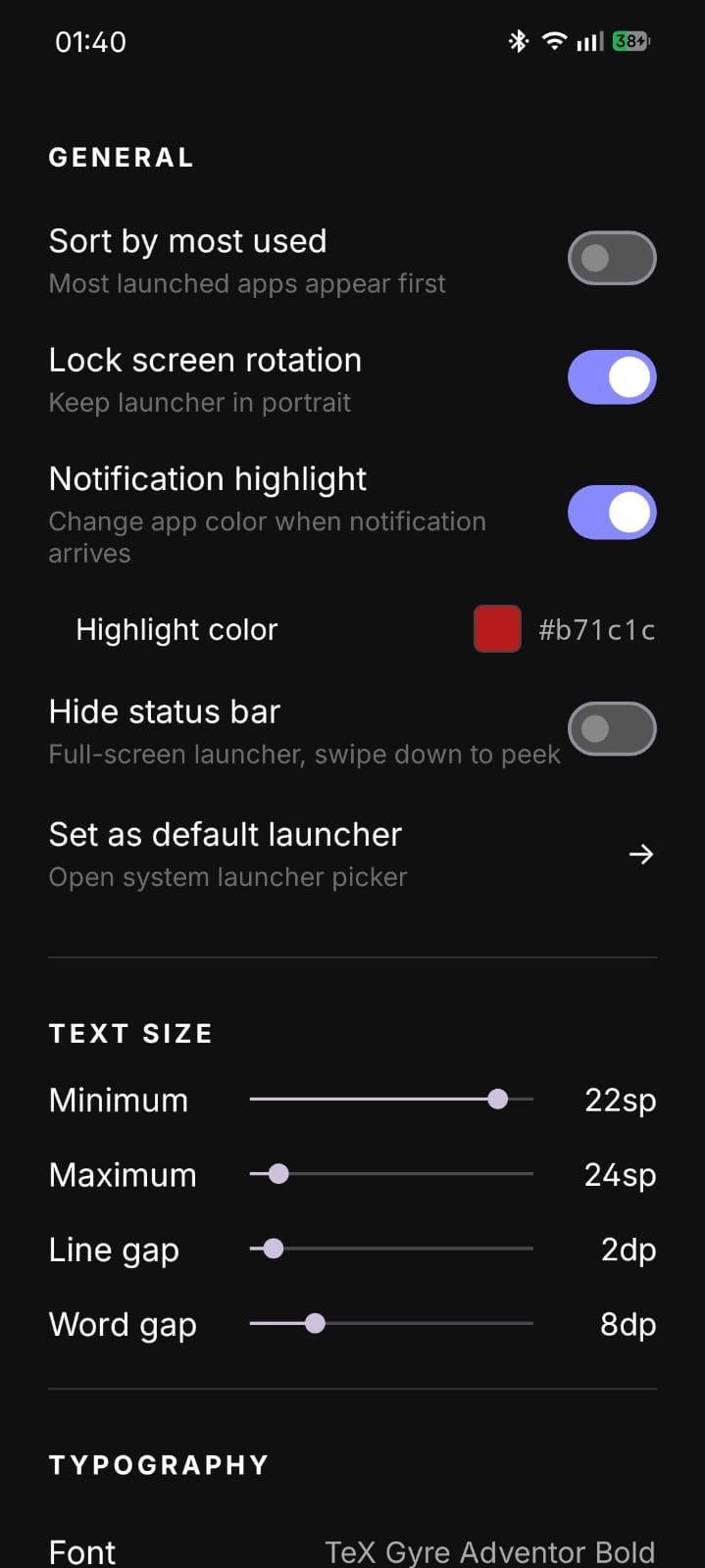
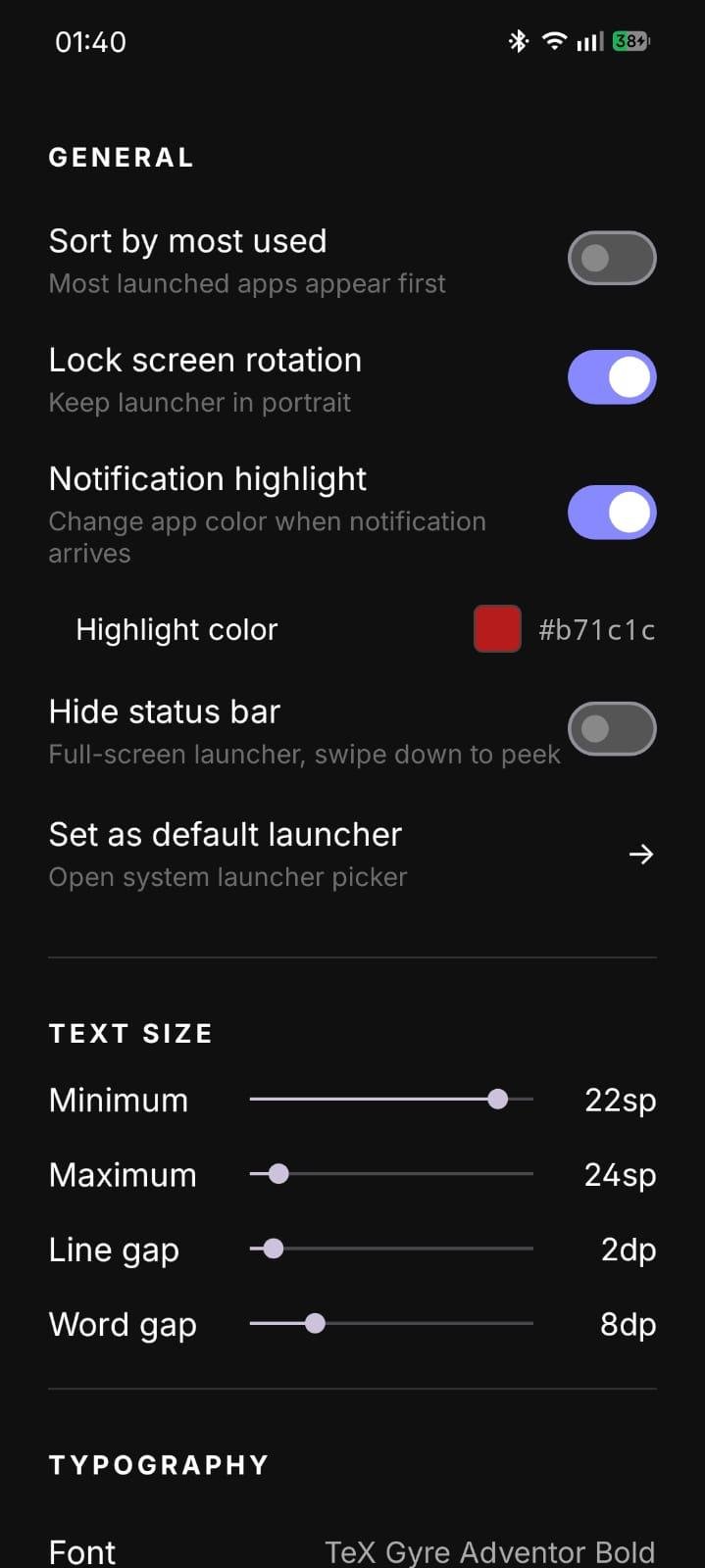
About Slate
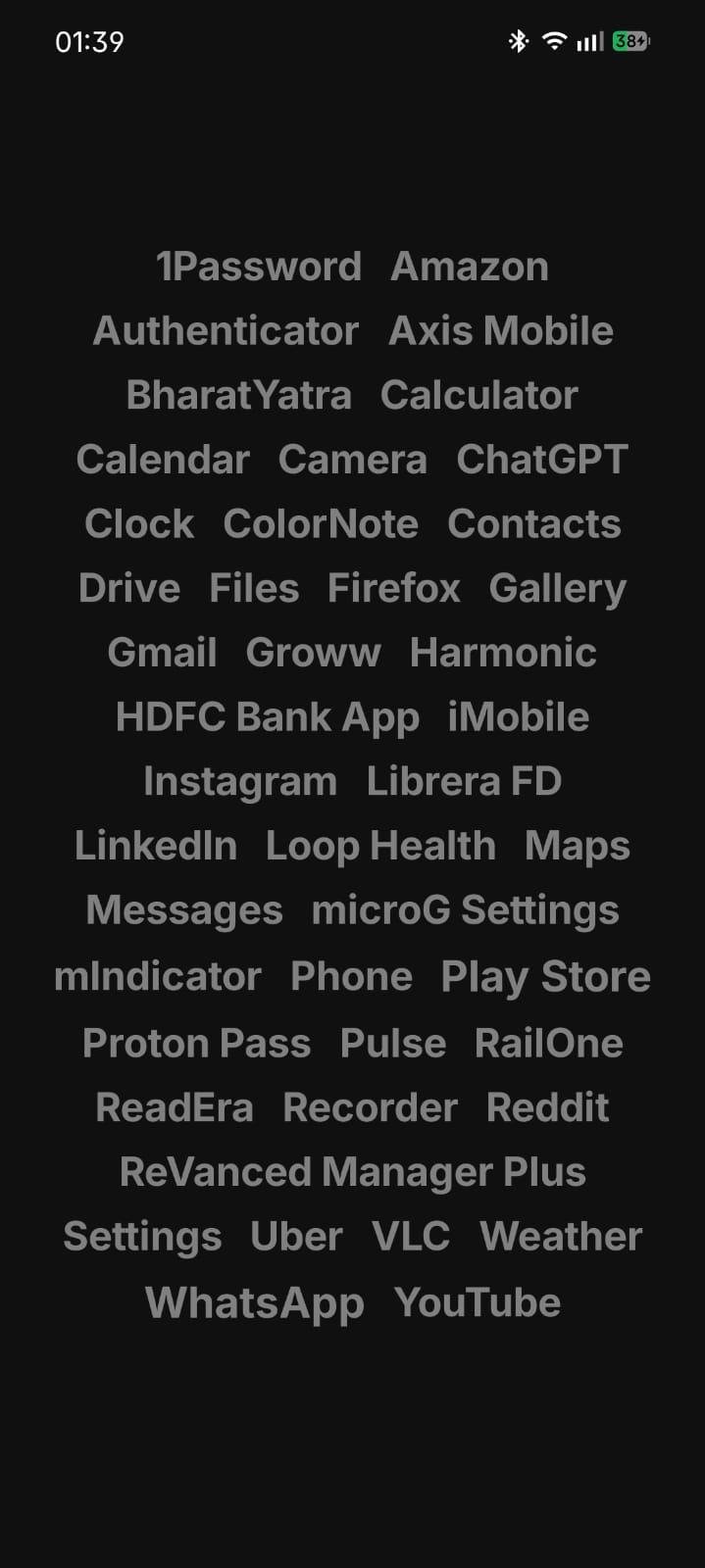
Slate is a minimal text-only Android home screen built for focus.
Most launchers want to keep you on your phone. Colourful icons trigger recognition without thought, notification badges create artificial urgency, and recommendation widgets are optimised for engagement, not intent. Slate removes all of that. Apps are presented as plain text, the same way a to-do list presents tasks. You open the app you meant to open, not the one that looked most appealing.
APPEARANCE
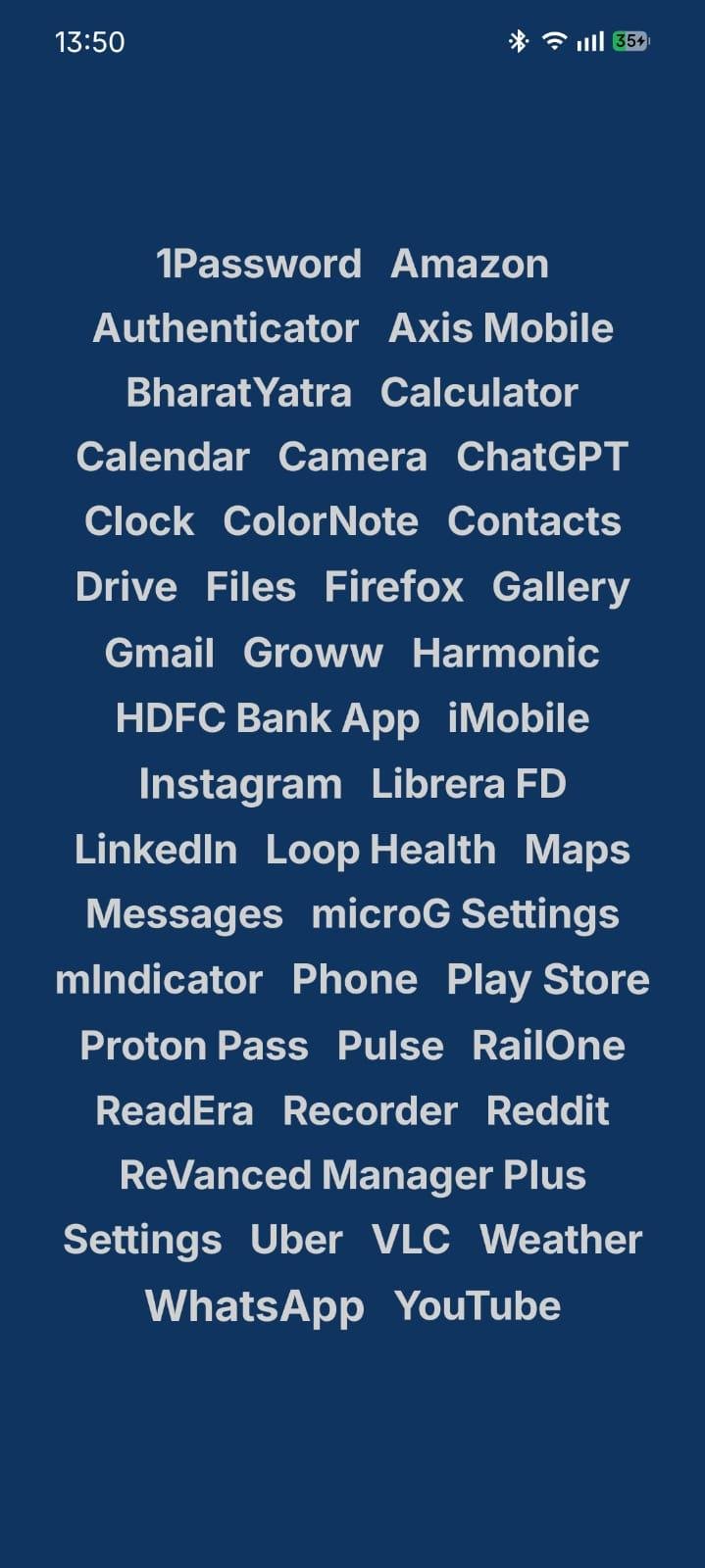
* Two homescreen layouts: Flow (apps wrap like text, sized by usage) or Minimal List (one app per line with optional alphabetical fast-scroll)
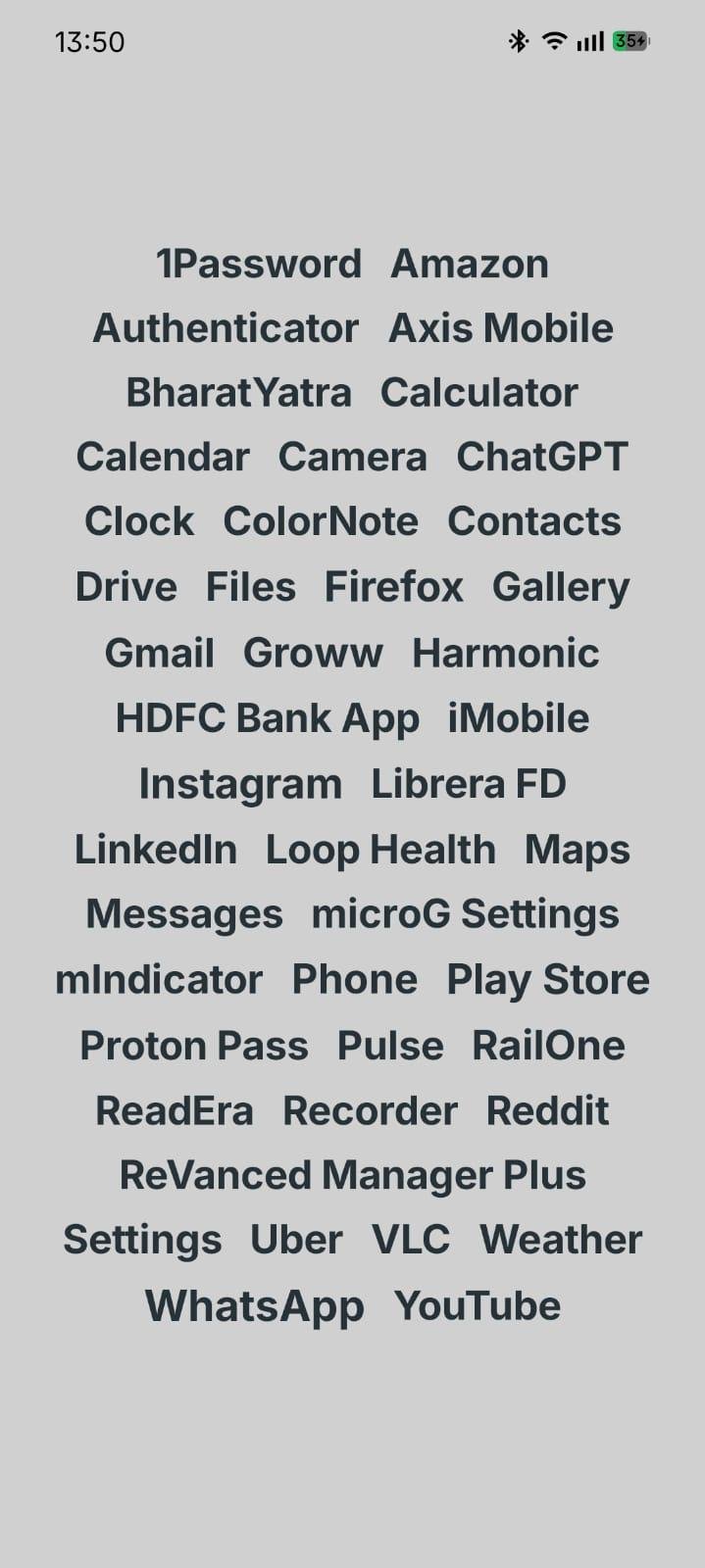
* Fully customisable background and text colours with a live colour picker
* Follow system theme: switches automatically with system dark mode
* Apply background colour to the lockscreen for a uniform look
* Per-app colour overrides to highlight what matters
* Notification highlight: app names change colour when an app has a pending notification
* Typography control: font family (Google Fonts plus import your own), weight, line spacing, word spacing
* Font size scales with usage in Flow view
INTERACTION
* Swipe up to search apps
* Configurable single-finger swipe gestures (any app, notifications, Wi-Fi, Bluetooth, location, camera, more)
* Double-tap to lock screen (via accessibility service)
* Long-press an app to pin, hide, rename, recolour, uninstall, or move to a folder
* Pin apps to the top regardless of sort order
* Sort alphabetically or by most used
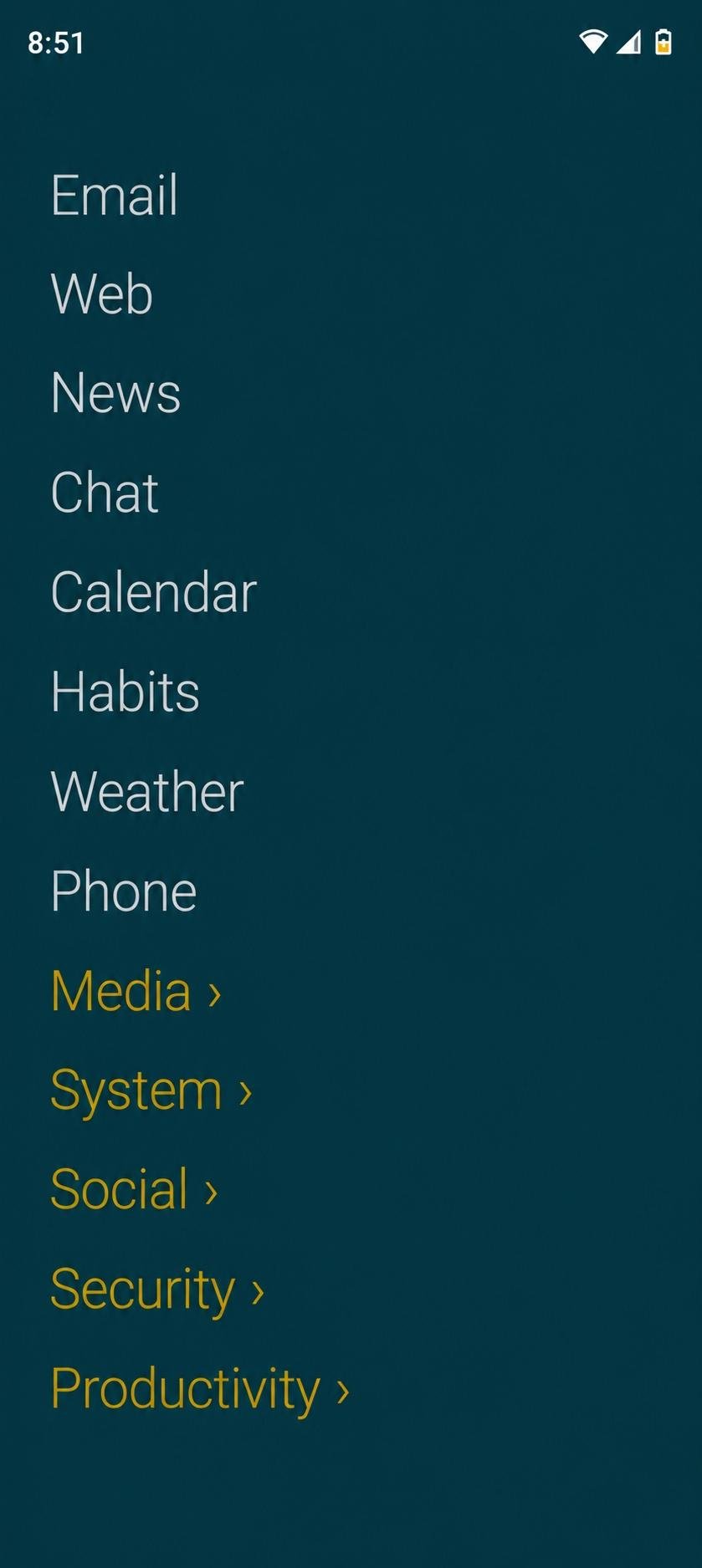
* Custom folders: each folder is a text label with a marker (chevron, slash, bullet, brackets, count, or plain). Tap to expand inline. Long-press to rename, recolour, or delete
QUICK TOGGLES STRIP
An optional row of text widgets at the top or bottom of your home screen. Choose from Clock, Date, Next alarm, Battery percent, Charging, Time to full, Battery temperature, Uptime, Wi-Fi, Bluetooth, Mobile data, Airplane mode, DND, Volume, Ringer mode, Torch, Brightness, Location, NFC, and contact tap-to-call or tap-to-text shortcuts. Off by default. Pick widgets, position, and typography from Settings.
CONTROL
* Lock orientation to portrait
* Optional persistent search bar on the home screen
* Optional contact search: turn it on to surface contacts inline with apps when you type. Read at search time, never stored. Google-only sub-toggle skips duplicates from WhatsApp, Telegram, SIM
* PIN-lock the hidden apps list (4 to 8 digits, PBKDF2 hashed) with optional biometric unlock. Hidden-app launches stay out of Android Recents, with an opt-out
* Work-profile apps are listed too, marked with the profile name and grouped into a folder on first sight
* Export and import all settings as a JSON backup. Hidden-apps list and PIN are omitted by default. Opt in via Settings, with an in-memory PIN check on import
PRIVACY
Slate does not collect, transmit, or share any data. No analytics, no crash reporting, no network activity. All preferences are stored locally. App usage counts never leave the device. Each Android permission Slate declares is requested only for the specific feature that uses it. Full details in the in-app privacy policy.
OPEN SOURCE
MIT licensed. Source at github.com/roufsyed/Slate-Minimal-Launcher
Most launchers want to keep you on your phone. Colourful icons trigger recognition without thought, notification badges create artificial urgency, and recommendation widgets are optimised for engagement, not intent. Slate removes all of that. Apps are presented as plain text, the same way a to-do list presents tasks. You open the app you meant to open, not the one that looked most appealing.
APPEARANCE
* Two homescreen layouts: Flow (apps wrap like text, sized by usage) or Minimal List (one app per line with optional alphabetical fast-scroll)
* Fully customisable background and text colours with a live colour picker
* Follow system theme: switches automatically with system dark mode
* Apply background colour to the lockscreen for a uniform look
* Per-app colour overrides to highlight what matters
* Notification highlight: app names change colour when an app has a pending notification
* Typography control: font family (Google Fonts plus import your own), weight, line spacing, word spacing
* Font size scales with usage in Flow view
INTERACTION
* Swipe up to search apps
* Configurable single-finger swipe gestures (any app, notifications, Wi-Fi, Bluetooth, location, camera, more)
* Double-tap to lock screen (via accessibility service)
* Long-press an app to pin, hide, rename, recolour, uninstall, or move to a folder
* Pin apps to the top regardless of sort order
* Sort alphabetically or by most used
* Custom folders: each folder is a text label with a marker (chevron, slash, bullet, brackets, count, or plain). Tap to expand inline. Long-press to rename, recolour, or delete
QUICK TOGGLES STRIP
An optional row of text widgets at the top or bottom of your home screen. Choose from Clock, Date, Next alarm, Battery percent, Charging, Time to full, Battery temperature, Uptime, Wi-Fi, Bluetooth, Mobile data, Airplane mode, DND, Volume, Ringer mode, Torch, Brightness, Location, NFC, and contact tap-to-call or tap-to-text shortcuts. Off by default. Pick widgets, position, and typography from Settings.
CONTROL
* Lock orientation to portrait
* Optional persistent search bar on the home screen
* Optional contact search: turn it on to surface contacts inline with apps when you type. Read at search time, never stored. Google-only sub-toggle skips duplicates from WhatsApp, Telegram, SIM
* PIN-lock the hidden apps list (4 to 8 digits, PBKDF2 hashed) with optional biometric unlock. Hidden-app launches stay out of Android Recents, with an opt-out
* Work-profile apps are listed too, marked with the profile name and grouped into a folder on first sight
* Export and import all settings as a JSON backup. Hidden-apps list and PIN are omitted by default. Opt in via Settings, with an in-memory PIN check on import
PRIVACY
Slate does not collect, transmit, or share any data. No analytics, no crash reporting, no network activity. All preferences are stored locally. App usage counts never leave the device. Each Android permission Slate declares is requested only for the specific feature that uses it. Full details in the in-app privacy policy.
OPEN SOURCE
MIT licensed. Source at github.com/roufsyed/Slate-Minimal-Launcher
| Release info | Update on Oct 13, 2026 |
|---|---|
| Release notes | Ten languages Slate now speaks German, Spanish, French, Russian, Portuguese (Brazil), Italian, Dutch, Polish, Turkish and Indonesian. It follows your phone's language, and a new Language row at the top of Settings -> General lets you pick one for Slate alone (Android 13 and later; it stays in step with Android's own App languages page). The translations were written by the maintainer with tooling, not by native speakers. Corrections are welcome as issues or pull requests: each language is one file under app/src/main/res/values-/strings.xml. Multi-select Long-press an app and choose Select to tick several apps, in folders and search results too, then pin, hide, uninstall, move or recolour them in one go. Pick the marker in Settings -> Typography -> Selection style. Fixes o A hidden or unhidden work app now updates the home list at once. o A folder is removed when its last app is moved out. Notes o With a language chosen for Slate, other apps' names on the home list follow it too, because Android loads their names in the launcher's language. o The colour picker and the slider labels in Settings make room for longer text. Full Changelog: https://github.com/roufsyed/Slate-Minimal-Launcher/compare/v1.5...v1.6 |
| Listing data | F-Droid |
Reviews
No reviews yet. Be the first to review Slate.
Used Slate? Tell other visitors what you thought.
Log in to write a reviewOther products by this publisher
- "No Distractions" for YouTube 4.10 ----
- #Bible 11.5 "Incredible App - My sister shared this app with me a few weeks ago and it is truly incredible.
- #filmphotography 1.4.2 So, you decided to shoot on film?
- $quirrel 1.5.1 $quirrel Budget & Finance helps you plan each paycheck, track spending, manage debt, and see what is safe to spend before the next payday.
- % Percentage Calculator Pro 1.41 This is the Pro version of % Percentage Calculator.
Most viewed Android Launcher
- 1 Cyclauncher 1.0.0 Ergonomic one-handed launcher with side alphabet grid, tags & widgets
- 2 Entropy's Defiance 3.4.0 Minimalist launcher and time-horizon task manager.
- 3 Slauncher 0.1.5 I use this launcher.
- 4 Scratchpad Launcher 2026.10.5 A minimal launcher with an always-visible scratchpad. Zero ads.
- 5 Alt Launcher 1.0.6 Launch apps on boot and fastboot on Phoenix Android (and similar) radios
- 6 DroidOS Launcher 5.0 Cover-screen launcher and window manager for DroidOS.
- 7 G2L 2.2 Gesture Launcher
- 8 Activity Launcher 2.5.0-alpha.1 Create shortcuts for apps and activities
- 9 Defang 0.1.24 Launcher that puts speed bumps between you and the apps engineered against you
-
10
 Dragon Launcher 4.6.1
Launch your apps via gesture
Most downloaded Android Launcher
- 1 Slate 1.2 Minimal customisable launcher. A blank slate where your apps go anywhere.
- 2 Launcher314 0.0.28-beta Launcher with deep customization on a single screen
- 3 Murine Launcher 1.3.0 A modern, lightweight Launcher3 fork for an enhanced stock++ Android experience.
-
4
 Blue Line Console 1.2.26
Keyboard based launcher
- 5 KISS Launcher 3.26.0 Blazingly fast launcher focused on search
- 6 Slauncher 0.1.5 I use this launcher.
-
7
 LaunchTime Homescreen 0.8.6
An easy and customizable categorizing homescreen/launcher
- 8 Be nice 2.4.3 Modern aesthetics. Open-source soul. Your Android launcher.
-
9
 ARK-launcher 1.0.2
A modern, customizable home-screen launcher built with Jetpack Compose
- 10 Cyclauncher 1.0.0 Ergonomic one-handed launcher with side alphabet grid, tags & widgets