44downloads
14this week
FreeFreeware
0reviews
Screenshots
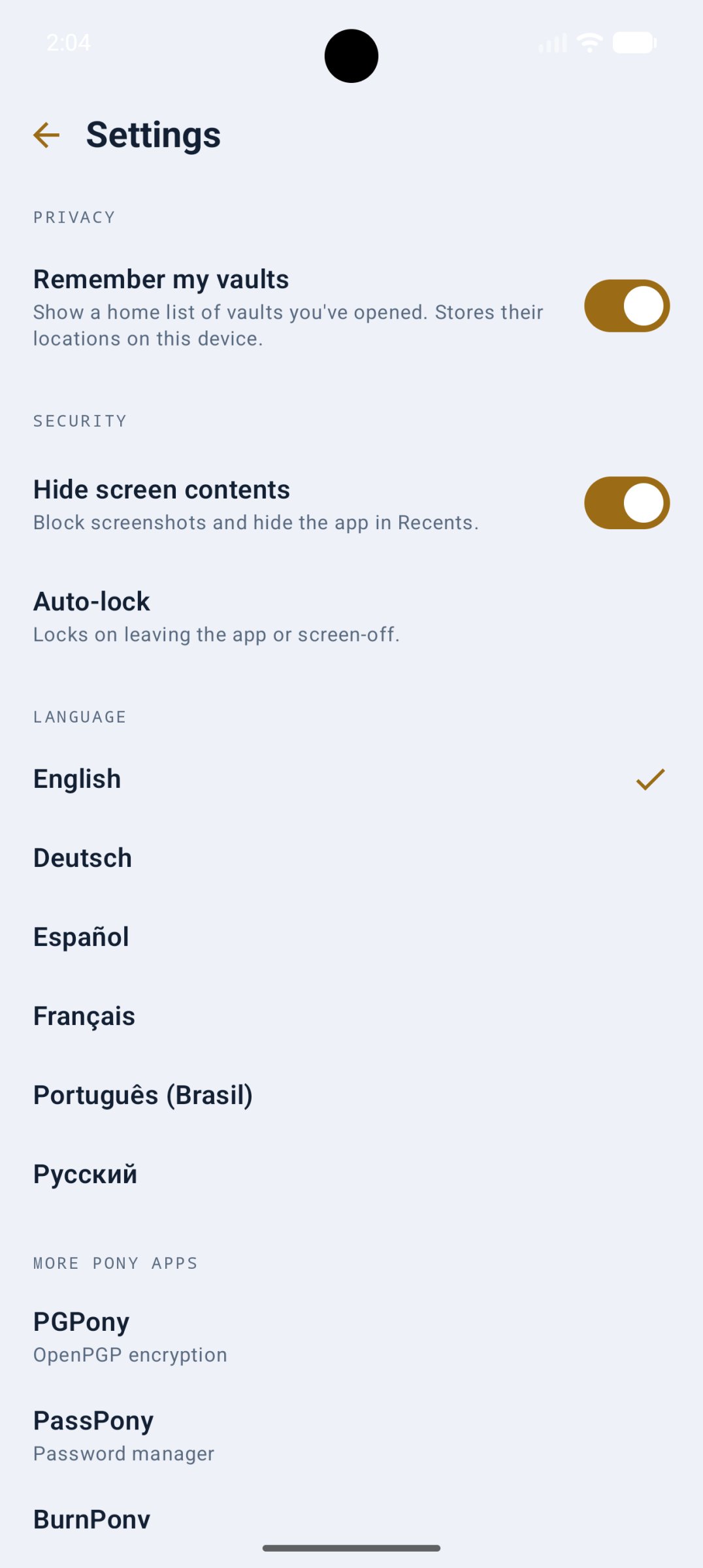
About VaultPony
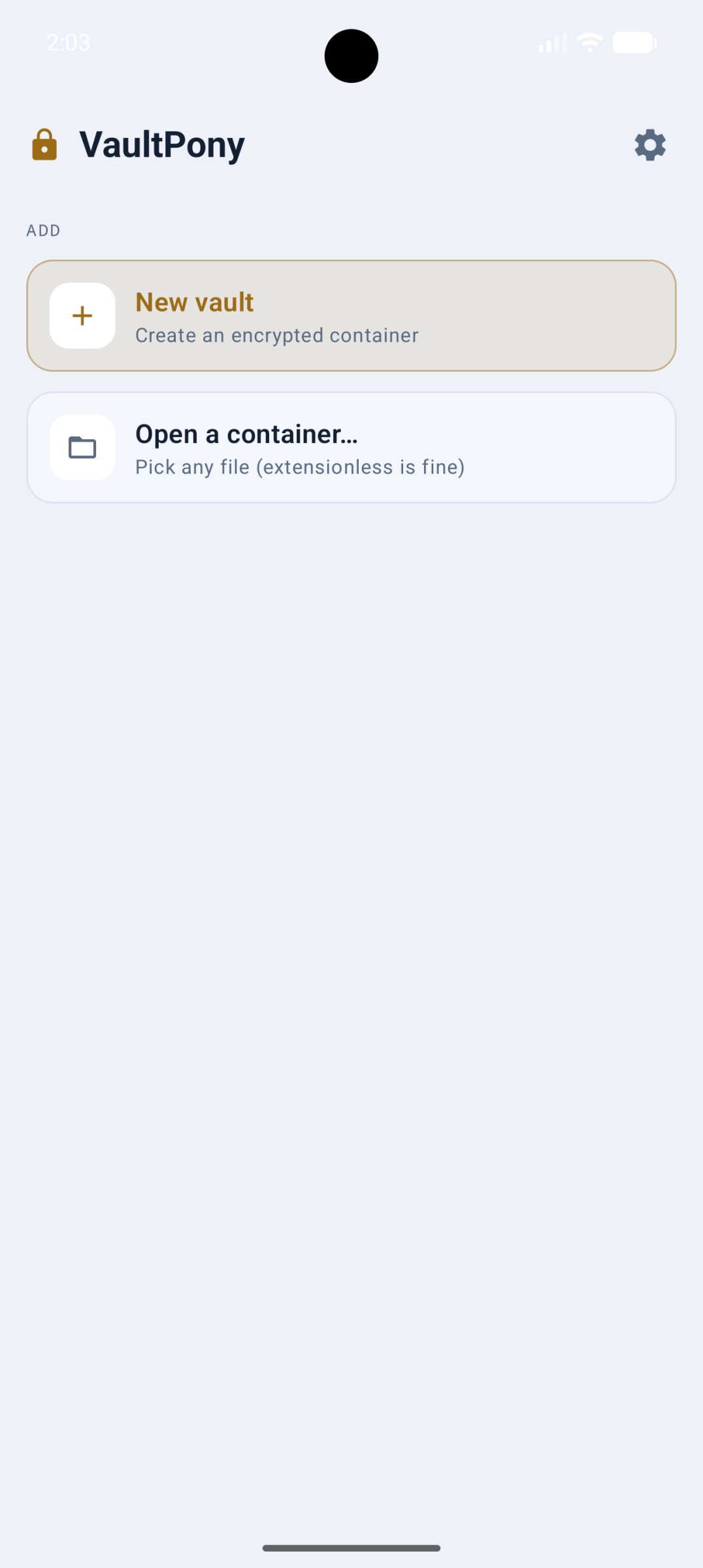
VaultPony creates and opens encrypted containers on Android. A vault is a single
encrypted file that holds a private filesystem, and only your password opens it.
The containers are compatible with VeraCrypt, so you can open the same vaults on
the desktop and back.
There is no account, no cloud, and no network access. Your vaults are just files,
kept wherever you choose.
Features:
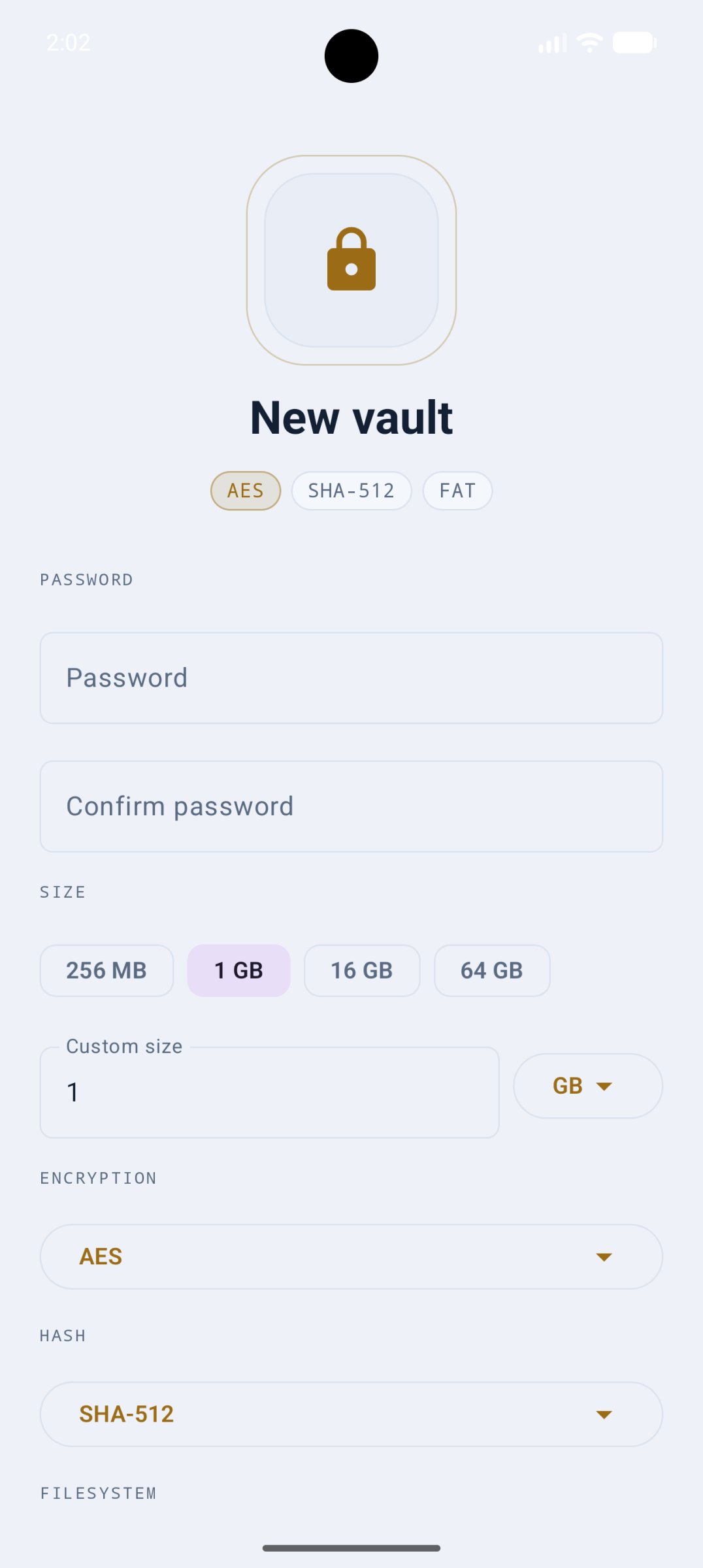
* Create and open VeraCrypt-compatible containers, with a choice of cipher, hash
(including Argon2id), and filesystem (FAT or exFAT).
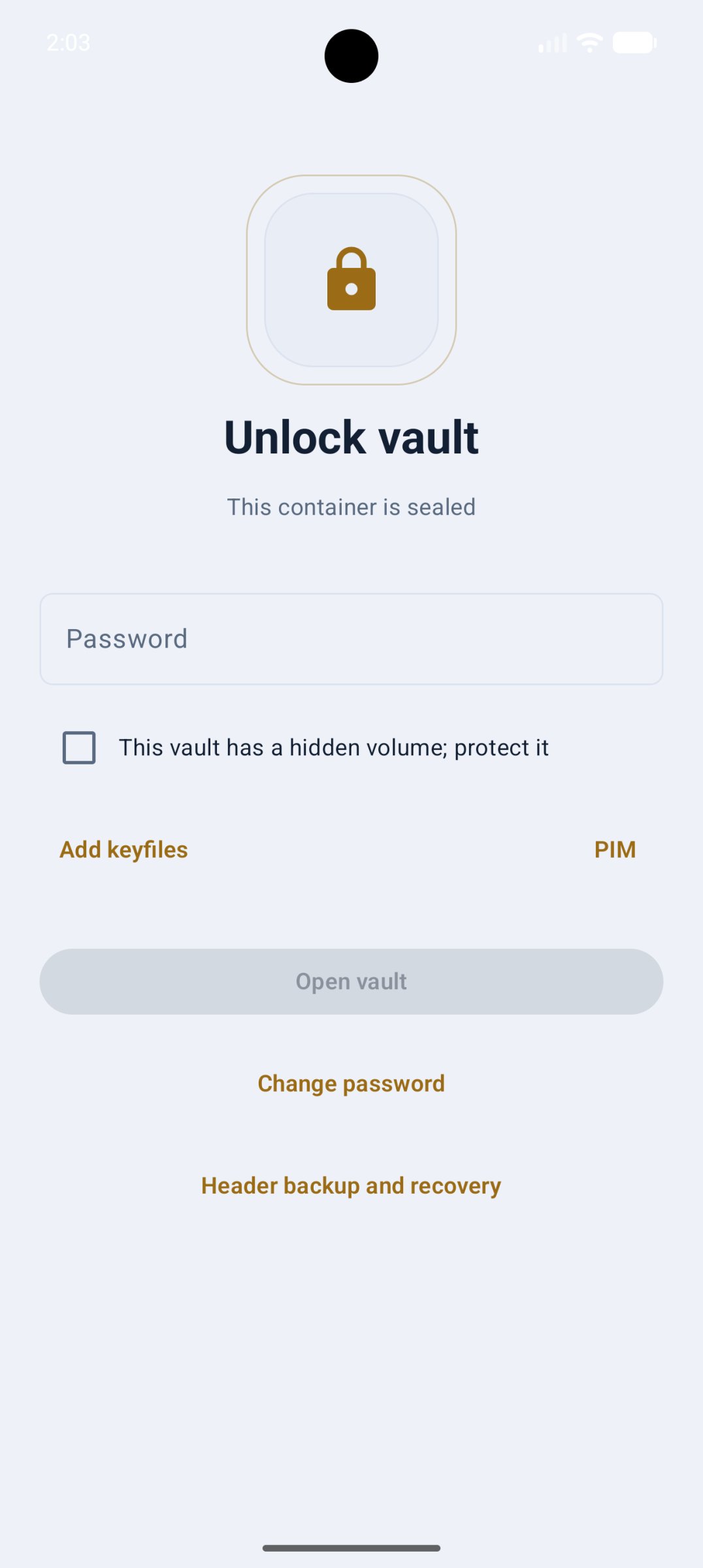
* Hidden volumes: conceal a second vault inside the first. Two passwords, and the
outer one gives no sign the hidden one exists. The outer volume can be
write-protected so normal use will not overwrite the hidden data.
* Header backup and recovery, in-place password change, and keyfiles.
* Biometric unlock, auto-lock when the app leaves the foreground, a hidden-screen
mode that blocks screenshots, and a no-trace mode that remembers nothing.
* Localized in English, German, Spanish, French, Russian, and Brazilian
Portuguese, with live in-app switching.
VaultPony is free and open source, built on a shared Rust core you can inspect.
It is not affiliated with or endorsed by IDRIX; VeraCrypt is a registered
trademark of IDRIX.
License: Apache-2.0
encrypted file that holds a private filesystem, and only your password opens it.
The containers are compatible with VeraCrypt, so you can open the same vaults on
the desktop and back.
There is no account, no cloud, and no network access. Your vaults are just files,
kept wherever you choose.
Features:
* Create and open VeraCrypt-compatible containers, with a choice of cipher, hash
(including Argon2id), and filesystem (FAT or exFAT).
* Hidden volumes: conceal a second vault inside the first. Two passwords, and the
outer one gives no sign the hidden one exists. The outer volume can be
write-protected so normal use will not overwrite the hidden data.
* Header backup and recovery, in-place password change, and keyfiles.
* Biometric unlock, auto-lock when the app leaves the foreground, a hidden-screen
mode that blocks screenshots, and a no-trace mode that remembers nothing.
* Localized in English, German, Spanish, French, Russian, and Brazilian
Portuguese, with live in-app switching.
VaultPony is free and open source, built on a shared Rust core you can inspect.
It is not affiliated with or endorsed by IDRIX; VeraCrypt is a registered
trademark of IDRIX.
License: Apache-2.0
| Release info | Update on Nov 09, 2026 |
|---|---|
| Release notes | VaultPony 2.0.0 is the release that makes VaultPony an everyday replacement for EDS Lite, not just a VeraCrypt reader. It started from the three points in #3 and grew from there. The vault in Files • An unlocked vault is a writable location in the system file manager and in other apps' file pickers: create, edit, rename, move and delete. Read-only and protected vaults stay read-only there. • A "Lock vaults" Quick Settings tile, and a "A vault is unlocked" notification with a Lock button while VaultPony is in the background. The notification never names a vault or a file. Auto-lock • Immediately (the default), or after 30 seconds, 1, 5 or 15 minutes, or 1 hour. The delay counts from leaving the app or turning the screen off. • "Until I lock it" (#4) keeps a vault open for other apps until you lock it from the notification, the tile or the app. It needs notifications, so the Lock button is always there. Unlocking • A Hash menu with VeraCrypt's list (#5, #6): Auto tries every hash like VeraCrypt does, or pick the one your vault uses to unlock faster. A hash you pick is remembered per vault. • TrueCrypt mode, for volumes made with TrueCrypt 6.0 to 7.1a. They open read-only, and "Convert to VeraCrypt" copies one into a new VeraCrypt container, checking every file. The TrueCrypt file is never changed. • ext4 volumes (also ext2 and ext3) open read-only (#7). Read-write ext4 is planned for 2.1. • Ciphers show under VeraCrypt's names, like AES-Twofish-Serpent. • A wrong password now says so. Before, the message could be blank. Hidden volumes (#3) • The create and unlock screens say plainly how a hidden volume opens and what the protect option does. The old create-screen warning gave backwards advice; it now says to add outer files with both passwords. • The browser labels a hidden or protected session. A plain outer unlock shows nothing. Files in a vault • Bulk import and export (#3): many files or whole folders, with a space and 4 GB check first, names fixed for FAT… |
| Listing data | F-Droid |
Reviews
No reviews yet. Be the first to review VaultPony.
Used VaultPony? Tell other visitors what you thought.
Log in to write a reviewOther products by this publisher
- "No Distractions" for YouTube 4.10 ----
- #Bible 11.6 "Incredible App - My sister shared this app with me a few weeks ago and it is truly incredible.
- #filmphotography 1.4.2 So, you decided to shoot on film?
- $quirrel 1.5.1 $quirrel Budget & Finance helps you plan each paycheck, track spending, manage debt, and see what is safe to spend before the next payday.
- % Percentage Calculator Pro 1.41 This is the Pro version of % Percentage Calculator.
Most viewed Android Security & Privacy
- 1 OTG Master 0.5.1 Mount VeraCrypt, LUKS, BitLocker and APFS USB drives on non-rooted Android
-
2
 Passchain 1.1.2-rc2
Use security key with Bluetooth, NFC, USB or your phone secure element
-
3
 ICdetection 3.1.8
Offline cellular anomaly auditor and radio monitor for Android
- 4 Vault Explorer 1.50.0 Encrypted container explorer: VeraCrypt, LUKS, BitLocker, Cryptomator, gocryptfs
- 5 CimBar Scanner 0.13.0 Send and receive files and text as animated color barcodes — offline
-
6
 Arcanum 1.7.0
Encrypted container manager compatible with VeraCrypt
-
7
 Pass 0.4.7
Private tools: deterministic passwords, 2FA codes, calculator and clock.
-
8
 PaperCript 1.3.5
Encrypted passwords on printable QR cards. No network, stores nothing.
- 9 KeePassVault 2.1.0 Client app for KeePass databases
- 10 Sidestep 1.2.7 Intercept URLs, remove tracking, and redirect to privacy-friendly frontends.
Most downloaded Android Security & Privacy
- 1 Flauth 1.2.0 Privacy-first, open-source TOTP authenticator for 2FA token management.
-
2
 Pocket2FA 0.11.0
Secure 2FA code client of 2FAuth server that works offline
- 3 GPG Key Manager 2.0.0 GPG Tool for Android
-
4
 Tokn - MFA / 2FA authenticator 1.8.3
Open-source 2FA authenticator. Encrypted on-device. No accounts.
- 5 HiddenProtectedWorkProfile 94.0 Hidden Profile owner Android security app.
-
6
 PassPony: Git Password Manager 2.1.0
Password manager for pass and passage stores, synced with git
- 7 DNS Toggle 3.1.0 Easily toggle and automate Private DNS through the Quick Settings panel.
-
8
PaperCript 1.3.5
Encrypted passwords on printable QR cards. No network, stores nothing.
- 9 EphemeralWorkProfile 63.0 Profile owner Android privacy app.
-
10
 Passman 1.7.0
Allow you to manage the credentials stored in your Nextcloud Passman app.