STL & 3D Model Viewer 2.0.5
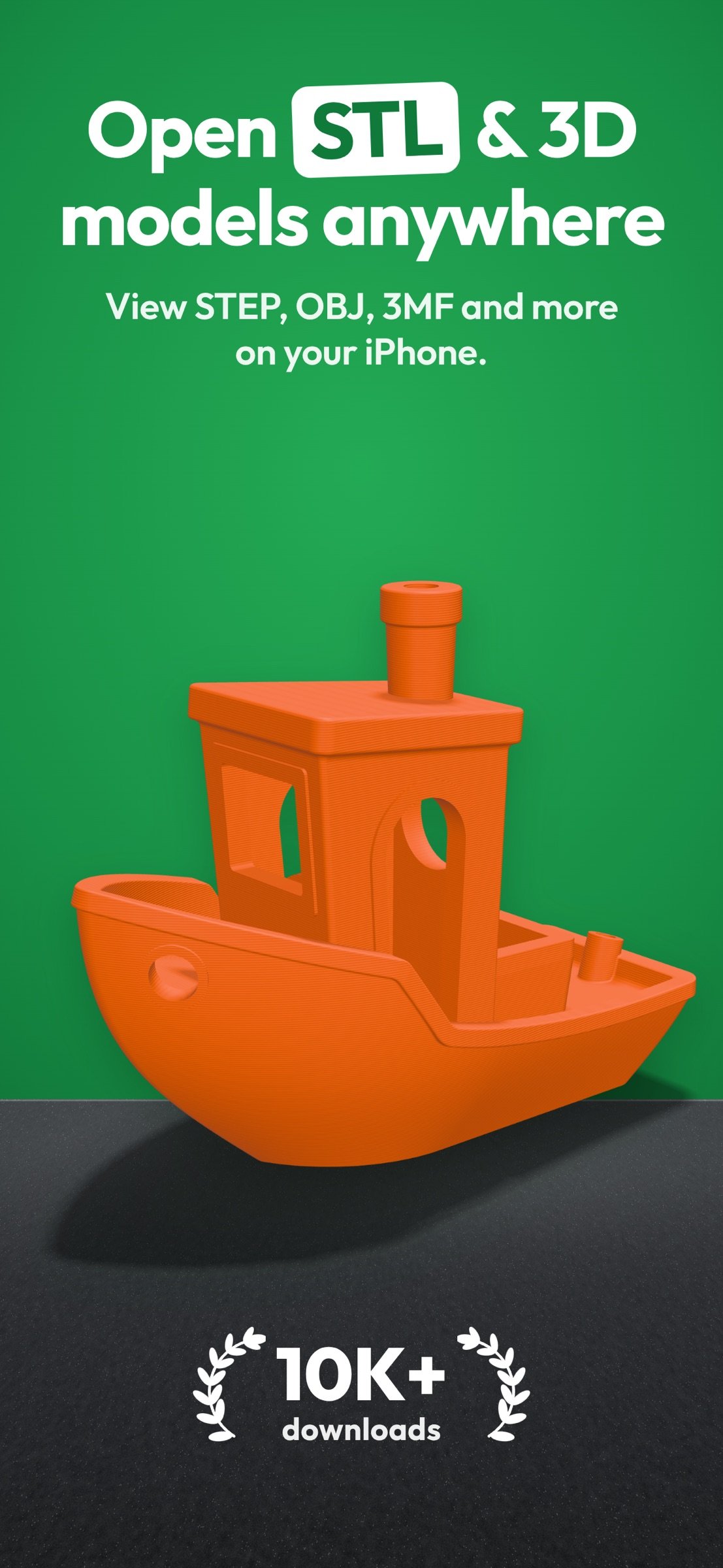
Open and inspect STL, STEP, 3MF, OBJ and other 3D files right on your iPhone and iPad.
Download
58.74 MB
15downloads
4this week
FreeFreeware
0reviews
Screenshots
About STL & 3D Model Viewer
Open and inspect STL, STEP, 3MF, OBJ and other 3D files right on your iPhone and iPad.
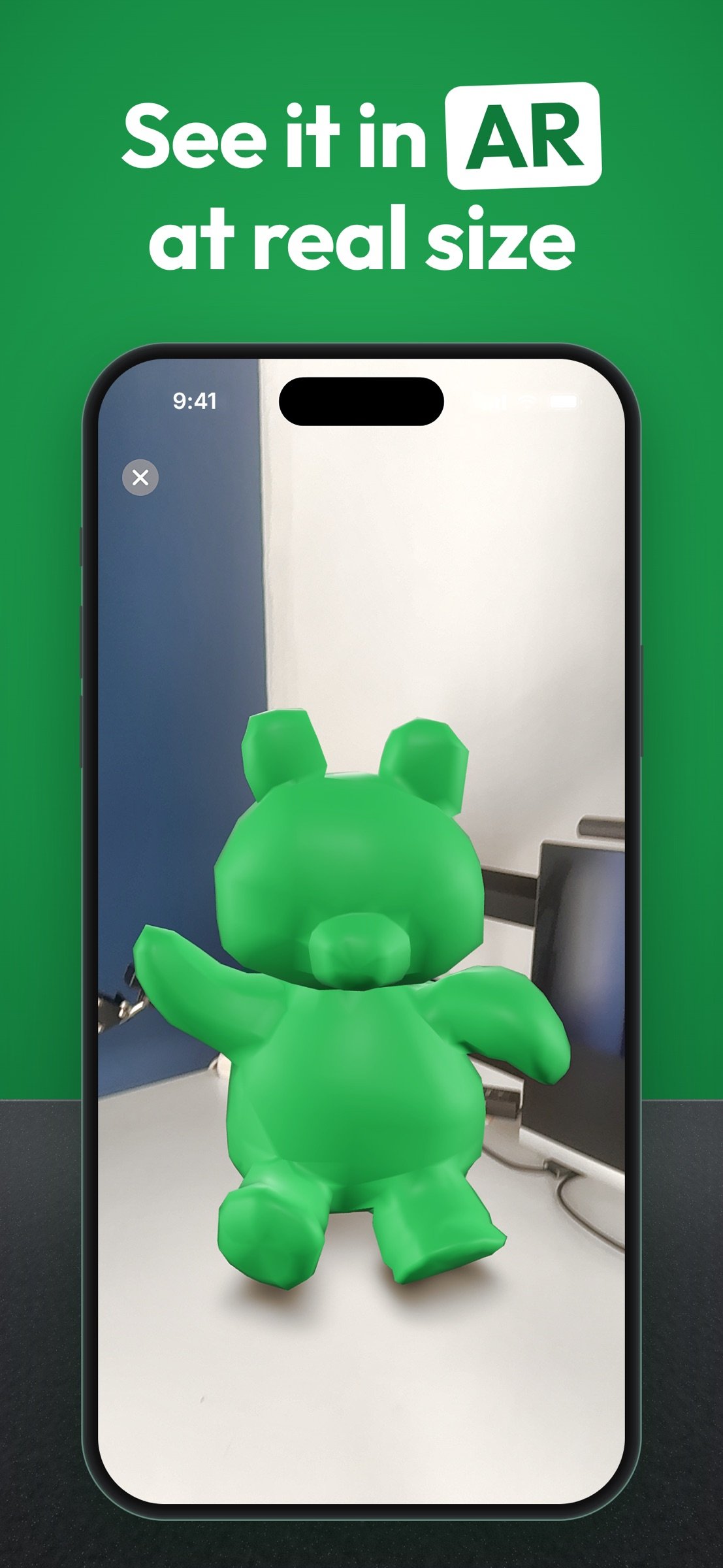
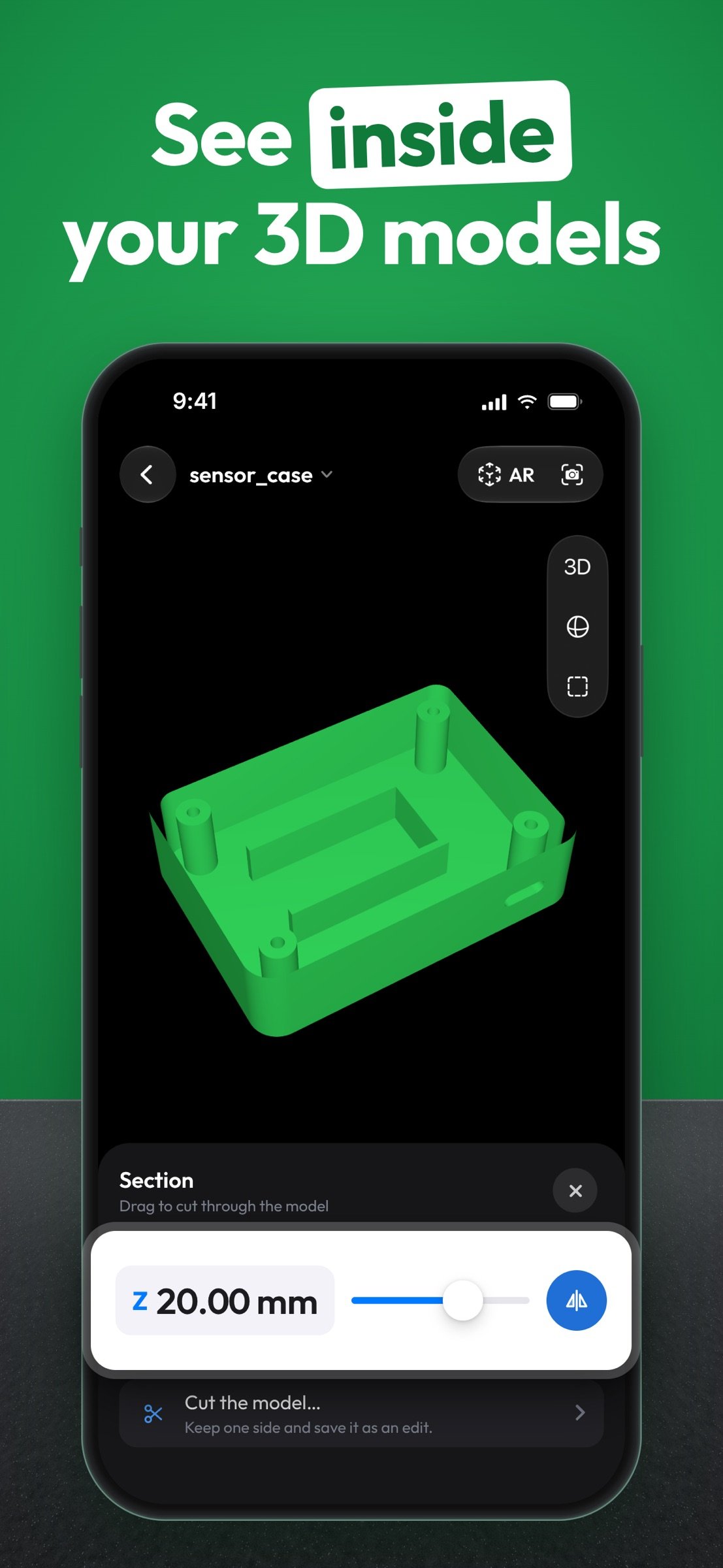
Mes3D is a fast 3D model viewer. Rotate, zoom, look inside with a section view, check dimensions and try edits for free. Mes3D Pro adds measuring, AR, full print analysis and export.
OPEN 3D FILES
- STL, STEP, STP, 3MF, OBJ, glTF, GLB, USDZ, USD, USDA, USDC, PLY, OFF, AMF, 3DS, DAE, 3DM, ABC and ZIP
- Open files from the Files app, cloud storage or other apps with Share / Open in
- Select an OBJ with its material and texture files, or open them as one ZIP, to keep colors and textures
- On iPad, drag and drop files into the app
VIEW AND NAVIGATE
- Rotate, pan and zoom with simple gestures
- One-tap front, back, left, right, top and bottom views
- Perspective or orthographic projection, wireframe and auto-rotate
- Original colors and textures, or preset model and background colors
DIMENSIONS AND UNITS
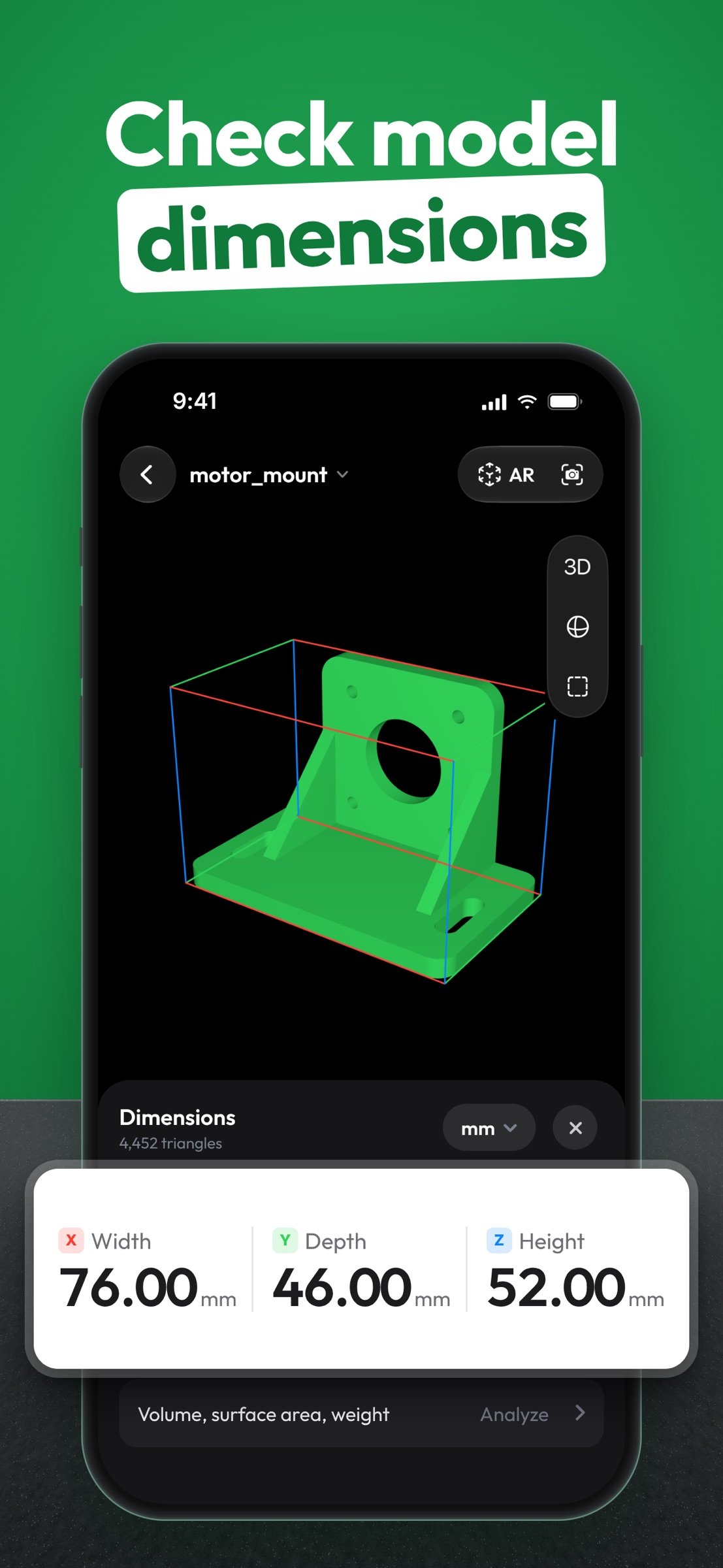
- Width, height and depth at a glance
- mm, cm, m or inches; set the file's units and get a hint when a file looks like it was saved in inches
SECTION VIEW
- Slide a cutting plane along X, Y or Z to see inside the model, and flip it to view the other side
EDIT TOOLS
- Resize to exact dimensions, rotate in 90° steps and cut with a plane, with the option to fill the cut surface
- Undo, redo or revert to the original
- Edits are free to try; exporting or saving the edited model requires Pro
MODEL ANALYSIS
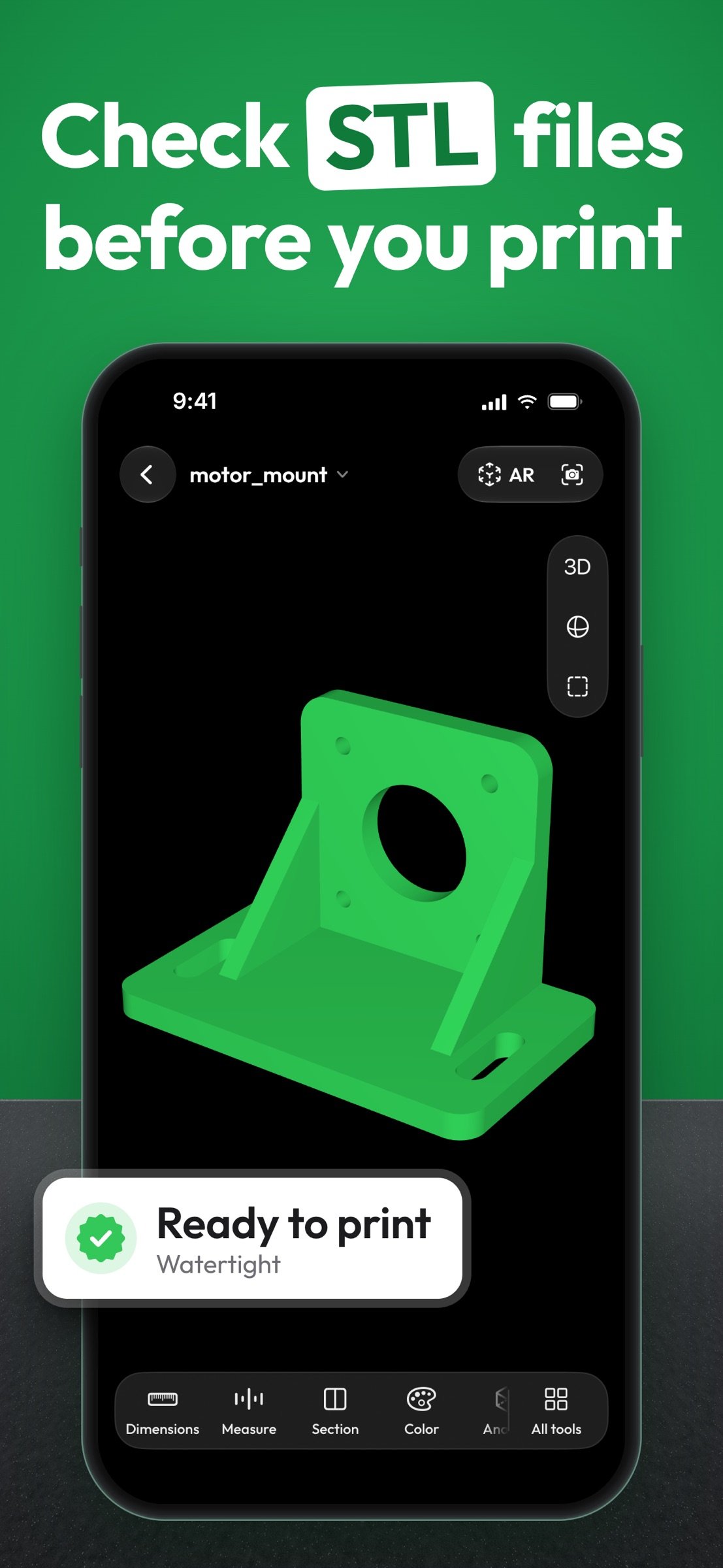
- Volume, surface area, triangle count and a quick print-readiness check
- With Pro: estimated print weight (PLA, PETG, ABS, resin), wall thickness, overhang area, detailed checks for open edges, non-manifold edges, flipped normals and degenerate triangles, and color overlays that highlight issues on the model
LIBRARY
- Models you open are saved to your library with thumbnails
- Organize them into collections and sub-collections
PREVIEWS IN THE FILES APP
- See thumbnails of STL, 3MF, OBJ, PLY, OFF, glTF and GLB files in the Files app and preview them without opening Mes3D
SNAPSHOTS
- Save images of your model to Photos, copy or share them. Free snapshots include a Mes3D watermark.
MES3D PRO
- Point-to-point distance and angle measurement
- View models in AR at real-world scale on supported devices
- Full model analysis: weight, wall thickness, detailed printability checks and overlays
- Export edited models as STL, 3MF or OBJ, or save a copy to your library
- Unlimited library. The free version keeps up to 3 of your own models; the included sample models don't count.
- Custom model and background colors
- Watermark-free snapshots
You can try every Pro tool on the included sample models before you decide.
Mes3D Pro is available as an auto-renewing subscription or a one-time lifetime purchase. Available plans, prices and any free trial are shown in the app before you buy. Payment is charged to your Apple Account at confirmation of purchase. Subscriptions renew automatically unless canceled at least 24 hours before the end of the current period; renewal is charged within the 24 hours before the period ends. You can manage or cancel your subscription in your App Store account settings.
PRIVACY
Your 3D files are opened and processed on your device. Mes3D does not upload your models. The app collects app usage and diagnostic data to improve Mes3D, as described in the Privacy Policy.
GOOD TO KNOW
- Mes3D displays models as meshes. Animations, advanced materials and complex scene hierarchies may not appear in full for every format.
- Measurements and analysis depend on the units and quality of the source file. Print weight is an estimate that assumes 100% infill.
- Available in 35 languages, with a language setting inside the app.
Terms of Use: [link removed]
Privacy Policy: [link removed]
Mes3D is a fast 3D model viewer. Rotate, zoom, look inside with a section view, check dimensions and try edits for free. Mes3D Pro adds measuring, AR, full print analysis and export.
OPEN 3D FILES
- STL, STEP, STP, 3MF, OBJ, glTF, GLB, USDZ, USD, USDA, USDC, PLY, OFF, AMF, 3DS, DAE, 3DM, ABC and ZIP
- Open files from the Files app, cloud storage or other apps with Share / Open in
- Select an OBJ with its material and texture files, or open them as one ZIP, to keep colors and textures
- On iPad, drag and drop files into the app
VIEW AND NAVIGATE
- Rotate, pan and zoom with simple gestures
- One-tap front, back, left, right, top and bottom views
- Perspective or orthographic projection, wireframe and auto-rotate
- Original colors and textures, or preset model and background colors
DIMENSIONS AND UNITS
- Width, height and depth at a glance
- mm, cm, m or inches; set the file's units and get a hint when a file looks like it was saved in inches
SECTION VIEW
- Slide a cutting plane along X, Y or Z to see inside the model, and flip it to view the other side
EDIT TOOLS
- Resize to exact dimensions, rotate in 90° steps and cut with a plane, with the option to fill the cut surface
- Undo, redo or revert to the original
- Edits are free to try; exporting or saving the edited model requires Pro
MODEL ANALYSIS
- Volume, surface area, triangle count and a quick print-readiness check
- With Pro: estimated print weight (PLA, PETG, ABS, resin), wall thickness, overhang area, detailed checks for open edges, non-manifold edges, flipped normals and degenerate triangles, and color overlays that highlight issues on the model
LIBRARY
- Models you open are saved to your library with thumbnails
- Organize them into collections and sub-collections
PREVIEWS IN THE FILES APP
- See thumbnails of STL, 3MF, OBJ, PLY, OFF, glTF and GLB files in the Files app and preview them without opening Mes3D
SNAPSHOTS
- Save images of your model to Photos, copy or share them. Free snapshots include a Mes3D watermark.
MES3D PRO
- Point-to-point distance and angle measurement
- View models in AR at real-world scale on supported devices
- Full model analysis: weight, wall thickness, detailed printability checks and overlays
- Export edited models as STL, 3MF or OBJ, or save a copy to your library
- Unlimited library. The free version keeps up to 3 of your own models; the included sample models don't count.
- Custom model and background colors
- Watermark-free snapshots
You can try every Pro tool on the included sample models before you decide.
Mes3D Pro is available as an auto-renewing subscription or a one-time lifetime purchase. Available plans, prices and any free trial are shown in the app before you buy. Payment is charged to your Apple Account at confirmation of purchase. Subscriptions renew automatically unless canceled at least 24 hours before the end of the current period; renewal is charged within the 24 hours before the period ends. You can manage or cancel your subscription in your App Store account settings.
PRIVACY
Your 3D files are opened and processed on your device. Mes3D does not upload your models. The app collects app usage and diagnostic data to improve Mes3D, as described in the Privacy Policy.
GOOD TO KNOW
- Mes3D displays models as meshes. Animations, advanced materials and complex scene hierarchies may not appear in full for every format.
- Measurements and analysis depend on the units and quality of the source file. Print weight is an estimate that assumes 100% infill.
- Available in 35 languages, with a language setting inside the app.
Terms of Use: [link removed]
Privacy Policy: [link removed]
| Release info | Update on Oct 22, 2026 |
|---|---|
| Release notes | Bug fixes and stability improvements |
| Listing data | App Store |
Reviews
No reviews yet. Be the first to review STL & 3D Model Viewer.
Used STL & 3D Model Viewer? Tell other visitors what you thought.
Log in to write a reviewOther products by this publisher
- "No Distractions" for YouTube 4.10 ----
- #Bible 11.6 "Incredible App - My sister shared this app with me a few weeks ago and it is truly incredible.
- #filmphotography 1.4.2 So, you decided to shoot on film?
- $quirrel 1.5.1 $quirrel Budget & Finance helps you plan each paycheck, track spending, manage debt, and see what is safe to spend before the next payday.
- % Percentage Calculator Pro 1.41 This is the Pro version of % Percentage Calculator.
Most viewed iOS Developer Tools
-
1
 ZScripter 12.2.0
ZScripter plays compatible Ren'Py, RealLive, NScripter, (PONS)ONScripter-EN/RU/JH/Yuri, Artemis, Siglus, AI5 and UK2 games as well as KiriKiri (+Kirikiroid2 patches) and RPG Maker MV/MZ & XP, VX and VX Ace support.
-
2
 GitHub 1.283.0
There’s a lot you can do on GitHub that doesn’t require a complex development environment – like sharing feedback on a design discussion, or reviewing a few lines of code.
-
3
 Shader Playground 1.0
Shader Playground is a powerful real-time shader editor built for iPhone and iPad.
-
4
 Agents Anywhere 2.1.0
Agents Anywhere is a developer tools mobile application for remotely controlling your local computer to complete coding tasks.
-
5
 Code Workspace 0.9.1
Code Workspace is a free, agent-first development environment for iPad and iPhone.
-
6
 Termius 8.0.7
Termius is a modern SSH client designed for productivity and collaboration.
-
7
 LocalDevVPN 1.3.0
LocalDevVPN is a developer tool for creating and managing local network tunnels directly on iOS.
-
8
 Cursor 1.17.0
Introducing Cursor for iOS: the best way to build, review, and ship software from anywhere.
-
9
 TestFlight 4.4.1
TestFlight makes it easy to test beta versions of apps and App Clips to provide valuable feedback to developers before they release their apps on the App Store.
-
10
 HTTP Debugger+ 1.2.3
HTTP Debugger+ is a professional HTTP traffic inspector designed for developers and QA engineers.
Most downloaded iOS Developer Tools
-
1
Agents Anywhere 2.1.0
Agents Anywhere is a developer tools mobile application for remotely controlling your local computer to complete coding tasks.
-
2
 a-Shell mini 2.3.2
a-Shell mini is a complete local terminal emulator, allowing to run most Unix commands on you iOS device.
-
3
 Rulify 1.0.7
Rulify ????? iOS App ????,???????? App ????,???????????????
-
4
 LadderTouch 2.1.5
LadderTouch is an app to learn the basics of ladder logic, which is a graphical programming language.
-
5
 FSNotes 7.6.0
FSNotes is a fast, modern notes manager for macOS and iOS.
-
6
 C/C++$-LLVM Clang 2.7
This is a learning tool for efficient C/C++ learning, fast programming, ?(LLVM+Clang)offline compilation and local execution?, Git fetching, iCloud storage, and efficient transfer and sharing via LAN HTTP/FTP multi-point connections.
-
7
 python3$ 6.6
This is a Python 3.13 learning tool for efficient learning, fast programming, local execution, breakpoint debugging, precise error reporting, Git fetching, iCloud access, and efficient transfer and sharing via LAN HTTP/FTP multi-point connections.
-
8
 websta$-learn html css and js 3.2
This is a learning tool for efficient HTML, CSS, and JS learning, fast programming, local execution, Git retrieval, iCloud storage, efficient transfer and sharing via LAN HTTP/FTP multi-point connections.
-
9
HTTP Debugger+ 1.2.3
HTTP Debugger+ is a professional HTTP traffic inspector designed for developers and QA engineers.
-
10
 Herdy 1.3.0
Herdy puts your remote terminal and long-running coding-agent sessions in your pocket.