
9downloads
2this week
FreeFreeware
0reviews
Screenshots
About Sioyek
Some features in Sioyek:
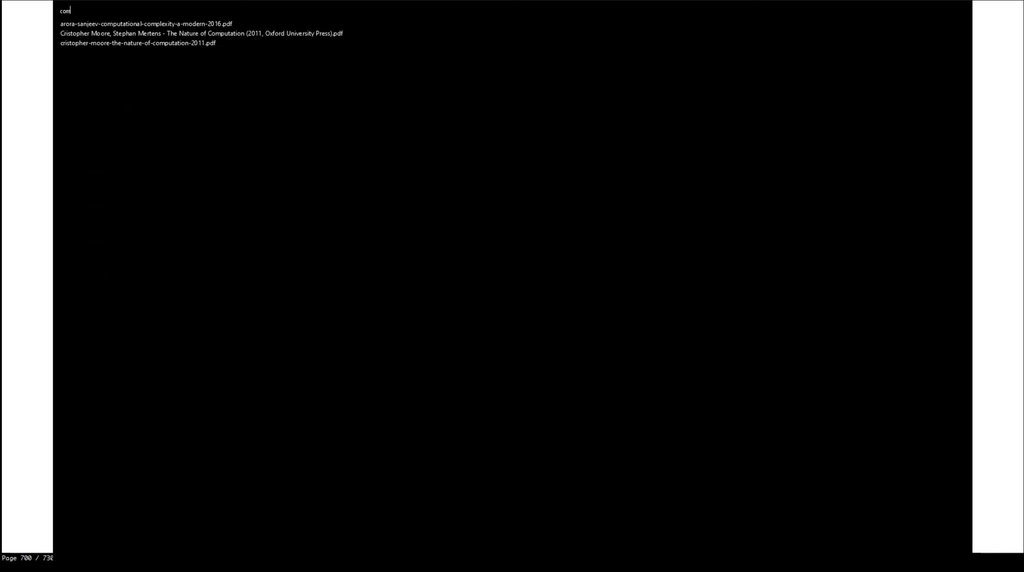
• You can quickly search and open any file you have previously interacted with using sioyek.
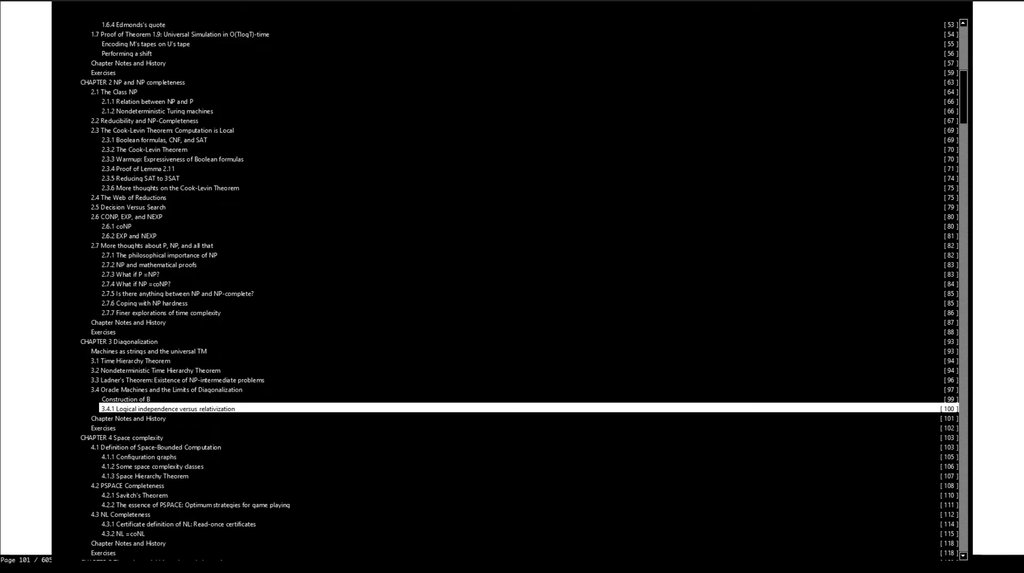
• You can search and jump to table of contents entries.
• You can jump to any referenced figure or bibliography item even if the PDF file doesn't provide links.
• You can also search the names of bibliography items in google scholar/libgen by middle clicking/shif+middle clicking on their name.
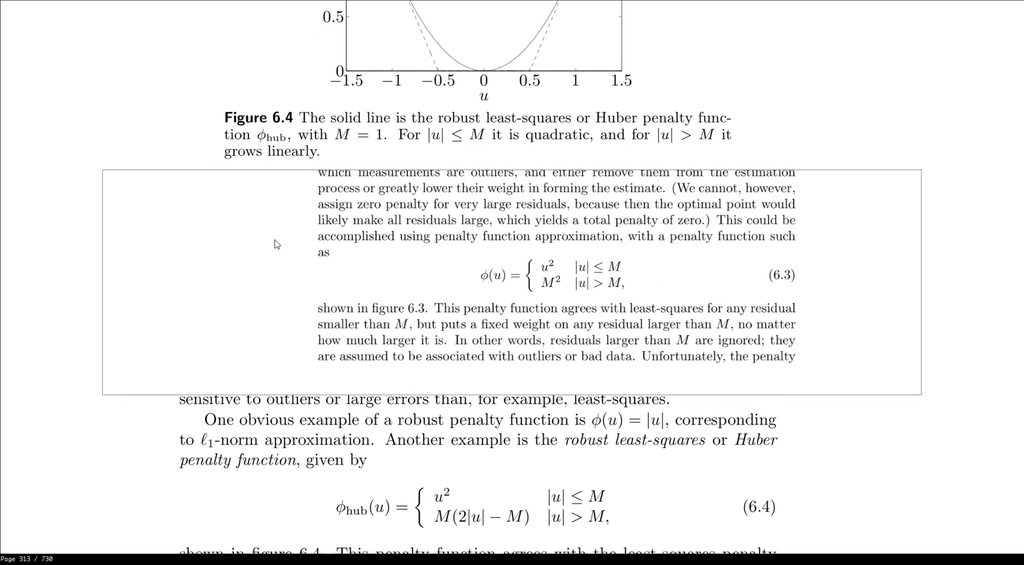
• You can open a quick overview of figures/references/tables/etc. by right clicking on them (Like Smart Jump, this feature works even if the document doesn't provide links).
• Bookmarks are similar to marks except they are named by a text string and they are all global.
• Highlight text using different kinds of highlight, you can search among all the highlights.
• You can customize all key bindings and some UI elements by editing keys_user.conf and prefs_user.conf. The default configurations are in keys.conf and prefs.conf
Sometimes when reading a document you need to go back a few pages (perhaps to view a definition or something) and quickly jump back to where you were. You can achieve this by using marks. Marks are named locations within a PDF file (each mark has a single character name for example 'a' or 'm') which you can quickly jump to using their name. In the aforementioned example, before going back to the definition you mark your location and later jump back to the mark by invoking its name. Lower case marks are local to the document and upper case marks are global (this should be very familiar to you if you have used vim).
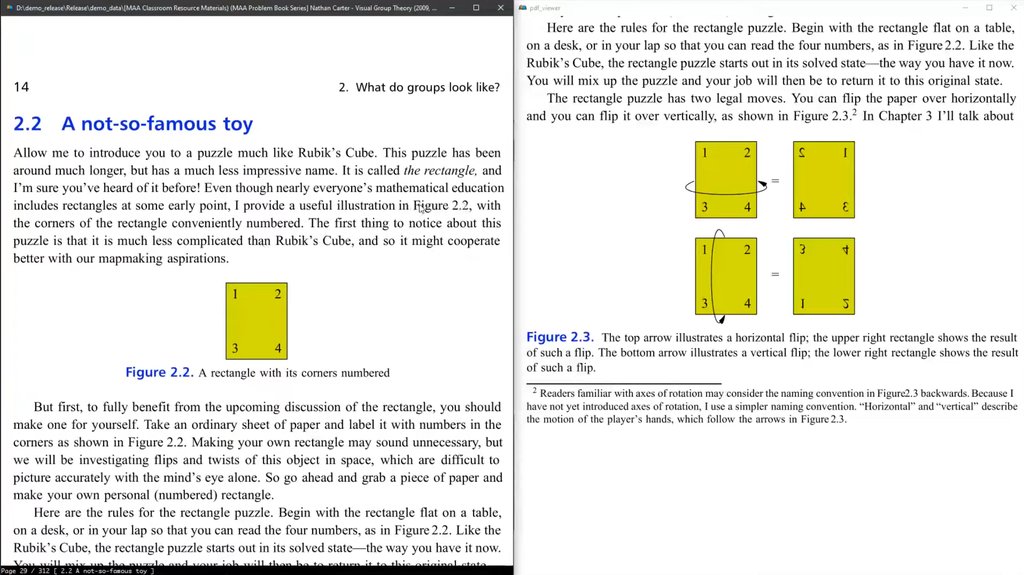
Suppose you are reading a paragraph which references a figure which is not very close to the current location. Jumping back and forth between the current paragraph and the figure can be very annoying. Using portals, you can link the paragraph's location to the figure's location. Sioyek shows the closest portal destination in a separate window (which is usually placed on a second monitor). This window is automatically updated to show the closest portal destination as the user navigates the document.
Under Wayland, Sioyek will use by default the Wayland backend, if you prefer the X11 backend you can force it with flatpak run --nosocket=wayland --socket=x11 com.github.ahrm.sioyek
If you want to theme Sioyek, the prefs_user.config file will be looked up in ~/.config/sioyek/
License: GPL-3.0
• You can quickly search and open any file you have previously interacted with using sioyek.
• You can search and jump to table of contents entries.
• You can jump to any referenced figure or bibliography item even if the PDF file doesn't provide links.
• You can also search the names of bibliography items in google scholar/libgen by middle clicking/shif+middle clicking on their name.
• You can open a quick overview of figures/references/tables/etc. by right clicking on them (Like Smart Jump, this feature works even if the document doesn't provide links).
• Bookmarks are similar to marks except they are named by a text string and they are all global.
• Highlight text using different kinds of highlight, you can search among all the highlights.
• You can customize all key bindings and some UI elements by editing keys_user.conf and prefs_user.conf. The default configurations are in keys.conf and prefs.conf
Sometimes when reading a document you need to go back a few pages (perhaps to view a definition or something) and quickly jump back to where you were. You can achieve this by using marks. Marks are named locations within a PDF file (each mark has a single character name for example 'a' or 'm') which you can quickly jump to using their name. In the aforementioned example, before going back to the definition you mark your location and later jump back to the mark by invoking its name. Lower case marks are local to the document and upper case marks are global (this should be very familiar to you if you have used vim).
Suppose you are reading a paragraph which references a figure which is not very close to the current location. Jumping back and forth between the current paragraph and the figure can be very annoying. Using portals, you can link the paragraph's location to the figure's location. Sioyek shows the closest portal destination in a separate window (which is usually placed on a second monitor). This window is automatically updated to show the closest portal destination as the user navigates the document.
Under Wayland, Sioyek will use by default the Wayland backend, if you prefer the X11 backend you can force it with flatpak run --nosocket=wayland --socket=x11 com.github.ahrm.sioyek
If you want to theme Sioyek, the prefs_user.config file will be looked up in ~/.config/sioyek/
License: GPL-3.0
| Release info | Update on Dec 16, 2022 |
|---|---|
| Release notes | The release notes are here: https://ahrm.github.io/jekyll/update/2022/12/12/sioyek-2.html |
| Related tags | pdf viewer research |
| Listing data | Flathub |
Reviews
No reviews yet. Be the first to review Sioyek.
Used Sioyek? Tell other visitors what you thought.
Log in to write a reviewOther products by this publisher
- "No Distractions" for YouTube 4.10 ----
- #Bible 11.6 "Incredible App - My sister shared this app with me a few weeks ago and it is truly incredible.
- #filmphotography 1.4.2 So, you decided to shoot on film?
- $quirrel 1.5.1 $quirrel Budget & Finance helps you plan each paycheck, track spending, manage debt, and see what is safe to spend before the next payday.
- % Percentage Calculator Pro 1.41 This is the Pro version of % Percentage Calculator.
Most viewed Linux Office
-
1
 Scrolex 0.13.1
Read PDFs and ebooks horizontally
-
2
 WPS 365 12.1.2.29183_807310
WPS 365 Suite
-
3
 Scribe 0.3.50
Markdown editor with live rendering
-
4
 Foliate 3.3.0
Read e-books in style
-
5
 Feishu 7.72.23
A collaboration platform
-
6
 Super Productivity v20.0.0
To-do list and time tracker
-
7
 Adobe Reader 9.5.5
PDF viewer
-
8
 Actual Budget 26.11.0
Your Finances made simple
-
9
 Quick Lookup 2.1.2
Look up words quickly
-
10
 Blockstream 3.6.1
A simple and secure Bitcoin and Liquid Network wallet
Most downloaded Linux Office
- 1 sleek 2.1.1 todo manager based on the todo.txt syntax for Linux, free and open-source (FOSS)
- 2 Textosaurus 0.9.13 Simple cross-platform text editor based on Qt and QScintilla
-
3
 Fingrom 7.3.2
Platform-agnostic financial accounting application for personal finance management
-
4
 TreeSheets 2.23.10
Free Form Data Organizer
-
5
Scribe 0.3.50
Markdown editor with live rendering
-
6
 Nottodbox 0.2.3
Organize notes, to-dos and diaries
-
7
 Skribisto 3.3.1
Plan, write, manage your novels
-
8
 Invoice Ninja 5.1.24
Invoices, payments and expenses
-
9
 Linwood Butterfly 2.6.2
Infinite-canvas notes and sketches
-
10
 OpenDeck 2.14.2
Use stream controllers