
35downloads
5this week
FreeFreeware
0reviews
Screenshots
About ResticDroid
ResticDroid backs your phone up with restic, the open-source backup program, to
storage you control: Backblaze B2, S3-compatible object storage, a REST server,
or a folder on an SD card. Everything is encrypted and deduplicated on
the device before it is sent, so the storage provider only ever holds
ciphertext.
The restic binary is compiled from source as part of the F-Droid build and runs
as a child process. The snapshots it writes are ordinary restic snapshots: you
can open them with restic on a desktop, and nothing about them depends on this
app. If ResticDroid disappears tomorrow, your backups do not become unreadable.
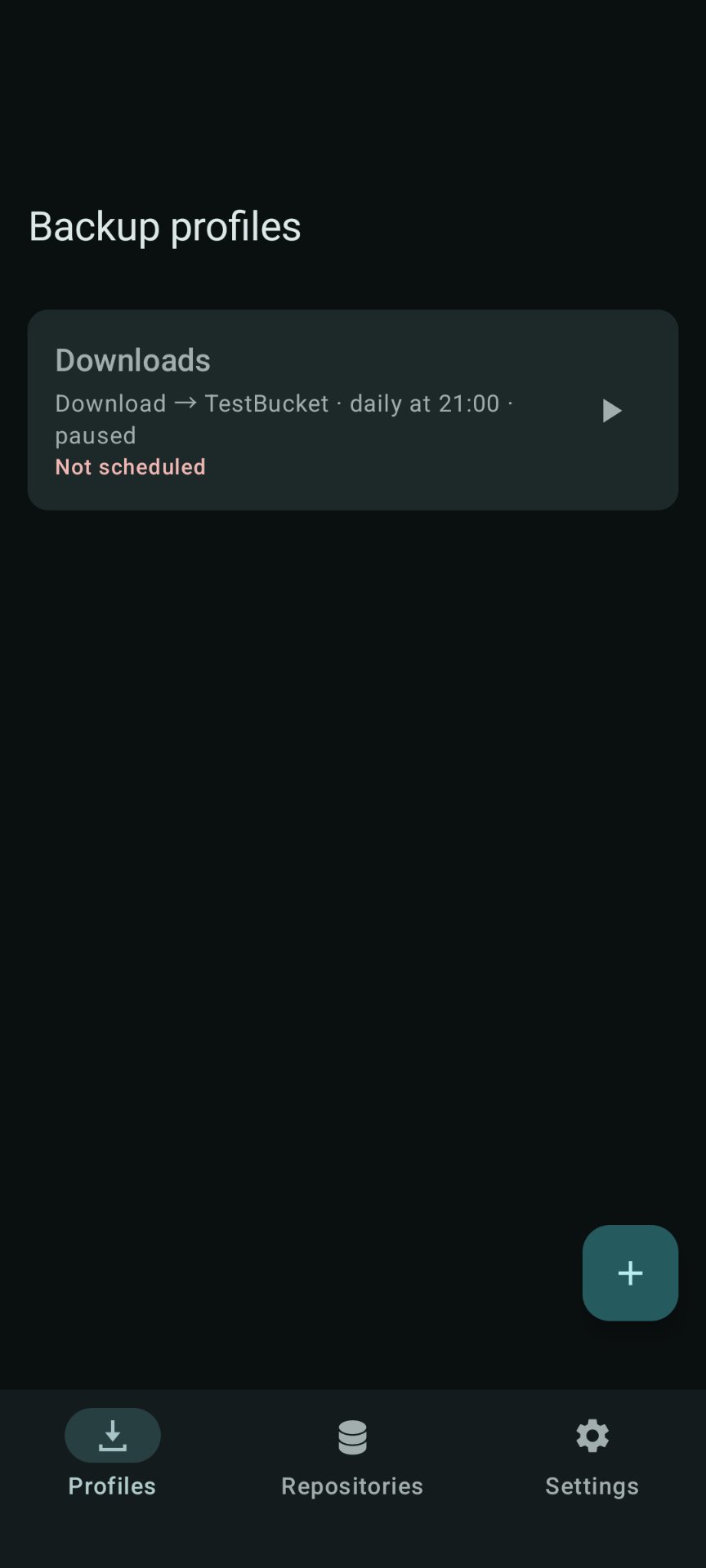
Backup profiles
A profile says what to back up, where to send it, and when. Start from one of
the ready-made sets — photos and media, documents and downloads, installed apps,
or all of shared storage — and adjust it.
Conditions for scheduled runs
Only while charging. Only on an unmetered network. Only on Wi-Fi networks you
name. Only above a battery level you choose. These become system constraints, so
the phone is not woken up to discover it cannot run.
Repositories
Backblaze B2, S3 and S3-compatible services, Azure Blob Storage, Google Cloud
Storage, OpenStack Swift, a restic REST server, or a local folder. Create a new
repository from the app, or point it at one that already exists.
SFTP and rclone are not offered: restic implements those by running the "ssh"
and "rclone" programs, which Android does not have. Use a REST server or an
S3-compatible gateway instead.
Security
Repository passwords and API keys live in the Android keystore, hardware-backed
on devices that have a secure element, and never appear in the configuration
files. Backups and restores that you start yourself can be gated behind your
fingerprint, or the repository password. Scheduled runs are not prompted, because a backup
that waits for a fingerprint at 3am is a backup that does not happen.
Configuration you can read
Everything you configure is plain text under /storage/emulated/0/ResticDroid -
one file per profile, one per repository. Edit it in any text editor, over USB
or on the phone, and the app picks the change up immediately. There is no
database, and nothing to import or export.
No recursive backups
A repository stored on the device is excluded from every backup automatically,
whether or not it is the one being written to. You do not have to remember to
write that rule yourself.
What it does not do
App data cannot be backed up without root, and ResticDroid does not use root or
pretend otherwise. It backs up the APKs of apps you installed, so a new phone
can be rebuilt, but their data stays where it is.
Privacy
No analytics, no crash reporting, no advertising identifiers, no Google Play
services. The app connects to nothing except the repositories you configure.
License: GPL-3.0-or-later
| Release info | New Release on Oct 12, 2026 |
|---|---|
| Release notes | * Retention only removes a profile's own snapshots now. It used to match any snapshot carrying the profile's name, so a repository shared with a desktop could have its history pruned by the phone. * New: count tag combinations separately, keeping a backup you start by hand apart from a scheduled one. * Snapshot times are shown in this device's time zone, not UTC. * A failed configuration write can no longer leave the file missing. * Scheduling background activity fixes. |
| Listing data | F-Droid |
Reviews
No reviews yet. Be the first to review ResticDroid.
Used ResticDroid? Tell other visitors what you thought.
Log in to write a reviewOther products by this publisher
- "No Distractions" for YouTube 4.10 ----
- #Bible 11.6.1 "Incredible App - My sister shared this app with me a few weeks ago and it is truly incredible.
- #filmphotography 1.4.2 So, you decided to shoot on film?
- #LookBusy Fake Calendar Events 1.0.6 Look Busy scans your work calendar for open time slots and fills them with realistic-looking (but secretly fake) work events.
- #Small Talk Is Canceled 1.0.2 #Small Talk Is Canceled — Conversations That Matter
Most viewed Android Security & Privacy
- 1 OTG Master 0.5.2 Mount VeraCrypt, LUKS, BitLocker and APFS USB drives on non-rooted Android
-
2
 Passchain 1.1.2-rc2
Use security key with Bluetooth, NFC, USB or your phone secure element
-
3
 ICdetection 3.1.8
Offline cellular anomaly auditor and radio monitor for Android
- 4 Vault Explorer 1.50.0 Encrypted container explorer: VeraCrypt, LUKS, BitLocker, Cryptomator, gocryptfs
- 5 CimBar Scanner 0.13.0 Send and receive files and text as animated color barcodes — offline
-
6
 Arcanum 1.7.0
Encrypted container manager compatible with VeraCrypt
-
7
 PaperCript 1.3.5
Encrypted passwords on printable QR cards. No network, stores nothing.
- 8 KeePassVault 2.1.0 Client app for KeePass databases
-
9
 TrovePass 1.0.0
Offline password generator — one master password for every site
- 10 Inter Profile Sharing 1.2 Easily share media and text between Android user profiles
Most downloaded Android Security & Privacy
- 1 Flauth 1.2.0 Privacy-first, open-source TOTP authenticator for 2FA token management.
-
2
 Pocket2FA 0.11.0
Secure 2FA code client of 2FAuth server that works offline
-
3
 PassPony: Git Password Manager 2.1.0
Password manager for pass and passage stores, synced with git
-
4
 Tokn - MFA / 2FA authenticator 1.8.3
Open-source 2FA authenticator. Encrypted on-device. No accounts.
- 5 EphemeralWorkProfile 63.0 Profile owner Android privacy app.
- 6 HiddenProtectedWorkProfile 94.0 Hidden Profile owner Android security app.
-
7
 SecureScreen 1.3.0
Protect selected apps from screenshots and screen recording
-
8
PaperCript 1.3.5
Encrypted passwords on printable QR cards. No network, stores nothing.
-
9
 Passman 1.7.0
Allow you to manage the credentials stored in your Nextcloud Passman app.
- 10 DNS Toggle 3.1.0 Easily toggle and automate Private DNS through the Quick Settings panel.