
Reloado Auth - 2FA Authenticator 1.0.3
Secure, Free and Open Source 2FA TOTP Authenticator App with Sync and Web Access
Download
21.74 MB · com.reloado.auth_43.apk
29downloads
0this week
FreeFreeware
0reviews
Screenshots
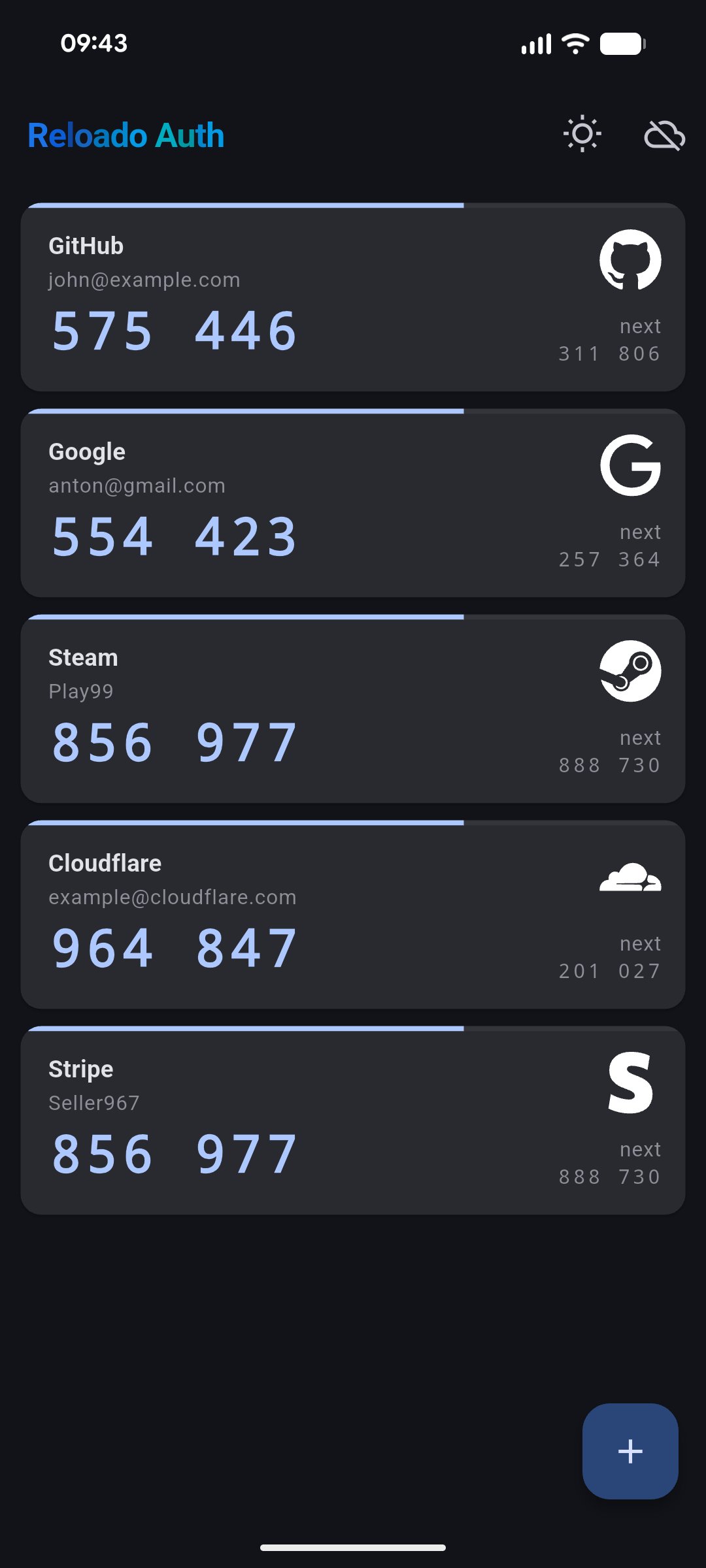
About Reloado Auth - 2FA Authenticator
Reloado Auth is the only two-factor authenticator you will ever need.
Built for privacy. Designed for trust. Reloado Auth protects your accounts with end-to-end encrypted cloud backup: Meaning only you can ever access your codes. Not even we can. Zero compromise.
END-TO-END ENCRYPTED BACKUP, SYNC & WEB ACCESS
Your 2FA tokens are encrypted in your vault and can be synced seamlessly across all your devices. Access your codes from any browser with full end-to-end encryption intact. Whether you're on your phone, tablet, or a desktop, Reloado Auth has you covered. Your keys. Your data. Always.
WORKS OFFLINE -- NO ACCOUNT REQUIRED
Generate TOTP and HOTP codes entirely offline. No internet connection needed, no account required. Use Reloado Auth locally for as long as you want (cloud sync is always optional).
BIOMETRIC UNLOCK
Your vault stays locked behind biometric authentication. Only your fingerprint or face can open it. Fast, seamless, and secure.
INSTANT CODE CAPTURE
Scan a QR code or enter accounts manually in seconds. Tap to copy your code instantly: No more squinting at digits and typing them out.
UNIVERSAL COMPATIBILITY & MULTILINGUAL SUPPORT
Reloado Auth supports both TOTP and HOTP standards and works with every major service -- Google, GitHub, Microsoft, and any RFC 6238 or RFC 4226 compatible platform. Available on Android, iOS, and Web. Fully localized in English and German.
? FEATURES AT A GLANCE
- End-to-end encrypted (E2EE) cloud backup
- Sync across all your devices
- Web access, Android and iOS version
- Works 100% offline -- no account needed
- Biometric unlock (fingerprint & face)
- QR code scanner & manual entry
- Tap to copy codes instantly
- Available in English and German
- Free and open source
SUPPORT
Need help or have a feature request? We'd love to hear from you.
Visit us on GitHub or reach out via our support channels.
License: AGPL-3.0-only
Built for privacy. Designed for trust. Reloado Auth protects your accounts with end-to-end encrypted cloud backup: Meaning only you can ever access your codes. Not even we can. Zero compromise.
END-TO-END ENCRYPTED BACKUP, SYNC & WEB ACCESS
Your 2FA tokens are encrypted in your vault and can be synced seamlessly across all your devices. Access your codes from any browser with full end-to-end encryption intact. Whether you're on your phone, tablet, or a desktop, Reloado Auth has you covered. Your keys. Your data. Always.
WORKS OFFLINE -- NO ACCOUNT REQUIRED
Generate TOTP and HOTP codes entirely offline. No internet connection needed, no account required. Use Reloado Auth locally for as long as you want (cloud sync is always optional).
BIOMETRIC UNLOCK
Your vault stays locked behind biometric authentication. Only your fingerprint or face can open it. Fast, seamless, and secure.
INSTANT CODE CAPTURE
Scan a QR code or enter accounts manually in seconds. Tap to copy your code instantly: No more squinting at digits and typing them out.
UNIVERSAL COMPATIBILITY & MULTILINGUAL SUPPORT
Reloado Auth supports both TOTP and HOTP standards and works with every major service -- Google, GitHub, Microsoft, and any RFC 6238 or RFC 4226 compatible platform. Available on Android, iOS, and Web. Fully localized in English and German.
? FEATURES AT A GLANCE
- End-to-end encrypted (E2EE) cloud backup
- Sync across all your devices
- Web access, Android and iOS version
- Works 100% offline -- no account needed
- Biometric unlock (fingerprint & face)
- QR code scanner & manual entry
- Tap to copy codes instantly
- Available in English and German
- Free and open source
SUPPORT
Need help or have a feature request? We'd love to hear from you.
Visit us on GitHub or reach out via our support channels.
License: AGPL-3.0-only
| Release info | New Release on May 02, 2026 |
|---|---|
| Listing data | F-Droid |
Reviews
No reviews yet. Be the first to review Reloado Auth - 2FA Authenticator.
Used Reloado Auth - 2FA Authenticator? Tell other visitors what you thought.
Log in to write a reviewOther products by this publisher
- "No Distractions" for YouTube 4.10 ----
- #Bible 11.6.1 "Incredible App - My sister shared this app with me a few weeks ago and it is truly incredible.
- #filmphotography 1.4.2 So, you decided to shoot on film?
- $quirrel 1.5.1 $quirrel Budget & Finance helps you plan each paycheck, track spending, manage debt, and see what is safe to spend before the next payday.
- % Percentage Calculator Pro 1.41 This is the Pro version of % Percentage Calculator.
Most viewed Android Security & Privacy
- 1 OTG Master 0.5.1 Mount VeraCrypt, LUKS, BitLocker and APFS USB drives on non-rooted Android
-
2
 Passchain 1.1.2-rc2
Use security key with Bluetooth, NFC, USB or your phone secure element
-
3
 ICdetection 3.1.8
Offline cellular anomaly auditor and radio monitor for Android
- 4 Vault Explorer 1.50.0 Encrypted container explorer: VeraCrypt, LUKS, BitLocker, Cryptomator, gocryptfs
- 5 CimBar Scanner 0.13.0 Send and receive files and text as animated color barcodes — offline
-
6
 Arcanum 1.7.0
Encrypted container manager compatible with VeraCrypt
-
7
 PaperCript 1.3.5
Encrypted passwords on printable QR cards. No network, stores nothing.
-
8
 Pass 0.4.7
Private tools: deterministic passwords, 2FA codes, calculator and clock.
- 9 KeePassVault 2.1.0 Client app for KeePass databases
-
10
 TrovePass 1.0.0
Offline password generator — one master password for every site
Most downloaded Android Security & Privacy
- 1 Flauth 1.2.0 Privacy-first, open-source TOTP authenticator for 2FA token management.
-
2
 Pocket2FA 0.11.0
Secure 2FA code client of 2FAuth server that works offline
- 3 GPG Key Manager 2.0.0 GPG Tool for Android
-
4
 Tokn - MFA / 2FA authenticator 1.8.3
Open-source 2FA authenticator. Encrypted on-device. No accounts.
- 5 HiddenProtectedWorkProfile 94.0 Hidden Profile owner Android security app.
-
6
 PassPony: Git Password Manager 2.1.0
Password manager for pass and passage stores, synced with git
- 7 DNS Toggle 3.1.0 Easily toggle and automate Private DNS through the Quick Settings panel.
-
8
PaperCript 1.3.5
Encrypted passwords on printable QR cards. No network, stores nothing.
- 9 EphemeralWorkProfile 63.0 Profile owner Android privacy app.
-
10
 Passman 1.7.0
Allow you to manage the credentials stored in your Nextcloud Passman app.