
PocketClaw 0.2.3
A private AI agent that runs on your Android phone, with real on-device tools
Download
55.73 MB
18downloads
0this week
FreeFreeware
0reviews
Screenshots
About PocketClaw
PocketClaw is a private AI agent that runs on your Android phone. The language model is remote — you bring an API key for the provider you choose — but everything else lives on the device: the agent's gateway, its tools, its workspace and your credentials.
What it does
• An on-device agent gateway, bound to loopback only. The background core uses about 20 MB of memory (PSS) while idle and roughly 26–33 MB during active agent work on our Android 16 test phone; the app's screens and web view use more while they are open.
• A Managed Runtime of real command-line tools compiled for the phone and shipped inside the APK: python 3.14, git 2.51, gh 2.101, curl 8.11, ripgrep 14.1, sqlite3 3.50 and jq 1.7. PocketClaw never downloads its runtime after install; the tools reach the network only when the agent uses them for something you asked.
• Skills: reusable instruction and tool bundles. The agent can find and install them from the ClawHub registry or GitHub when you ask it to.
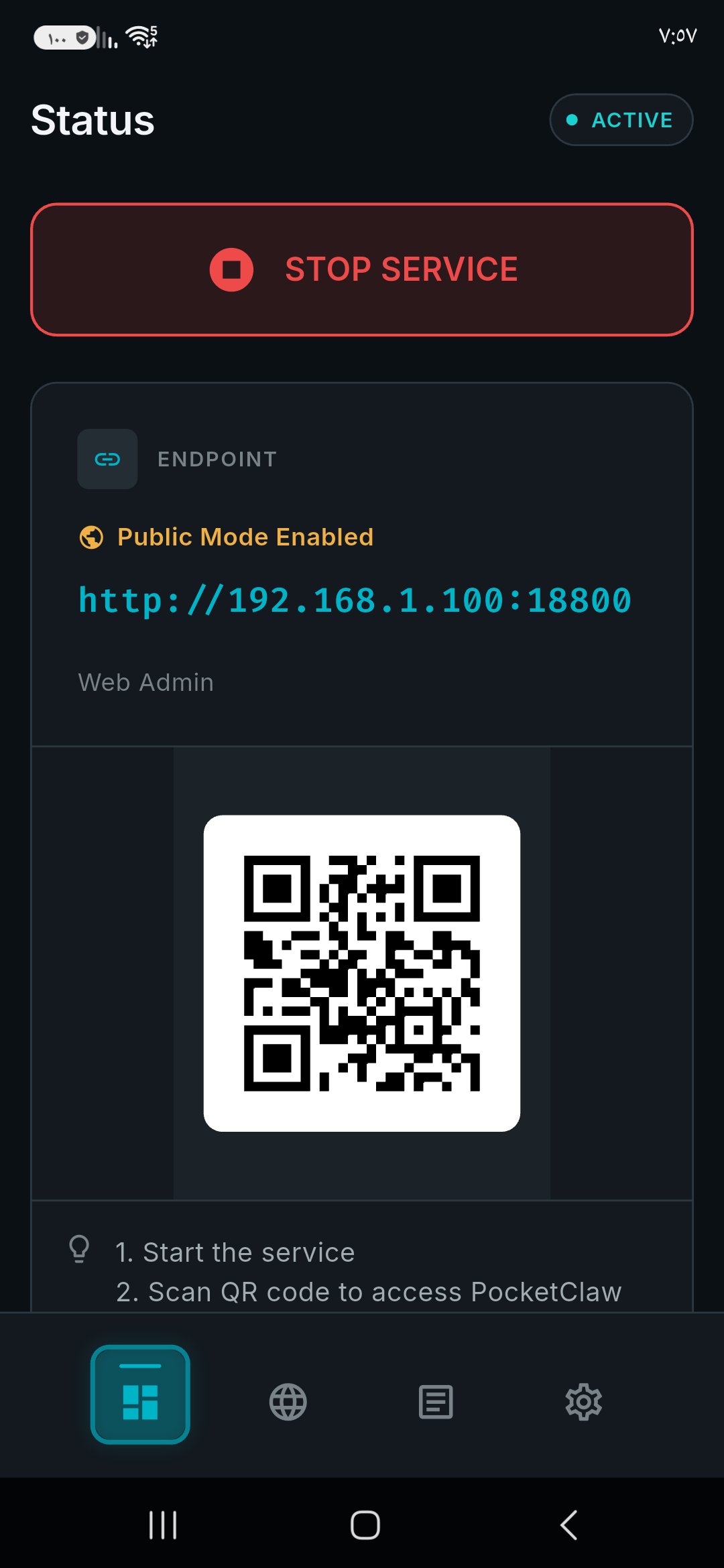
• A local web dashboard for providers, models, channels, skills and logs, in 14 languages. It opens inside the app, and in a browser on your own network if you turn on Public Mode.
• Chat with the agent in the app, or over Telegram.
• A workspace directory in the app's own storage that the agent reads and writes.
• The app itself in 12 languages, right-to-left included.
Requirements
• An arm64-v8a device with Android 8.0 or newer. The bundled tools and the agent runtime exist for arm64 only.
• An API key for a model provider, or an OpenAI-compatible endpoint you run yourself.
Network services
PocketClaw contacts nothing until you configure it. It then talks only to what you set up:
• The model provider you choose. Built-in templates include proprietary services (Anthropic, OpenAI, Google Gemini, AWS Bedrock, Azure OpenAI and others) and self-hosted ones (Ollama, vLLM, any OpenAI-compatible server).
• Telegram, if you connect it. One-tap setup uses PocketClaw's onboarding service, whose source is published under the MIT licence; a manual bot token works without it.
• Whatever the agent's tools reach when you ask them to: web search (Sogou by default; SearXNG and others are selectable), git remotes, GitHub, the ClawHub skill registry, URLs you give it.
There are no analytics, no crash reporting and no update checks.
Anti-feature: non-free network services
PocketClaw promotes and integrates with proprietary network services: hosted AI model providers, Telegram and other chat platforms, web search and the ClawHub skill registry. None of them is required — a self-hosted OpenAI-compatible model server and the in-app chat are enough.
PocketClaw's own code is MIT licensed. The agent core is based on PicoClaw.
What it does
• An on-device agent gateway, bound to loopback only. The background core uses about 20 MB of memory (PSS) while idle and roughly 26–33 MB during active agent work on our Android 16 test phone; the app's screens and web view use more while they are open.
• A Managed Runtime of real command-line tools compiled for the phone and shipped inside the APK: python 3.14, git 2.51, gh 2.101, curl 8.11, ripgrep 14.1, sqlite3 3.50 and jq 1.7. PocketClaw never downloads its runtime after install; the tools reach the network only when the agent uses them for something you asked.
• Skills: reusable instruction and tool bundles. The agent can find and install them from the ClawHub registry or GitHub when you ask it to.
• A local web dashboard for providers, models, channels, skills and logs, in 14 languages. It opens inside the app, and in a browser on your own network if you turn on Public Mode.
• Chat with the agent in the app, or over Telegram.
• A workspace directory in the app's own storage that the agent reads and writes.
• The app itself in 12 languages, right-to-left included.
Requirements
• An arm64-v8a device with Android 8.0 or newer. The bundled tools and the agent runtime exist for arm64 only.
• An API key for a model provider, or an OpenAI-compatible endpoint you run yourself.
Network services
PocketClaw contacts nothing until you configure it. It then talks only to what you set up:
• The model provider you choose. Built-in templates include proprietary services (Anthropic, OpenAI, Google Gemini, AWS Bedrock, Azure OpenAI and others) and self-hosted ones (Ollama, vLLM, any OpenAI-compatible server).
• Telegram, if you connect it. One-tap setup uses PocketClaw's onboarding service, whose source is published under the MIT licence; a manual bot token works without it.
• Whatever the agent's tools reach when you ask them to: web search (Sogou by default; SearXNG and others are selectable), git remotes, GitHub, the ClawHub skill registry, URLs you give it.
There are no analytics, no crash reporting and no update checks.
Anti-feature: non-free network services
PocketClaw promotes and integrates with proprietary network services: hosted AI model providers, Telegram and other chat platforms, web search and the ClawHub skill registry. None of them is required — a self-hosted OpenAI-compatible model server and the in-app chat are enough.
PocketClaw's own code is MIT licensed. The agent core is based on PicoClaw.
| Release info | New Release on Oct 08, 2026 |
|---|---|
| Release notes | • Security update: the background core is built with a current, supported Go release and patched libraries. • The bundled GitHub CLI is updated to 2.101. • Build hardening for F-Droid: the app and its bundled tools are built from source in a pinned, repeatable environment. |
| Listing data | F-Droid |
Reviews
No reviews yet. Be the first to review PocketClaw.
Used PocketClaw? Tell other visitors what you thought.
Log in to write a reviewOther products by this publisher
- "No Distractions" for YouTube 4.10 ----
- #Bible 11.5 "Incredible App - My sister shared this app with me a few weeks ago and it is truly incredible.
- #filmphotography 1.4.2 So, you decided to shoot on film?
- $quirrel 1.5.1 $quirrel Budget & Finance helps you plan each paycheck, track spending, manage debt, and see what is safe to spend before the next payday.
- % Percentage Calculator Pro 1.41 This is the Pro version of % Percentage Calculator.
Most viewed Android Communication
-
1
 SMSecure 1.4.1
Privacy-focused SMS app with encrypted conversations
-
2
 Night Drop 0.2.1
Anonymous, end-to-end encrypted 1:1 chat over Tor
- 3 Agora 2.2.0 BYOK LLM client with multi-provider access, agentic workflows, remote control
-
4
 SchildiChat Next 0.11.4-ex_26_6_2
Next-generation SchildiChat Matrix messenger based on Element X
-
5
 oxproxion 2.2.15
Chat with OpenRouter, Ollama, LM Studio and llama.cpp AI models
- 6 Call Blocker 0.3.6 Block unwanted calls, spam and telemarketing
- 7 Goregram 12.10.2 A Telegram fork with minimal extra features
-
8
PocketClaw 0.2.3
A private AI agent that runs on your Android phone, with real on-device tools
- 9 39C3 Schedule 1.77.1 Conference program app for the Chaos Communication Congress
- 10 ArcaneChat 2.63.0 ? Fast encrypted chats for the family
Most downloaded Android Communication
-
1
SchildiChat Next 0.11.4-ex_26_6_2
Next-generation SchildiChat Matrix messenger based on Element X
- 2 ArcaneChat 2.63.0 ? Fast encrypted chats for the family
- 3 Sterna Mail 1.6.4 Private email client for JMAP and IMAP/SMTP. No Google services, no tracking.
- 4 Agent 0.13.161 Local AI chat, your models, and practical Android tools
-
5
 Delta Chat 2.67.0
Decentralized private messenger with chat-shared tools and games.
- 6 Agora 2.2.0 BYOK LLM client with multi-provider access, agentic workflows, remote control
-
7
oxproxion 2.2.15
Chat with OpenRouter, Ollama, LM Studio and llama.cpp AI models
- 8 ShellMS 1.5 Send SMS via Android SDK
- 9 MobiloSignal 1.1 Find the best spot for calls and mobile internet by seeing signal strength
-
10
 Open Hitomi 0.1.2
Floating hedgehog assistant with local chat and browser tools