
11downloads
4this week
FreeFreeware
0reviews
Screenshots
About Glate
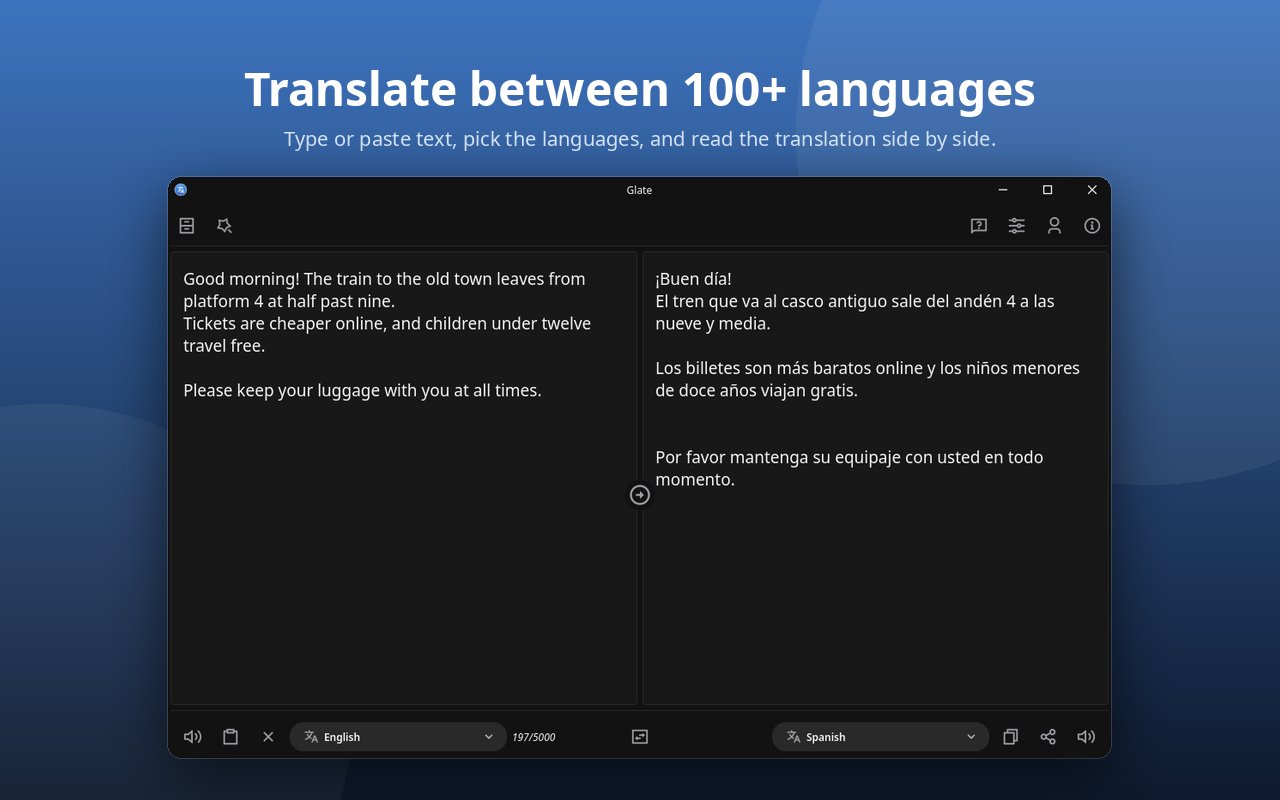
Glate is a fast desktop translator with built-in text to speech. Translate text between 100+
languages online through Google Translate, or use offline translation on your own computer, then
listen to the result read aloud.
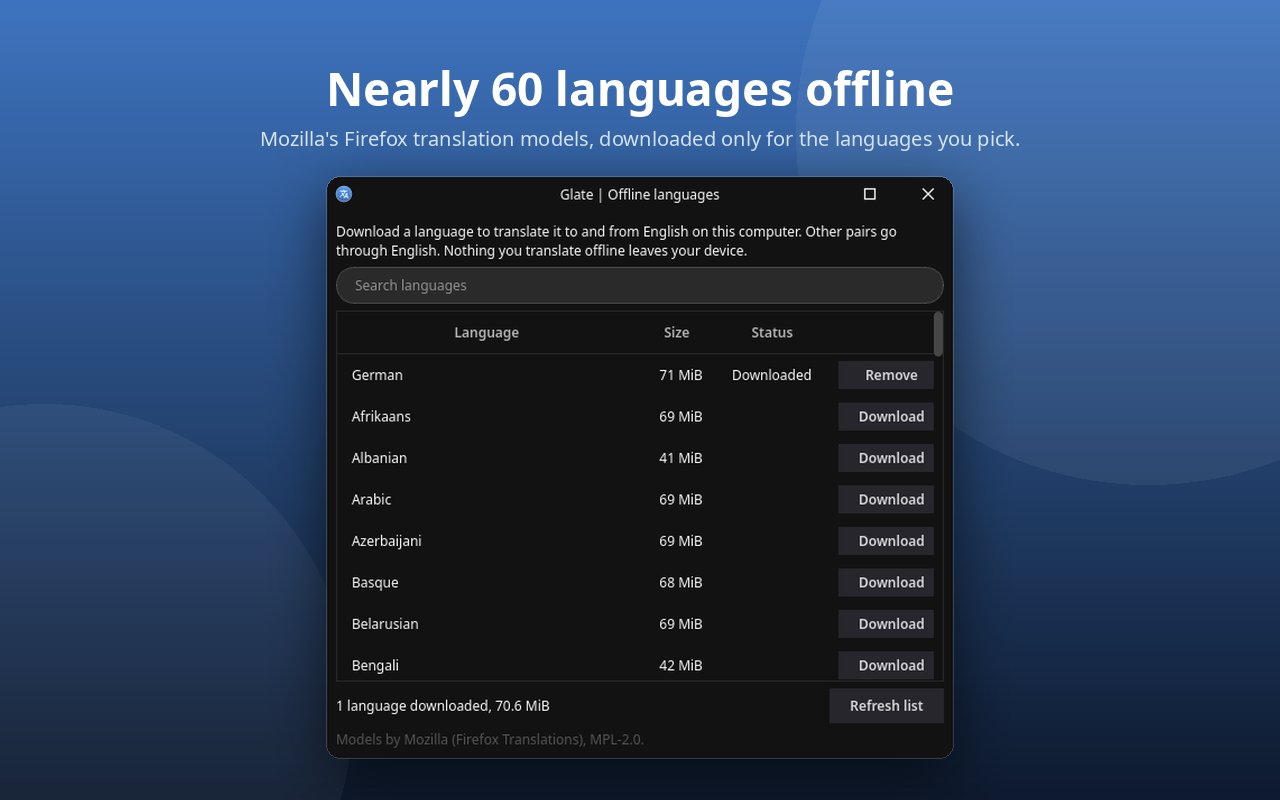
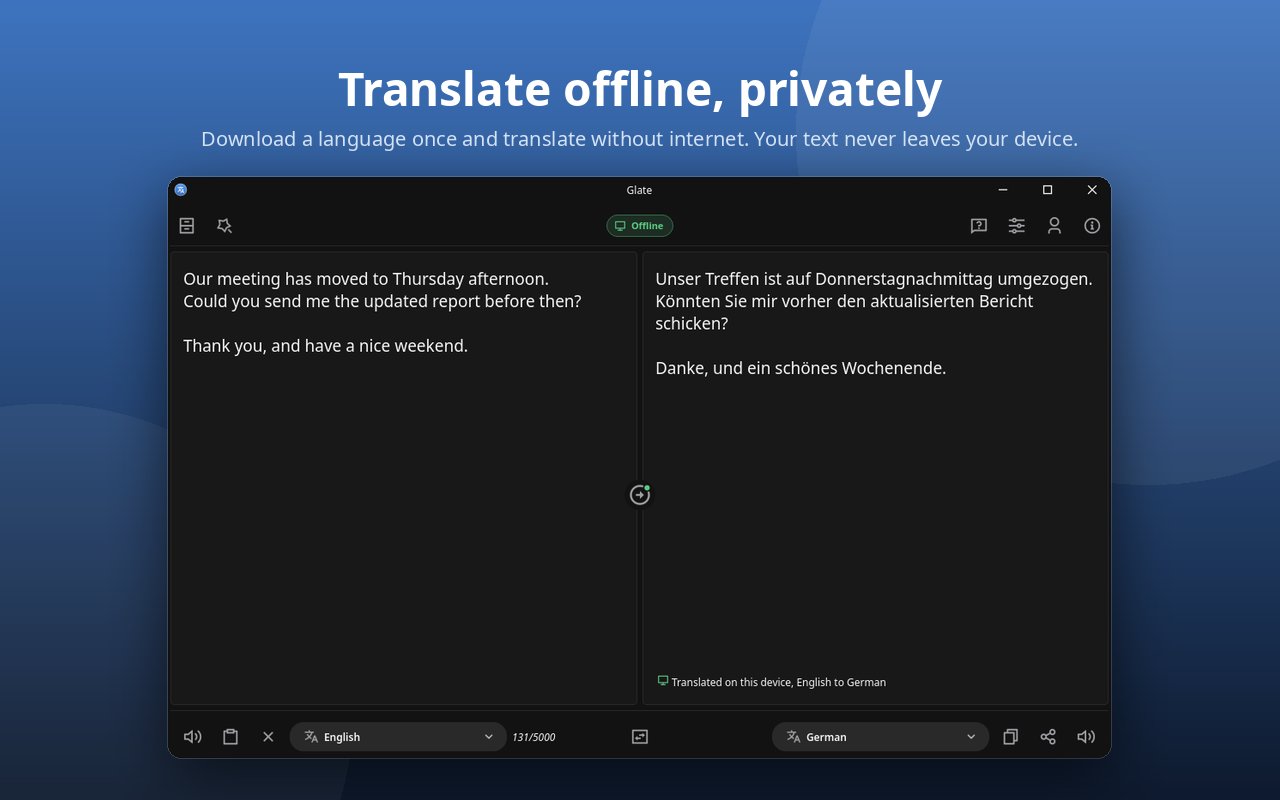
Offline mode uses Mozilla's Firefox translation models: download a language once and translate
without internet, privately, because your text never leaves your device. No model ships with the
app, so you only download the languages you need.
Features:
• Translate text between 100+ languages, with automatic language detection
• Offline translation for nearly 60 languages with Mozilla's Firefox translation models, downloaded
on demand (Pro)
• An offline indicator shows when offline mode is on and which results were translated on your
computer
• Text to speech: read the text or its translation aloud, or only the part you select, with
a choice of voice
• Export speech to MP3, WAV, FLAC or AAC audio, with bitrate, sample rate and volume options
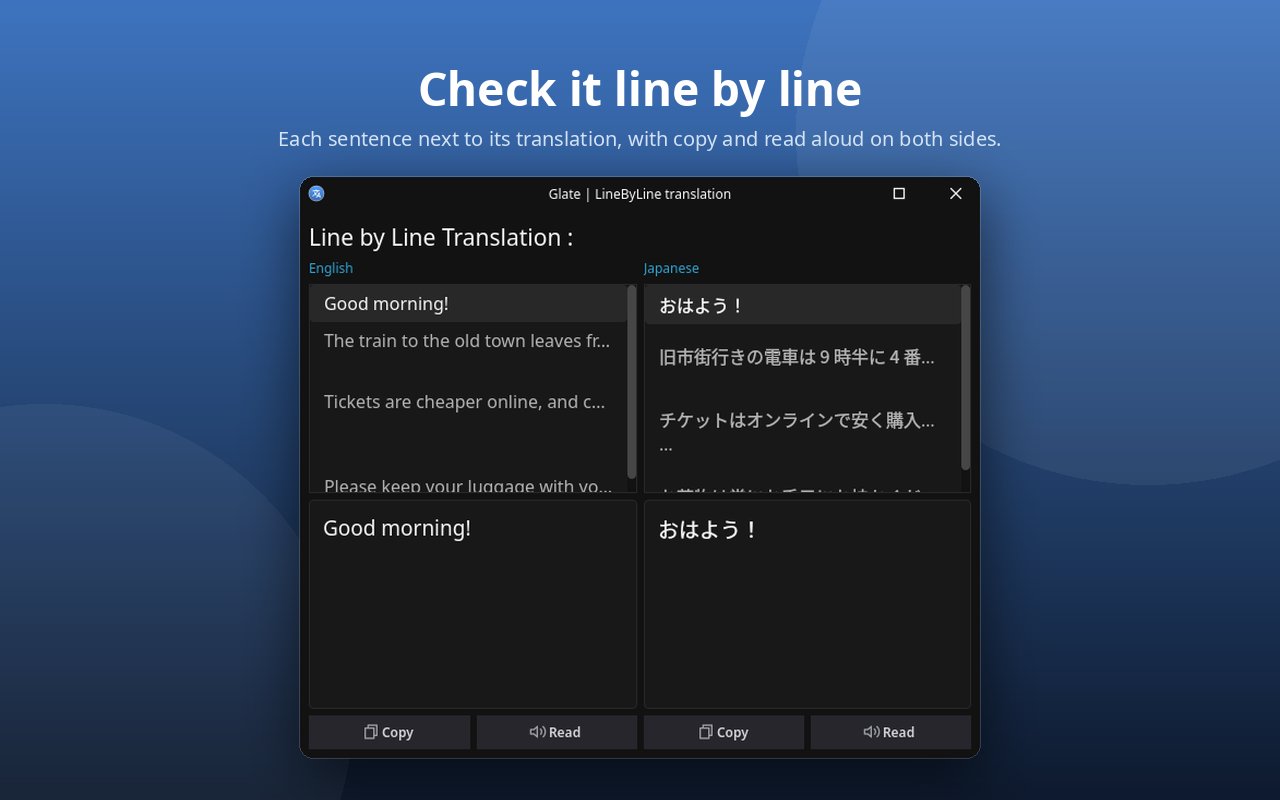
• Line-by-line translation view to check long text sentence by sentence, with copy and read
aloud for each line
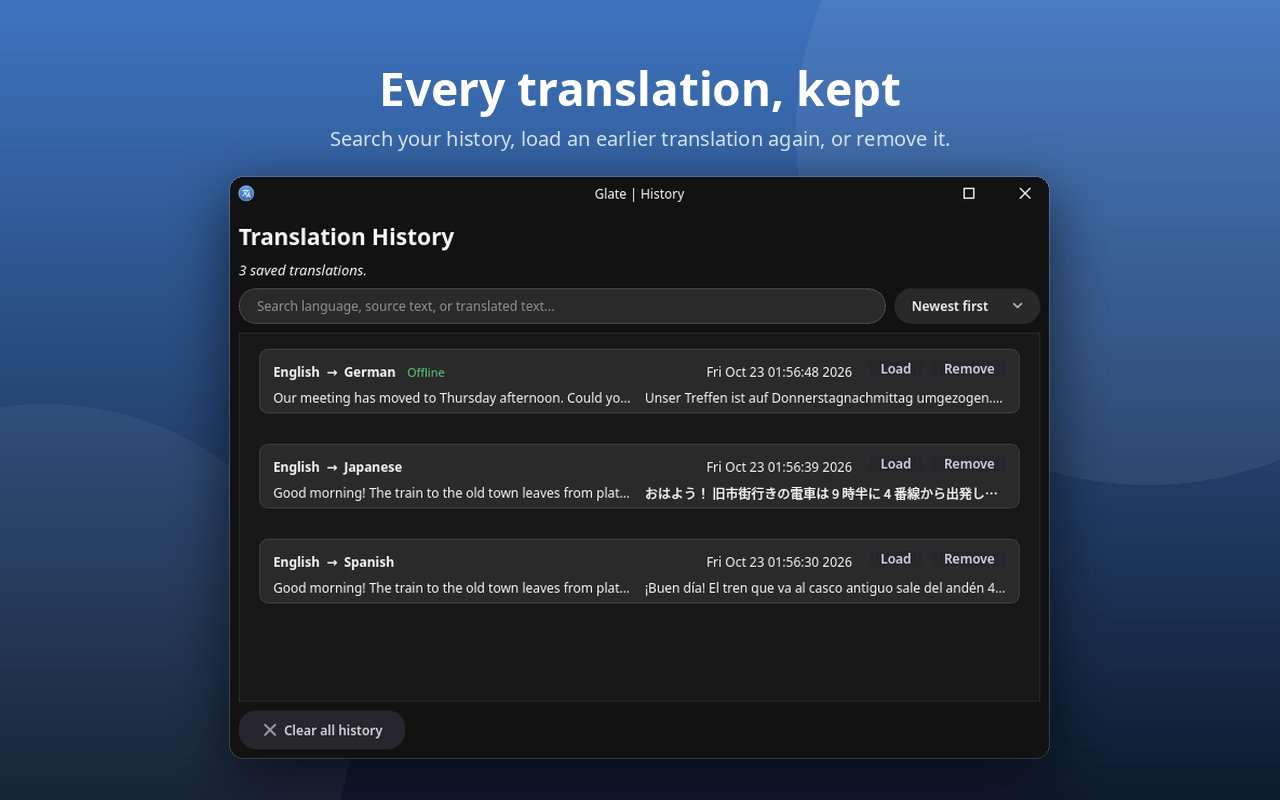
• Searchable translation history: load, copy or remove earlier translations
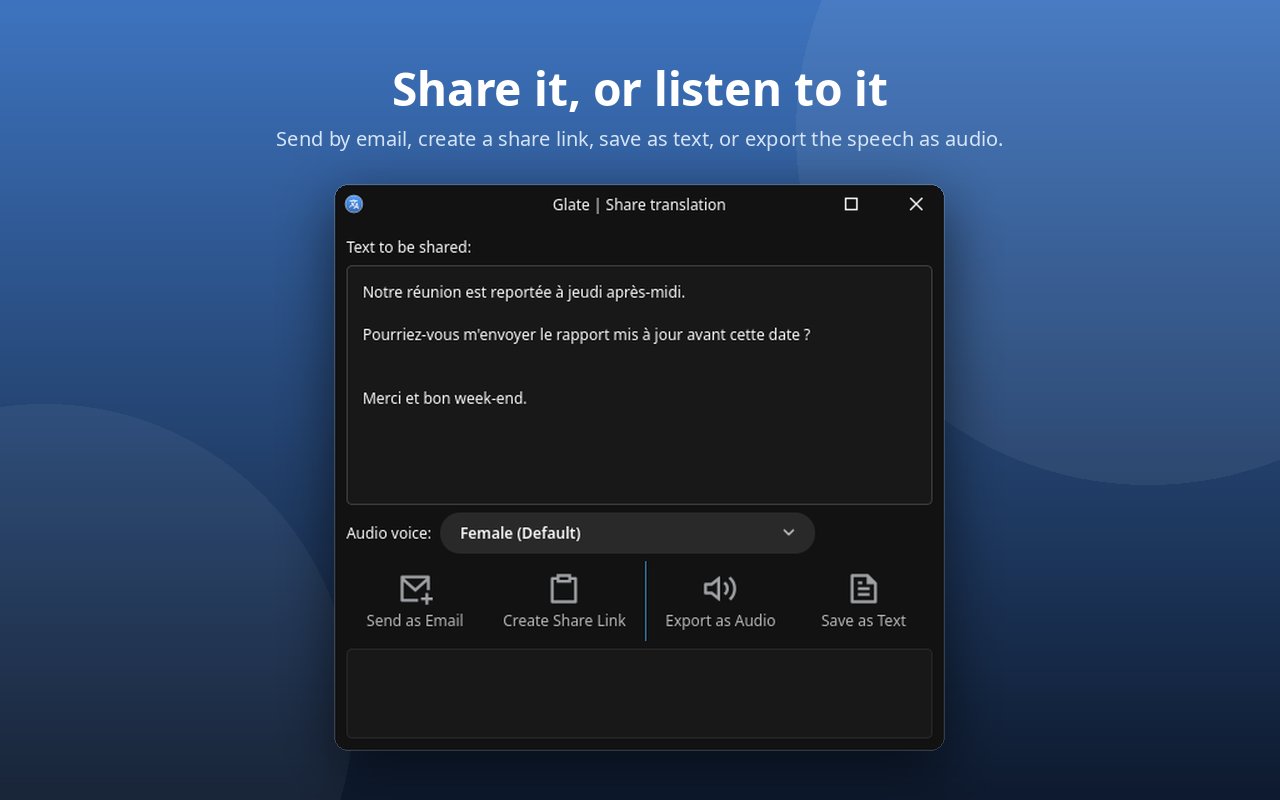
• Share a translation by email or a paste link, or save it as a text file
• Quick translate: select text in any app and translate it with a global keyboard shortcut
• Stays in the system tray, with a choice between quitting and minimizing to the tray on close
• Light and dark appearance that follows the system, Fusion and Fusion 2 themes, and your own
accent colour
• A short welcome for new users, keyboard shortcuts and What's new in the Help menu
• Report a bug from the app, with the system details filled in for you
• Interface in English, German, French, Brazilian Portuguese and Italian
License: GPL-3.0-or-later AND LicenseRef-proprietary=[link removed]…
languages online through Google Translate, or use offline translation on your own computer, then
listen to the result read aloud.
Offline mode uses Mozilla's Firefox translation models: download a language once and translate
without internet, privately, because your text never leaves your device. No model ships with the
app, so you only download the languages you need.
Features:
• Translate text between 100+ languages, with automatic language detection
• Offline translation for nearly 60 languages with Mozilla's Firefox translation models, downloaded
on demand (Pro)
• An offline indicator shows when offline mode is on and which results were translated on your
computer
• Text to speech: read the text or its translation aloud, or only the part you select, with
a choice of voice
• Export speech to MP3, WAV, FLAC or AAC audio, with bitrate, sample rate and volume options
• Line-by-line translation view to check long text sentence by sentence, with copy and read
aloud for each line
• Searchable translation history: load, copy or remove earlier translations
• Share a translation by email or a paste link, or save it as a text file
• Quick translate: select text in any app and translate it with a global keyboard shortcut
• Stays in the system tray, with a choice between quitting and minimizing to the tray on close
• Light and dark appearance that follows the system, Fusion and Fusion 2 themes, and your own
accent colour
• A short welcome for new users, keyboard shortcuts and What's new in the Help menu
• Report a bug from the app, with the system details filled in for you
• Interface in English, German, French, Brazilian Portuguese and Italian
License: GPL-3.0-or-later AND LicenseRef-proprietary=[link removed]…
| Release info | Update on Nov 03, 2026 |
|---|---|
| Release notes | A fresh look, a clearer Settings window and a few fixes. • New icons and colours that look right in both the light and the dark theme. • Settings is reorganised into Translation, Quick Translate, Appearance and General. Choose light, dark or follow your system. • When Google limits requests, Pro and evaluation users get the translation on their computer instead, if that language pair is downloaded. Everyone else sees a clear message instead of a connection error. • Shift+Enter starts one translation, not several, and the Translate button shows its shortcut. • Line by line skips empty lines. • A clearer comparison of the Free, Evaluation and Pro plans. • A roomier About window, which also suggests other apps by the same developer. |
| Related tags | translator translate tts |
| Listing data | Flathub |
Reviews
No reviews yet. Be the first to review Glate.
Used Glate? Tell other visitors what you thought.
Log in to write a reviewOther products by this publisher
- "No Distractions" for YouTube 4.10 ----
- #Bible 11.6 "Incredible App - My sister shared this app with me a few weeks ago and it is truly incredible.
- #filmphotography 1.4.2 So, you decided to shoot on film?
- $quirrel 1.5.1 $quirrel Budget & Finance helps you plan each paycheck, track spending, manage debt, and see what is safe to spend before the next payday.
- % Percentage Calculator Pro 1.41 This is the Pro version of % Percentage Calculator.
Most viewed Linux Office
-
1
 Scrolex 0.13.1
Read PDFs and ebooks horizontally
-
2
 WPS 365 12.1.2.29183_807310
WPS 365 Suite
-
3
 Scribe 0.3.50
Markdown editor with live rendering
-
4
 Foliate 3.3.0
Read e-books in style
-
5
 Feishu 7.72.23
A collaboration platform
-
6
 Super Productivity v20.0.0
To-do list and time tracker
-
7
 Adobe Reader 9.5.5
PDF viewer
-
8
 Actual Budget 26.11.0
Your Finances made simple
-
9
 Quick Lookup 2.1.2
Look up words quickly
-
10
 Blockstream 3.6.1
A simple and secure Bitcoin and Liquid Network wallet
Most downloaded Linux Office
- 1 sleek 2.1.1 todo manager based on the todo.txt syntax for Linux, free and open-source (FOSS)
- 2 Textosaurus 0.9.13 Simple cross-platform text editor based on Qt and QScintilla
-
3
 Fingrom 7.3.2
Platform-agnostic financial accounting application for personal finance management
-
4
 TreeSheets 2.23.10
Free Form Data Organizer
-
5
Scribe 0.3.50
Markdown editor with live rendering
-
6
 Nottodbox 0.2.3
Organize notes, to-dos and diaries
-
7
 Skribisto 3.3.1
Plan, write, manage your novels
-
8
 Invoice Ninja 5.1.24
Invoices, payments and expenses
-
9
 Linwood Butterfly 2.6.2
Infinite-canvas notes and sketches
-
10
 OpenDeck 2.14.2
Use stream controllers