FoxPDF DocX to PDF Converter 3.0.1
FoxPDF DocX to PDF Converter is easy but you need the right Word(DocX) to PDF conversion software. Word(DocX) to PDF converter is the best solution for converting Word(DocX) to PDF, docX to PDF, rtf to pdf, text to PDF, Jpg to PDF, Jpeg to PDF.
Product Specifications
| User Rating: | item has less then 1 vote |
|
| FileCart Rating | Not yet Rated | |
| Submitted by: | FoxPDF | |
| License | Shareware | |
| Expires | 30 Days | |
| Price | $19.95 | |
| Downloads | 301 | |
| OS Support | Windows Install and Uninstall | |
| File Size | 13.83 MB ( 14,161 KB ) | |
| Published | Jul 31, 2012 (14 years ago) | |
| Updated | Aug 01, 2013 (13 years ago) | |
Latest Searches
aagag 10 minutes ago
Minrage pinto 10 minutes ago
showSpark 11 minutes ago
Eva narber 12 minutes ago
flying leads 13 minutes ago
chewata awaqi 13 minutes ago
Township Road 162 stavely alberta 15 minutes ago
plan de pagos de multas de transito 15 minutes ago
Project TV watch series 15 minutes ago
Popular Searches
id cards 602 times
2025 418 times
2024 385 times
Softperfect 317 times
Database Workbench Pro 258 times
TeraByte Drive Image Backup and Restore 255 times
Elcomsoft Phone Breaker 251 times
Elcomsoft Phone Viewer 232 times
SAM Broadcaster Cloud 223 times
Product Details
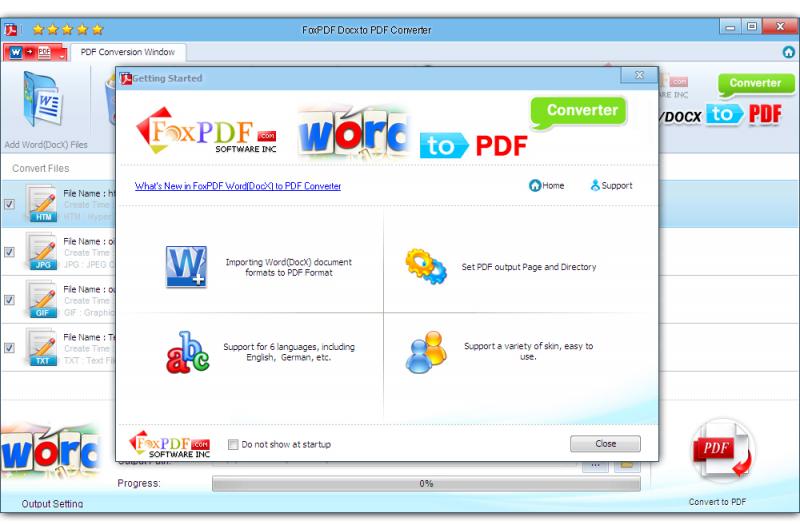
1): Easy and Suppot Word DocX Format!
Word(DocX) to PDF Converter is easy to use. Just click the button to canvert your PDF.
2): Preserve hyperlinks in Word(DocX) to PDF conversion
Most PDF conversion utilities lose your hyperlinks during the conversion. After conversion, you end up with blue underlined text, but it is not clickable.
FoxPDF DocX to PDF Converter preserves your links and keeps them working in the resulting PDF file. Whether they point to a web page, or internal links to a target cell in the sheet.
Word(DocX) to PDF converter key features
. Convert Microsoft Word(DocX) files into PDF documents;
. Batch Word(DocX) to PDF conversion - convert multiple documents at once;
. Convert all the pages, or partial pages of Word(DocX) documents to PDF file.
. Standalone software, MS Word(DocX), Adobe Acrobat and Reader NOT required!
. Support RTF, Txt to PDF conversion - convert multiple documents at once;
. Word(DocX) to PDF Converter Support Convert in high speed.
. Support 2000/XP/2003/Vista/7/2008/8 etc. platforms;
. Support both 32bit and 64bit systems;
. Automatically resize Word(DocX) page to fit your required PDF page size;
. Accurately preserve text, pictures, and layout of the original Word(DocX);
| Requirements: | CPU - 350 Mhz |
| Release Info: | New Release on Jun 25, 2012 |
| Release Notes: | PDF Converter |
Reviews
You must be logged in to write a review
Reviews of FoxPDF DocX to PDF Converter 3.0.1
You can be the first to write a review of FoxPDF DocX to PDF Converter!