DSU Sideloader 2.03
Easily install GSIs using Android's DSU feature
Download
4.89 MB
15downloads
6this week
FreeFreeware
0reviews
Screenshots
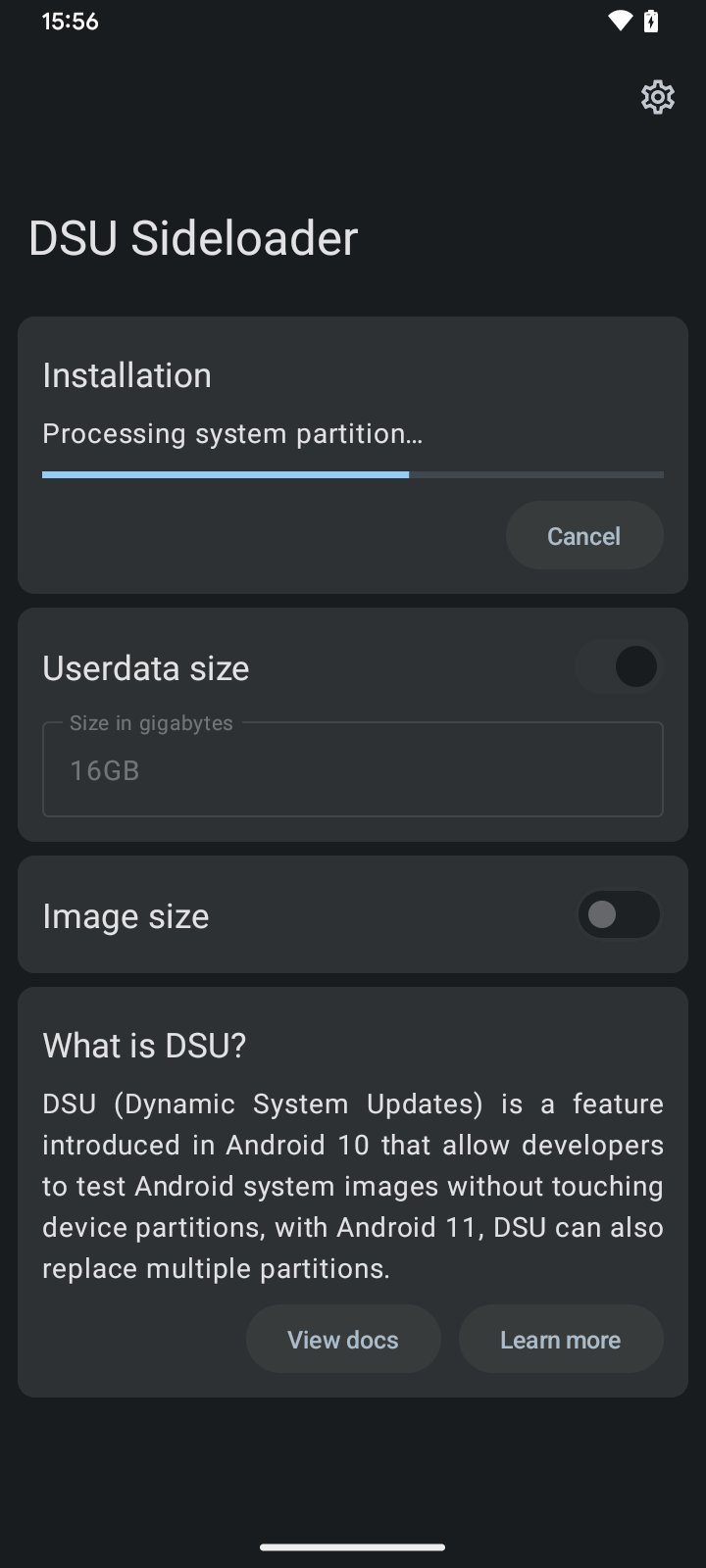
About DSU Sideloader
DSU Sideloader is basically a "front-end" for Android's DSU feature.
• Android 10 or higher
• Unlocked Bootloader
• Device with Dynamic Partitions
• GSI you want to use!
For those who don't know, explaining in a really quick and simplified way, DSU (Dynamic System Updates), is a feature introduced on Android 10, that let developers boot GSIs without touching current system partition, this is done by creating new partitions to hold a GSI and a separated userdata, to boot on them when desired.
You must unlock device bootloader before using DSU, locked bootloader will only allow booting images from trusted signatures (which in reality, for most devices, means that it will only boot images signed by device OEM), for this reason, unlocked bootloader is a requirement, also, installing images with locked bootloader in some devices may be dangerous.
Once installation finishes, Android creates a persistent notification allowing you to boot into "Dynamic System" (GSI installed via DSU), and you can boot into installed GSI, without touching your system partition, or breaking the "real userdata" partition.
After booting Dynamic System, you can try and test whatever you want, when you need to switch back to device's original system image, everything you need to do, is just, a simple reboot!
You can read more about DSU Sideloader and DSU feature here: GitHub README.md
License: Apache-2.0
• Android 10 or higher
• Unlocked Bootloader
• Device with Dynamic Partitions
• GSI you want to use!
For those who don't know, explaining in a really quick and simplified way, DSU (Dynamic System Updates), is a feature introduced on Android 10, that let developers boot GSIs without touching current system partition, this is done by creating new partitions to hold a GSI and a separated userdata, to boot on them when desired.
You must unlock device bootloader before using DSU, locked bootloader will only allow booting images from trusted signatures (which in reality, for most devices, means that it will only boot images signed by device OEM), for this reason, unlocked bootloader is a requirement, also, installing images with locked bootloader in some devices may be dangerous.
Once installation finishes, Android creates a persistent notification allowing you to boot into "Dynamic System" (GSI installed via DSU), and you can boot into installed GSI, without touching your system partition, or breaking the "real userdata" partition.
After booting Dynamic System, you can try and test whatever you want, when you need to switch back to device's original system image, everything you need to do, is just, a simple reboot!
You can read more about DSU Sideloader and DSU feature here: GitHub README.md
License: Apache-2.0
| Release info | New Release on Jul 10, 2023 |
|---|---|
| Listing data | F-Droid |
Reviews
No reviews yet. Be the first to review DSU Sideloader.
Used DSU Sideloader? Tell other visitors what you thought.
Log in to write a reviewOther products by this publisher
- "No Distractions" for YouTube 4.10 ----
- #Bible 11.6 "Incredible App - My sister shared this app with me a few weeks ago and it is truly incredible.
- #filmphotography 1.4.2 So, you decided to shoot on film?
- $quirrel 1.5.1 $quirrel Budget & Finance helps you plan each paycheck, track spending, manage debt, and see what is safe to spend before the next payday.
- % Percentage Calculator Pro 1.41 This is the Pro version of % Percentage Calculator.
Most viewed Android System
-
1
 Work Profile VPN Switcher 1.2.1
Automatically manage work profile when VPN connects or disconnects
-
2
 GrayPause 1.5
Keep your phone in grayscale, take short color breaks that end by themselves
- 3 LibChecker 2.5.5.1 View the third-party libraries used by applications
- 4 Contacts 4 Contacts Organised by Group
- 5 Sift 1.0.7 A minimalist recipe keeper.
-
6
 SDK Monitor 2.1
Display and monitor the targetSDK from installed apps
- 7 MAXS Module Ringermode 0.5.19 A Module for MAXS
- 8 TouchDroid 2.0.1 Use your Android Device as Touchpad.
- 9 Coffee 2.27 Keep display awake
- 10 Ril Control 1.0 Control the RIL-daemon process
Most downloaded Android System
-
1
 openCook 0.4
Recipe manager to scan cookbook photos, plan your week and share the list
-
2
 Restoid 0.8.0
Root-based Android app backup tool powered by restic
- 3 Discord Timestamp Inserter 1.0.2 Input method for quickly inserting Discord timestamps
-
4
 Sapio 2.10.0
Android apps that respect you!
-
5
Work Profile VPN Switcher 1.2.1
Automatically manage work profile when VPN connects or disconnects
-
6
 StudFinder - Stud Finder for Android 17
Find wall studs with your Android's built-in magnetometer. Free, no ads.
- 7 DBZ Battery Widget 1.7 View your battery status with your favorite DBZ character
- 8 Keep Screen On 1.29.1 A screen timeout quick settings tile
-
9
 Tideo Auto Brightness 1.15.2
A glass-box replacement for Android's adaptive brightness
-
10
 Middor 0.2.0
Mirror applications for HUD display with horizontal flip.