
GrayPause 1.5
Keep your phone in grayscale, take short color breaks that end by themselves
Download
0.05 MB · com.lpw.graypause_6.apk
0downloads
0this week
FreeFreeware
0reviews
Screenshots
About GrayPause
Grayscale makes a phone much less tempting to pick up. The hard part is the moment you need color for a minute — a photo, a map, a chart — and then forget to turn grayscale back on.
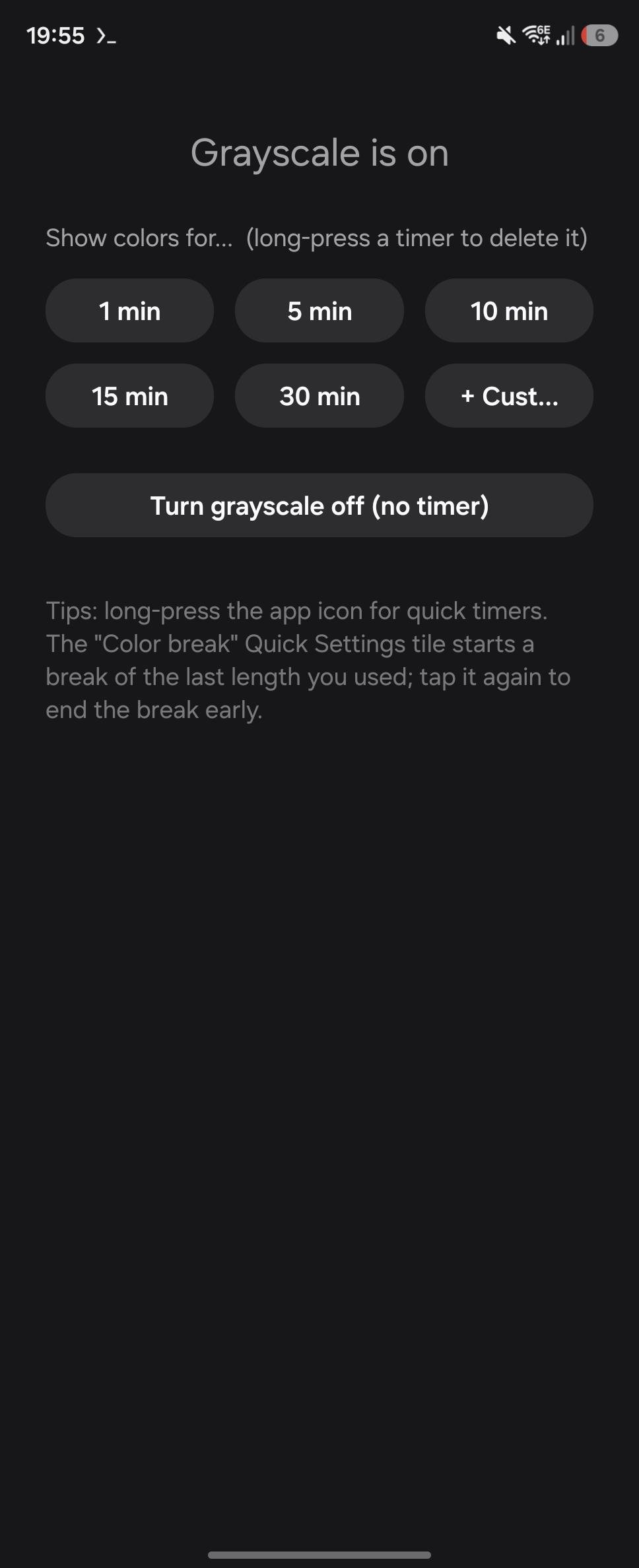
GrayPause gives you color breaks: grayscale switches off for the time you choose and comes back on by itself.
• One-tap timers — 1, 5, 10, 15, 30 min by default. Add your own with hours, minutes and seconds; delete any of them.
• Quick Settings tile — starts a break of the last length you used; tap again to end it early.
• App shortcuts — long-press the launcher icon to start a timer without opening the app.
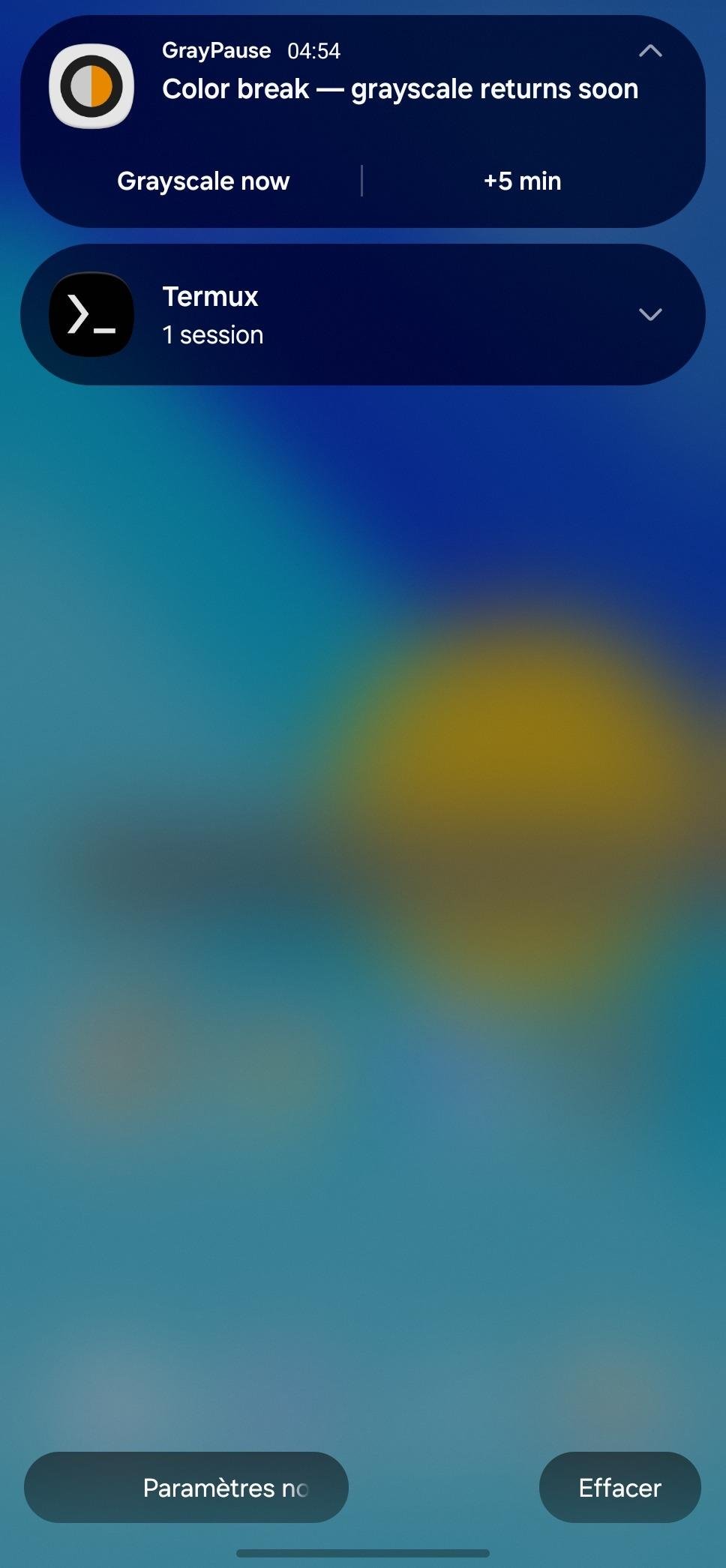
• Countdown notification with "Grayscale now" and "+5 min" buttons.
• Color apps (optional) — pick apps such as your gallery or camera that are always shown in color. Grayscale switches off while one of them is open and back on when you leave it.
• Survives reboots: a running break is resumed, or grayscale restored if the time is up.
One-time setup. Android only lets system apps switch grayscale, so GrayPause needs the WRITE_SECURE_SETTINGS permission. It cannot be granted from Settings, only once, either:
• with Shizuku running: tap "Grant with Shizuku" in the app, or
• over adb: adb shell pm grant com.lpw.graypause android.permission.WRITE_SECURE_SETTINGS
The permission is kept across reboots and updates; Shizuku is not needed afterwards.
Accessibility service. The optional "Color apps" feature uses an accessibility service only to learn which app is in the foreground. It does not read screen content, and nothing leaves your device: GrayPause has no internet permission.
License: GPL-3.0-or-later
GrayPause gives you color breaks: grayscale switches off for the time you choose and comes back on by itself.
• One-tap timers — 1, 5, 10, 15, 30 min by default. Add your own with hours, minutes and seconds; delete any of them.
• Quick Settings tile — starts a break of the last length you used; tap again to end it early.
• App shortcuts — long-press the launcher icon to start a timer without opening the app.
• Countdown notification with "Grayscale now" and "+5 min" buttons.
• Color apps (optional) — pick apps such as your gallery or camera that are always shown in color. Grayscale switches off while one of them is open and back on when you leave it.
• Survives reboots: a running break is resumed, or grayscale restored if the time is up.
One-time setup. Android only lets system apps switch grayscale, so GrayPause needs the WRITE_SECURE_SETTINGS permission. It cannot be granted from Settings, only once, either:
• with Shizuku running: tap "Grant with Shizuku" in the app, or
• over adb: adb shell pm grant com.lpw.graypause android.permission.WRITE_SECURE_SETTINGS
The permission is kept across reboots and updates; Shizuku is not needed afterwards.
Accessibility service. The optional "Color apps" feature uses an accessibility service only to learn which app is in the foreground. It does not read screen content, and nothing leaves your device: GrayPause has no internet permission.
License: GPL-3.0-or-later
| Release info | New Release on Oct 15, 2026 |
|---|---|
| Release notes | Smaller APK: release builds are now shrunk and optimized with R8. |
| Listing data | F-Droid |
Reviews
No reviews yet. Be the first to review GrayPause.
Used GrayPause? Tell other visitors what you thought.
Log in to write a reviewOther products by this publisher
- #Bible 11.5 "Incredible App - My sister shared this app with me a few weeks ago and it is truly incredible.
- % Percentage Calculator Pro 1.41 This is the Pro version of % Percentage Calculator.
- (beat) for iOS 0.5.8 An elegant Fountain screenwriting app, created by a screenwriter for screenwriters.
- (Deep) HIARCS Chess Explorer 1.14 Chess database, analysis and game playing program
- (How to) Pronounce PRO 1.5.6 This is a PRO version of (How to) Pronounce.
Most viewed Android System
- 1 LibChecker 2.5.4.5696014 View the third-party libraries used by applications
- 2 Ril Control 1.0 Control the RIL-daemon process
- 3 Coffee 2.27 Keep display awake
- 4 Sift 1.0.7 A minimalist recipe keeper.
- 5 DBZ Battery Widget 1.7 View your battery status with your favorite DBZ character
- 6 Contacts 4 Contacts Organised by Group
- 7 Easy Open Link 1.5.11 Open links without cumbersome copy & paste!
- 8 SDK Monitor 2.0.2 Display and monitor the targetSDK from installed apps
- 9 Connect You 12.0 Privacy focused contacts and SMS messenger app build with MD3
- 10 TouchDroid 2.0.1 Use your Android Device as Touchpad.
Most downloaded Android System
- 1 OnePlus Laser Tool 1.0.4 Professional laser rangefinder for OnePlus devices with Laser AF hardware.
- 2 DBZ Battery Widget 1.7 View your battery status with your favorite DBZ character
- 3 MAXS Module Clipboard 0.5.19 A Module for MAXS
- 4 LibChecker 2.5.4.5696014 View the third-party libraries used by applications
- 5 MAXS Module Misc 0.5.19 A Module for MAXS
- 6 Battery Monitor 1.7.3 Monitor your device's battery status in detail in real time
- 7 Connect You 12.0 Privacy focused contacts and SMS messenger app build with MD3
- 8 Coffee 2.27 Keep display awake
- 9 MAXS Module FileWrite 0.5.19 A Module for MAXS
- 10 MAXS Module PhonestateRead 0.5.19 A Module for MAXS