Droynis 0.17.0
Read-only security and privacy audit for your phone
Download
1.86 MB · droynis-0.17.0.apk
32downloads
14this week
FreeFreeware
0reviews
Screenshots
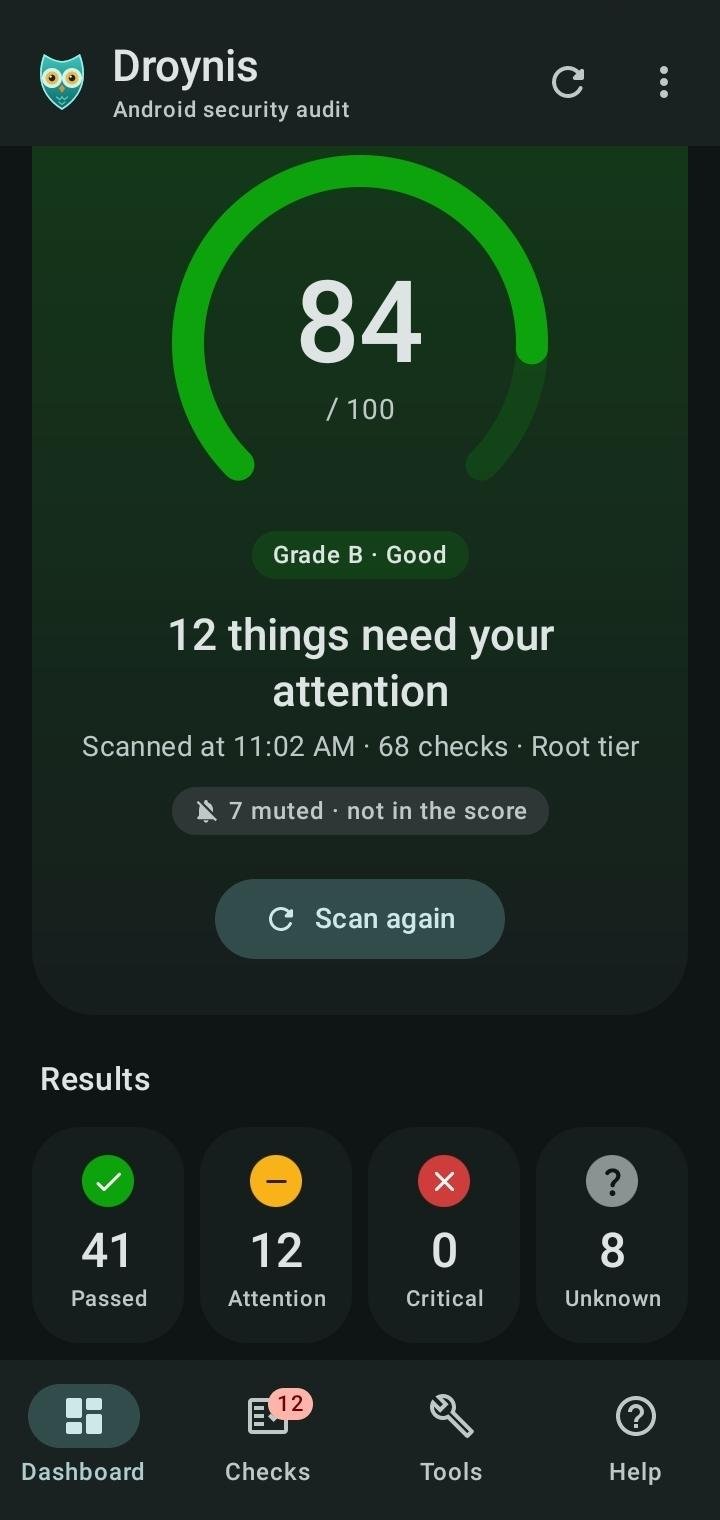
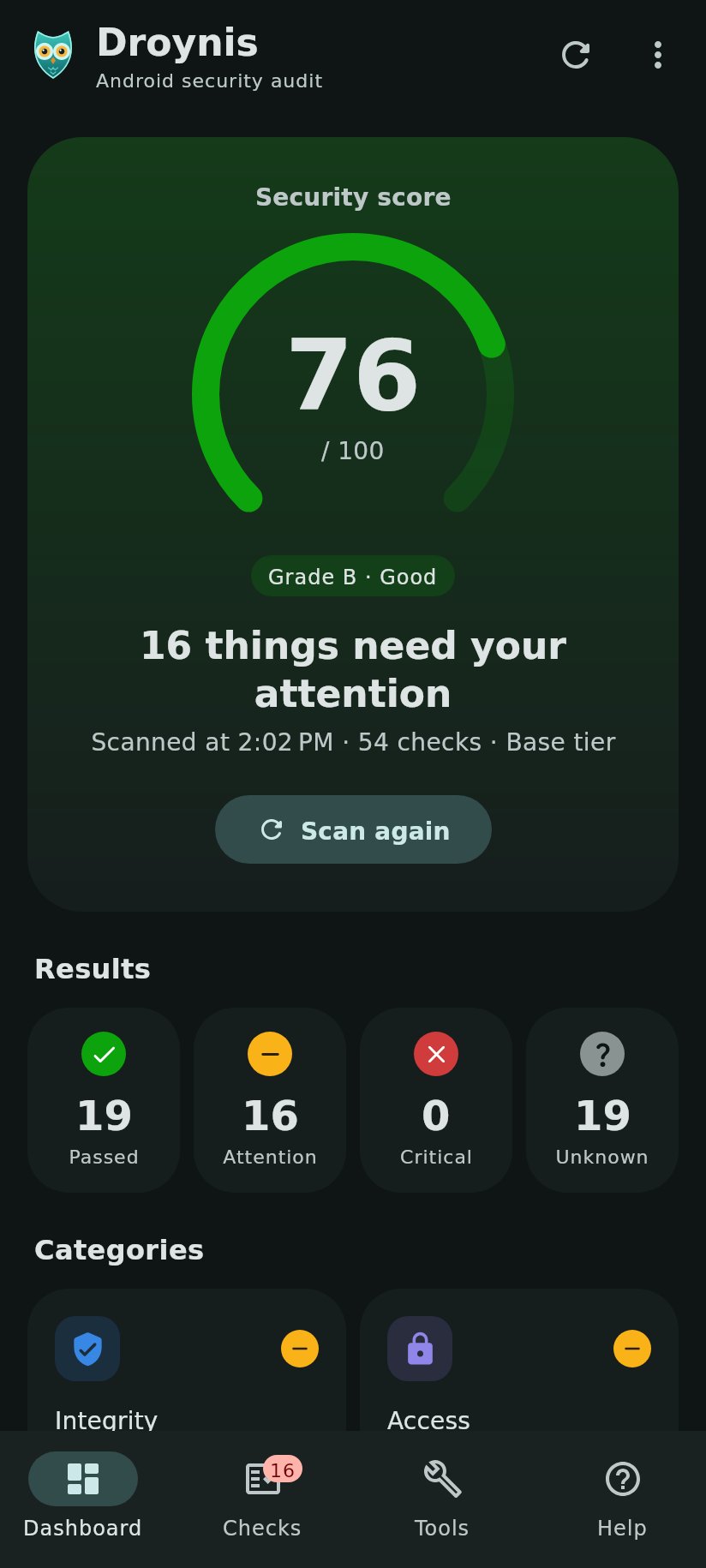
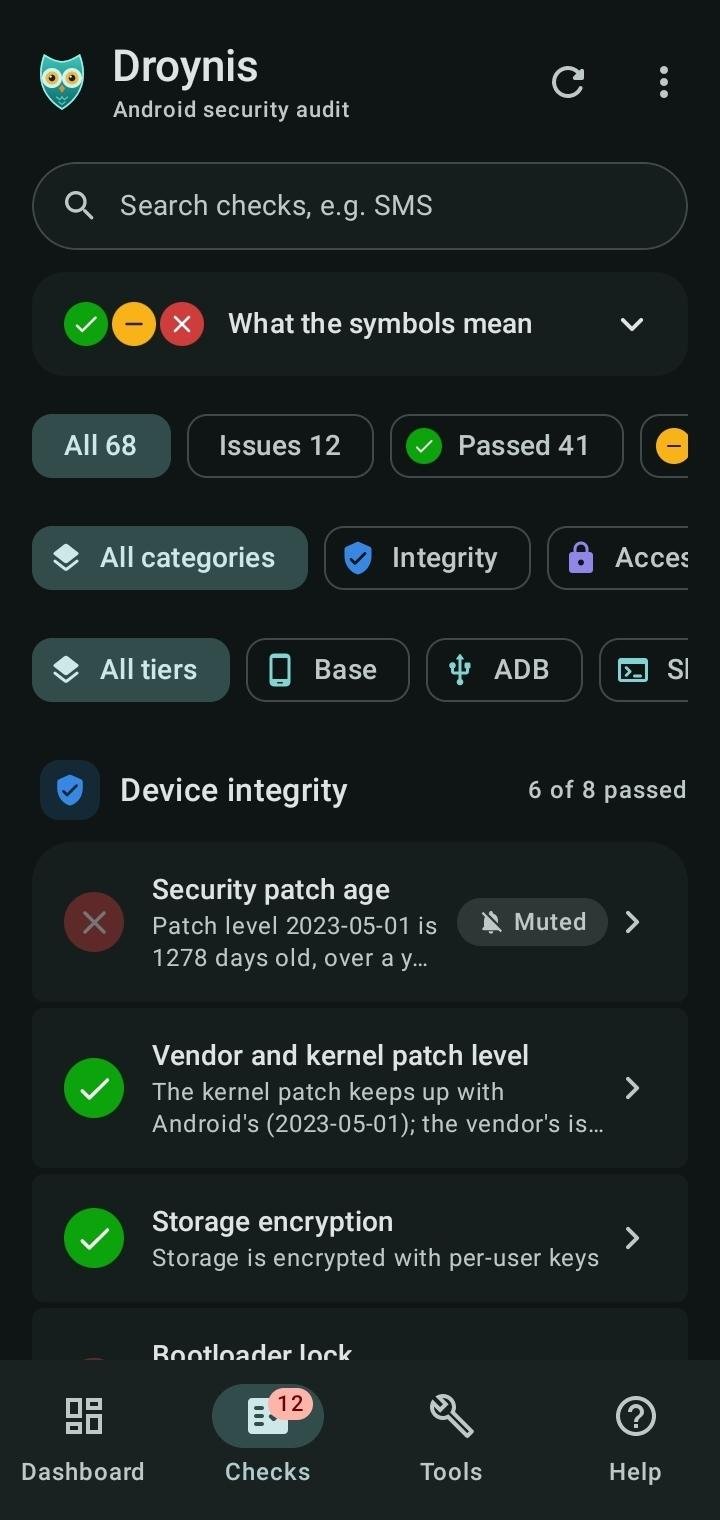
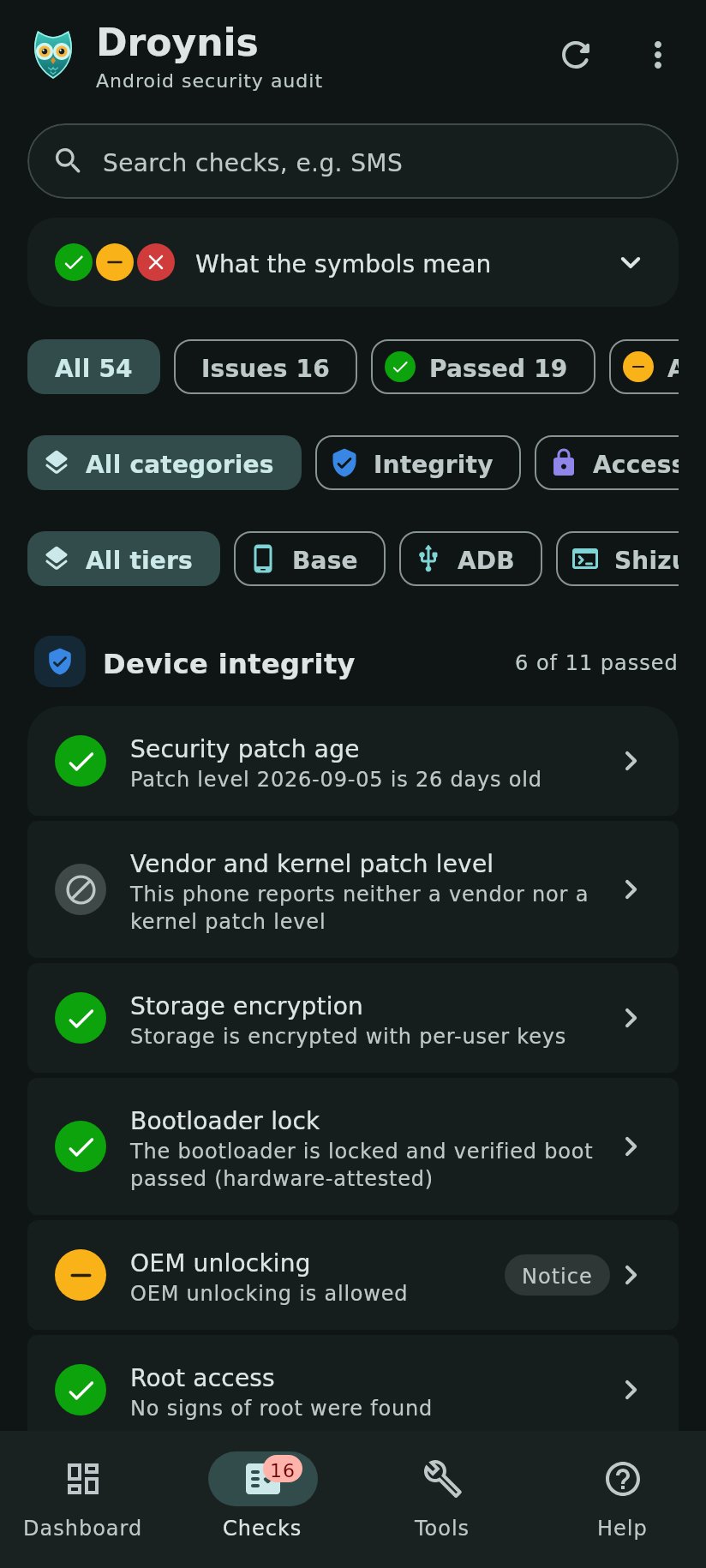
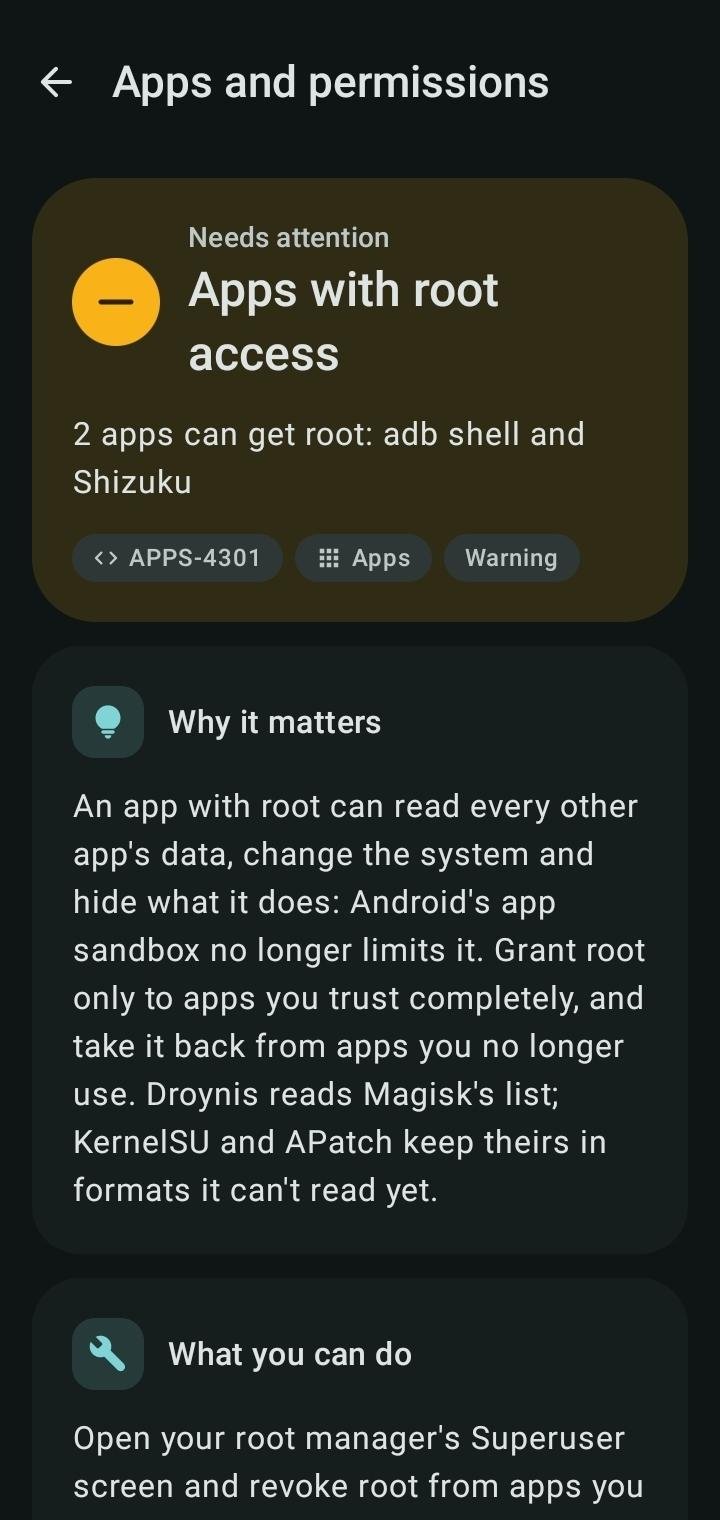
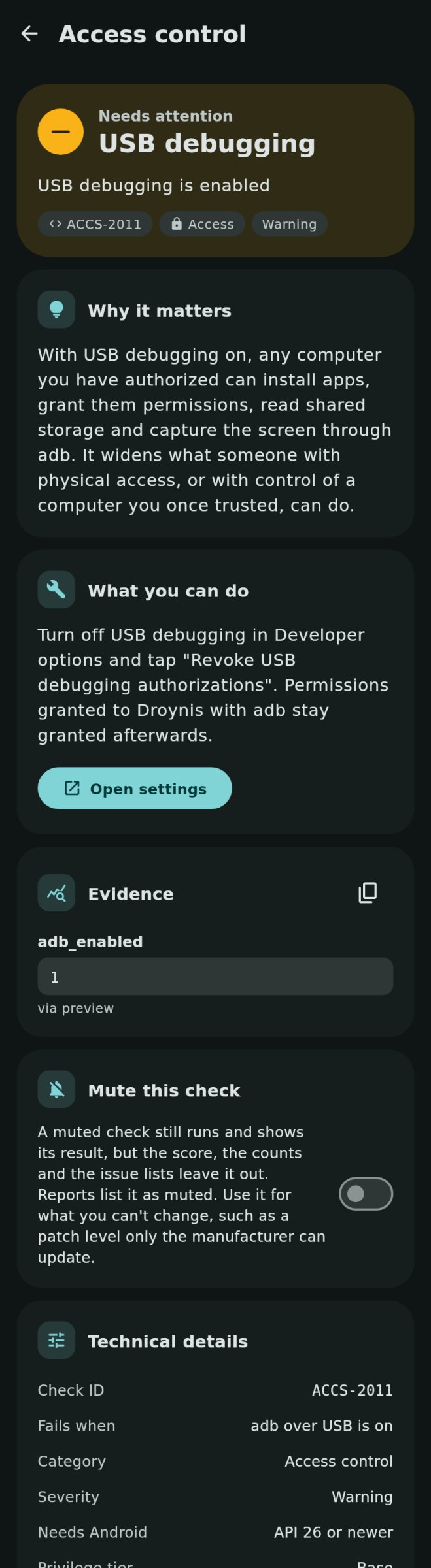
About Droynis
Droynis checks the security and privacy settings of the phone it runs on, explains every finding in plain words, shows the raw evidence and opens the Settings screen that fixes it. It never changes anything itself.
Droynis is not an antivirus or malware scanner: it audits how the phone is set up and looks for signs that adware leaves, not for malicious code.
What it checks
• Device integrity: security patch age, vendor and kernel patches, encryption, bootloader lock, root, SELinux, WebView updates, time since restart, storage space
• Access control: screen lock and its strength, biometric unlock strength, lock delay, remote lock and erase, USB and wireless debugging and their authorization timeout, Smart Lock, SIM PIN, device controls on the lock screen
• Apps and permissions: accessibility services, device admins, notification access, SMS and call log access, location all the time, autofill and assistant apps, passkey and password providers, apps with Shizuku access, clipboard access alerts, sideloaded and debuggable apps, special app access, apps that skip battery optimization, Google Play services
• Suspicious apps: apps that hide from the app drawer (turned-off icon, blank name, transparent icon), hidden apps set up to run in the background, running in the background or showing screens of their own, camera, microphone, location, SMS, call log and contacts use from the background, apps that record the screen without asking, apps installed by another app, banking-trojan permissions, and apps signed with a debug or test key
• Network and radios: Private DNS, VPN, Wi-Fi security and MAC randomization, open Wi-Fi networks that join automatically, hidden Wi-Fi networks, hotspot security, HTTP proxies, user and added system certificates, 2G, mobile network encryption, Bluetooth, NFC and Secure NFC, location
Four tiers
Most checks need no setup. Two read-only adb grants, Shizuku or root unlock the rest; privileged tiers run only a fixed list of read-only commands.
Honest results
A check passes only on a value it actually read. When Android won't say, the result is Unknown, never Passed. A score from 0 to 100 sums it up; checks you can't fix can be muted.
Private by design
No internet permission, no Google Play Services, no analytics. Reports (Markdown or JSON) leave out IP addresses, DNS and proxy servers and trusted computers by default.
Droynis is not affiliated with Lynis or CISOfy.
License: GPL-3.0-or-later
Droynis is not an antivirus or malware scanner: it audits how the phone is set up and looks for signs that adware leaves, not for malicious code.
What it checks
• Device integrity: security patch age, vendor and kernel patches, encryption, bootloader lock, root, SELinux, WebView updates, time since restart, storage space
• Access control: screen lock and its strength, biometric unlock strength, lock delay, remote lock and erase, USB and wireless debugging and their authorization timeout, Smart Lock, SIM PIN, device controls on the lock screen
• Apps and permissions: accessibility services, device admins, notification access, SMS and call log access, location all the time, autofill and assistant apps, passkey and password providers, apps with Shizuku access, clipboard access alerts, sideloaded and debuggable apps, special app access, apps that skip battery optimization, Google Play services
• Suspicious apps: apps that hide from the app drawer (turned-off icon, blank name, transparent icon), hidden apps set up to run in the background, running in the background or showing screens of their own, camera, microphone, location, SMS, call log and contacts use from the background, apps that record the screen without asking, apps installed by another app, banking-trojan permissions, and apps signed with a debug or test key
• Network and radios: Private DNS, VPN, Wi-Fi security and MAC randomization, open Wi-Fi networks that join automatically, hidden Wi-Fi networks, hotspot security, HTTP proxies, user and added system certificates, 2G, mobile network encryption, Bluetooth, NFC and Secure NFC, location
Four tiers
Most checks need no setup. Two read-only adb grants, Shizuku or root unlock the rest; privileged tiers run only a fixed list of read-only commands.
Honest results
A check passes only on a value it actually read. When Android won't say, the result is Unknown, never Passed. A score from 0 to 100 sums it up; checks you can't fix can be muted.
Private by design
No internet permission, no Google Play Services, no analytics. Reports (Markdown or JSON) leave out IP addresses, DNS and proxy servers and trusted computers by default.
Droynis is not affiliated with Lynis or CISOfy.
License: GPL-3.0-or-later
| Release info | Update on Nov 10, 2026 |
|---|---|
| Release notes | Scheduled scans: Droynis can scan about once a day or once a week in the background and notify you of what got worse, got fixed or couldn't run. Off by default; notifications are optional and show only "Scan finished" on the lock screen. The card warns when Android holds scans back. Two new permissions, used only for this: notifications and keeping the schedule after a reboot. Still no internet access. Tools is now two tabs: Device and Reports. New language: Traditional Chinese (zh-TW), thanks @abc0922001. On Android 13+ you can choose the app’s language in system settings. Signing certificate SHA-256: 3604c5d2464cf53614df4ab944d1d5e1150e6144de49340b05953e23c67f0caa Verify the download: sha256sum -c droynis-0.17.0.apk.sha256, and that GitHub built it from this tag: gh attestation verify droynis-0.17.0.apk --repo capitan0n/droynis. |
| Listing data | F-Droid |
Reviews
No reviews yet. Be the first to review Droynis.
Used Droynis? Tell other visitors what you thought.
Log in to write a reviewOther products by this publisher
- "No Distractions" for YouTube 4.10 ----
- #Bible 11.6 "Incredible App - My sister shared this app with me a few weeks ago and it is truly incredible.
- #filmphotography 1.4.2 So, you decided to shoot on film?
- $quirrel 1.5.1 $quirrel Budget & Finance helps you plan each paycheck, track spending, manage debt, and see what is safe to spend before the next payday.
- % Percentage Calculator Pro 1.41 This is the Pro version of % Percentage Calculator.
Most viewed Android Security & Privacy
- 1 OTG Master 0.5.1 Mount VeraCrypt, LUKS, BitLocker and APFS USB drives on non-rooted Android
- 2 Vault Explorer 1.50.0 Encrypted container explorer: VeraCrypt, LUKS, BitLocker, Cryptomator, gocryptfs
-
3
 Passchain 1.1.2-rc2
Use security key with Bluetooth, NFC, USB or your phone secure element
-
4
 ICdetection 3.1.8
Offline cellular anomaly auditor and radio monitor for Android
- 5 CimBar Scanner 0.13.0 Send and receive files and text as animated color barcodes — offline
-
6
 Arcanum 1.7.0
Encrypted container manager compatible with VeraCrypt
-
7
 Pass 0.4.7
Private tools: deterministic passwords, 2FA codes, calculator and clock.
- 8 KeePassVault 2.1.0 Client app for KeePass databases
-
9
 PaperCript 1.3.5
Encrypted passwords on printable QR cards. No network, stores nothing.
- 10 Sidestep 1.2.7 Intercept URLs, remove tracking, and redirect to privacy-friendly frontends.
Most downloaded Android Security & Privacy
- 1 Flauth 1.2.0 Privacy-first, open-source TOTP authenticator for 2FA token management.
- 2 GPG Key Manager 2.0.0 GPG Tool for Android
- 3 HiddenProtectedWorkProfile 94.0 Hidden Profile owner Android security app.
- 4 DNS Toggle 3.1.0 Easily toggle and automate Private DNS through the Quick Settings panel.
- 5 EphemeralWorkProfile 63.0 Profile owner Android privacy app.
-
6
Arcanum 1.7.0
Encrypted container manager compatible with VeraCrypt
-
7
 Acutis Firewall 1.0.11
Parental control app that blocks adult content and dangerous sites on-device.
- 8 Zodl: Zcash Wallet 3.19.0-3234 The most private crypto wallet. Built for financial sovereignty.
-
9
 PassPony: Git Password Manager 2.1.0
Password manager for pass and passage stores, synced with git
- 10 Keep: FROST Nostr Signer 1.4.0 FROST threshold signer and Nostr event signer for Android