
0downloads
0this week
FreeFreeware
0reviews
Screenshots
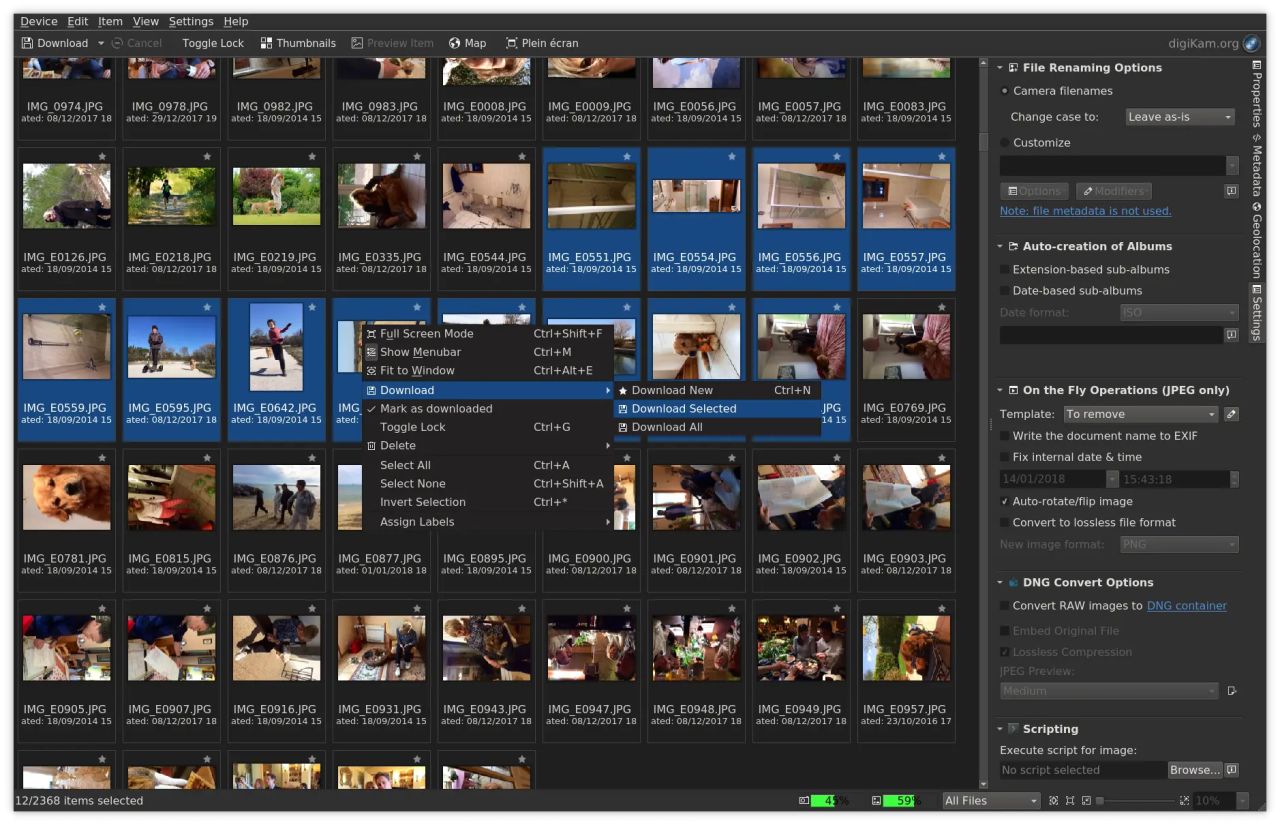
About digiKam
digiKam is an advanced open-source digital photo management application that runs on Linux, Windows, and MacOS.
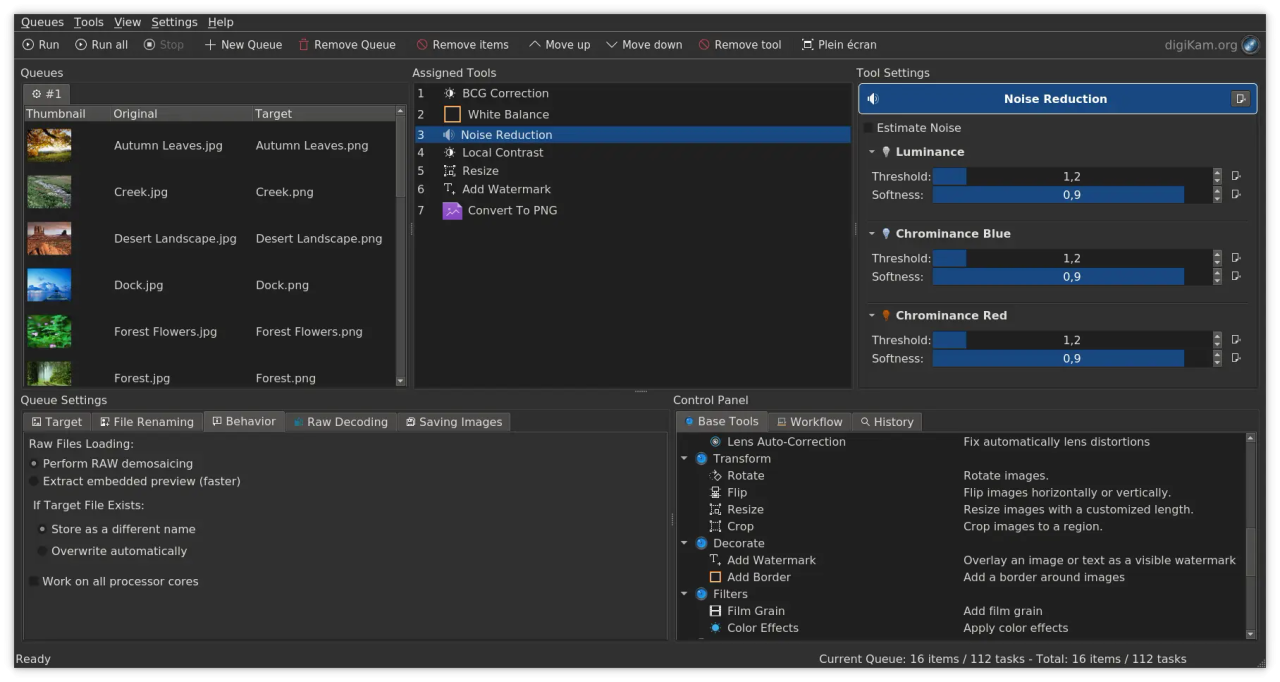
The application provides a comprehensive set of tools for importing, managing, editing, and sharing photos and raw files.
You can use digiKam’s import capabilities to easily transfer photos, raw files, and videos directly from your camera
and external storage devices (SD cards, USB disks, etc.). The application allows you to configure import settings and rules
that process and organize imported items on-the-fly.
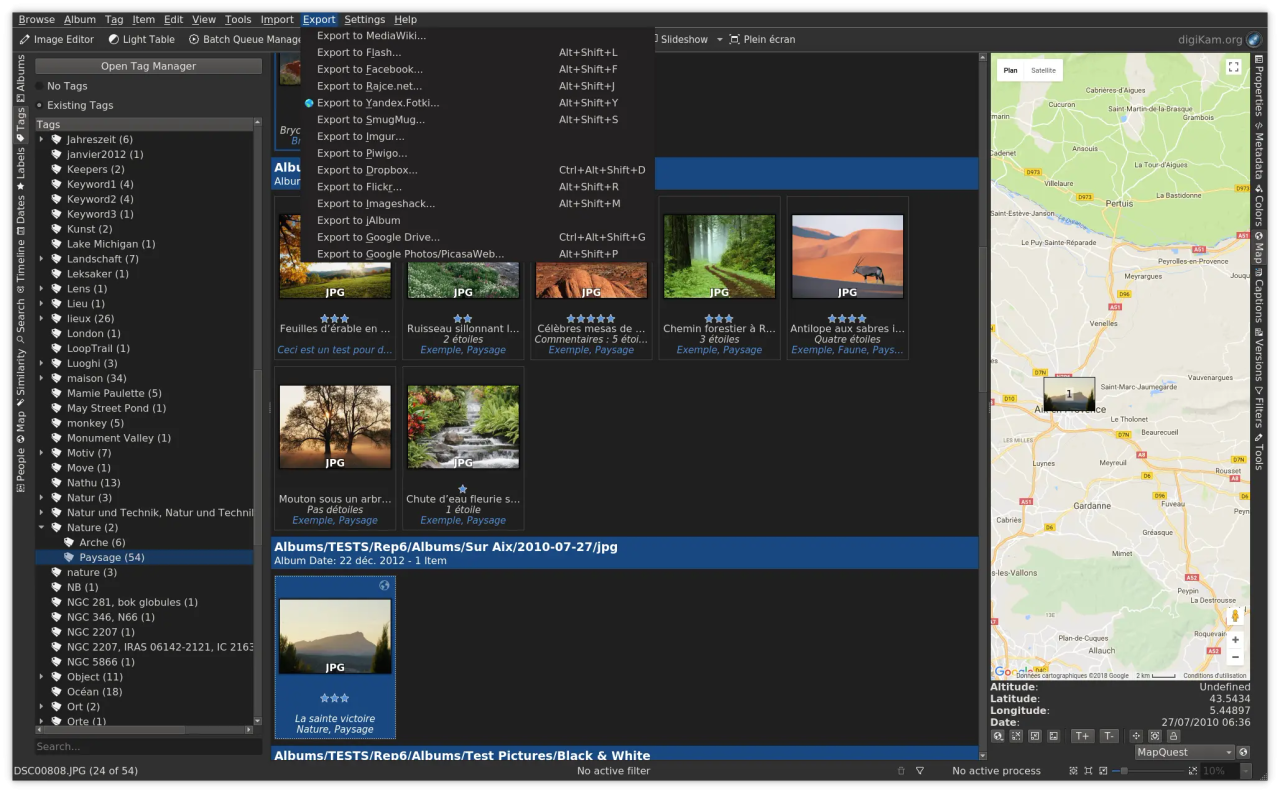
digiKam organizes photos, raw files, and videos into albums. But the application also features powerful tagging tools
that allow you to assign tags, ratings, and labels to photos and raw files. You can then use filtering functionality to quickly
find items that match specific criteria.
In addition to filtering functionality, digiKam features powerful searching capabilities that let you search the photo library
by a wide range of criteria. You can search photos by tags, labels, rating, data, location, and even specific EXIF, IPTC, or XMP metadata.
You can also combine several criteria for more advanced searches. digiKam rely on Exiv2 library and ExifTool to handle metadata tag contents
from files to populate the photo library.
digiKam can handle raw files, and the application uses the excellent LibRaw library for decoding raw files. The library is actively
maintained and regularly updated to include support for the latest camera models.
digiKam can also manage video files for cataloging purpose, and the application uses the FFmpeg backends to extract
metadata and play media.
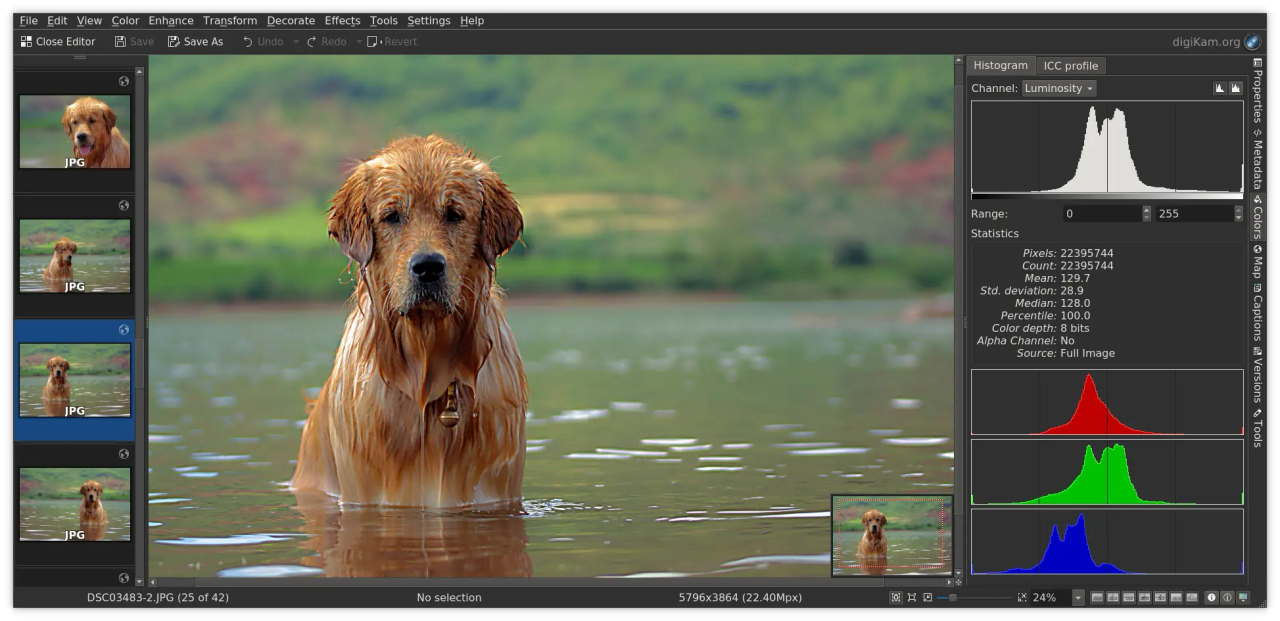
The application provides a comprehensive set of editing tools. This includes basic tools for adjusting colors, cropping, and sharpening
as well as advanced tools for, curves adjustment, panorama stitching, and much more. A special tool based on Lensfun library permit
to apply lens corrections automatically on images. The famous Gmic-Qt plugin is also available with more than 600 filters to extend your creativity.
All editing operations in digiKam are versioned.
Extended functionality in digiKam is implemented via a set of tools based of plugins mechanism (named DPlugins for digiKam Plugins).
Plugins can be written to import and export contents to remote web-services, add new features to edit image, and batch process photo.
Features:
• Organization of photos in albums and sub-albums (with tags and comments support)
• Support for Exif, Iptc, Xmp, Makernotes
• SQLite or Mysql powered storage for the album contents and its metadata with advanced search tools
• Support for filtering and sorting albums
• Import from more than 1100 digital camera devices
• Support for more than 900 RAW format pictures
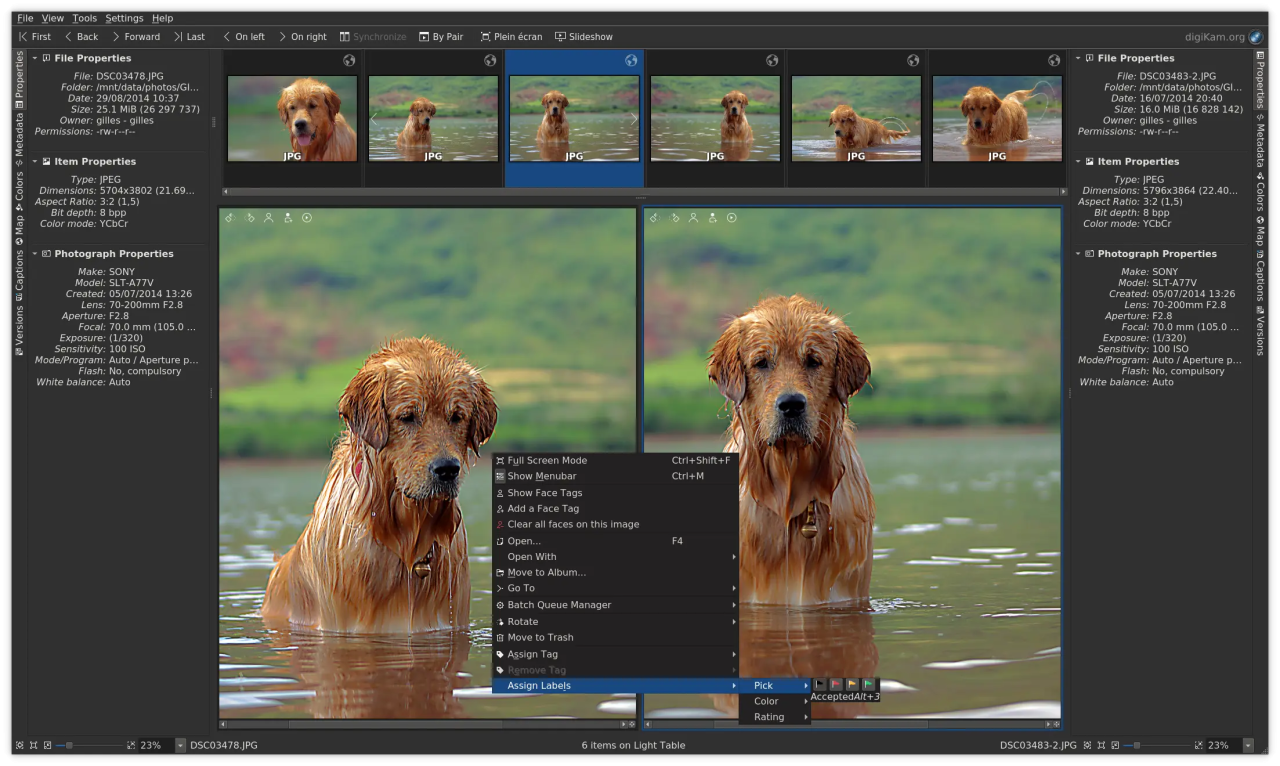
• Light Table to compare photo side by side
• Extended features using extra tools
• Share your photos using HTML or publishing them to remote web services
• Image editor included with advanced tools to fix photo quickly
License: GPL-2.0+
The application provides a comprehensive set of tools for importing, managing, editing, and sharing photos and raw files.
You can use digiKam’s import capabilities to easily transfer photos, raw files, and videos directly from your camera
and external storage devices (SD cards, USB disks, etc.). The application allows you to configure import settings and rules
that process and organize imported items on-the-fly.
digiKam organizes photos, raw files, and videos into albums. But the application also features powerful tagging tools
that allow you to assign tags, ratings, and labels to photos and raw files. You can then use filtering functionality to quickly
find items that match specific criteria.
In addition to filtering functionality, digiKam features powerful searching capabilities that let you search the photo library
by a wide range of criteria. You can search photos by tags, labels, rating, data, location, and even specific EXIF, IPTC, or XMP metadata.
You can also combine several criteria for more advanced searches. digiKam rely on Exiv2 library and ExifTool to handle metadata tag contents
from files to populate the photo library.
digiKam can handle raw files, and the application uses the excellent LibRaw library for decoding raw files. The library is actively
maintained and regularly updated to include support for the latest camera models.
digiKam can also manage video files for cataloging purpose, and the application uses the FFmpeg backends to extract
metadata and play media.
The application provides a comprehensive set of editing tools. This includes basic tools for adjusting colors, cropping, and sharpening
as well as advanced tools for, curves adjustment, panorama stitching, and much more. A special tool based on Lensfun library permit
to apply lens corrections automatically on images. The famous Gmic-Qt plugin is also available with more than 600 filters to extend your creativity.
All editing operations in digiKam are versioned.
Extended functionality in digiKam is implemented via a set of tools based of plugins mechanism (named DPlugins for digiKam Plugins).
Plugins can be written to import and export contents to remote web-services, add new features to edit image, and batch process photo.
Features:
• Organization of photos in albums and sub-albums (with tags and comments support)
• Support for Exif, Iptc, Xmp, Makernotes
• SQLite or Mysql powered storage for the album contents and its metadata with advanced search tools
• Support for filtering and sorting albums
• Import from more than 1100 digital camera devices
• Support for more than 900 RAW format pictures
• Light Table to compare photo side by side
• Extended features using extra tools
• Share your photos using HTML or publishing them to remote web services
• Image editor included with advanced tools to fix photo quickly
License: GPL-2.0+
| Release info | New Release on Jun 06, 2026 |
|---|---|
| Listing data | Flathub |
Reviews
No reviews yet. Be the first to review digiKam.
Used digiKam? Tell other visitors what you thought.
Log in to write a reviewOther products by this publisher
- #Bible 11.5 "Incredible App - My sister shared this app with me a few weeks ago and it is truly incredible.
- % Percentage Calculator Pro 1.41 This is the Pro version of % Percentage Calculator.
- (beat) for iOS 0.5.8 An elegant Fountain screenwriting app, created by a screenwriter for screenwriters.
- (Deep) HIARCS Chess Explorer 1.14 Chess database, analysis and game playing program
- (How to) Pronounce PRO 1.5.6 This is a PRO version of (How to) Pronounce.
Most viewed Linux Graphics
-
1
 Bambu Studio 02.08.02.61
Get perfect 3D prints!
Bambu Studio 02.08.02.61
Get perfect 3D prints!
-
2
 Fontmatrix 1.0.1
Font management application
Fontmatrix 1.0.1
Font management application
-
3
 YACReader 10.4.0
Yet another comic reader
YACReader 10.4.0
Yet another comic reader
-
4
 GrafX2 2.7
A bitmap paint program specialized in 256 color drawing
GrafX2 2.7
A bitmap paint program specialized in 256 color drawing
-
5
 Penpot Desktop v1.0.0
Design and code beautiful products together
Penpot Desktop v1.0.0
Design and code beautiful products together
-
6
 Fotema 2.5.1
Admire your photos
Fotema 2.5.1
Admire your photos
-
7
 Boxy SVG 4.115.1
Scalable Vector Graphics editor
Boxy SVG 4.115.1
Scalable Vector Graphics editor
-
8
 WireframeSketcher 7.4.4
Wireframing tool for professionals
WireframeSketcher 7.4.4
Wireframing tool for professionals
-
9
 Rnote 0.14.2
Sketch and take handwritten notes
Rnote 0.14.2
Sketch and take handwritten notes
-
10
 TextSnatcher 2.0.0
Snatch Text with just a Drag
TextSnatcher 2.0.0
Snatch Text with just a Drag
Most downloaded Linux Graphics
-
1
Bambu Studio 02.08.02.61
Get perfect 3D prints!
- 2 LibreSprite 1.3 Animated sprite editor and pixel art tool
-
3
WireframeSketcher 7.4.4
Wireframing tool for professionals
-
4
Fontmatrix 1.0.1
Font management application
-
5
 Gradia 1.14.0
Annotate your screenshots
Gradia 1.14.0
Annotate your screenshots
-
6
GrafX2 2.7
A bitmap paint program specialized in 256 color drawing
-
7
 Eye of GNOME 50.2
Browse and rotate images
Eye of GNOME 50.2
Browse and rotate images
-
8
Fotema 2.5.1
Admire your photos
- 9 ACBR 3.26.3 Comic book reader and converter
-
10
Boxy SVG 4.115.1
Scalable Vector Graphics editor