
Device Watch 1.11.0
System monitor widget with per-app usage insights and a charging screensaver
Download
4.61 MB
29downloads
0this week
FreeFreeware
0reviews
Screenshots
About Device Watch
Device Watch is an Android device monitor with a home-screen widget, per-app usage insights and an interactive screensaver for charging or docked use. It works completely offline: the app has no internet permission, and every number is real data read from Android and kernel sources — when a value is not available with the permissions granted, the app shows a dash instead of a fabricated value.
Features:
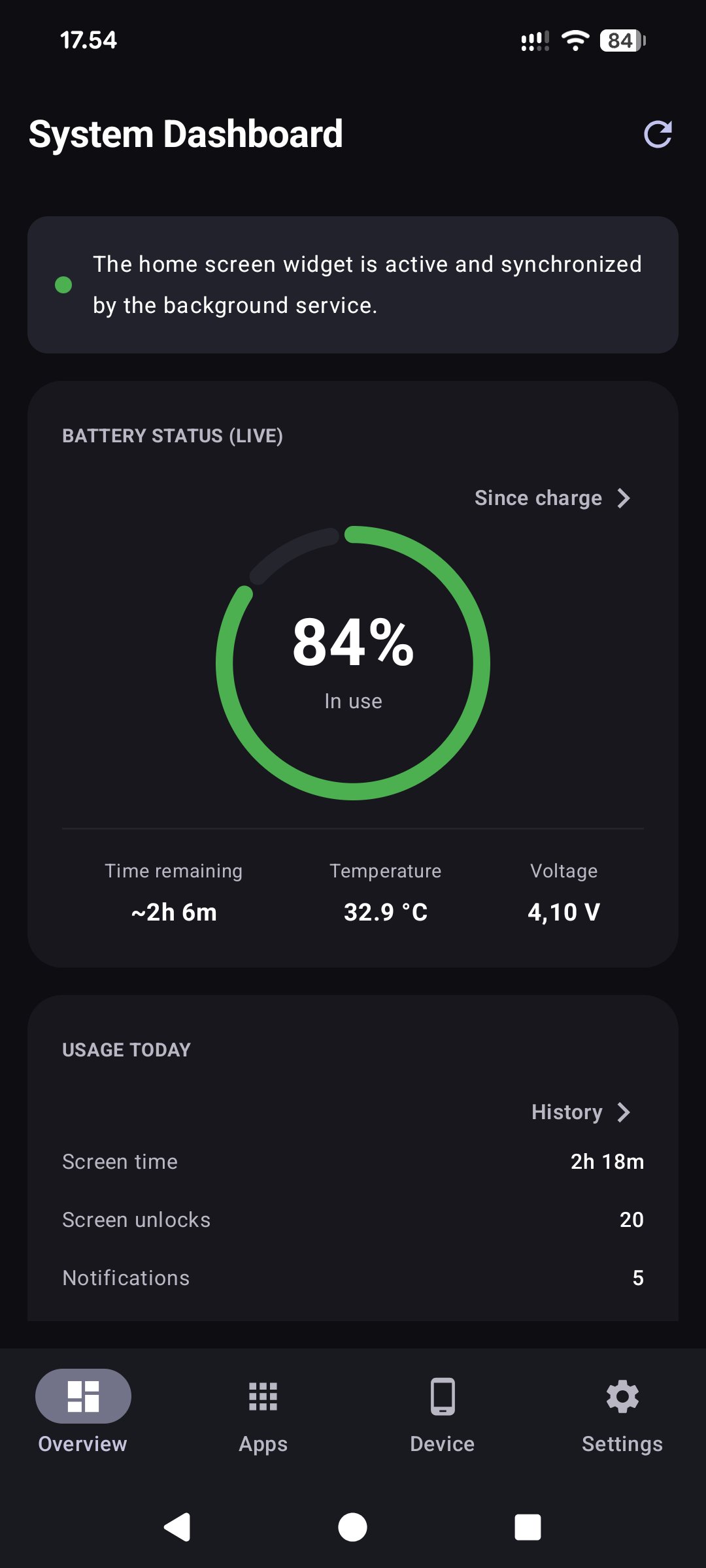
* Resizable home-screen widget: battery, memory, CPU, storage, Wi-Fi, mobile network, data usage, uptime, today's screen time and last update time; compact 2×2 widget with data-period labels; 1×1 widget with one figure of your choice
* Quick Settings tiles and live notification figures of your choice: battery, battery power, temperatures, data today, uptime, CPU load, memory, storage
* Floating figure: a small card with one to three of those figures over other apps, full-screen games and video included, brought up and taken down from Quick Settings
* Data counters per calendar day or per one-month billing cycle with a configurable start day
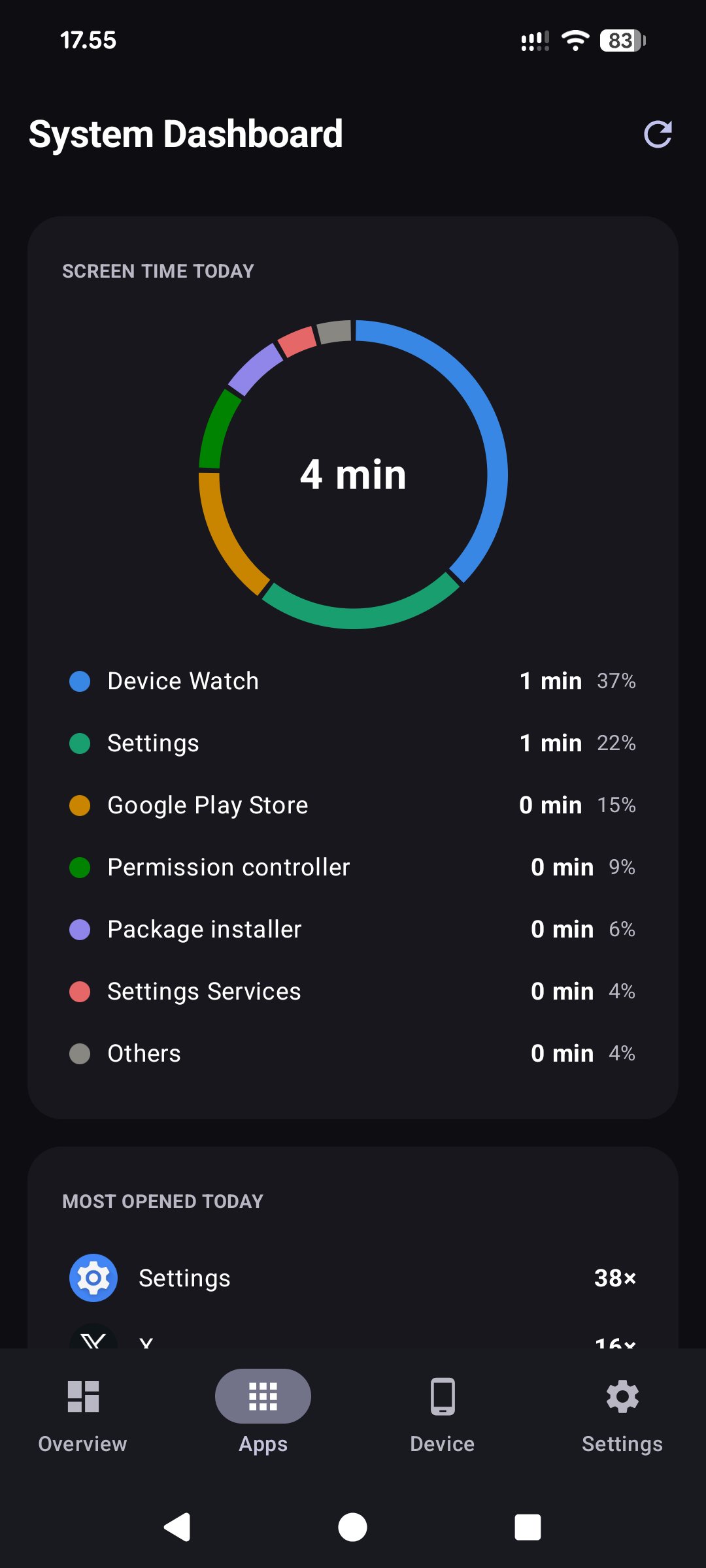
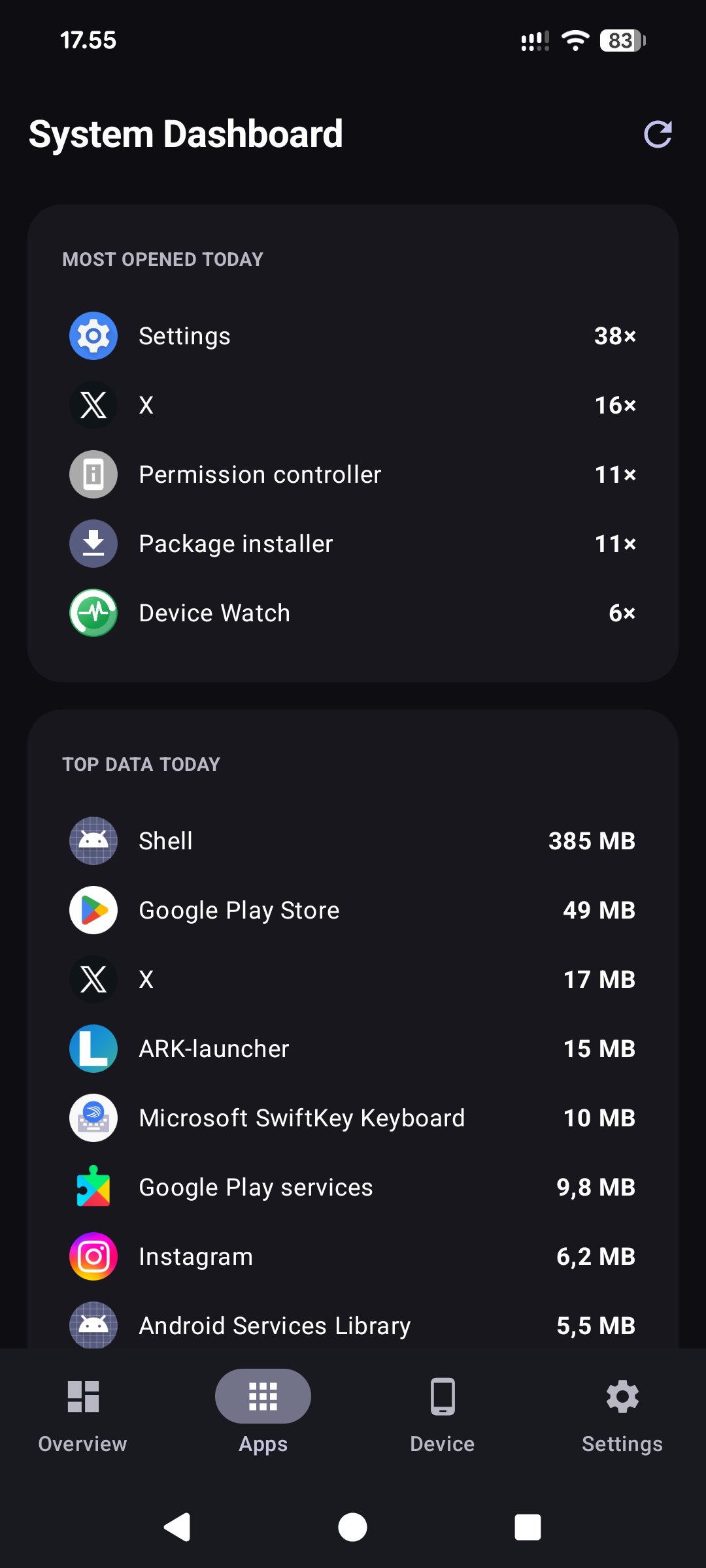
* Tabbed dashboard: Home (live battery ring, usage counters, system meters and live network traffic), Apps (usage insights), Device (hardware, SIM, Wi-Fi, camera and audio details) and Settings
* Screen-time donut of your most-used apps, top data consumers and a last-opened list with per-app uninstall
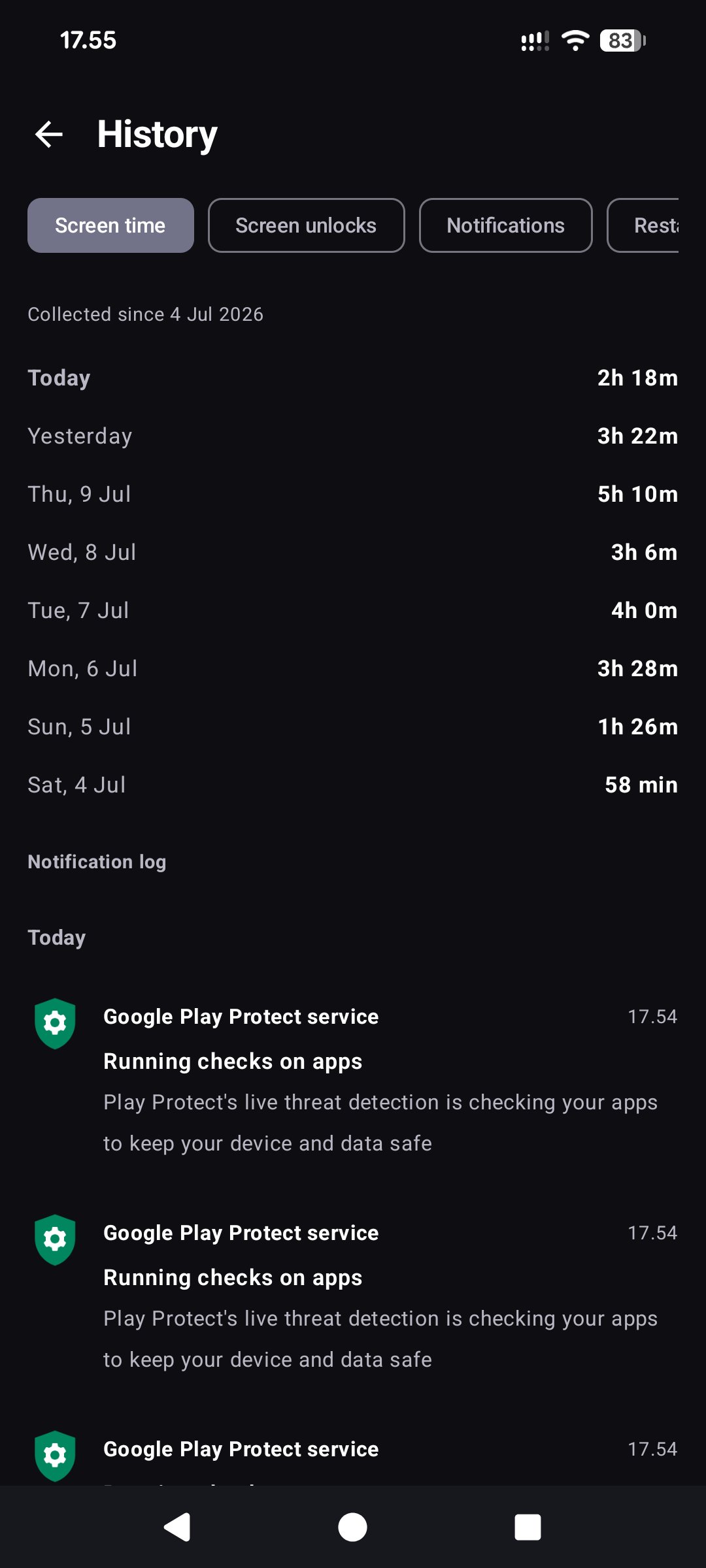
* Usage counters with a private 62-day daily history kept on the device: app screen time, screen-on time, unlocks, filtered notification count, restarts, charging sessions and used storage
* Battery history and charging sessions for 14 days, with temperatures and charging rates
* Optional charge reminders, mobile-data quota warnings and alerts for a hot battery, low storage or fast battery drain
* CSV exports and a self-contained HTML report with charts, search and date filters
* On-device notification log with 7-day retention
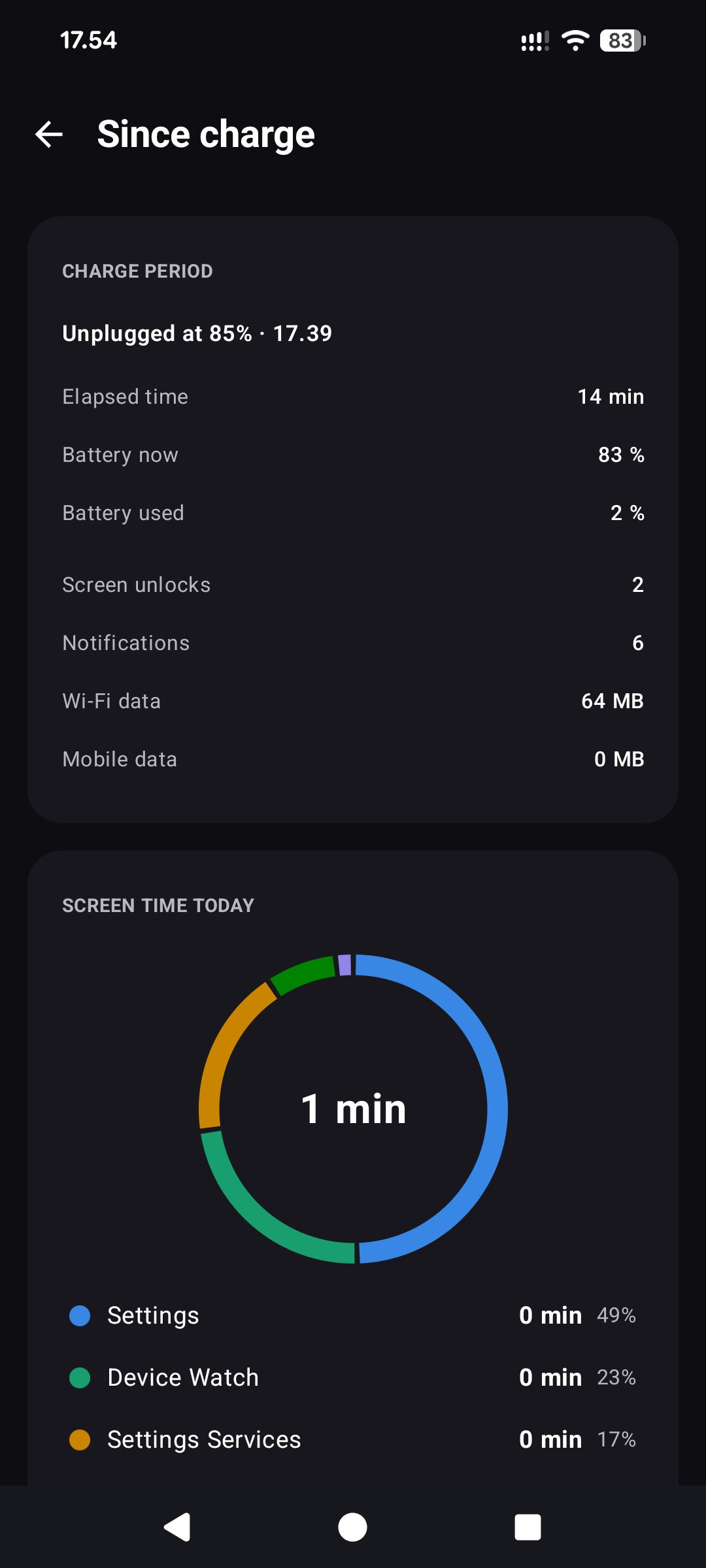
* Since-charge view: elapsed time, battery drop, average drain and per-app screen time since the battery was last charged full or unplugged
* Optional extended access through Shizuku or root, off by default: the real CPU load, chip temperatures, graphics load, the battery's own wear figures, and Android's battery statistics since the last charge (drain with the screen on and off, each app's share, what kept the phone awake)
* With root: a Kernel page (each group of processor cores with its speed, limit and range, heat throttling, GPU speeds, zRAM, kernel version, SELinux, temperature sensors) and processor profiles — Power saving, Balanced, Stock (full speed) or Custom per group of cores — that set only each group's top speed limit and return the phone's own limits on Stock, when root is switched off and at every restart unless you choose otherwise
* Privacy log with extended access: Android's own record of which apps used the camera, the microphone and the location, when, for how long and from the background or not, and on Android 17 which requests were refused — shown, never stored
* System apps page with extended access: remove preinstalled apps you do not use, for this user only, with a question before every removal, a warning for the apps the phone depends on, and Restore for a removed app; the apps the phone cannot do without cannot be removed from here
* Interactive screensaver with a large clock, the phone's name, next alarm, icons of unread notifications, charging power in watts, battery-tinted background, optional night dimming, an optional start as soon as charging begins and a battery-full notification
The app uploads nothing. Android backup carries settings only, excluding history, notification content and delivered-alert flags. You can choose to share CSV/HTML exports, including notification text, through another app.
License: GPL-3.0-or-later
Features:
* Resizable home-screen widget: battery, memory, CPU, storage, Wi-Fi, mobile network, data usage, uptime, today's screen time and last update time; compact 2×2 widget with data-period labels; 1×1 widget with one figure of your choice
* Quick Settings tiles and live notification figures of your choice: battery, battery power, temperatures, data today, uptime, CPU load, memory, storage
* Floating figure: a small card with one to three of those figures over other apps, full-screen games and video included, brought up and taken down from Quick Settings
* Data counters per calendar day or per one-month billing cycle with a configurable start day
* Tabbed dashboard: Home (live battery ring, usage counters, system meters and live network traffic), Apps (usage insights), Device (hardware, SIM, Wi-Fi, camera and audio details) and Settings
* Screen-time donut of your most-used apps, top data consumers and a last-opened list with per-app uninstall
* Usage counters with a private 62-day daily history kept on the device: app screen time, screen-on time, unlocks, filtered notification count, restarts, charging sessions and used storage
* Battery history and charging sessions for 14 days, with temperatures and charging rates
* Optional charge reminders, mobile-data quota warnings and alerts for a hot battery, low storage or fast battery drain
* CSV exports and a self-contained HTML report with charts, search and date filters
* On-device notification log with 7-day retention
* Since-charge view: elapsed time, battery drop, average drain and per-app screen time since the battery was last charged full or unplugged
* Optional extended access through Shizuku or root, off by default: the real CPU load, chip temperatures, graphics load, the battery's own wear figures, and Android's battery statistics since the last charge (drain with the screen on and off, each app's share, what kept the phone awake)
* With root: a Kernel page (each group of processor cores with its speed, limit and range, heat throttling, GPU speeds, zRAM, kernel version, SELinux, temperature sensors) and processor profiles — Power saving, Balanced, Stock (full speed) or Custom per group of cores — that set only each group's top speed limit and return the phone's own limits on Stock, when root is switched off and at every restart unless you choose otherwise
* Privacy log with extended access: Android's own record of which apps used the camera, the microphone and the location, when, for how long and from the background or not, and on Android 17 which requests were refused — shown, never stored
* System apps page with extended access: remove preinstalled apps you do not use, for this user only, with a question before every removal, a warning for the apps the phone depends on, and Restore for a removed app; the apps the phone cannot do without cannot be removed from here
* Interactive screensaver with a large clock, the phone's name, next alarm, icons of unread notifications, charging power in watts, battery-tinted background, optional night dimming, an optional start as soon as charging begins and a battery-full notification
The app uploads nothing. Android backup carries settings only, excluding history, notification content and delivered-alert flags. You can choose to share CSV/HTML exports, including notification text, through another app.
License: GPL-3.0-or-later
| Release info | Update on Nov 05, 2026 |
|---|---|
| Release notes | What's changed o Floating figure. A small dark card with one to three figures of your choice over other apps, full-screen games and video included, where the tiles, widgets and notification are out of sight. Bring it up and take it down with the *Floating figure* tile in Quick Settings (add it from the panel's edit mode) or the switch in Settings -> *Floating figure*. Drag it anywhere; its place is remembered for portrait and landscape. A tap shows a hide and an open button for a few seconds, a long press hides it. It leaves for the screensaver and the lock screen and comes back after them. It needs Android's *Display over other apps* permission, asked for only when you switch it on; the app draws nothing else with it. Off by default (#2). o Battery power as a ninth figure on the tiles, the single figure widget, the notification and the floating card: the rate the battery charges or runs down at, in watts, with the direction from the battery's status. On the charger with the battery full or held at a charge limit it shows the trickle and the status word instead. o The card's text follows the app's font-size bound, like every screen of the app, and the figures stack when a row would not fit the screen. More in the FAQ and the privacy policy. Installing Updates cleanly over v1.4.x and later. If you are coming from v1.3.1 or older (package com.example.modernwidget), uninstall the old app first -- it is a different package and will not update. APK SHA-256: 01c3602d5a251dd0cf6f881583e3089d6d31b85ecf5e7102c1929f17355f0c02 Signing cert SHA-256: a787d3be1fa4d58751e246dba9b8f1ded5b6a00ab2675367bf49420928e1a51a |
| Listing data | F-Droid |
Reviews
No reviews yet. Be the first to review Device Watch.
Used Device Watch? Tell other visitors what you thought.
Log in to write a reviewOther products by this publisher
- "No Distractions" for YouTube 4.10 ----
- #Bible 11.6 "Incredible App - My sister shared this app with me a few weeks ago and it is truly incredible.
- #filmphotography 1.4.2 So, you decided to shoot on film?
- $quirrel 1.5.1 $quirrel Budget & Finance helps you plan each paycheck, track spending, manage debt, and see what is safe to spend before the next payday.
- % Percentage Calculator Pro 1.41 This is the Pro version of % Percentage Calculator.
Most viewed Android System
-
1
 Work Profile VPN Switcher 1.2.1
Automatically manage work profile when VPN connects or disconnects
-
2
 GrayPause 1.5
Keep your phone in grayscale, take short color breaks that end by themselves
-
3
 SDK Monitor 2.1
Display and monitor the targetSDK from installed apps
- 4 LibChecker 2.5.5.1 View the third-party libraries used by applications
- 5 Contacts 4 Contacts Organised by Group
- 6 Sift 1.0.7 A minimalist recipe keeper.
- 7 MAXS Module Ringermode 0.5.19 A Module for MAXS
- 8 TouchDroid 2.0.1 Use your Android Device as Touchpad.
- 9 Coffee 2.27 Keep display awake
-
10
 Tideo Auto Brightness 1.15.2
A glass-box replacement for Android's adaptive brightness
Most downloaded Android System
-
1
 openCook 0.4
Recipe manager to scan cookbook photos, plan your week and share the list
-
2
 Restoid 0.8.0
Root-based Android app backup tool powered by restic
-
3
 Sapio 2.10.0
Android apps that respect you!
- 4 Discord Timestamp Inserter 1.0.2 Input method for quickly inserting Discord timestamps
-
5
 StudFinder - Stud Finder for Android 17
Find wall studs with your Android's built-in magnetometer. Free, no ads.
-
6
Work Profile VPN Switcher 1.2.1
Automatically manage work profile when VPN connects or disconnects
-
7
 Voki Bot 0.8.0
Android automation tool
- 8 DBZ Battery Widget 1.7 View your battery status with your favorite DBZ character
-
9
 Middor 0.2.0
Mirror applications for HUD display with horizontal flip.
- 10 Keep Screen On 1.29.1 A screen timeout quick settings tile