Zcode Mobile 2.1.1
Zcode Mobile is an independent third-party mobile client for the ZCode desktop workspace.
Download
10.27 MB
6downloads
1this week
FreeFreeware
0reviews
Screenshots
About Zcode Mobile
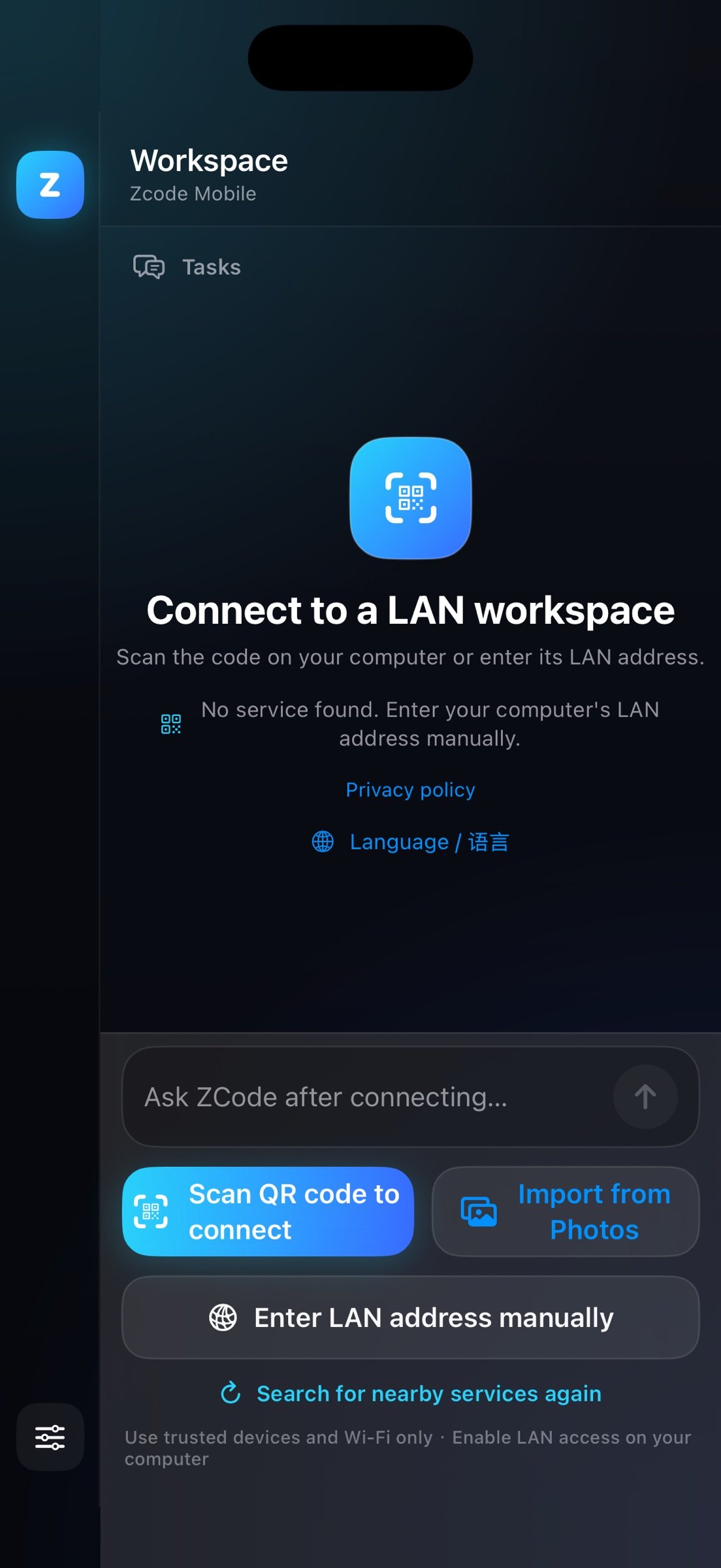
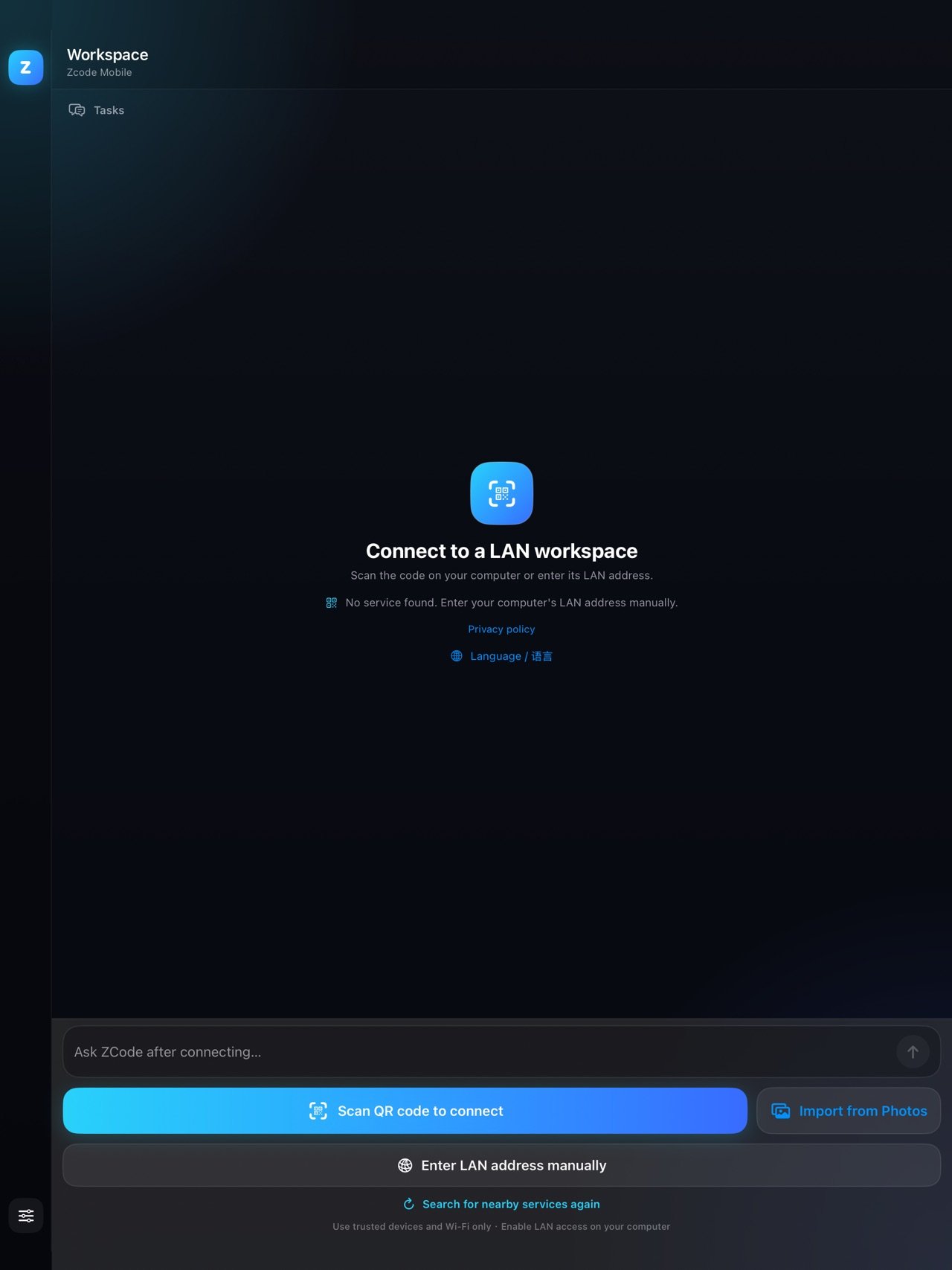
Zcode Mobile is an independent third-party mobile client for the ZCode desktop workspace. Connect over your local network and keep viewing and working in your development workspace from your iPhone.
Key features:
o Scan the mobile-connection QR code shown by ZCode on your computer
o Import a connection code directly from your photo library
o Enter your computer's private IPv4 address, .local hostname, or IPv6 address by hand
o Automatically discover compatible services on your local network
o Remember your last connection and verify it automatically on the next launch
o Enter the main workspace only after it has been confirmed reachable
o Refresh, rescan, or disconnect with one tap
o Once connected, hide web-page toolbars and other elements that aren't needed on mobile wherever possible, leaving more screen space for your workspace
How the app stays free:
Zcode Mobile is free. After 3 cumulative foreground minutes in an online workspace, a dismissible full-screen native advertising page opens over the current workspace, without changing conversations or navigating away. The web page stays mounted; close the ad to continue with unsent input retained. The keyboard is dismissed while the ad is visible. At most one attempt is made in any continuous 48 hours, including after restarting. This placement renders Google Native Advanced assets with ad attribution, AdChoices, and a separate close control; it does not call an interstitial popup. At the first eligible page, choose consented non-personalized ads or decline extra data and try eligible limited ads. Later pages use the saved mode automatically, with no View ad or Play button. Limited ads still use IP/technical data and may use fraud-only storage; Google UMP requirements apply and fill is not guaranteed. Google personalization and publisher first-party ID remain disabled, and iOS tracking is not required. Close immediately or fully disable automatic ads in settings. Image/video assets depend on the network, video starts muted, and no reward is offered. Declining, failure, or no fill never restricts the workspace. On-device diagnostic counters do not record chats, URLs, or device identifiers and are not uploaded to a developer server.
The native interface supports English and Simplified Chinese. Automatic mode uses Chinese for the mainland China App Store storefront and English elsewhere, falling back to device region if no storefront is available. Use "Language / ??" on the connection screen to choose either language manually. Workspace content and its own interface come from the connected desktop service and are not automatically translated.
Zcode Mobile requires the mobile remote-control feature of the ZCode desktop app. It is an independently developed third-party client and is not an official ZCode product.
Key features:
o Scan the mobile-connection QR code shown by ZCode on your computer
o Import a connection code directly from your photo library
o Enter your computer's private IPv4 address, .local hostname, or IPv6 address by hand
o Automatically discover compatible services on your local network
o Remember your last connection and verify it automatically on the next launch
o Enter the main workspace only after it has been confirmed reachable
o Refresh, rescan, or disconnect with one tap
o Once connected, hide web-page toolbars and other elements that aren't needed on mobile wherever possible, leaving more screen space for your workspace
How the app stays free:
Zcode Mobile is free. After 3 cumulative foreground minutes in an online workspace, a dismissible full-screen native advertising page opens over the current workspace, without changing conversations or navigating away. The web page stays mounted; close the ad to continue with unsent input retained. The keyboard is dismissed while the ad is visible. At most one attempt is made in any continuous 48 hours, including after restarting. This placement renders Google Native Advanced assets with ad attribution, AdChoices, and a separate close control; it does not call an interstitial popup. At the first eligible page, choose consented non-personalized ads or decline extra data and try eligible limited ads. Later pages use the saved mode automatically, with no View ad or Play button. Limited ads still use IP/technical data and may use fraud-only storage; Google UMP requirements apply and fill is not guaranteed. Google personalization and publisher first-party ID remain disabled, and iOS tracking is not required. Close immediately or fully disable automatic ads in settings. Image/video assets depend on the network, video starts muted, and no reward is offered. Declining, failure, or no fill never restricts the workspace. On-device diagnostic counters do not record chats, URLs, or device identifiers and are not uploaded to a developer server.
The native interface supports English and Simplified Chinese. Automatic mode uses Chinese for the mainland China App Store storefront and English elsewhere, falling back to device region if no storefront is available. Use "Language / ??" on the connection screen to choose either language manually. Workspace content and its own interface come from the connected desktop service and are not automatically translated.
Zcode Mobile requires the mobile remote-control feature of the ZCode desktop app. It is an independently developed third-party client and is not an official ZCode product.
| Release info | Update on Oct 30, 2026 |
|---|---|
| Release notes | After 3 cumulative foreground minutes in an online workspace, a dismissible full-screen native ad page appears automatically, without navigating away or changing conversations. Close it to resume the same workspace; unsent input is retained. Improved iOS ad-attribution configuration and added on-device-only ad diagnostics. At most one attempt in any continuous 48 hours. Non-personalized/limited modes and skip/disable choices remain available. Image or video assets depend on network availability; no reward is offered. |
| Listing data | App Store |
Reviews
No reviews yet. Be the first to review Zcode Mobile.
Used Zcode Mobile? Tell other visitors what you thought.
Log in to write a reviewOther products by this publisher
- "No Distractions" for YouTube 4.10 ----
- #Bible 11.6 "Incredible App - My sister shared this app with me a few weeks ago and it is truly incredible.
- #filmphotography 1.4.2 So, you decided to shoot on film?
- $quirrel 1.5.1 $quirrel Budget & Finance helps you plan each paycheck, track spending, manage debt, and see what is safe to spend before the next payday.
- % Percentage Calculator Pro 1.41 This is the Pro version of % Percentage Calculator.
Most viewed iOS Developer Tools
-
1
 ZScripter 12.2.0
ZScripter plays compatible Ren'Py, RealLive, NScripter, (PONS)ONScripter-EN/RU/JH/Yuri, Artemis, Siglus, AI5 and UK2 games as well as KiriKiri (+Kirikiroid2 patches) and RPG Maker MV/MZ & XP, VX and VX Ace support.
-
2
 GitHub 1.283.0
There’s a lot you can do on GitHub that doesn’t require a complex development environment – like sharing feedback on a design discussion, or reviewing a few lines of code.
-
3
 Shader Playground 1.0
Shader Playground is a powerful real-time shader editor built for iPhone and iPad.
-
4
 Agents Anywhere 2.1.0
Agents Anywhere is a developer tools mobile application for remotely controlling your local computer to complete coding tasks.
-
5
 Code Workspace 0.9.1
Code Workspace is a free, agent-first development environment for iPad and iPhone.
-
6
 Termius 8.0.7
Termius is a modern SSH client designed for productivity and collaboration.
-
7
 LocalDevVPN 1.3.0
LocalDevVPN is a developer tool for creating and managing local network tunnels directly on iOS.
-
8
 Cursor 1.17.0
Introducing Cursor for iOS: the best way to build, review, and ship software from anywhere.
-
9
 TestFlight 4.4.1
TestFlight makes it easy to test beta versions of apps and App Clips to provide valuable feedback to developers before they release their apps on the App Store.
-
10
 HTTP Debugger+ 1.2.3
HTTP Debugger+ is a professional HTTP traffic inspector designed for developers and QA engineers.
Most downloaded iOS Developer Tools
-
1
Agents Anywhere 2.1.0
Agents Anywhere is a developer tools mobile application for remotely controlling your local computer to complete coding tasks.
-
2
 a-Shell mini 2.3.2
a-Shell mini is a complete local terminal emulator, allowing to run most Unix commands on you iOS device.
-
3
 Rulify 1.0.7
Rulify ????? iOS App ????,???????? App ????,???????????????
-
4
 LadderTouch 2.1.5
LadderTouch is an app to learn the basics of ladder logic, which is a graphical programming language.
-
5
 FSNotes 7.6.0
FSNotes is a fast, modern notes manager for macOS and iOS.
-
6
 C/C++$-LLVM Clang 2.7
This is a learning tool for efficient C/C++ learning, fast programming, ?(LLVM+Clang)offline compilation and local execution?, Git fetching, iCloud storage, and efficient transfer and sharing via LAN HTTP/FTP multi-point connections.
-
7
 python3$ 6.6
This is a Python 3.13 learning tool for efficient learning, fast programming, local execution, breakpoint debugging, precise error reporting, Git fetching, iCloud access, and efficient transfer and sharing via LAN HTTP/FTP multi-point connections.
-
8
 websta$-learn html css and js 3.2
This is a learning tool for efficient HTML, CSS, and JS learning, fast programming, local execution, Git retrieval, iCloud storage, efficient transfer and sharing via LAN HTTP/FTP multi-point connections.
-
9
HTTP Debugger+ 1.2.3
HTTP Debugger+ is a professional HTTP traffic inspector designed for developers and QA engineers.
-
10
 Herdy 1.3.0
Herdy puts your remote terminal and long-running coding-agent sessions in your pocket.