Voxel Paint Pro 1.2.4
Paint in 3D using pixel Voxels
15downloads
2this week
FreeFreeware
0reviews
Screenshots
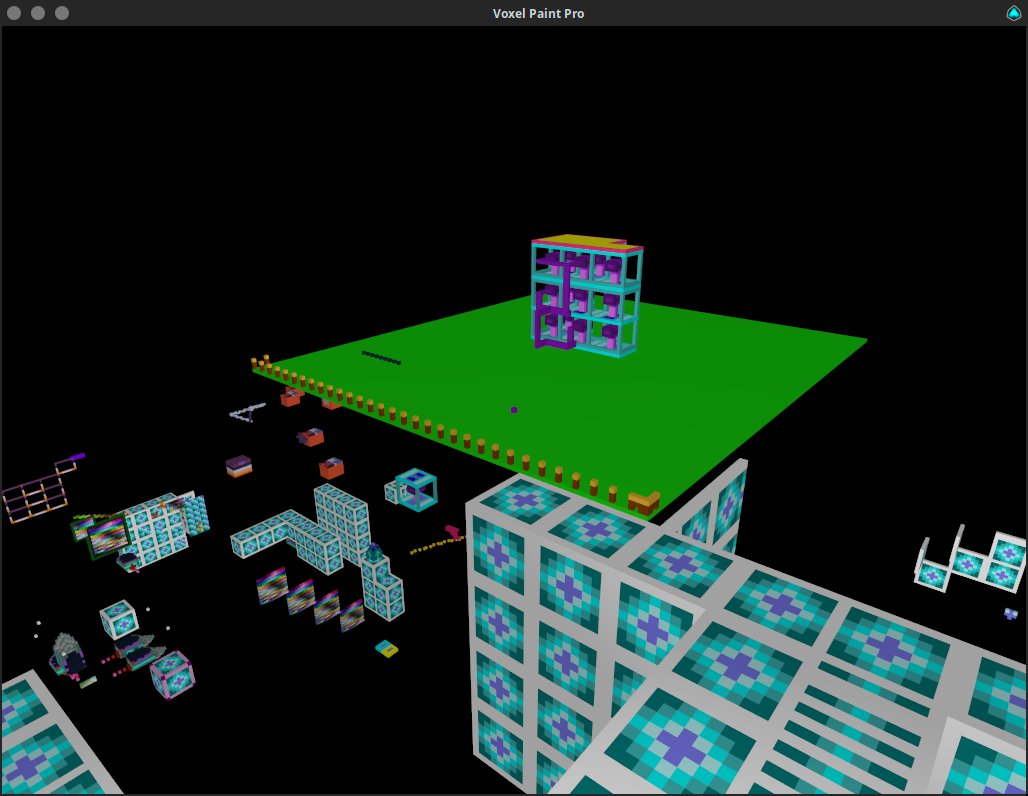
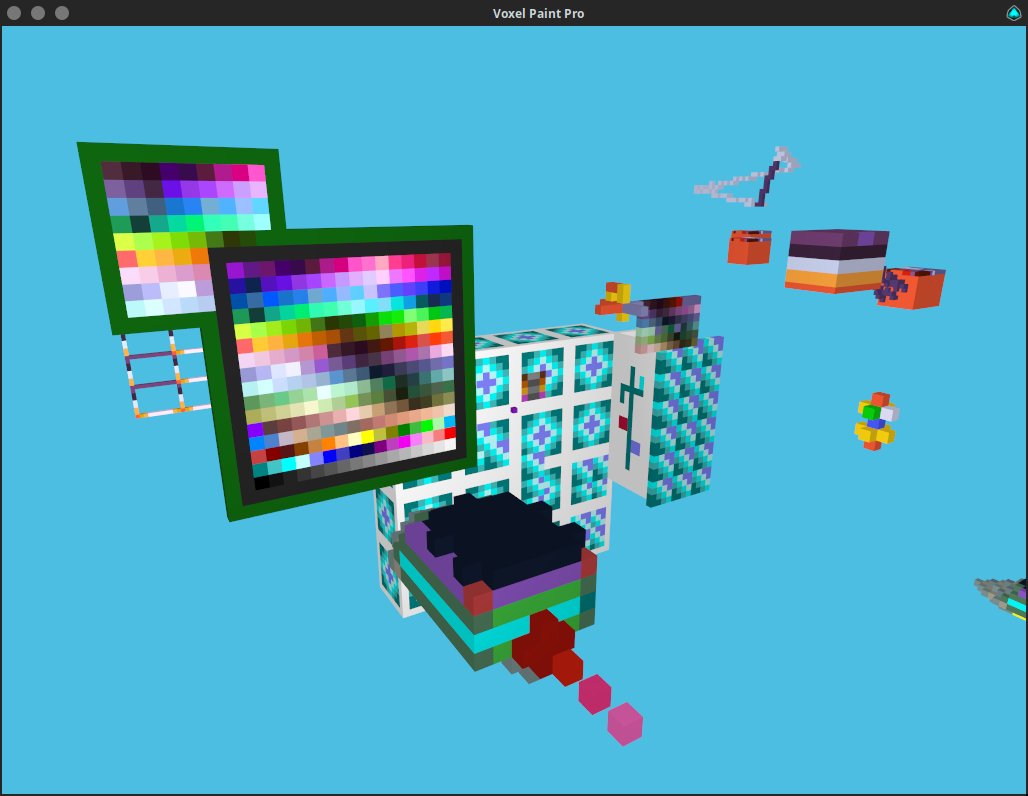
About Voxel Paint Pro
Mouse locks when you click on the game window, press ESCAPE to unlock the mouse.
• W,A,S,D = Move around based on relative orientation to X and Y.
• SPACE + L-SHIFT = Move up and down relative Z.
• Left Click / R-SHIFT = Place node.
• Right Click / R-CTRL = Delete node.
• Tab = Teleports you from colour palette to last position and vice-versa.
• Q / Middle Click / Mouse4 = Clone texture of pointed node.
• E / Mouse5 = Replace pointed node.
• R = Places node at your current position.
• F = Toggle player fast speed on and off.
• 1-7 = Change move speed for selected fast state.
• X + C / Slash + Quote = Change texture of pointed node.
• G = Gravity on/off.
• P = Toggle pitch lock.
• F1 = Resets environment state back to default.
• F3 = Save. (auto saves on exit or idle for more than 3 minutes)
• F8 = Load. (will erase what you have done since the last save)
• F10 = Export the VoxelPaint data to a zip file in $HOME/EXPORTS.
• Middle Mouse Click and Drag or Mouse4 and Drag (or Q and drag) to select area.
• V = Copies the selected nodes to the currently pointed position, the point you started the selection from is the point you will copy from at the new pointed location.
• T = Copies the selected nodes to the currently pointed position, but each time you press T it will iterate one of 24 rotations.
• Y = Shoots an array of the selected nodes in the direction you are facing in 24 different rotations. Pick the one you want.
• B = Fill selected nodes with selected color.
• N = Delete selected nodes.
Arrow Keys can be used to move the view around.
Your state is automatically saved on exit.
Sensitivity as the 1st command line parameter default is 0.003 `./voxelpaintpro 0.003`.
License: GPL-2.0-only
| Release info | Update on Jan 18, 2024 |
|---|---|
| Release notes | Built on Ubuntu 23.10. Files are stripped and then UPX compressed. strip --strip-unneeded tux upx --lzma --best tux prosky has a sky blue background. Changes • SDL hit test is now disabled when mouse is focused, this caused the window to become drag-able in mouse lock mode when looking up. The _compressed builds use gzip compression level 1 on the voxel data. It's not necessary and I recommend the non-compressed versions. |
| Listing data | Flathub |
Reviews
No reviews yet. Be the first to review Voxel Paint Pro.
Used Voxel Paint Pro? Tell other visitors what you thought.
Log in to write a reviewOther products by this publisher
- "No Distractions" for YouTube 4.10 ----
- #Bible 11.6.1 "Incredible App - My sister shared this app with me a few weeks ago and it is truly incredible.
- #filmphotography 1.4.2 So, you decided to shoot on film?
- #LookBusy Fake Calendar Events 1.0.6 Look Busy scans your work calendar for open time slots and fills them with realistic-looking (but secretly fake) work events.
- #Small Talk Is Canceled 1.0.2 #Small Talk Is Canceled — Conversations That Matter
Most viewed Linux Games
-
1
 Lander 0.7.2
Lunar Lander style arcade game
-
2
 Modrinth App 0.23.1
Play modded Minecraft with ease
-
3
 Dhewm 3 1.5.5
Dhewm 3 is a Doom 3 GPL source port
-
4
 Pocket Sync 7.2.1
A GUI to do stuff with the Analogue Pocket
-
5
 Goverlay 2.0
Configure gaming overlays
-
6
 AdwSteamGtk 0.9.2
Give Steam the Adwaita treatment
-
7
 X Minecraft Launcher 0.73.1
Play and manage Minecraft
- 8 Julius 1.8.0 Julius is an open source re-implementation of Caesar III
-
9
 Legacy Launcher 1.40.4
Play Minecraft in your own world!
-
10
 Pully 0.2.2
Draw a single line through every square of a puzzle grid
Most downloaded Linux Games
- 1 Minigalaxy 1.4.2 A simple GOG client for Linux
-
2
 Ricochlime 1.14.0
Satisfying monster shooter
-
3
 The Unofficial Homestuck Collection 2.8.1
Offline collection of Homestuck and its related works
- 4 Makou Reactor 2.2.0 A Field Editor for Final Fantasy VII
-
5
 Threadbare 0.2.4
Rebuild an unraveling world
-
6
 Quetoo 1.0.147
A free first person shooter for Mac, PC and Linux
-
7
 JClic 0.3.2.18
Educational activities and games for school students and educators
- 8 Eternal Lands 1.9.7.0-4 A free to play, graphical MMORPG
-
9
Modrinth App 0.23.1
Play modded Minecraft with ease
-
10
 Pandora Launcher 6.0.0
A balanced, easy to use, and powerful modern Minecraft launcher