Voltascano 1.4
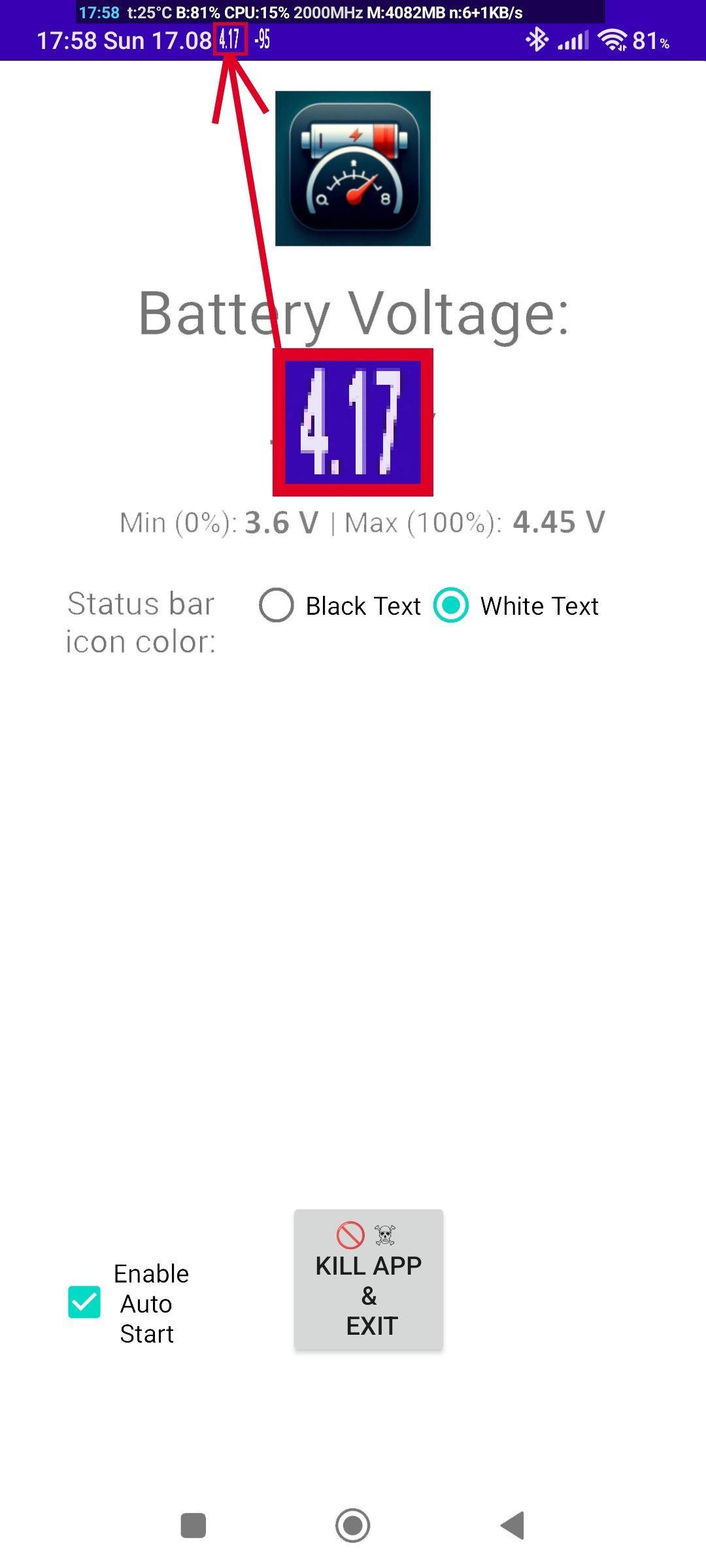
Voltascano shows battery voltage in the system status bar
Download
5.49 MB · voltascano_v1.4.apk
57downloads
14this week
FreeFreeware
0reviews
Screenshots
About Voltascano
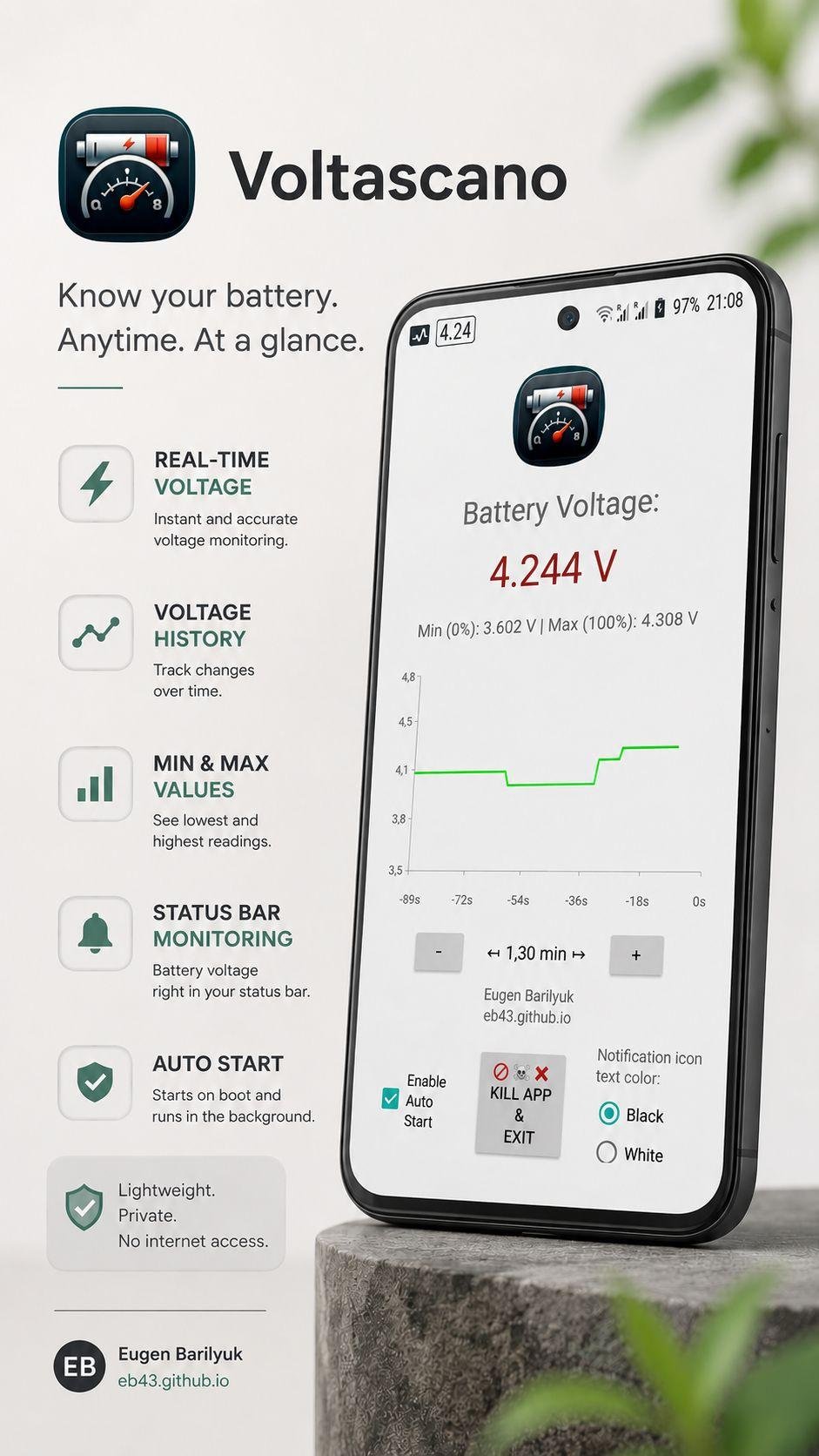
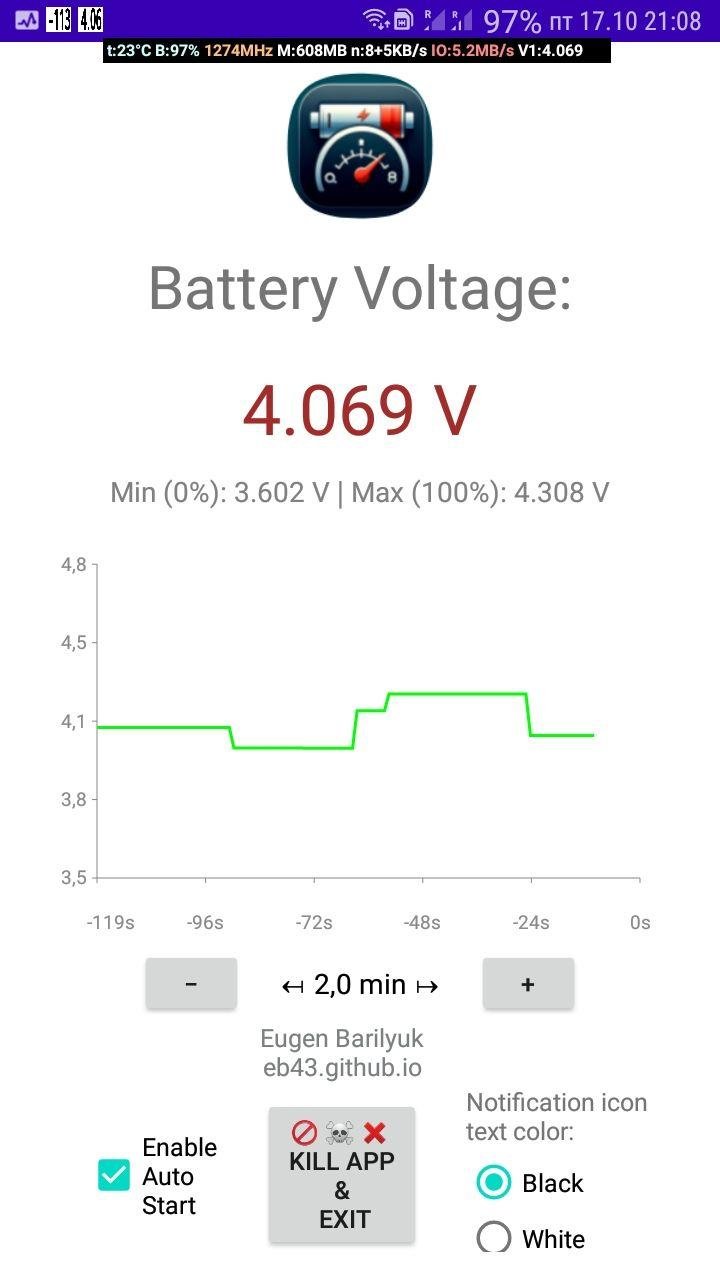
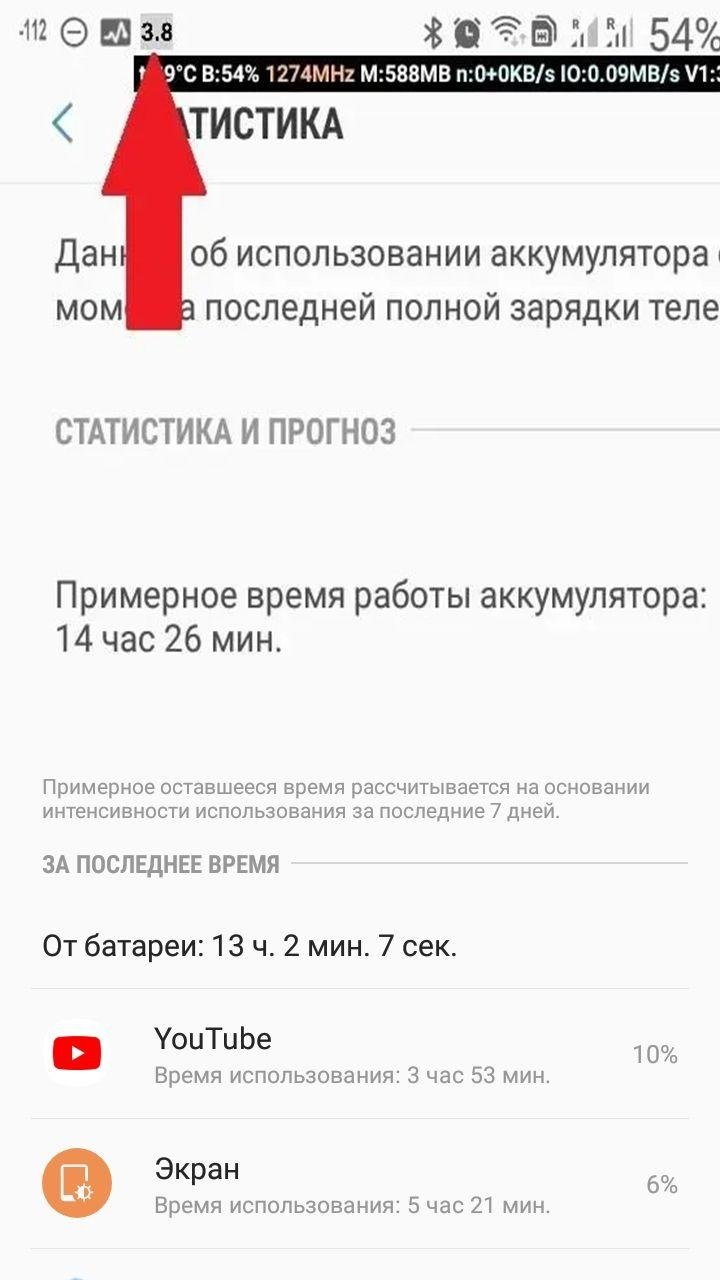
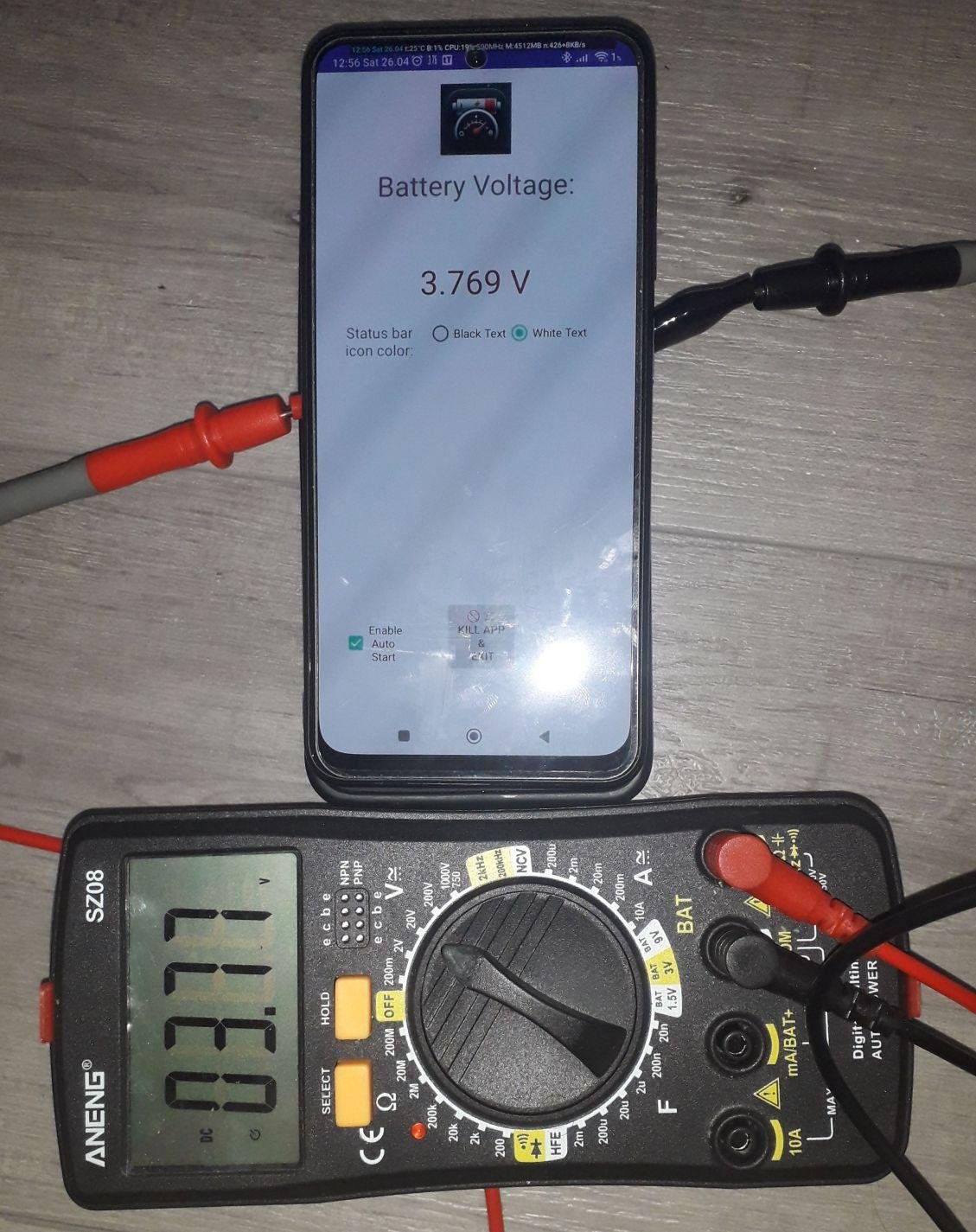
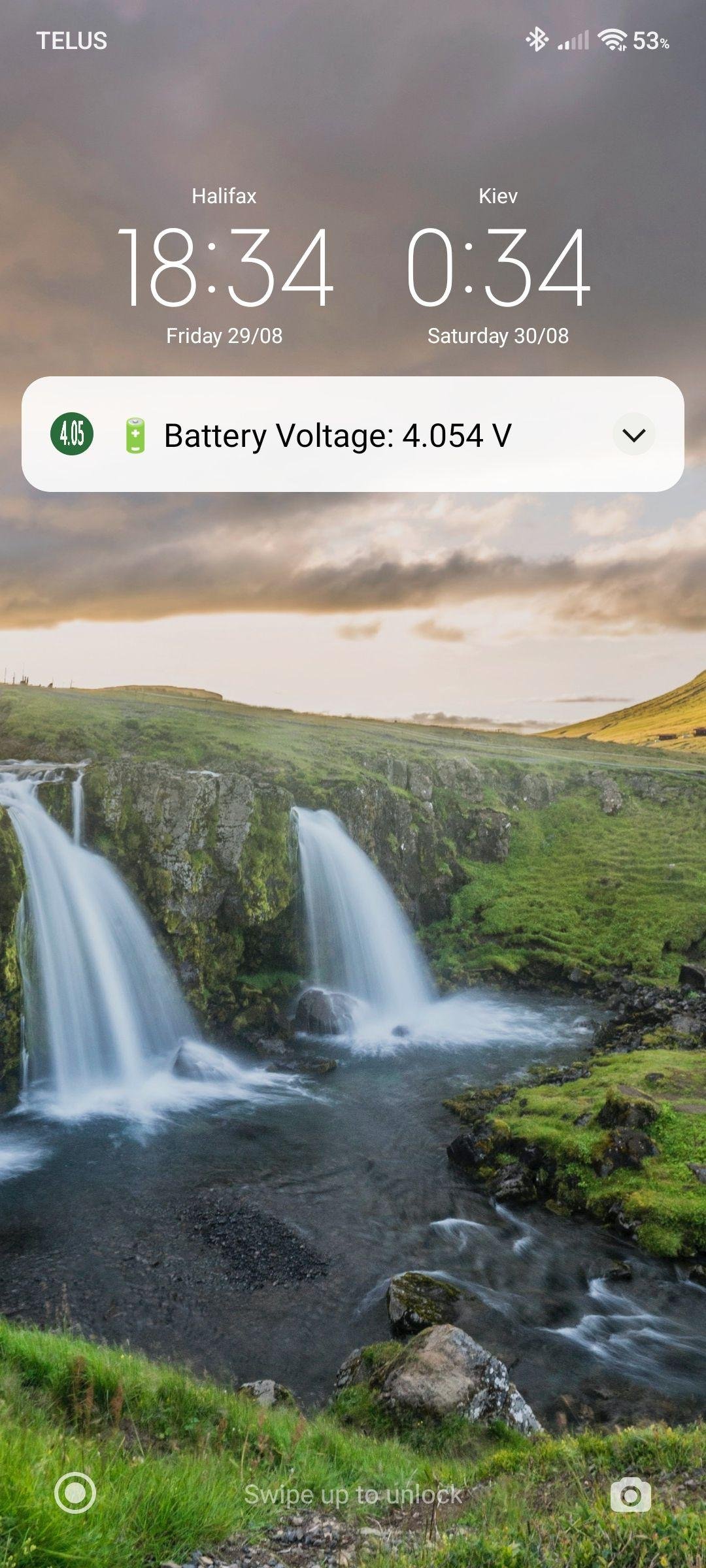
Voltascano shows Android phone's real-time battery voltage. The information is always visible in an icon in the status bar and in a notification, even while you use other apps.
Practical uses of monitoring battery voltage:
Check battery real health
Spot signs of battery degradation. Watch for sudden or irregular voltage drops--these are early signs that the battery is degrading.
Catch bad chargers or cables
During charging, voltage should rise smoothly (e.g., 3.7 V -> 4.2 V). If it stays flat or jumps irregularly, the cable or adapter is likely defective.
Avoid unexpected shutdowns
Monitoring voltage lets you see the exact point where the phone shuts down from low battery. Helping you avoid surprises like the device shutting down at 30% charge.
Save money on unnecessary battery replacement
Monitor battery's voltage to know its true health and decide a battery replacement only when it is actually needed.
? Prolong battery lifespan
Batteries experience high stress when charged to their maximum voltage, which often happens before the charge indicator shows 100%. By monitoring voltage, you can unplug your phone at the optimal point to reduce stress and extend battery life.
Evaluate aftermarket replacement battery capacity
Quickly know a replacement battery's quaity. A good battery holds stable voltage under load, while a poor-quality battery drops quickly under use and spikes sharply when charging.
The Voltascano Battery Voltage Display app is a tool for anyone who wants detailed insights into their Android smartphone's battery health.
Key Features:
- User-Friendly Interface: Designed with simplicity in mind, ensuring easy navigation and quick access to vital battery data.
- Automatic Startup Support: Enables continuous monitoring without requiring manual app relaunches after a reboot.
- Resource Efficiency: The app operates with minimal RAM usage, ensuring it does not interfere with system performance.
- No Hidden Processes: Unlike many background apps, it does not run covert services, preventing unnecessary battery drain.
- Manual Exit Functionality: Allows users to completely exit the app with a single button press, ensuring full control over system resources.
- Ad-Free Experience: The app is entirely free to use without any intrusive advertisements disrupting the user experience.
- Wide Compatibility: Works seamlessly on devices running Android 8 and newer versions.
Created by Eugen Barilyuk EB43 [link removed]
License: GPL-3.0-only
Practical uses of monitoring battery voltage:
Check battery real health
Spot signs of battery degradation. Watch for sudden or irregular voltage drops--these are early signs that the battery is degrading.
Catch bad chargers or cables
During charging, voltage should rise smoothly (e.g., 3.7 V -> 4.2 V). If it stays flat or jumps irregularly, the cable or adapter is likely defective.
Avoid unexpected shutdowns
Monitoring voltage lets you see the exact point where the phone shuts down from low battery. Helping you avoid surprises like the device shutting down at 30% charge.
Save money on unnecessary battery replacement
Monitor battery's voltage to know its true health and decide a battery replacement only when it is actually needed.
? Prolong battery lifespan
Batteries experience high stress when charged to their maximum voltage, which often happens before the charge indicator shows 100%. By monitoring voltage, you can unplug your phone at the optimal point to reduce stress and extend battery life.
Evaluate aftermarket replacement battery capacity
Quickly know a replacement battery's quaity. A good battery holds stable voltage under load, while a poor-quality battery drops quickly under use and spikes sharply when charging.
The Voltascano Battery Voltage Display app is a tool for anyone who wants detailed insights into their Android smartphone's battery health.
Key Features:
- User-Friendly Interface: Designed with simplicity in mind, ensuring easy navigation and quick access to vital battery data.
- Automatic Startup Support: Enables continuous monitoring without requiring manual app relaunches after a reboot.
- Resource Efficiency: The app operates with minimal RAM usage, ensuring it does not interfere with system performance.
- No Hidden Processes: Unlike many background apps, it does not run covert services, preventing unnecessary battery drain.
- Manual Exit Functionality: Allows users to completely exit the app with a single button press, ensuring full control over system resources.
- Ad-Free Experience: The app is entirely free to use without any intrusive advertisements disrupting the user experience.
- Wide Compatibility: Works seamlessly on devices running Android 8 and newer versions.
Created by Eugen Barilyuk EB43 [link removed]
License: GPL-3.0-only
| Release info | Update on Oct 18, 2026 |
|---|---|
| Release notes | V1.4 changes: • Added an overlay displaying the voltage on top of any app (useful for full-screen apps such as games). • Added support for changing the overlay text size using the notification icon size button. • The app opens the Android settings window to make it easier for the user to grant permission to display over other apps. • Added a dialog requesting notification permission (Android 13+). • The dialog includes a button to open Android notification settings, making it easier for the user to grant notification permission. • Added interface translations for German, Spanish, Russian, and Brazilian Portuguese. |
| Listing data | F-Droid |
Reviews
No reviews yet. Be the first to review Voltascano.
Used Voltascano? Tell other visitors what you thought.
Log in to write a reviewOther products by this publisher
- "No Distractions" for YouTube 4.10 ----
- #Bible 11.6.1 "Incredible App - My sister shared this app with me a few weeks ago and it is truly incredible.
- #filmphotography 1.4.2 So, you decided to shoot on film?
- $quirrel 1.5.1 $quirrel Budget & Finance helps you plan each paycheck, track spending, manage debt, and see what is safe to spend before the next payday.
- % Percentage Calculator Pro 1.41 This is the Pro version of % Percentage Calculator.
Most viewed Android System
-
1
 Work Profile VPN Switcher 1.2.1
Automatically manage work profile when VPN connects or disconnects
-
2
 GrayPause 1.5
Keep your phone in grayscale, take short color breaks that end by themselves
- 3 LibChecker 2.5.5.1 View the third-party libraries used by applications
- 4 Contacts 4 Contacts Organised by Group
-
5
 SDK Monitor 2.1
Display and monitor the targetSDK from installed apps
- 6 Sift 1.0.7 A minimalist recipe keeper.
- 7 MAXS Module Ringermode 0.5.19 A Module for MAXS
- 8 TouchDroid 2.0.1 Use your Android Device as Touchpad.
- 9 Coffee 2.27 Keep display awake
-
10
 Tideo Auto Brightness 1.15.2
A glass-box replacement for Android's adaptive brightness
Most downloaded Android System
-
1
 Sapio 2.10.0
Android apps that respect you!
-
2
 Restoid 0.8.0
Root-based Android app backup tool powered by restic
-
3
 StudFinder - Stud Finder for Android 17
Find wall studs with your Android's built-in magnetometer. Free, no ads.
- 4 Discord Timestamp Inserter 1.0.2 Input method for quickly inserting Discord timestamps
- 5 QuickShot: Share Screenshot 3.9 Replace the assistant gesture with quick screenshot share. Quickest way to share
- 6 DBZ Battery Widget 1.7 View your battery status with your favorite DBZ character
-
7
 openCook 0.4
Recipe manager to scan cookbook photos, plan your week and share the list
-
8
 Voki Bot 0.8.0
Android automation tool
-
9
Work Profile VPN Switcher 1.2.1
Automatically manage work profile when VPN connects or disconnects
- 10 Deepr 1.0.29 Simplify link handling. Save, organize, and open links with ease.