
ViewPortal 1.3.1
See exactly how any website looks on every device, straight from your iPhone or iPad.
Download
33.67 MB
20downloads
4this week
FreeFreeware
0reviews
Screenshots
About ViewPortal
See exactly how any website looks on every device, straight from your iPhone or iPad.
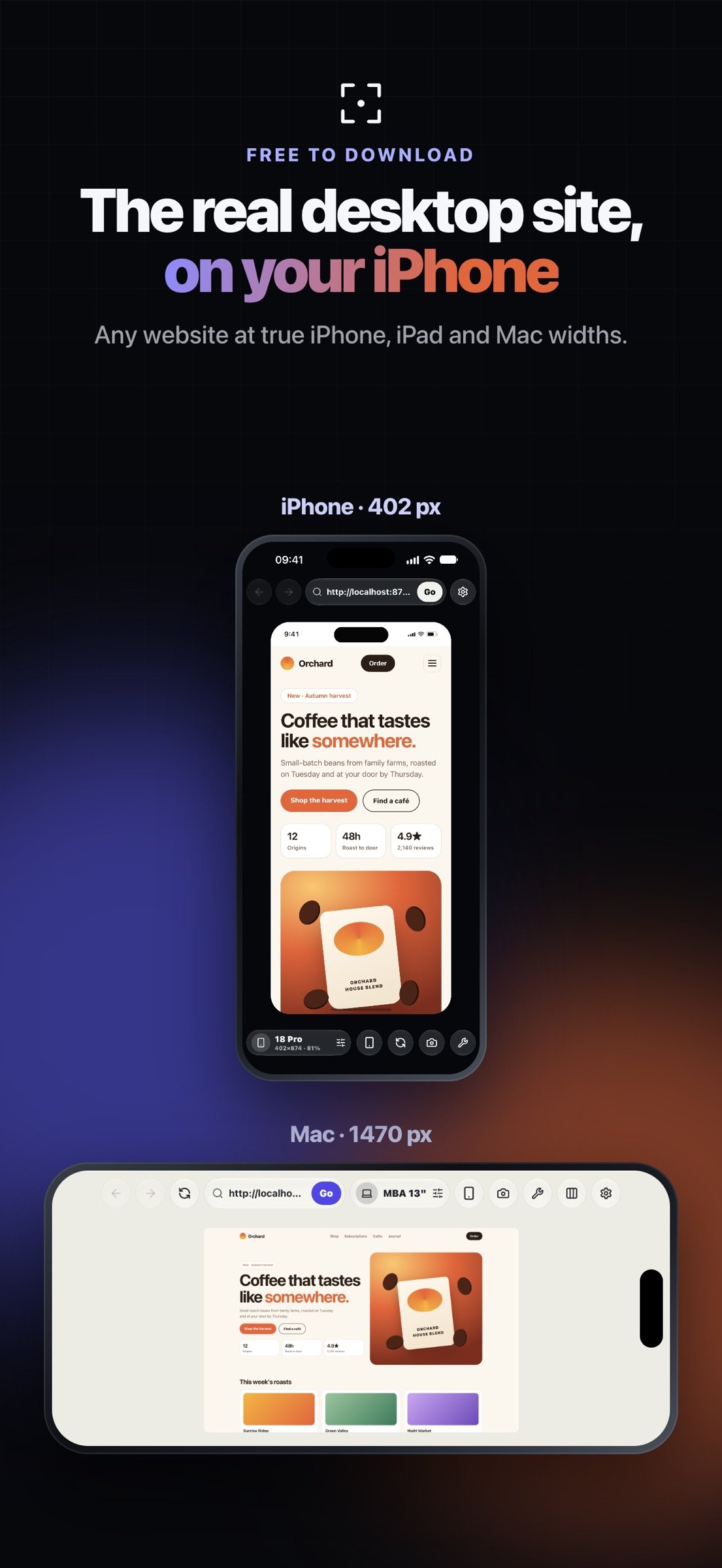
ViewPortal loads any URL in a real browser engine and renders it at true device sizes, so what you see is what your visitors get. No scaled-down screenshot, no guesswork.
Type a URL. Pick a device. Done.
TRUE-TO-DEVICE VIEWPORTS
- Pages render at each device's exact width, so layouts wrap, break and reflow just like they do in real life.
- The layout viewport is forced to the real width, so media queries and breakpoints fire correctly.
- Live pixel-size readouts show the precise dimensions you are testing.
EVERY DEVICE, ONE TAP AWAY
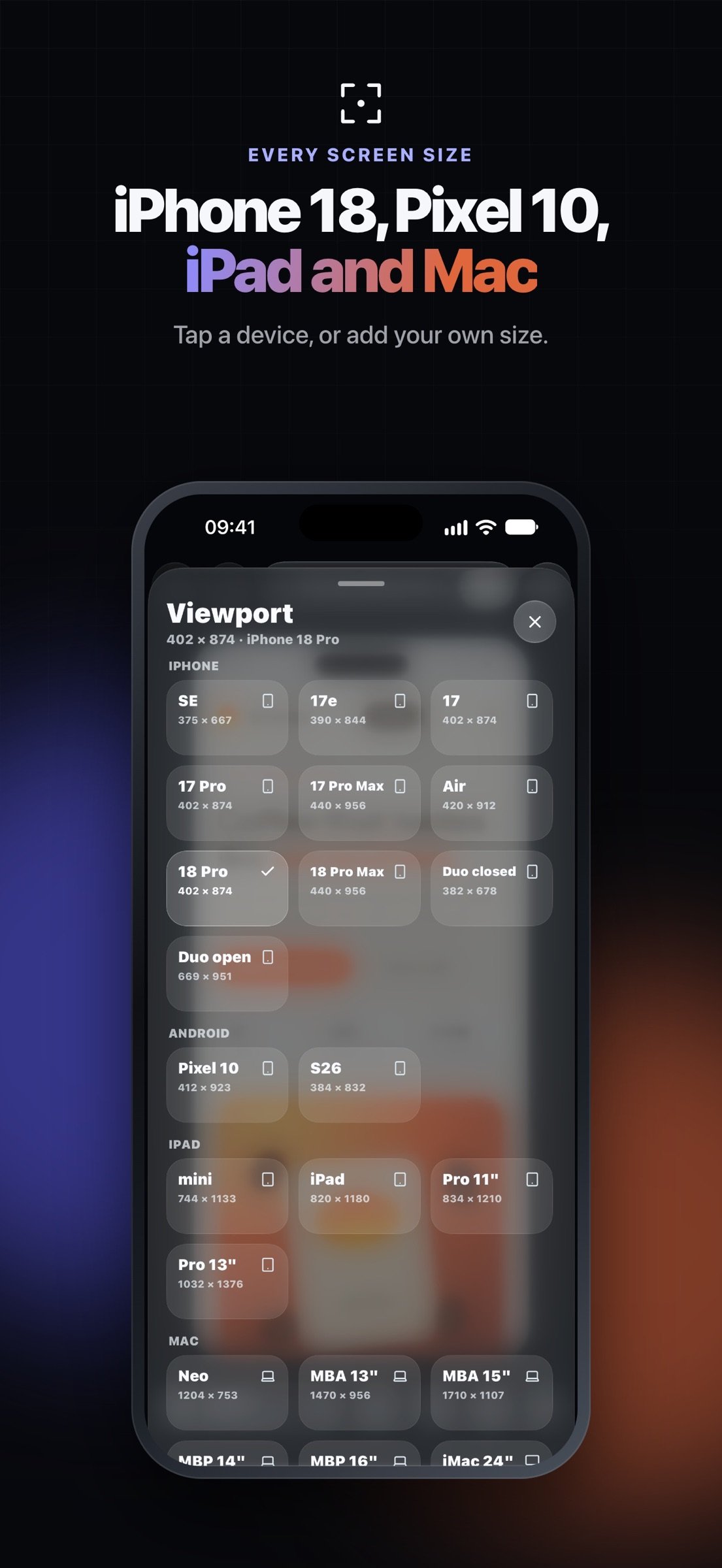
- iPhone: SE, 17e, 17, 17 Pro, 17 Pro Max, Air, 18 Pro, 18 Pro Max, iPhone Duo (closed and open).
- Other phones: popular non-iPhone screen sizes.
- iPad: mini, iPad 11", Pro 11", Pro 13".
- Mac: MacBook Neo, Air 13", Air 15", Pro 14", Pro 16", iMac 24".
- Add your own custom sizes.
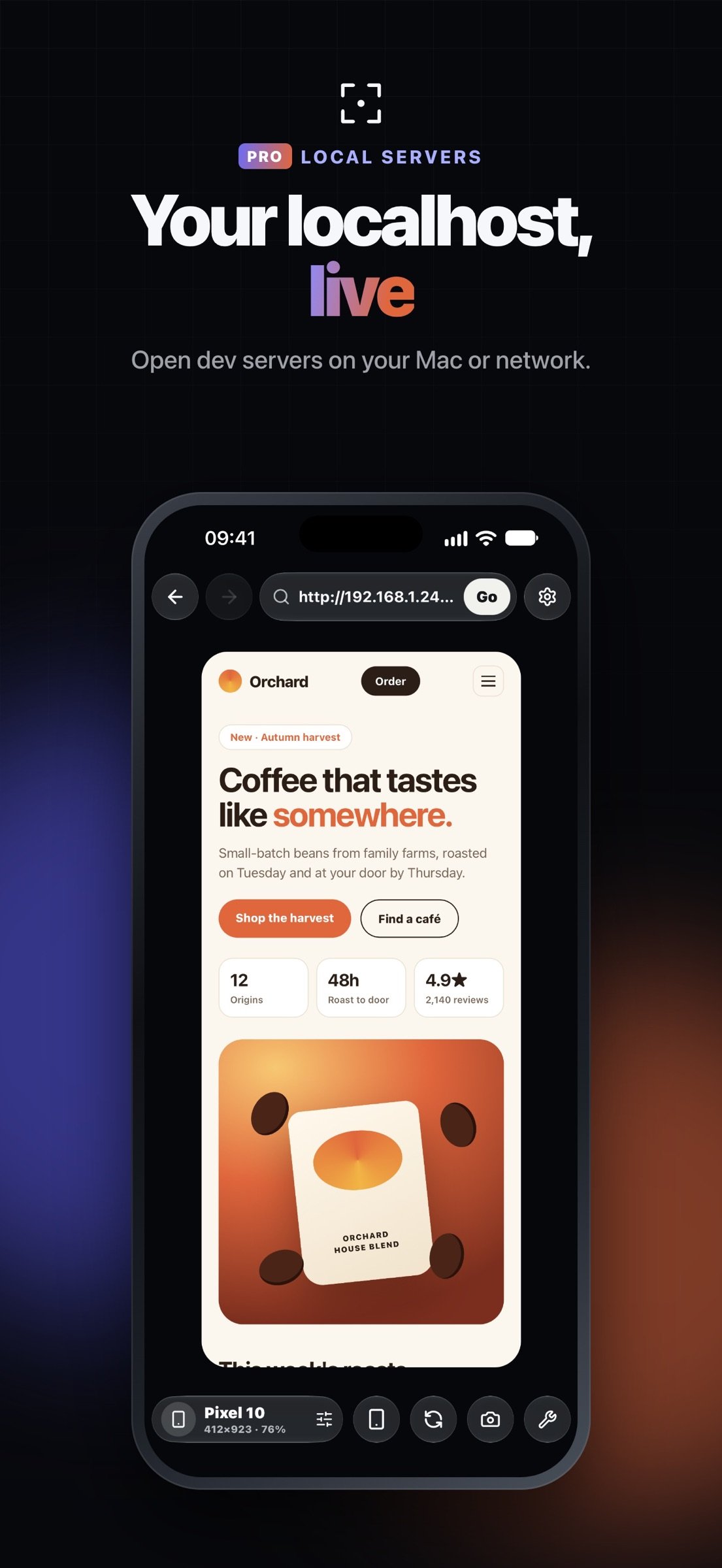
- Device chrome (notch, Dynamic Island and status bar) drawn in for realistic framing.
- Flip any device between portrait and landscape.
BUILT FOR IPHONE DUO
- Closed: the controls move into a rail beside the camera, so the preview gets the full height.
- Open: big previews and side-by-side multi-view on the inner display.
- Half-folded: previews stay on their own page, clear of the hinge.
- iPhone Duo closed and open presets for testing your own sites at Duo sizes, including Safari's side column on the cover display.
CAPTURE AND SHARE
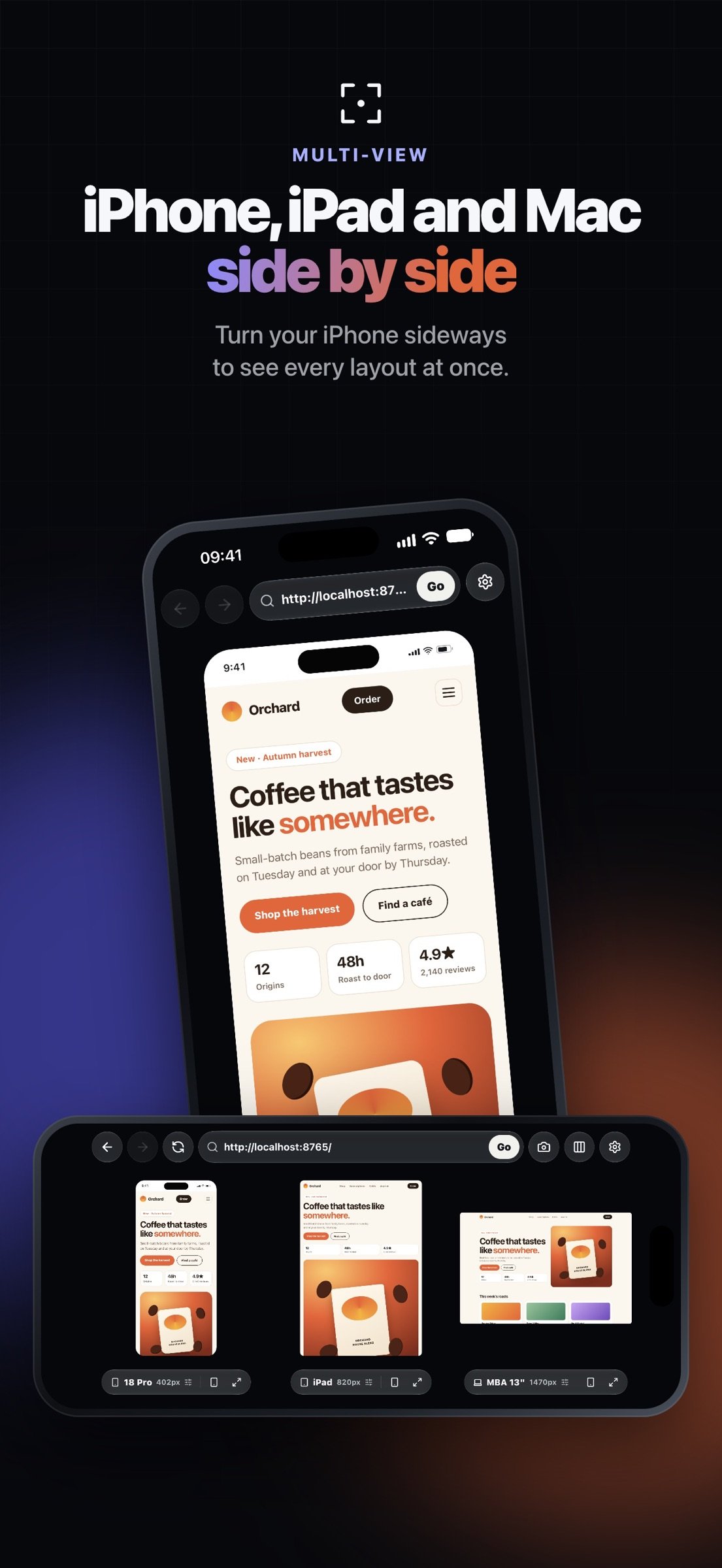
- Capture the preview, or every multi-view pane in one image with device labels.
- Draw on it, then share it anywhere.
VIEWPORTAL PRO: ONE PURCHASE, NO SUBSCRIPTION
- Side-by-side multi-view: phone, tablet and desktop next to each other on iPad, iPhone Duo or any iPhone in landscape. Try it free three times first.
- Localhost and LAN dev servers (such as 192.168.x.x): check work in progress and catch breakpoint bugs before you ship.
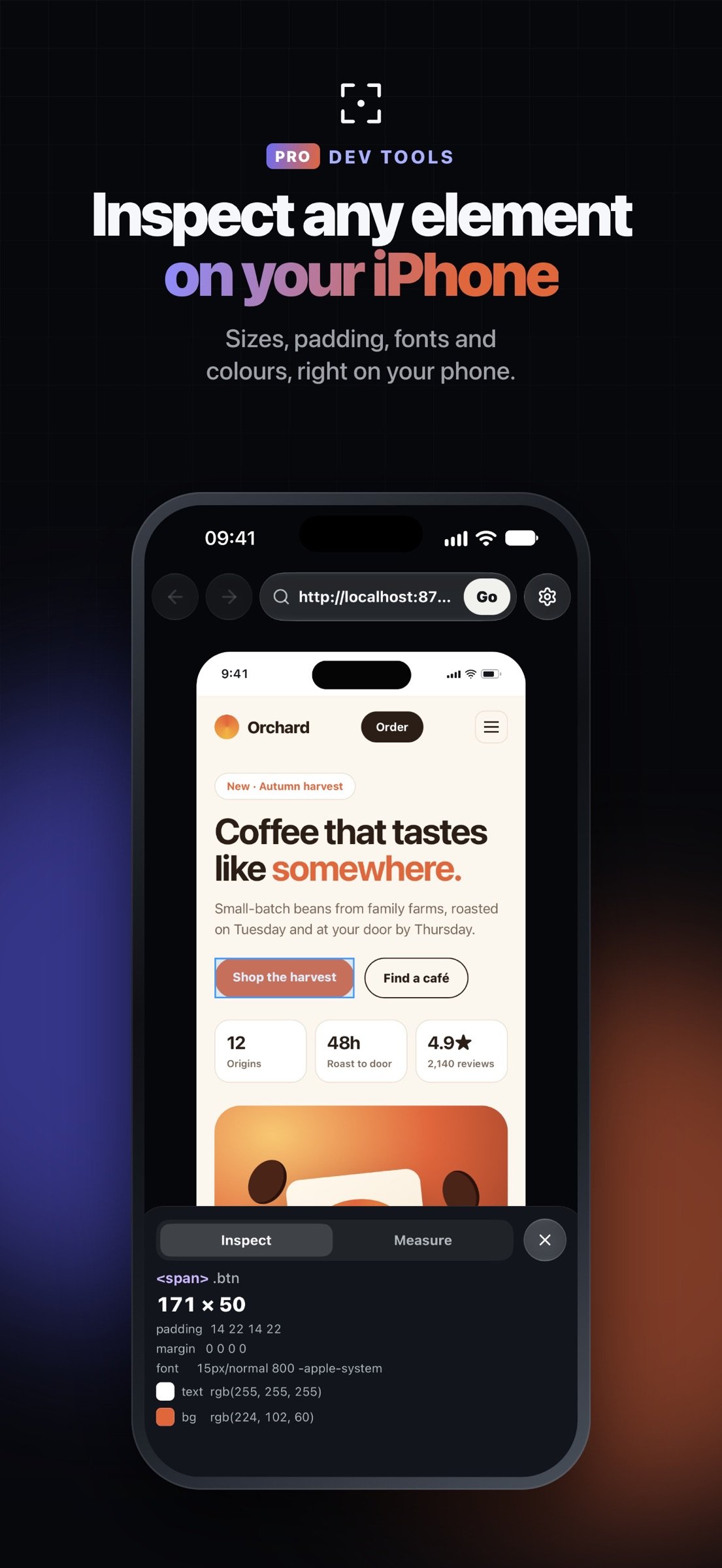
- Dev tools: tap any element to see its size, padding, margin, font and colors, measure the gap between two elements, read console errors and outline boxes to find overflow.
- Bought ViewPortal before it was free? Pro is already yours. If it doesn't unlock, tap Restore Purchases.
PINCH, ZOOM, EXPLORE
- Crisp pinch-to-zoom, exactly like a real browser.
- Inspect the smallest details, then step back to see the whole layout.
- Favorites and recents keep the sites you test most a tap away.
PRIVATE BY DESIGN
- No accounts. No analytics. No tracking.
- URLs, favorites and preferences stay on your device and are never transmitted.
Responsive design testing, wherever you are.
| Release info | Update on Nov 12, 2026 |
|---|---|
| Release notes | Small improvements to make testing quicker. • THIS DEVICE: the device list now shows this device's own screen size at the top. Tap it to test at that size. • HEX COLOURS: Inspect shows text and background colours in hex as well as RGB. • SHARE VIEWPORTAL: send the app to a colleague from Settings, next to Rate on the App Store. • Fixes and polish. |
| Listing data | App Store |
Reviews
No reviews yet. Be the first to review ViewPortal.
Used ViewPortal? Tell other visitors what you thought.
Log in to write a reviewOther products by this publisher
- "No Distractions" for YouTube 4.10 ----
- #Bible 11.6.1 "Incredible App - My sister shared this app with me a few weeks ago and it is truly incredible.
- #filmphotography 1.4.2 So, you decided to shoot on film?
- #LookBusy Fake Calendar Events 1.0.6 Look Busy scans your work calendar for open time slots and fills them with realistic-looking (but secretly fake) work events.
- #Small Talk Is Canceled 1.0.2 #Small Talk Is Canceled — Conversations That Matter
Most viewed iOS Developer Tools
-
1
 ZScripter 14.1.0
ZScripter plays compatible Ren'Py, RealLive, NScripter, (PONS)ONScripter-EN/RU/JH/Yuri, Artemis, Siglus, CatSystem2, Ethornell BGI, N2System (Nitro+), AI5 and UK2 games as well as KiriKiri (+Kirikiroid2 patches), TyranoScript, RPG Maker MV/MZ & XP, …
-
2
 GitHub 1.285.0
There’s a lot you can do on GitHub that doesn’t require a complex development environment – like sharing feedback on a design discussion, or reviewing a few lines of code.
-
3
 LocalDevVPN 1.3.0
LocalDevVPN is a developer tool for creating and managing local network tunnels directly on iOS.
-
4
 Agents Anywhere 2.1.0
Agents Anywhere is a developer tools mobile application for remotely controlling your local computer to complete coding tasks.
-
5
 Shader Playground 1.0
Shader Playground is a powerful real-time shader editor built for iPhone and iPad.
-
6
 Code Workspace 0.9.1
Code Workspace is a free, agent-first development environment for iPad and iPhone.
-
7
 Andarium 1.0
Andarium lets you run an Android virtual machine on your iPhone and iPad—no computer setup, extra downloads, or complicated configuration required.
-
8
 Termius 8.2.0
Termius is a modern SSH client designed for productivity and collaboration.
-
9
 Rulify 1.0.7
Rulify ????? iOS App ????,???????? App ????,???????????????
-
10
 TestFlight 4.4.1
TestFlight makes it easy to test beta versions of apps and App Clips to provide valuable feedback to developers before they release their apps on the App Store.
Most downloaded iOS Developer Tools
-
1
Agents Anywhere 2.1.0
Agents Anywhere is a developer tools mobile application for remotely controlling your local computer to complete coding tasks.
-
2
Rulify 1.0.7
Rulify ????? iOS App ????,???????? App ????,???????????????
-
3
 a-Shell mini 2.3.2
a-Shell mini is a complete local terminal emulator, allowing to run most Unix commands on you iOS device.
-
4
 LadderTouch 2.1.5
LadderTouch is an app to learn the basics of ladder logic, which is a graphical programming language.
-
5
 FSNotes 7.6.1
FSNotes is a fast, modern notes manager for macOS and iOS.
-
6
 Herdy 1.5.1
Herdy puts your remote terminal and long-running coding-agent sessions in your pocket.
-
7
Andarium 1.0
Andarium lets you run an Android virtual machine on your iPhone and iPad—no computer setup, extra downloads, or complicated configuration required.
-
8
 C/C++$-LLVM Clang 2.7
This is a learning tool for efficient C/C++ learning, fast programming, ?(LLVM+Clang)offline compilation and local execution?, Git fetching, iCloud storage, and efficient transfer and sharing via LAN HTTP/FTP multi-point connections.
-
9
 Markdown2PDF 1.0
Easily Convert Markdown to PDF with Markdown2PDF
-
10
LocalDevVPN 1.3.0
LocalDevVPN is a developer tool for creating and managing local network tunnels directly on iOS.