
TrashBox-80 1.0.1
Welcome to TrashBox-80 - the microcomputer nobody asked for, from Radio Smack!
Download
3.62 MB
11downloads
1this week
FreeCommercial
0reviews
Screenshots
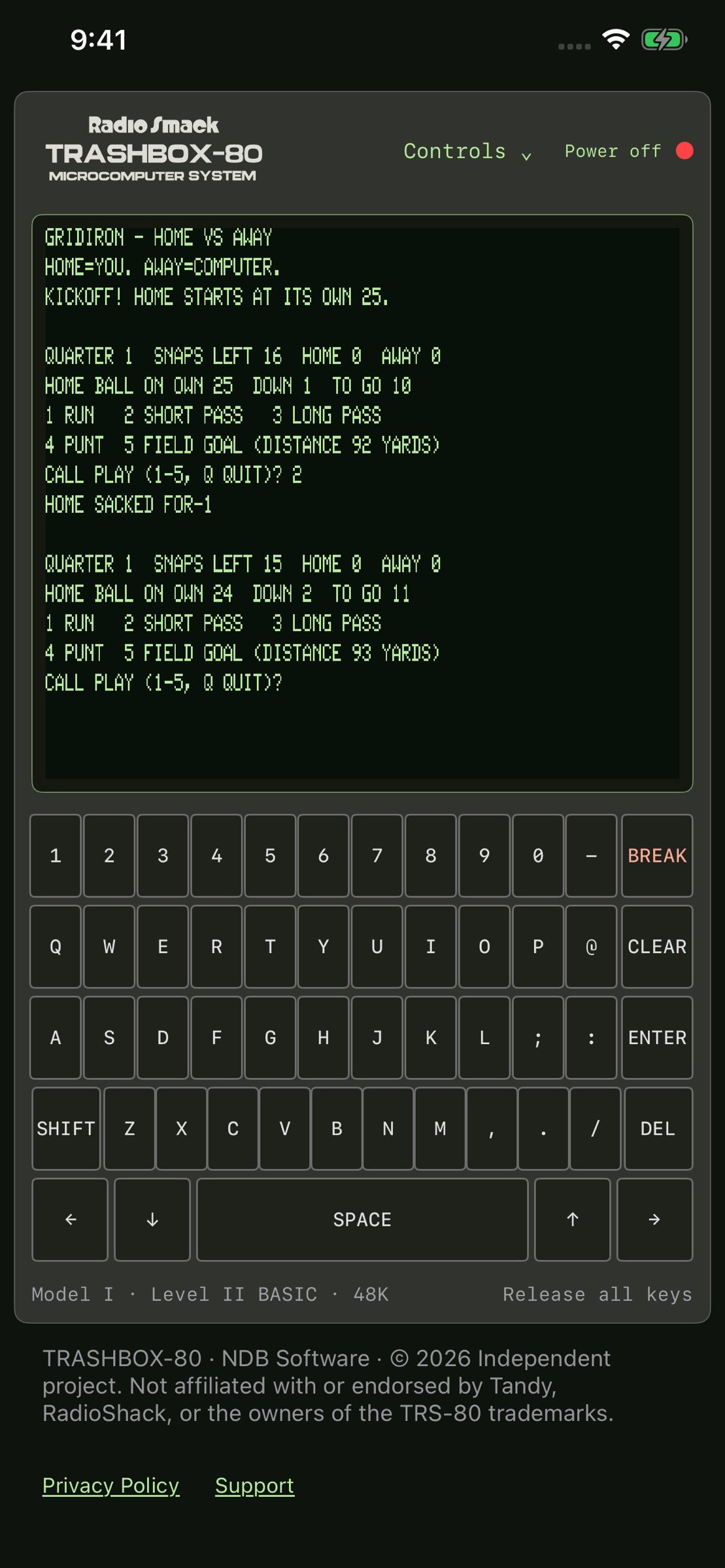
About TrashBox-80
Welcome to TrashBox-80 - the microcomputer nobody asked for, from Radio Smack!
Step back into the golden age of home computing with a lovingly recreated TRS-80 Model I-style experience built for retro-computing fans, BASIC programmers, and anyone who misses the days when a blinking cursor was an invitation to explore.
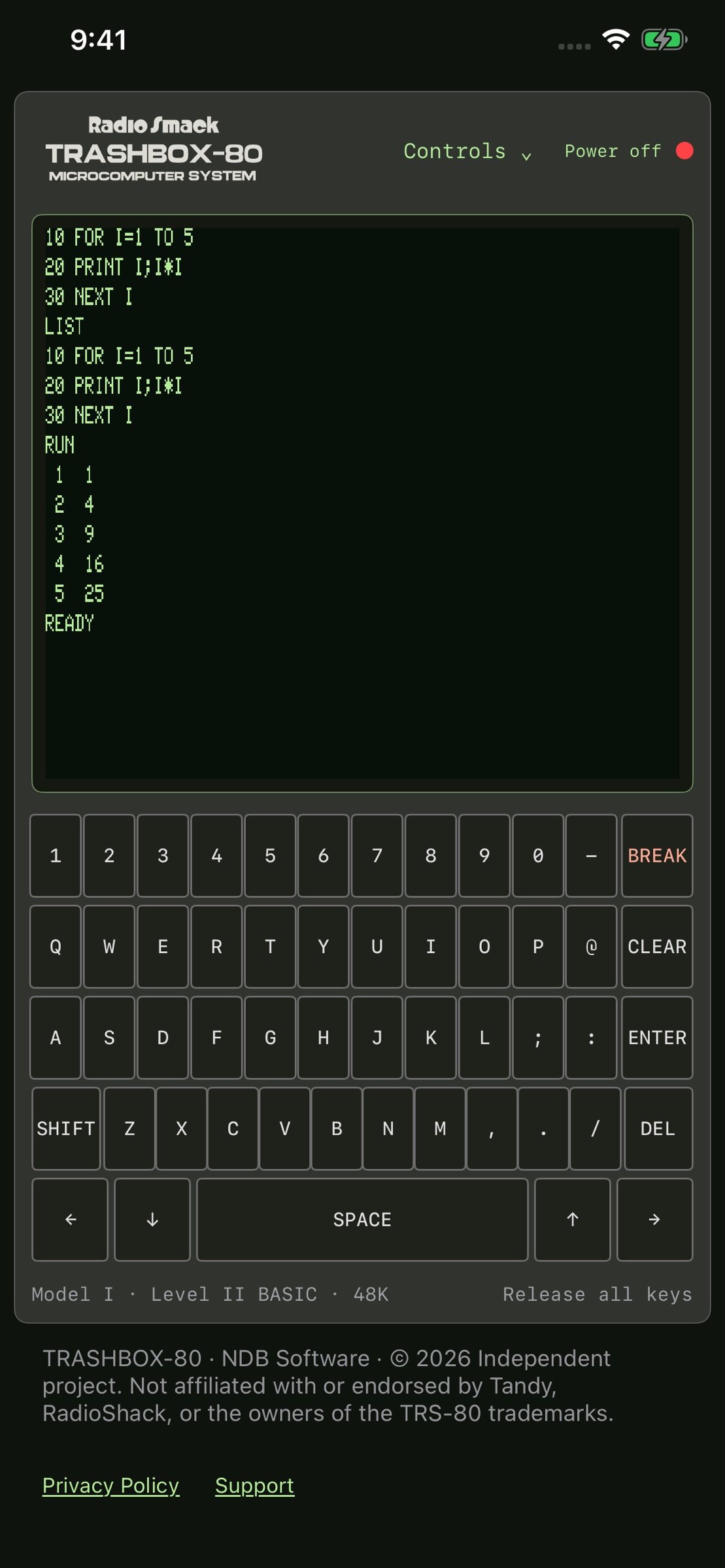
TrashBox-80 recreates the feel of a classic 48K microcomputer, complete with a green-screen display, block cursor, virtual keyboard, and Level II BASIC-style programming environment.
POWER UP. GET A PROMPT. START TYPING.
No accounts. No complicated setup. Just a computer, a cursor, and BASIC.
PROGRAM IN BASIC
Write, edit, run, save, and load BASIC programs directly inside TrashBox-80. Experiment with classic commands, create your own programs, learn old-school programming, or see just how much you can accomplish with a few lines of BASIC.
Whether you remember typing programs from magazines or you are discovering classic BASIC for the first time, TrashBox-80 gives you a hands-on way to explore the roots of personal computing.
BUILT-IN ARCADE
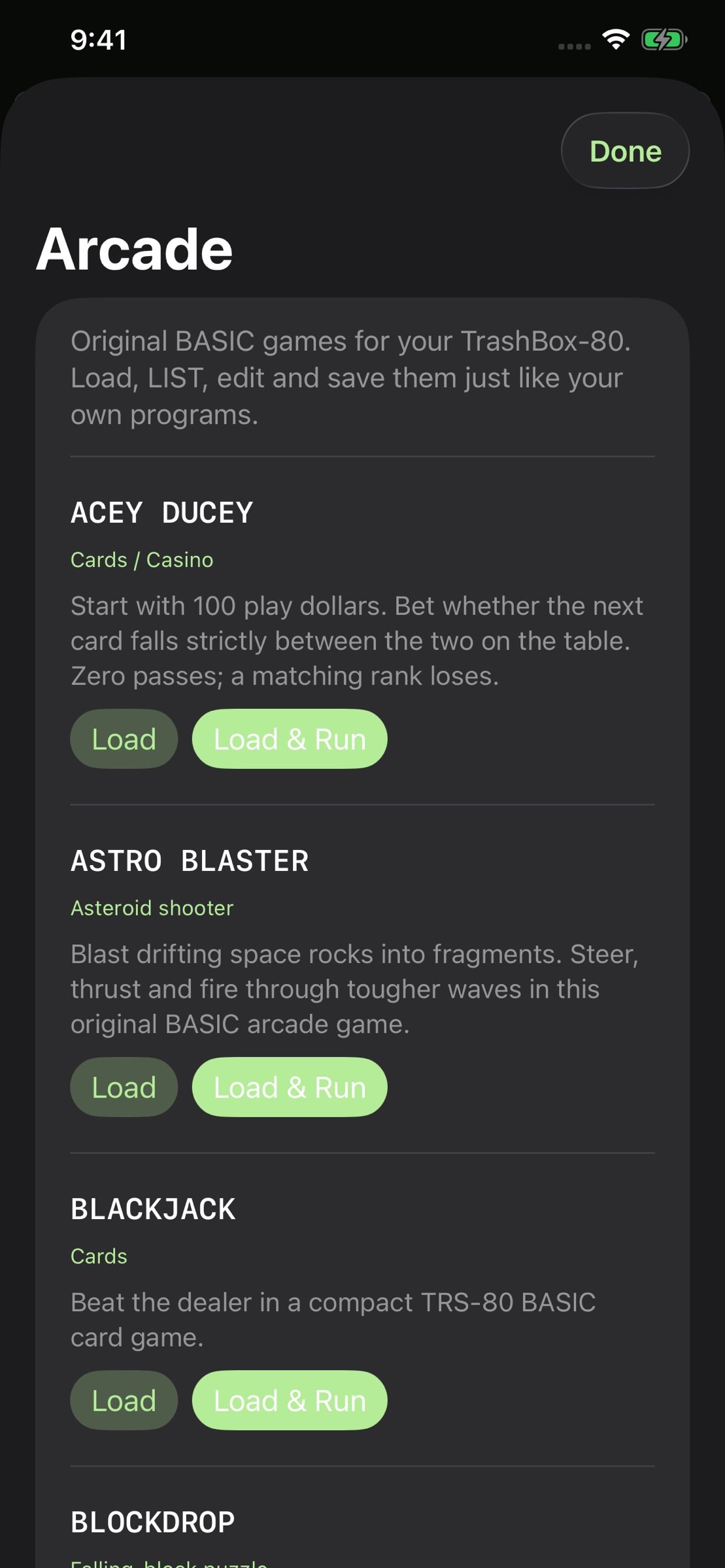
Don't feel like programming? Head over to the Arcade.
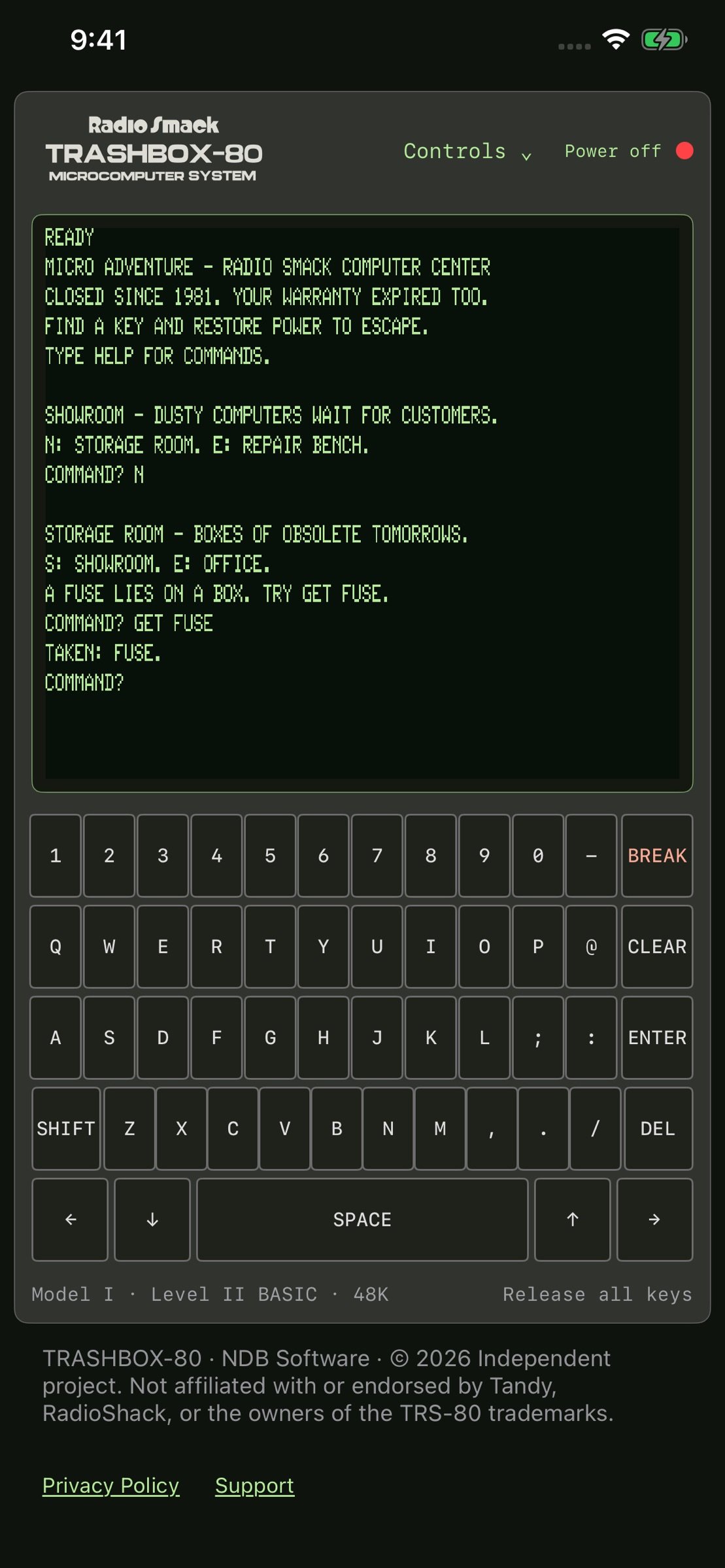
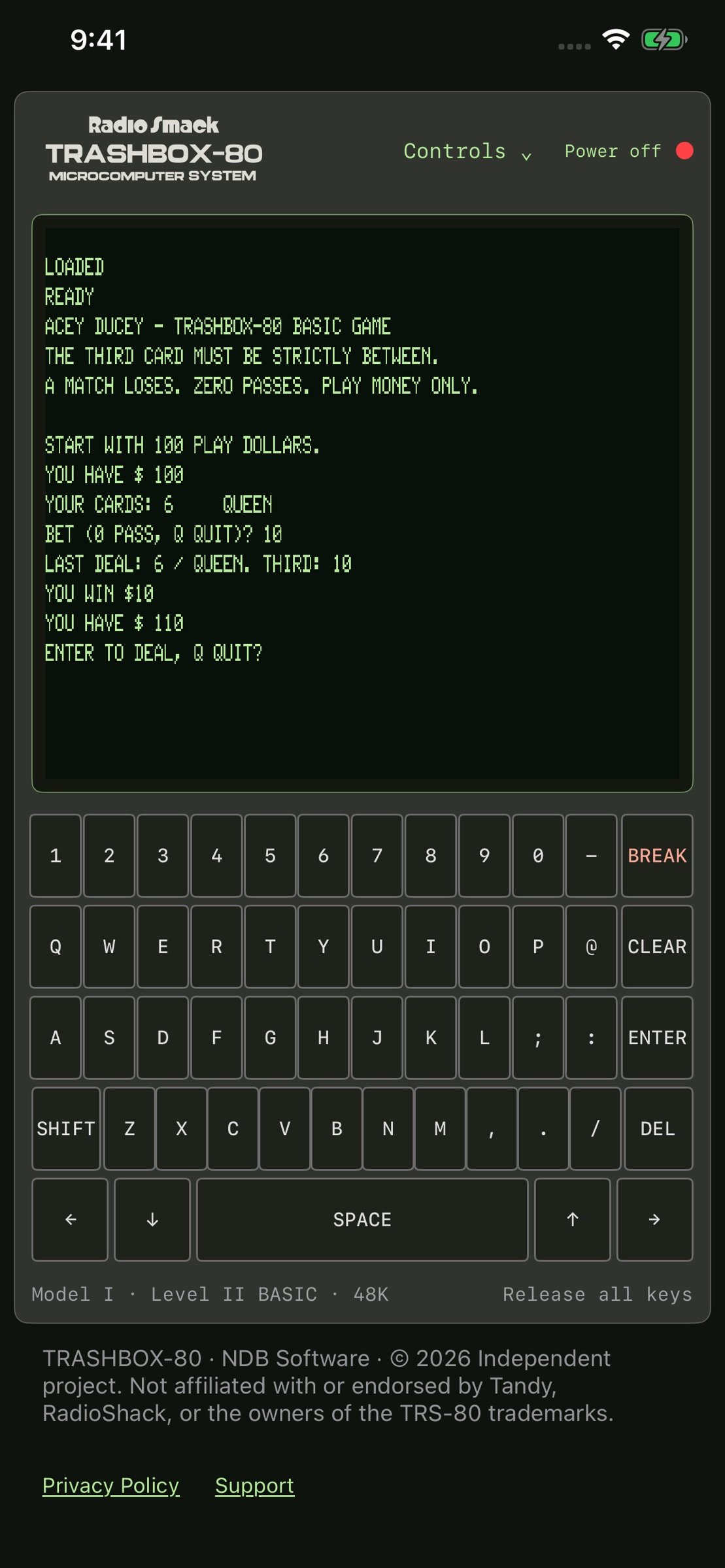
TrashBox-80 includes a collection of retro-inspired games designed to capture the simple, addictive fun of early home computers. Play Blockdrop, blast through space in Astro Blaster, test your luck at Blackjack and Acey-Ducey, play Hangman, explore text adventures, and more.
The intentionally old-school graphics and gameplay are part of the experience.
CLASSIC COMPUTER EXPERIENCE
* TRS-80 Model I-inspired interface
* 48K-era computing experience
* Level II BASIC-style programming
* Authentic green-screen presentation
* Blinking block cursor
* Built-in translucent virtual keyboard
* External keyboard support
* BREAK key support
* Write and run your own BASIC programs
* Save and load programs locally
* Built-in retro Arcade
* Quick Guide included
* Works without requiring an account
* Designed for newcomers and longtime retro-computing fans
LEARN. CODE. PLAY.
TrashBox-80 isn't just a simulation of an old computer screen. It's an interactive tribute to an era when turning on a computer meant you were immediately ready to program it.
Type a BASIC program.
RUN it.
Break it.
Fix it.
Save it.
Then waste the next hour playing Blockdrop.
Just like nature intended.
RADIO SMACK TRASHBOX-80 MICRO COMPUTER SYSTEM
Modern computers have millions of times more processing power.
TrashBox-80 has a blinking green cursor.
We know which one is cooler.
Ready?
License: Commercial
Step back into the golden age of home computing with a lovingly recreated TRS-80 Model I-style experience built for retro-computing fans, BASIC programmers, and anyone who misses the days when a blinking cursor was an invitation to explore.
TrashBox-80 recreates the feel of a classic 48K microcomputer, complete with a green-screen display, block cursor, virtual keyboard, and Level II BASIC-style programming environment.
POWER UP. GET A PROMPT. START TYPING.
No accounts. No complicated setup. Just a computer, a cursor, and BASIC.
PROGRAM IN BASIC
Write, edit, run, save, and load BASIC programs directly inside TrashBox-80. Experiment with classic commands, create your own programs, learn old-school programming, or see just how much you can accomplish with a few lines of BASIC.
Whether you remember typing programs from magazines or you are discovering classic BASIC for the first time, TrashBox-80 gives you a hands-on way to explore the roots of personal computing.
BUILT-IN ARCADE
Don't feel like programming? Head over to the Arcade.
TrashBox-80 includes a collection of retro-inspired games designed to capture the simple, addictive fun of early home computers. Play Blockdrop, blast through space in Astro Blaster, test your luck at Blackjack and Acey-Ducey, play Hangman, explore text adventures, and more.
The intentionally old-school graphics and gameplay are part of the experience.
CLASSIC COMPUTER EXPERIENCE
* TRS-80 Model I-inspired interface
* 48K-era computing experience
* Level II BASIC-style programming
* Authentic green-screen presentation
* Blinking block cursor
* Built-in translucent virtual keyboard
* External keyboard support
* BREAK key support
* Write and run your own BASIC programs
* Save and load programs locally
* Built-in retro Arcade
* Quick Guide included
* Works without requiring an account
* Designed for newcomers and longtime retro-computing fans
LEARN. CODE. PLAY.
TrashBox-80 isn't just a simulation of an old computer screen. It's an interactive tribute to an era when turning on a computer meant you were immediately ready to program it.
Type a BASIC program.
RUN it.
Break it.
Fix it.
Save it.
Then waste the next hour playing Blockdrop.
Just like nature intended.
RADIO SMACK TRASHBOX-80 MICRO COMPUTER SYSTEM
Modern computers have millions of times more processing power.
TrashBox-80 has a blinking green cursor.
We know which one is cooler.
Ready?
License: Commercial
| Release info | New Release on Sep 27, 2026 |
|---|---|
| Release notes | This update makes working with programs and virtual disks easier and more reliable. • Fixed unnecessary save warnings. Save, Discard, or Cancel now appears when replacing a BASIC program with unsaved changes. • Import CMD programs and companion files into new or existing writable TrashBox data disks. • Added clear choices to replace or skip duplicate filenames, or cancel the import. • Improved file selection and handling for BASIC programs, machine-code files, cassette images, and supported disk images. • Improved automatic local disk saving and reopening from your Library. • Added clearer errors for unsupported formats, read-only disks, and insufficient disk space. |
| Listing data | App Store |
Reviews
No reviews yet. Be the first to review TrashBox-80.
Used TrashBox-80? Tell other visitors what you thought.
Log in to write a reviewOther products by this publisher
- "No Distractions" for YouTube 4.10 ----
- #Bible 11.6 "Incredible App - My sister shared this app with me a few weeks ago and it is truly incredible.
- #filmphotography 1.4.2 So, you decided to shoot on film?
- $quirrel 1.5.1 $quirrel Budget & Finance helps you plan each paycheck, track spending, manage debt, and see what is safe to spend before the next payday.
- % Percentage Calculator Pro 1.41 This is the Pro version of % Percentage Calculator.
Most viewed iOS Developer Tools
-
1
 ZScripter 12.2.0
ZScripter plays compatible Ren'Py, RealLive, NScripter, (PONS)ONScripter-EN/RU/JH/Yuri, Artemis, Siglus, AI5 and UK2 games as well as KiriKiri (+Kirikiroid2 patches) and RPG Maker MV/MZ & XP, VX and VX Ace support.
-
2
 GitHub 1.283.0
There’s a lot you can do on GitHub that doesn’t require a complex development environment – like sharing feedback on a design discussion, or reviewing a few lines of code.
-
3
 Shader Playground 1.0
Shader Playground is a powerful real-time shader editor built for iPhone and iPad.
-
4
 Agents Anywhere 2.1.0
Agents Anywhere is a developer tools mobile application for remotely controlling your local computer to complete coding tasks.
-
5
 Code Workspace 0.9.1
Code Workspace is a free, agent-first development environment for iPad and iPhone.
-
6
 LocalDevVPN 1.3.0
LocalDevVPN is a developer tool for creating and managing local network tunnels directly on iOS.
-
7
 Termius 8.0.7
Termius is a modern SSH client designed for productivity and collaboration.
-
8
 Cursor 1.17.0
Introducing Cursor for iOS: the best way to build, review, and ship software from anywhere.
-
9
 HTTP Debugger+ 1.2.3
HTTP Debugger+ is a professional HTTP traffic inspector designed for developers and QA engineers.
-
10
 Rulify 1.0.7
Rulify ????? iOS App ????,???????? App ????,???????????????
Most downloaded iOS Developer Tools
-
1
Agents Anywhere 2.1.0
Agents Anywhere is a developer tools mobile application for remotely controlling your local computer to complete coding tasks.
-
2
Rulify 1.0.7
Rulify ????? iOS App ????,???????? App ????,???????????????
-
3
 a-Shell mini 2.3.2
a-Shell mini is a complete local terminal emulator, allowing to run most Unix commands on you iOS device.
-
4
 LadderTouch 2.1.5
LadderTouch is an app to learn the basics of ladder logic, which is a graphical programming language.
-
5
 FSNotes 7.6.0
FSNotes is a fast, modern notes manager for macOS and iOS.
-
6
 C/C++$-LLVM Clang 2.7
This is a learning tool for efficient C/C++ learning, fast programming, ?(LLVM+Clang)offline compilation and local execution?, Git fetching, iCloud storage, and efficient transfer and sharing via LAN HTTP/FTP multi-point connections.
-
7
 python3$ 6.6
This is a Python 3.13 learning tool for efficient learning, fast programming, local execution, breakpoint debugging, precise error reporting, Git fetching, iCloud access, and efficient transfer and sharing via LAN HTTP/FTP multi-point connections.
-
8
 websta$-learn html css and js 3.2
This is a learning tool for efficient HTML, CSS, and JS learning, fast programming, local execution, Git retrieval, iCloud storage, efficient transfer and sharing via LAN HTTP/FTP multi-point connections.
-
9
HTTP Debugger+ 1.2.3
HTTP Debugger+ is a professional HTTP traffic inspector designed for developers and QA engineers.
-
10
 Expo Go 58.0.5
Start learning to build projects using web technologies with just your iOS device.