
14downloads
2this week
FreeFreeware
0reviews
Screenshots
About Termiux
Termiux - Linux Emulator & SSH, SFTP on iPHone
A powerful and easy-to-use SSH, SFTP & terminal application designed for iPhone. Start working immediately with a built-in terminal experience, or securely connect to your own remote servers whenever needed.
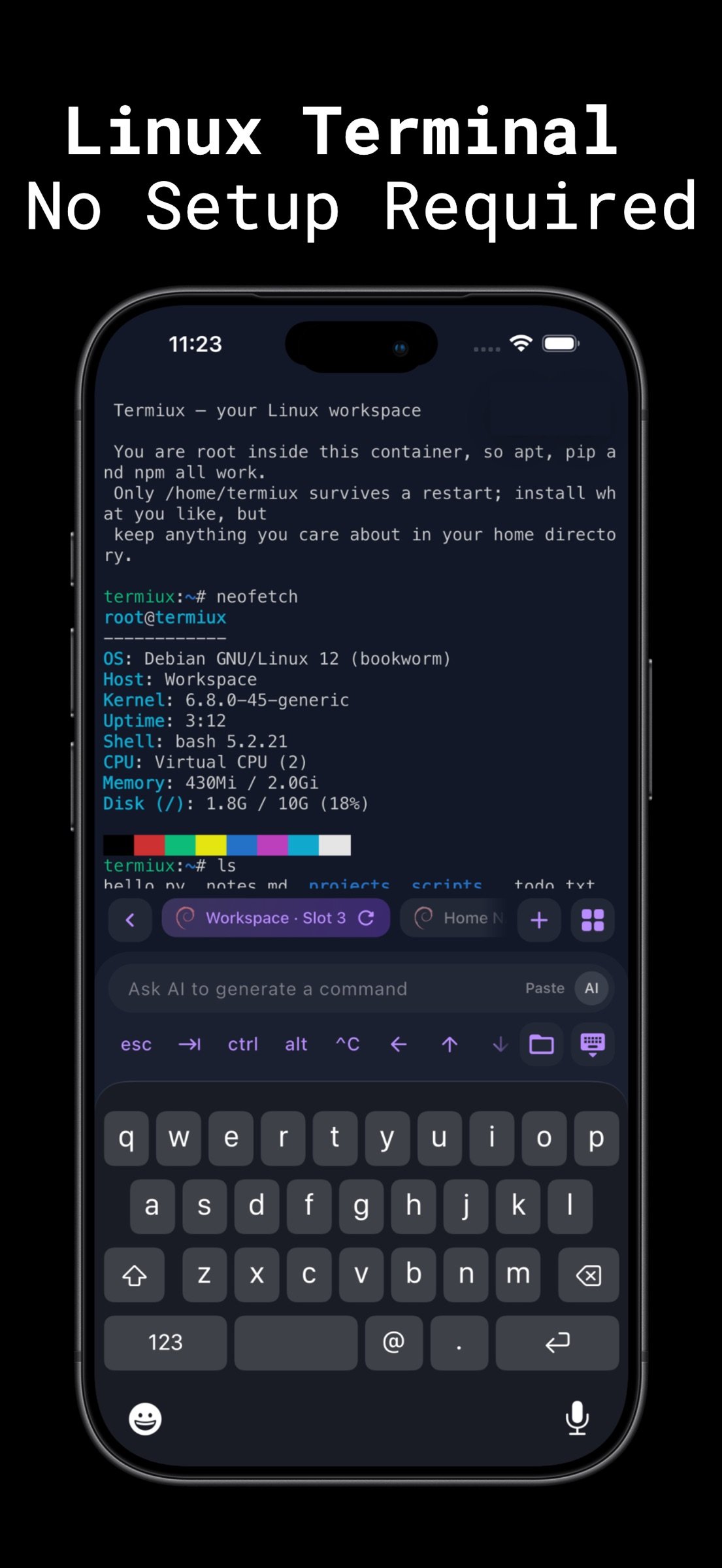
BUILT-IN TERMINAL
Access a ready-to-use terminal directly from the app.
Run command-line operations, navigate directories, test commands, work with scripts, and perform common terminal tasks without needing to connect to another device or server first.
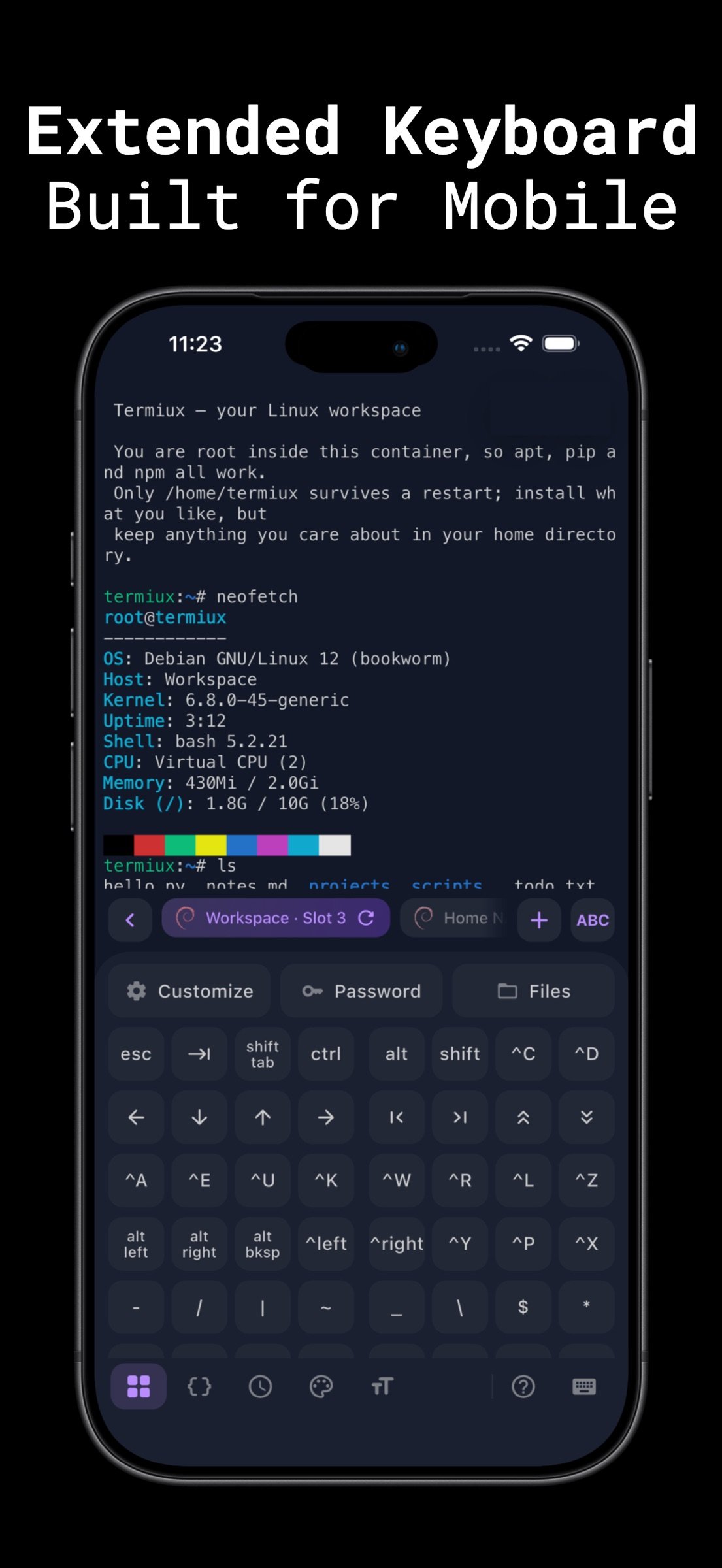
EXTENDED KEYBOARD
Work faster with an extended keyboard designed specifically for command-line use.
Quickly access commonly used keys such as:
o Ctrl?
o Alt?
o Tab?
o Esc?
o Arrow keys?
o Function keys?
o Common terminal shortcuts
The keyboard is optimized to make terminal interaction more comfortable on a touchscreen.
TOUCH-FRIENDLY TERMINAL
Interact with terminal sessions naturally using intuitive touch controls.
Scroll through output, navigate sessions, select content, and work with commands through an interface designed for mobile devices.
CUSTOMIZE YOUR TERMINAL
Personalize your terminal to match your preferred working style.
Choose from:
o Multiple terminal themes?
o Different fonts
o Adjustable font sizes?
o Custom backgrounds?
o Appearance preferences
o Terminal display settings
Create a workspace that feels comfortable for both quick commands and longer sessions.
FAST & SECURE SSH CONNECTIONS
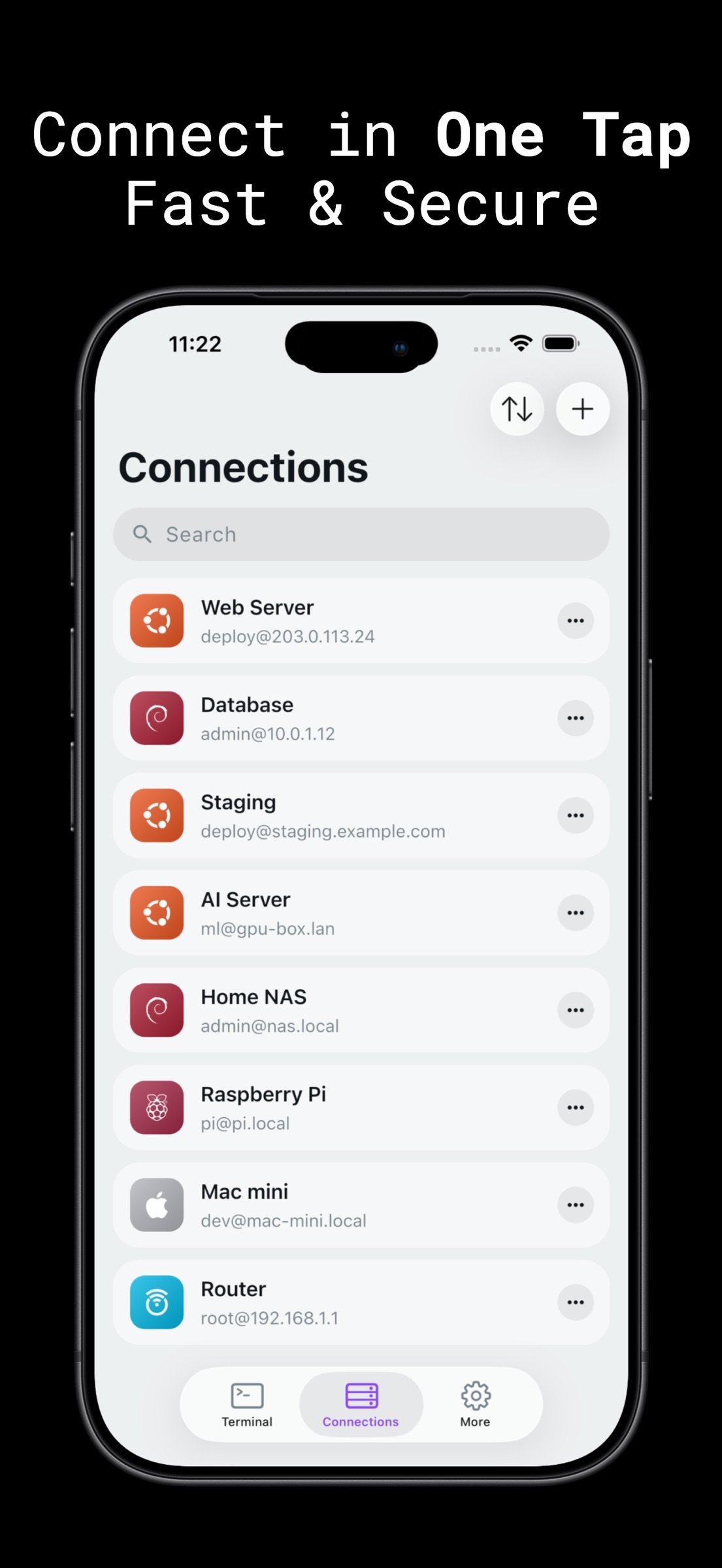
Connect to your own remote servers through SSH quickly and securely.
Create and manage server profiles for faster access while keeping connection information securely stored on your device.
Important server and connection details are displayed clearly, making it easy to identify, manage, and reconnect to your hosts.
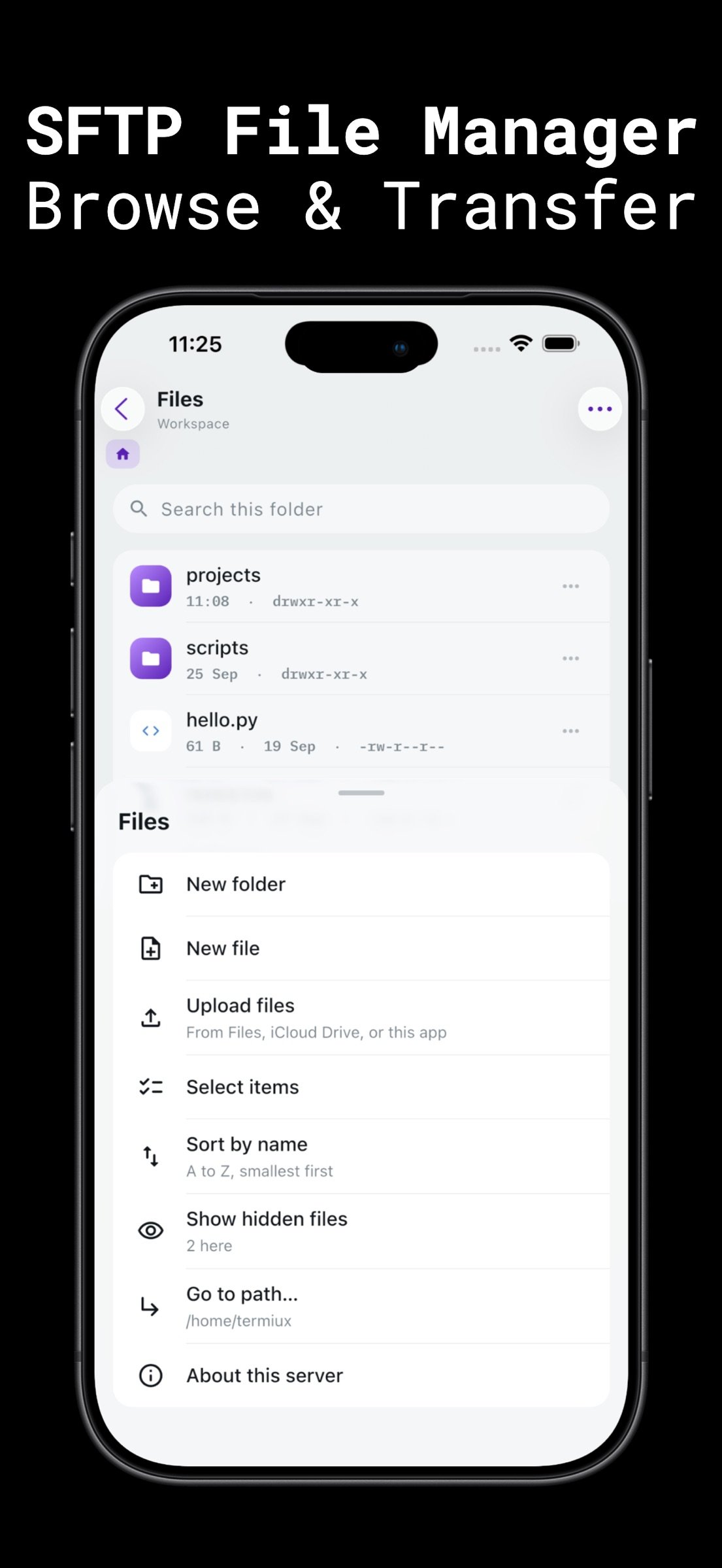
SFTP FILE BROWSER
Browse files and folders on your remote servers using the integrated SFTP file browser.
You can:
o Browse remote directories?
o View files?
o Navigate folders?
o Access server content
o Manage files alongside terminal sessions
Terminal access and remote file browsing are available together in one convenient application.
CLEAR & INTUITIVE INTERFACE
The interface is designed to provide powerful terminal functionality while remaining simple and easy to understand.
Connection information, server details, terminal sessions, files, and important status information are presented clearly for quick access.
BUILT FOR MOBILE WORKFLOWS
Useful for:
o Command-line operations
o SSH server access?
o Server administration?
o Script development and testing?
o Git workflows?
o File system navigation?
o Remote file access through SFTP
o Network diagnostics
o Development and server management
Whether you want to use the built-in terminal or securely access your own remote infrastructure, Terminal for iPhone provides a practical command-line workspace directly on your device.
Terms of Use:?[link removed]
Privacy Policy:?[link removed]
License: Free
| Release info | New Release on Oct 07, 2026 |
|---|---|
| Release notes | New in this update: - Introducing a dedicated desktop version. - Improved connection stability for a smoother experience. |
| Listing data | App Store |
Reviews
No reviews yet. Be the first to review Termiux.
Used Termiux? Tell other visitors what you thought.
Log in to write a reviewOther products by this publisher
- "No Distractions" for YouTube 4.10 ----
- #Bible 11.6.1 "Incredible App - My sister shared this app with me a few weeks ago and it is truly incredible.
- #filmphotography 1.4.2 So, you decided to shoot on film?
- #LookBusy Fake Calendar Events 1.0.6 Look Busy scans your work calendar for open time slots and fills them with realistic-looking (but secretly fake) work events.
- #Small Talk Is Canceled 1.0.2 #Small Talk Is Canceled — Conversations That Matter
Most viewed iOS Developer Tools
-
1
 ZScripter 15.0.0
ZScripter plays compatible Ren'Py, RealLive, NScripter, (PONS)ONScripter-EN/RU/JH/Yuri, Artemis, Siglus, CatSystem2, Ethornell BGI, N2System (Nitro+), AI5 and UK2 games as well as KiriKiri (+Kirikiroid2 patches), TyranoScript, RPG Maker MV/MZ & XP, …
-
2
 GitHub 1.285.0
There’s a lot you can do on GitHub that doesn’t require a complex development environment – like sharing feedback on a design discussion, or reviewing a few lines of code.
-
3
 LocalDevVPN 1.3.0
LocalDevVPN is a developer tool for creating and managing local network tunnels directly on iOS.
-
4
 Agents Anywhere 2.1.0
Agents Anywhere is a developer tools mobile application for remotely controlling your local computer to complete coding tasks.
-
5
 Andarium 1.0
Andarium lets you run an Android virtual machine on your iPhone and iPad—no computer setup, extra downloads, or complicated configuration required.
-
6
 Shader Playground 1.0
Shader Playground is a powerful real-time shader editor built for iPhone and iPad.
-
7
 Code Workspace 0.9.1
Code Workspace is a free, agent-first development environment for iPad and iPhone.
-
8
 Termius 8.2.0
Termius is a modern SSH client designed for productivity and collaboration.
-
9
 Rulify 1.0.7
Rulify ????? iOS App ????,???????? App ????,???????????????
-
10
 TestFlight 4.4.1
TestFlight makes it easy to test beta versions of apps and App Clips to provide valuable feedback to developers before they release their apps on the App Store.
Most downloaded iOS Developer Tools
-
1
Agents Anywhere 2.1.0
Agents Anywhere is a developer tools mobile application for remotely controlling your local computer to complete coding tasks.
-
2
Rulify 1.0.7
Rulify ????? iOS App ????,???????? App ????,???????????????
-
3
 a-Shell mini 2.4.0
a-Shell mini is a complete local terminal emulator, allowing to run most Unix commands on you iOS device.
-
4
 LadderTouch 2.1.5
LadderTouch is an app to learn the basics of ladder logic, which is a graphical programming language.
-
5
 FSNotes 7.6.1
FSNotes is a fast, modern notes manager for macOS and iOS.
-
6
 Herdy 1.5.1
Herdy puts your remote terminal and long-running coding-agent sessions in your pocket.
-
7
Andarium 1.0
Andarium lets you run an Android virtual machine on your iPhone and iPad—no computer setup, extra downloads, or complicated configuration required.
-
8
LocalDevVPN 1.3.0
LocalDevVPN is a developer tool for creating and managing local network tunnels directly on iOS.
-
9
 Markdown2PDF 1.0
Easily Convert Markdown to PDF with Markdown2PDF
-
10
 C/C++$-LLVM Clang 2.7
This is a learning tool for efficient C/C++ learning, fast programming, ?(LLVM+Clang)offline compilation and local execution?, Git fetching, iCloud storage, and efficient transfer and sharing via LAN HTTP/FTP multi-point connections.