
16downloads
1this week
FreeFreeware
0reviews
Screenshots

About Surge 5
Surge is an advanced network toolbox and proxy utility. It is designed for developers and therefore requires professional knowledge to use.
These four capabilities form the core workflow of Surge:
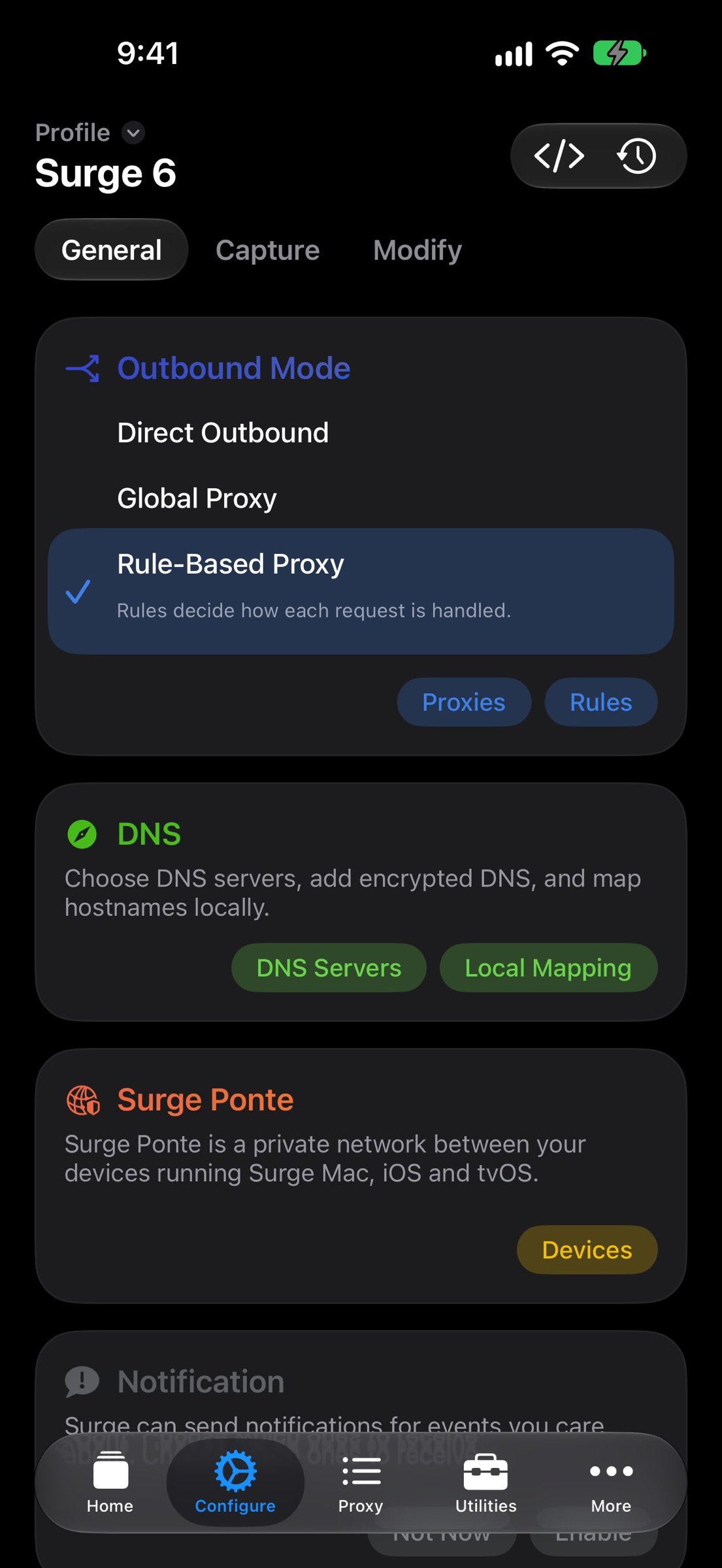
· Takeover: Take over the network connections sent by the device. Surge supports both proxy service and virtual NIC takeover, capturing HTTP, HTTPS, TCP, and UDP traffic from any app — even those ignoring proxy settings. All features work on the cellular network.
· Processing: Modify the requests and responses that have been taken over: URL rewrite, header and body rewrite, local file mapping, custom DNS answers, and JavaScript-based modification.
· Forwarding: Forward requests to proxy servers, either globally or driven by a flexible rule system. Policy groups select the best server automatically by latency, availability, or learned connection quality.
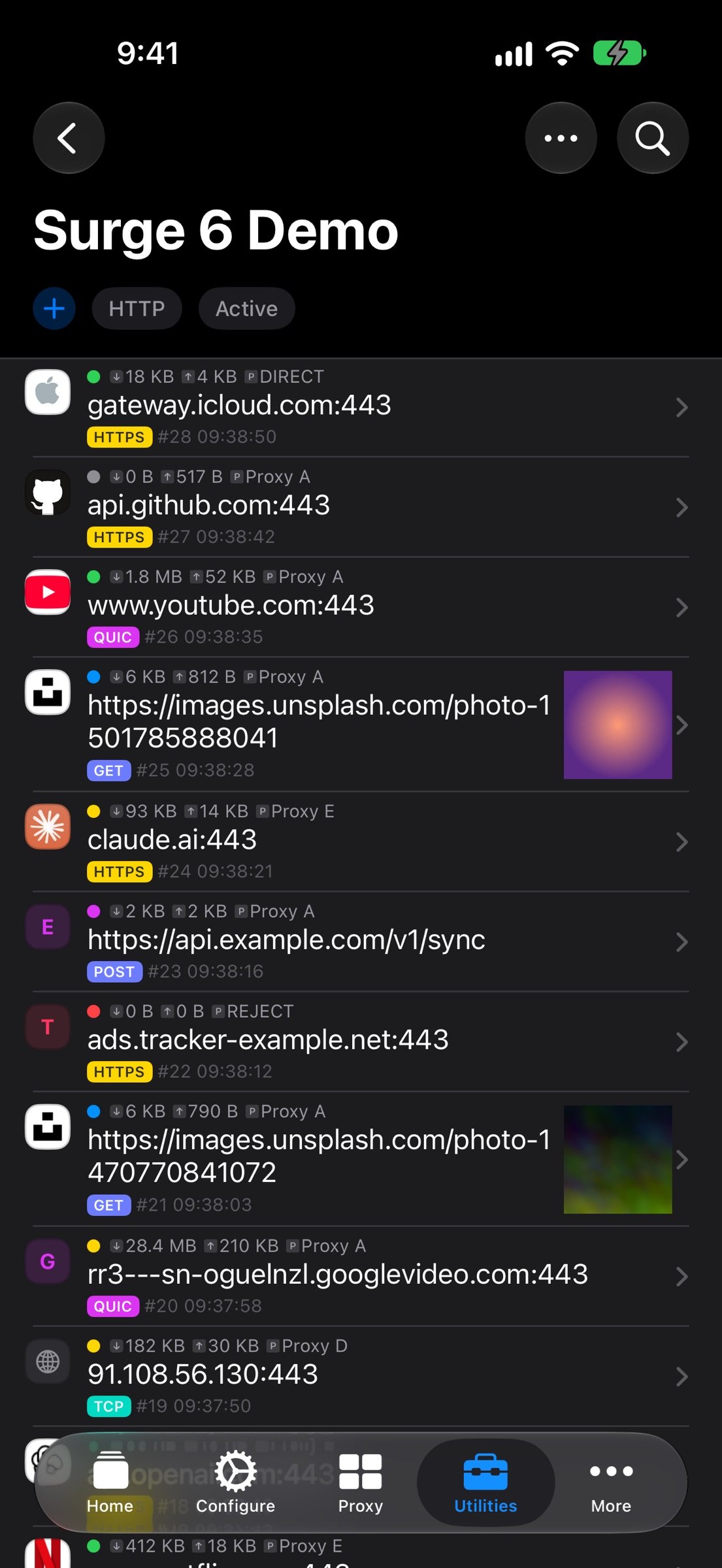
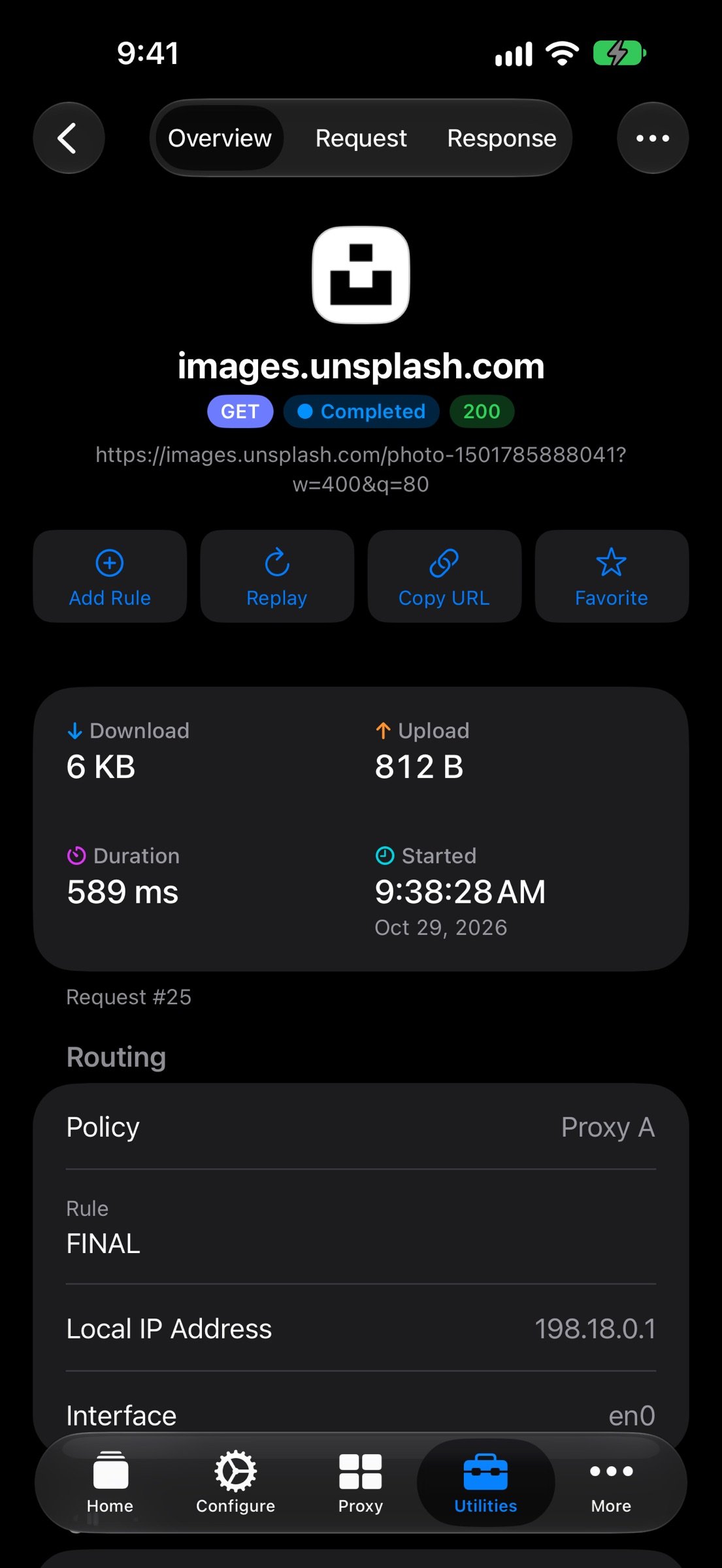
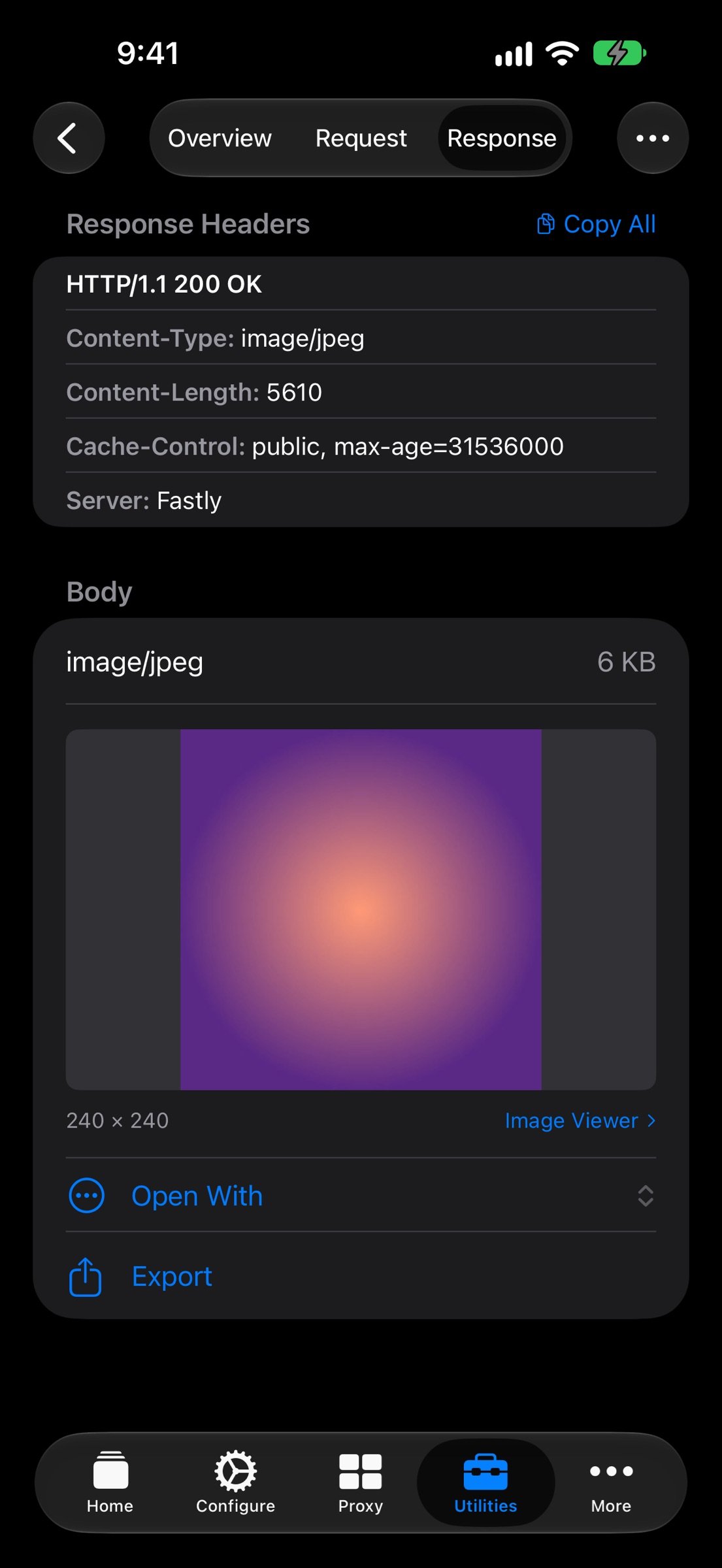
· Intercept: Record and inspect requests and responses, including headers and bodies, and decrypt HTTPS traffic with MITM.
Highlighted Features
· Proxy protocols: HTTP/HTTPS, SOCKS5, SOCKS5-TLS, HTTP2 CONNECT, TrustTunnel, Shadowsocks, Snell, Trojan, Hysteria 2, AnyTLS, and SSH, with UDP relay support.
· Used as a WireGuard or Tailscale client, converting the L3 VPN into a proxy policy.
· Rules based on domain match/suffix/keyword/wildcard, CIDR IP range, GeoIP, ASN, protocol, port, and logical combinations; reusable rule sets hosted locally or remotely.
· Policy groups: manual selection, automatic latency testing, fallback, load balancing, and the self-learning Smart group.
· Complete DNS suite: DNS-over-HTTPS, DNS-over-HTTP/3, DNS-over-QUIC, DNS-over-TLS, and concurrent queries for the fastest answer.
· Local DNS mapping (equivalent to /etc/hosts) with wildcards, aliases, and per-domain DNS servers. Switch your app between production and development environments without changing any code.
· Decrypt HTTPS traffic with Man-in-the-Middle and a built-in CA certificate generator.
· Record and display HTTP requests and responses with JSON, text, image, and video viewers for the captured body; album mode for the request list; pre-filter for capturing.
· Raw L3 packet capture.
· Scripting: extend Surge with JavaScript — modify requests and responses, write custom rules, customize DNS answers, and run scheduled tasks.
· Block unwanted requests by rules with high-performance pre-matching.
· Measure traffic usage and network speed on Wi-Fi, cellular, and proxy connections.
· Remote Dashboard: observe and debug traffic in real time from a Mac via Wi-Fi or USB, including cellular traffic.
· Surge Ponte: access your home or office network remotely via your own devices, with no third-party service involved.
· HTTPS proxy protocol supports client-side TLS certificate validation.
· Safari extension to add rules; widgets and Information Panel for quick control.
· Sync profiles across devices with iCloud Drive or Dropbox.
· Full IPv6 support, TLS 1.3, HTTP/2, and QUIC.
· High performance and industrial-grade stability, suitable for intensive use.
Surge does not provide any proxy or VPN service; you need to configure your own servers.
You may read the online manual for more information: [link removed]
Terms and Conditions: [link removed]
Privacy Policy: [link removed]
License: Free
| Release info | Update on Nov 19, 2026 |
|---|---|
| Release notes | Introducing Surge 6. Redesigned for clarity. Engineered for control. From the interface to the underlying network engine, Surge 6 rebuilds the app around what you check most—delivering a more fluid design, deeper configuration tools, and significant improvements to performance and memory efficiency. A NEW HOME, TAILORED TO YOUR WORKFLOW The new Home tab is a modular dashboard of customizable cards, anchored by a slide-to-start switch. When inactive, Home provides a concise summary of your previous session. Because workflows are personal, you can also revert to the classic Surge 5 or Surge 2 layouts, or disable the Home tab entirely. LIQUID GLASS DESIGN Surge 6 introduces a unified "Liquid Glass" aesthetic across nearly every screen—including Remote Dashboard, DNS Cache, Traffic Statistics, and Real-Time Statistics. Configure, Modules, and policy groups are now organized into swipeable categories, with contextual menus that open right where you tap. Policy group cards can also be customized with your own backgrounds. On iPad and large-screen devices, the interface dynamically adapts, transitioning seamlessly between a tab bar and a split-view layout as you resize the window. DEEP-DIVE DIAGNOSTICS The Requests viewer has been refined for faster inspection. A pinned filter bar stays at the top of the list, while site icons, image thumbnails, and color-coded status tags make scanning traffic effortless. Tapping any entry reveals a completely redesigned request details view. PRECISION EDITING & VERSION CONTROL Managing complex configurations on a mobile device is now vastly more capable: • Profile History: Every saved version of a profile is now stored locally on your device. Review changes with a line-by-line diff, compare historical versions against your active configuration, or roll back instantly. The built-in text editor also validates your syntax in real time as you type. • Proxy Editor: Import proxies directly via share links of any supported protocol, or f |
| Listing data | App Store |
Reviews
No reviews yet. Be the first to review Surge 5.
Used Surge 5? Tell other visitors what you thought.
Log in to write a reviewOther products by this publisher
- "No Distractions" for YouTube 4.10 ----
- #Bible 11.6.1 "Incredible App - My sister shared this app with me a few weeks ago and it is truly incredible.
- #filmphotography 1.4.2 So, you decided to shoot on film?
- #LookBusy Fake Calendar Events 1.0.6 Look Busy scans your work calendar for open time slots and fills them with realistic-looking (but secretly fake) work events.
- #Small Talk Is Canceled 1.0.2 #Small Talk Is Canceled — Conversations That Matter
Most viewed iOS Developer Tools
-
1
 ZScripter 15.2.0
ZScripter plays compatible Ren'Py, RealLive, NScripter, (PONS)ONScripter-EN/RU/JH/Yuri, Artemis, Siglus, CatSystem2, Ethornell BGI, N2System (Nitro+), AI5 and UK2 games as well as KiriKiri (+Kirikiroid2 patches), TyranoScript, RPG Maker MV/MZ & XP, …
-
2
 LocalDevVPN 1.3.0
LocalDevVPN is a developer tool for creating and managing local network tunnels directly on iOS.
-
3
 GitHub 1.285.0
There’s a lot you can do on GitHub that doesn’t require a complex development environment – like sharing feedback on a design discussion, or reviewing a few lines of code.
-
4
 Agents Anywhere 2.1.0
Agents Anywhere is a developer tools mobile application for remotely controlling your local computer to complete coding tasks.
-
5
 Andarium 1.0
Andarium lets you run an Android virtual machine on your iPhone and iPad—no computer setup, extra downloads, or complicated configuration required.
-
6
 Shader Playground 1.0
Shader Playground is a powerful real-time shader editor built for iPhone and iPad.
-
7
 Code Workspace 0.9.1
Code Workspace is a free, agent-first development environment for iPad and iPhone.
-
8
 Termius 8.2.0
Termius is a modern SSH client designed for productivity and collaboration.
-
9
 Rulify 1.0.7
Rulify ????? iOS App ????,???????? App ????,???????????????
-
10
 TestFlight 4.4.1
TestFlight makes it easy to test beta versions of apps and App Clips to provide valuable feedback to developers before they release their apps on the App Store.
Most downloaded iOS Developer Tools
-
1
Agents Anywhere 2.1.0
Agents Anywhere is a developer tools mobile application for remotely controlling your local computer to complete coding tasks.
-
2
Rulify 1.0.7
Rulify ????? iOS App ????,???????? App ????,???????????????
-
3
 a-Shell mini 2.4.0
a-Shell mini is a complete local terminal emulator, allowing to run most Unix commands on you iOS device.
-
4
 LadderTouch 2.1.5
LadderTouch is an app to learn the basics of ladder logic, which is a graphical programming language.
-
5
 FSNotes 7.6.1
FSNotes is a fast, modern notes manager for macOS and iOS.
-
6
 Herdy 1.5.1
Herdy puts your remote terminal and long-running coding-agent sessions in your pocket.
-
7
Andarium 1.0
Andarium lets you run an Android virtual machine on your iPhone and iPad—no computer setup, extra downloads, or complicated configuration required.
-
8
LocalDevVPN 1.3.0
LocalDevVPN is a developer tool for creating and managing local network tunnels directly on iOS.
-
9
 Markdown2PDF 1.0
Easily Convert Markdown to PDF with Markdown2PDF
-
10
 C/C++$-LLVM Clang 2.7
This is a learning tool for efficient C/C++ learning, fast programming, ?(LLVM+Clang)offline compilation and local execution?, Git fetching, iCloud storage, and efficient transfer and sharing via LAN HTTP/FTP multi-point connections.