0downloads
0this week
FreeCommercial
0reviews
Screenshots
About Shell SSH
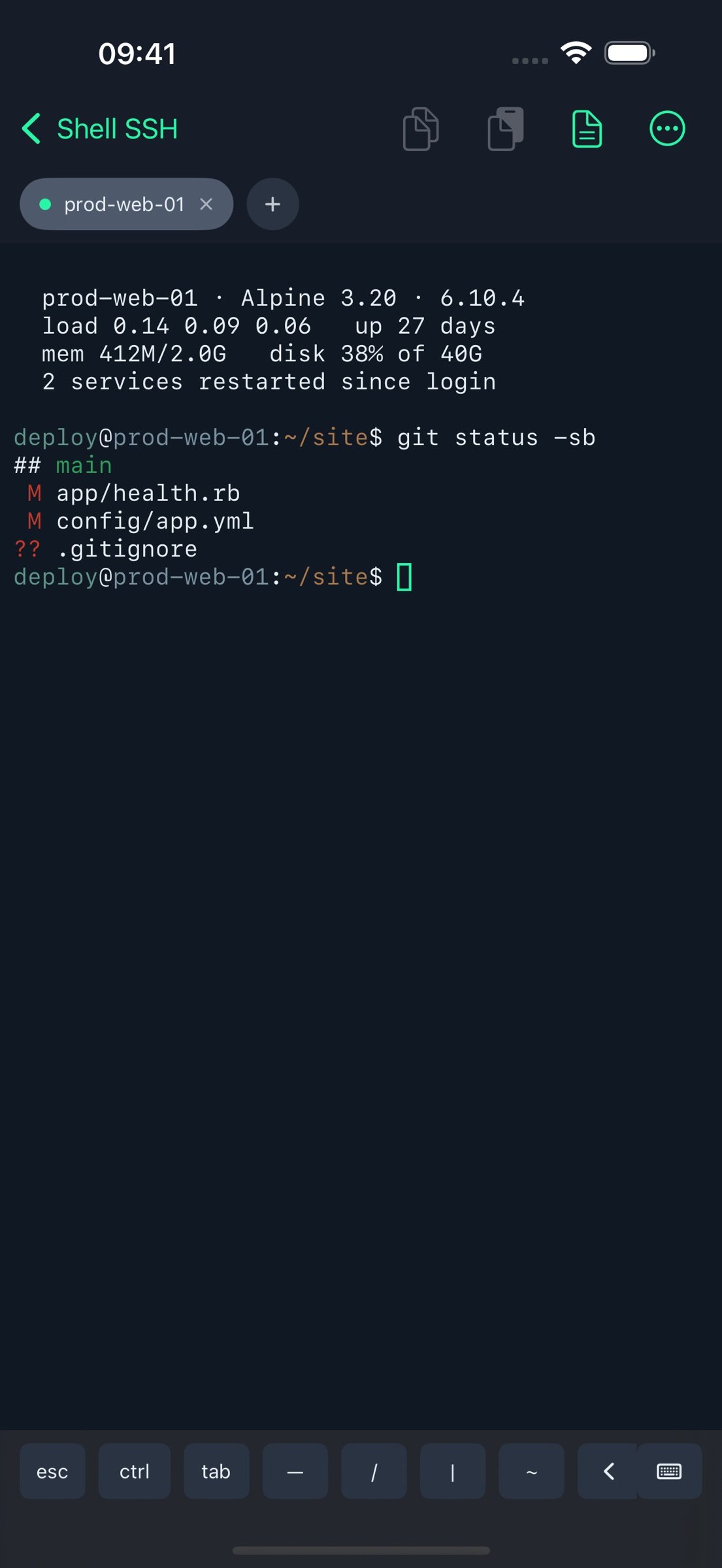
Shell SSH is a focused SSH client for iPhone and iPad. It opens a real interactive terminal to the servers you administer — not a box that runs one command at a time.
CONNECT
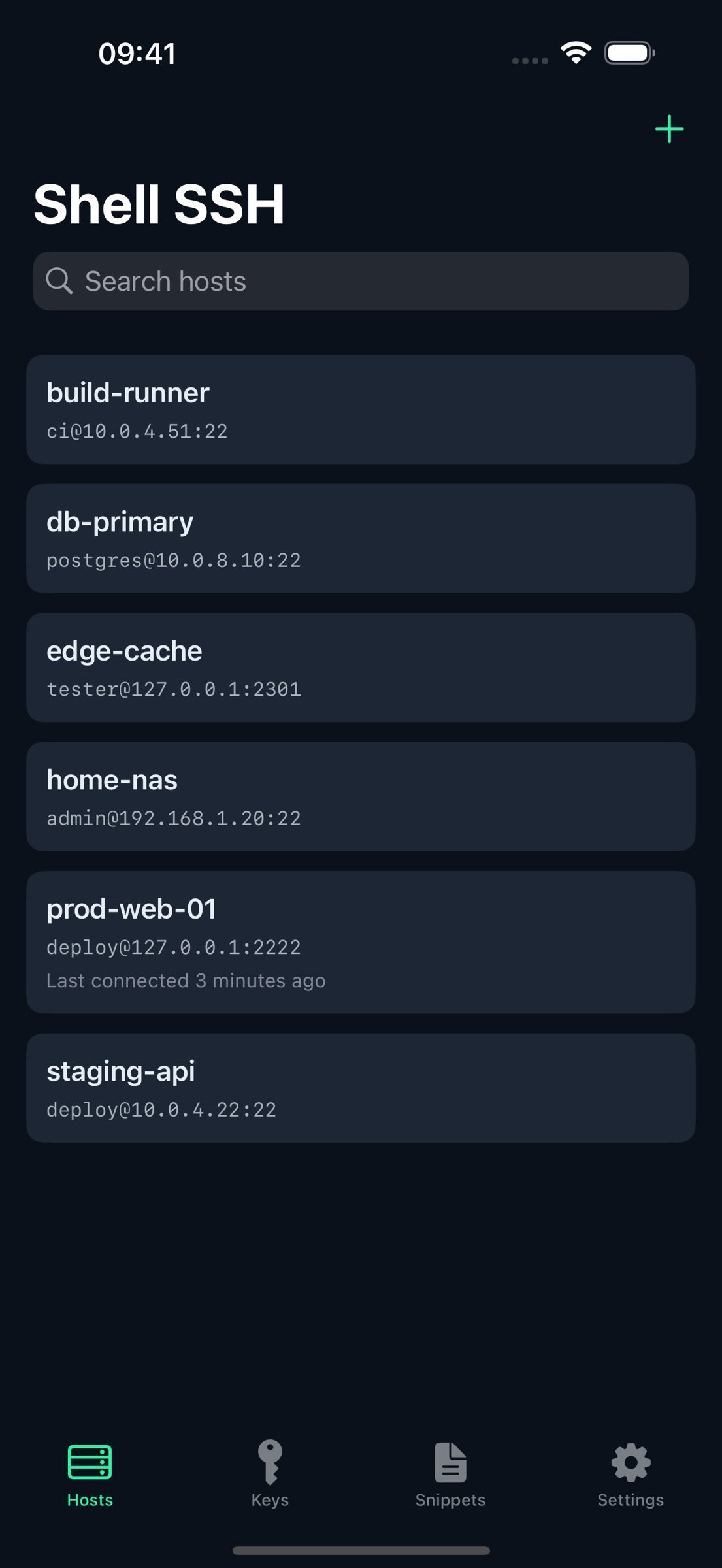
• Save hosts with a name, address, port, username and notes
• Authenticate with an SSH key or a password
• Search across names, addresses, usernames and notes
• Open several sessions at once as tabs, and switch without disconnecting
• On iPad, run two terminals side by side and drag the divider where you want it
• Your tabs and your split come back the way you left them when you reopen the app
SESSIONS THAT SURVIVE A LOCKED SCREEN
• iOS suspends apps, which drops SSH connections when your device locks
• Shell SSH can run your shell inside tmux so the session keeps running on the server and picks up exactly where you left off
• It asks the first time, and remembers your answer — per host, or as a default for all of them
• Close a tab and its tmux session is closed too, so nothing is left running behind your back
A REAL TERMINAL
• xterm-256color emulation with full 256-colour support
• Alternate screen buffer, so full-screen programs behave the way they do on a desktop
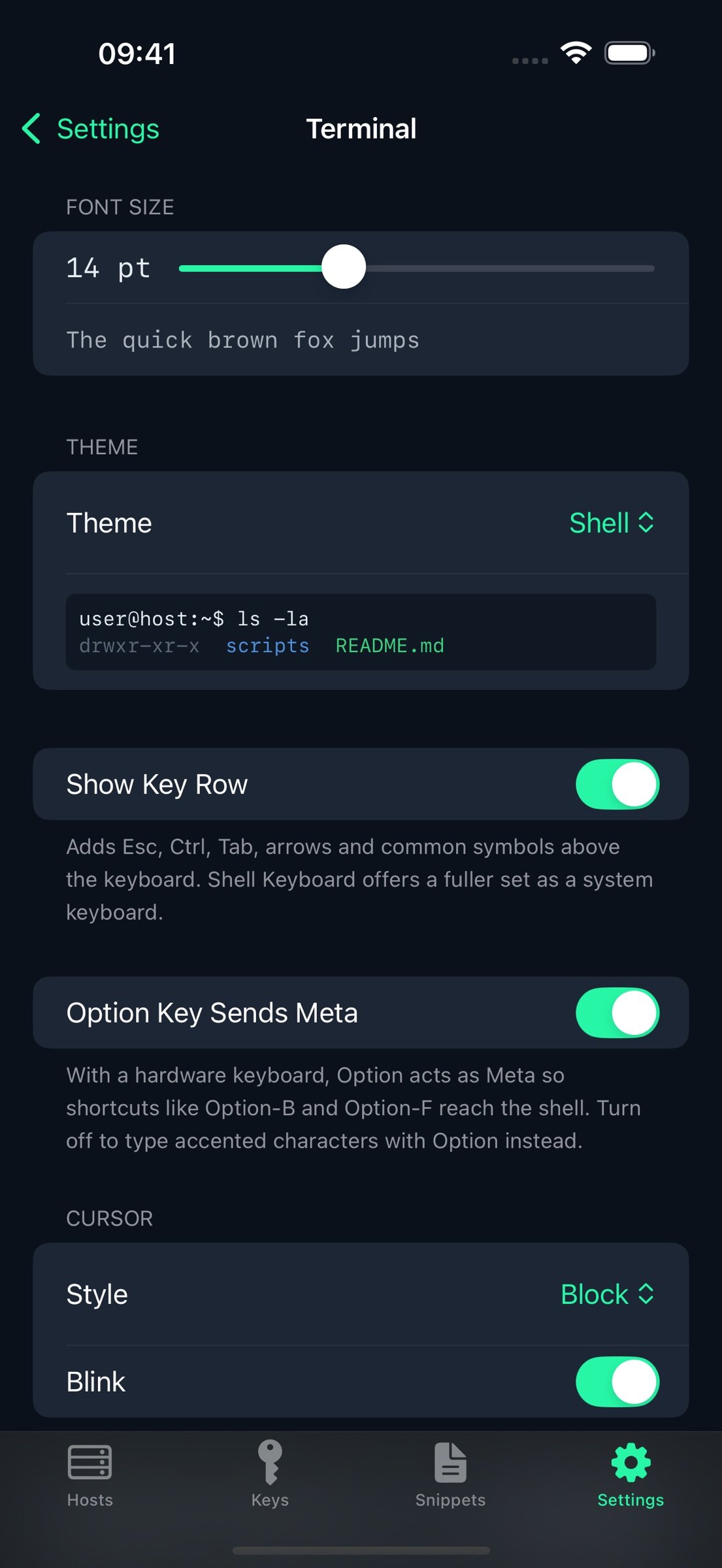
• A key row above the keyboard for Esc, Ctrl, Tab, arrows and common symbols — the keys iOS doesn't give you
• Copy a selection or the whole scrollback, and paste, from the toolbar or with Command-C and Command-V
• Pick a theme: Shell, Solarized Dark and Light, Dracula, Nord, Gruvbox, One Dark or Monokai
• Adjustable font size, cursor style and scrollback
• Resizes correctly on rotation, in Split View and in Stage Manager
SNIPPETS
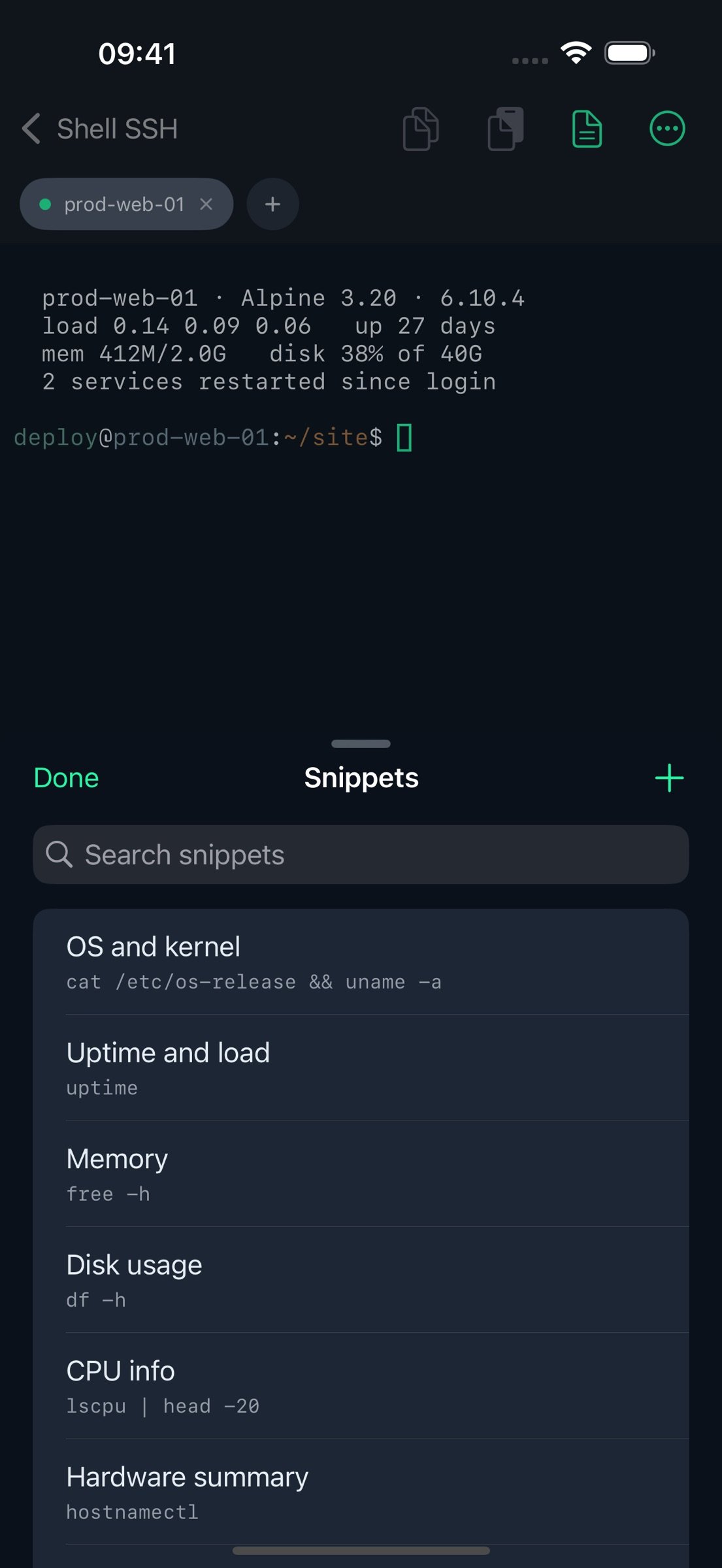
• Keep the commands you run often and insert or run them in a tap
• Fill-in-the-blank placeholders: write {{service}} once and be asked for it when you use it, with optional and prefilled values too
• Insert leaves the command at the prompt so you can read it before you send it
• Around a hundred common commands included as examples, from systemctl and journalctl to docker and git
• Searchable, reorderable, and yours to edit
SSH KEYS
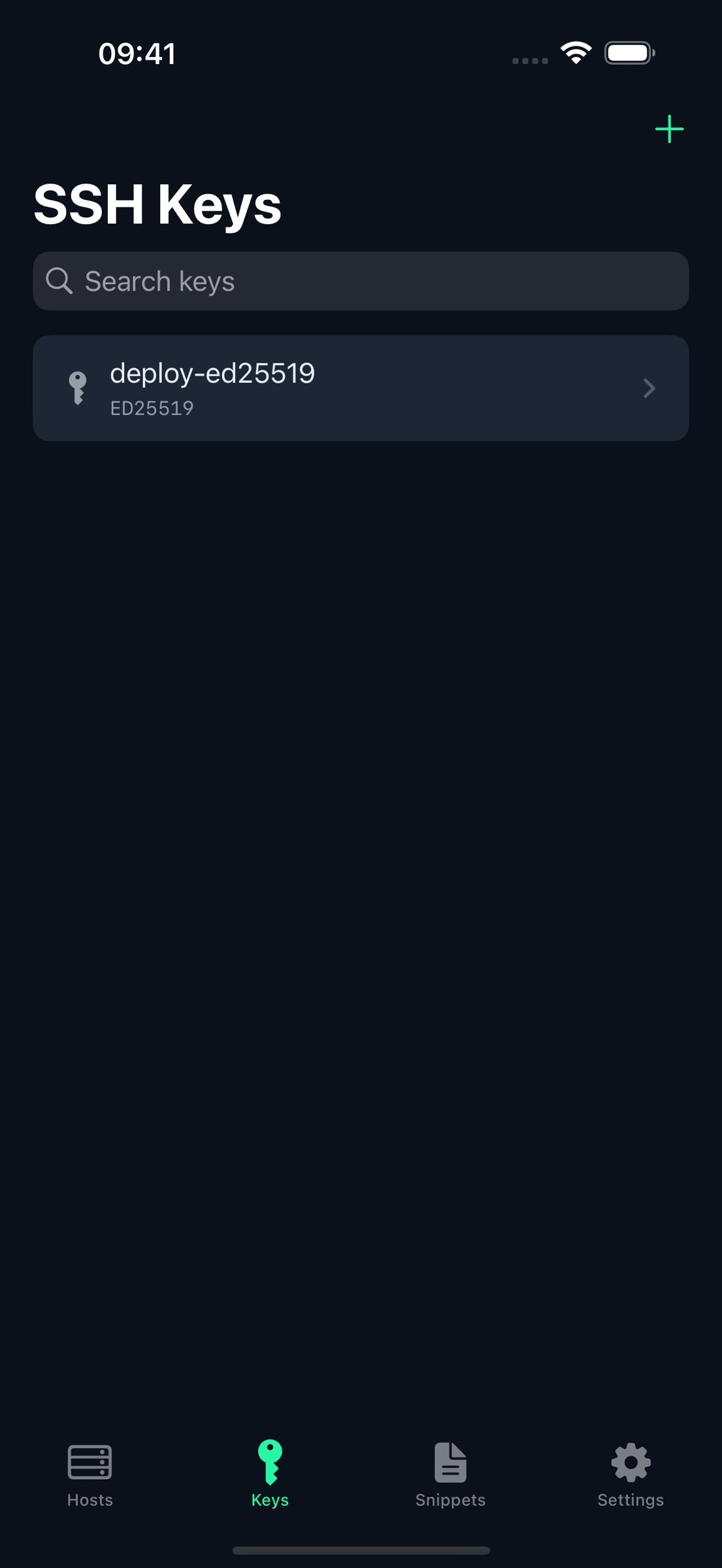
• Generate Ed25519 keys on device
• Import existing OpenSSH keys, including passphrase-protected ones
• Copy a public key out to paste into authorized_keys
• Fingerprints shown in the same SHA-256 form as ssh-keygen
SECURITY FIRST
• Server identity is verified on first connection, and you get a clear, blocking warning if a server's host key ever changes
• Passwords and private keys are stored in the iOS Keychain, never in plain files, and never leave your device
• Optionally require Face ID or Touch ID before a saved credential can be used
• When a login is refused, Shell SSH asks the server what it would have accepted, and tells you — so a server that doesn't take passwords says so instead of looking like a typo
• Warns before pasting multiple lines, which could otherwise run several commands at once
• Review and remove trusted server fingerprints whenever you want
IPHONE AND IPAD
• On iPad, your hosts sit alongside the terminal, and the list collapses when you want the full window
• Light and dark appearance, following the system or set explicitly
Shell SSH keeps its built-in key row deliberately small — just the keys a terminal needs. If you want a fuller terminal keyboard available in every app, Shell Keyboard is a separate companion app.
License: Commercial
CONNECT
• Save hosts with a name, address, port, username and notes
• Authenticate with an SSH key or a password
• Search across names, addresses, usernames and notes
• Open several sessions at once as tabs, and switch without disconnecting
• On iPad, run two terminals side by side and drag the divider where you want it
• Your tabs and your split come back the way you left them when you reopen the app
SESSIONS THAT SURVIVE A LOCKED SCREEN
• iOS suspends apps, which drops SSH connections when your device locks
• Shell SSH can run your shell inside tmux so the session keeps running on the server and picks up exactly where you left off
• It asks the first time, and remembers your answer — per host, or as a default for all of them
• Close a tab and its tmux session is closed too, so nothing is left running behind your back
A REAL TERMINAL
• xterm-256color emulation with full 256-colour support
• Alternate screen buffer, so full-screen programs behave the way they do on a desktop
• A key row above the keyboard for Esc, Ctrl, Tab, arrows and common symbols — the keys iOS doesn't give you
• Copy a selection or the whole scrollback, and paste, from the toolbar or with Command-C and Command-V
• Pick a theme: Shell, Solarized Dark and Light, Dracula, Nord, Gruvbox, One Dark or Monokai
• Adjustable font size, cursor style and scrollback
• Resizes correctly on rotation, in Split View and in Stage Manager
SNIPPETS
• Keep the commands you run often and insert or run them in a tap
• Fill-in-the-blank placeholders: write {{service}} once and be asked for it when you use it, with optional and prefilled values too
• Insert leaves the command at the prompt so you can read it before you send it
• Around a hundred common commands included as examples, from systemctl and journalctl to docker and git
• Searchable, reorderable, and yours to edit
SSH KEYS
• Generate Ed25519 keys on device
• Import existing OpenSSH keys, including passphrase-protected ones
• Copy a public key out to paste into authorized_keys
• Fingerprints shown in the same SHA-256 form as ssh-keygen
SECURITY FIRST
• Server identity is verified on first connection, and you get a clear, blocking warning if a server's host key ever changes
• Passwords and private keys are stored in the iOS Keychain, never in plain files, and never leave your device
• Optionally require Face ID or Touch ID before a saved credential can be used
• When a login is refused, Shell SSH asks the server what it would have accepted, and tells you — so a server that doesn't take passwords says so instead of looking like a typo
• Warns before pasting multiple lines, which could otherwise run several commands at once
• Review and remove trusted server fingerprints whenever you want
IPHONE AND IPAD
• On iPad, your hosts sit alongside the terminal, and the list collapses when you want the full window
• Light and dark appearance, following the system or set explicitly
Shell SSH keeps its built-in key row deliberately small — just the keys a terminal needs. If you want a fuller terminal keyboard available in every app, Shell Keyboard is a separate companion app.
License: Commercial
| Release info | New Release on Sep 24, 2026 |
|---|---|
| Listing data | App Store |
Reviews
No reviews yet. Be the first to review Shell SSH.
Used Shell SSH? Tell other visitors what you thought.
Log in to write a reviewOther products by this publisher
- #Bible 11.5 "Incredible App - My sister shared this app with me a few weeks ago and it is truly incredible.
- % Percentage Calculator Pro 1.41 This is the Pro version of % Percentage Calculator.
- (beat) for iOS 0.5.8 An elegant Fountain screenwriting app, created by a screenwriter for screenwriters.
- (Deep) HIARCS Chess Explorer 1.14 Chess database, analysis and game playing program
- (How to) Pronounce PRO 1.5.6 This is a PRO version of (How to) Pronounce.
Most viewed iOS Developer Tools
-
1
 GitHub 1.281.0
There’s a lot you can do on GitHub that doesn’t require a complex development environment – like sharing feedback on a design discussion, or reviewing a few lines of code.
GitHub 1.281.0
There’s a lot you can do on GitHub that doesn’t require a complex development environment – like sharing feedback on a design discussion, or reviewing a few lines of code.
-
2
 Expo Go 57.0.9
Start learning to build projects using web technologies with just your iOS device.
Expo Go 57.0.9
Start learning to build projects using web technologies with just your iOS device.
-
3
 Scarlet 1.1.3
Let's face it, there are a lot of developers who like the idea of an issue tracker, but find it too much effort to use & maintain for solo, indie or hobby projects.
Scarlet 1.1.3
Let's face it, there are a lot of developers who like the idea of an issue tracker, but find it too much effort to use & maintain for solo, indie or hobby projects.
-
4
 Termius 8.0.3
Termius is a modern SSH client designed for productivity and collaboration.
Termius 8.0.3
Termius is a modern SSH client designed for productivity and collaboration.
-
5
 Rulify 1.0.6
Rulify ????? iOS App ????,???????? App ????,???????????????
Rulify 1.0.6
Rulify ????? iOS App ????,???????? App ????,???????????????
-
6
 Cursor 1.14.0
Introducing Cursor for iOS: the best way to build, review, and ship software from anywhere.
Cursor 1.14.0
Introducing Cursor for iOS: the best way to build, review, and ship software from anywhere.
-
7
 LocalDevVPN 1.3.0
LocalDevVPN is a developer tool for creating and managing local network tunnels directly on iOS.
LocalDevVPN 1.3.0
LocalDevVPN is a developer tool for creating and managing local network tunnels directly on iOS.
-
8
 App Store Connect 3.3
Manage your apps on the go with the App Store Connect app for iPhone and iPad.
App Store Connect 3.3
Manage your apps on the go with the App Store Connect app for iPhone and iPad.
-
9
 HTTP Debugger+ 1.2.2
HTTP Debugger+ is a professional HTTP traffic inspector designed for developers and QA engineers.
HTTP Debugger+ 1.2.2
HTTP Debugger+ is a professional HTTP traffic inspector designed for developers and QA engineers.
-
10
 TestFlight 4.4.0
TestFlight makes it easy to test beta versions of apps and App Clips to provide valuable feedback to developers before they release their apps on the App Store.
TestFlight 4.4.0
TestFlight makes it easy to test beta versions of apps and App Clips to provide valuable feedback to developers before they release their apps on the App Store.
Most downloaded iOS Developer Tools
-
1
App Store Connect 3.3
Manage your apps on the go with the App Store Connect app for iPhone and iPad.
-
2
 OBox MyCloud VPN·Self Host VPS 2.0.3
OBox MyCloud
OBox MyCloud VPN·Self Host VPS 2.0.3
OBox MyCloud
-
3
TestFlight 4.4.0
TestFlight makes it easy to test beta versions of apps and App Clips to provide valuable feedback to developers before they release their apps on the App Store.
-
4
 Sekai 1.75.26
Don’t just watch content—play with it.
Sekai 1.75.26
Don’t just watch content—play with it.
-
5
 ZenVPN 2.2.10
Fast, Secure & Private VPN Proxy
ZenVPN 2.2.10
Fast, Secure & Private VPN Proxy
-
6
Scarlet 1.1.3
Let's face it, there are a lot of developers who like the idea of an issue tracker, but find it too much effort to use & maintain for solo, indie or hobby projects.
-
7
Cursor 1.14.0
Introducing Cursor for iOS: the best way to build, review, and ship software from anywhere.
-
8
 Replit 2.203.2
Describe what you want.
Replit 2.203.2
Describe what you want.
-
9
 O-KAM Pro 3.0.39
O-KAM Pro, feel home anytime, anywhere.
O-KAM Pro 3.0.39
O-KAM Pro, feel home anytime, anywhere.
-
10
 Apple Developer 11.1
Welcome to Apple Developer, your source for developer news, features, and videos — and the best place to experience WWDC.
Apple Developer 11.1
Welcome to Apple Developer, your source for developer news, features, and videos — and the best place to experience WWDC.