0downloads
0this week
FreeCommercial
0reviews
Screenshots
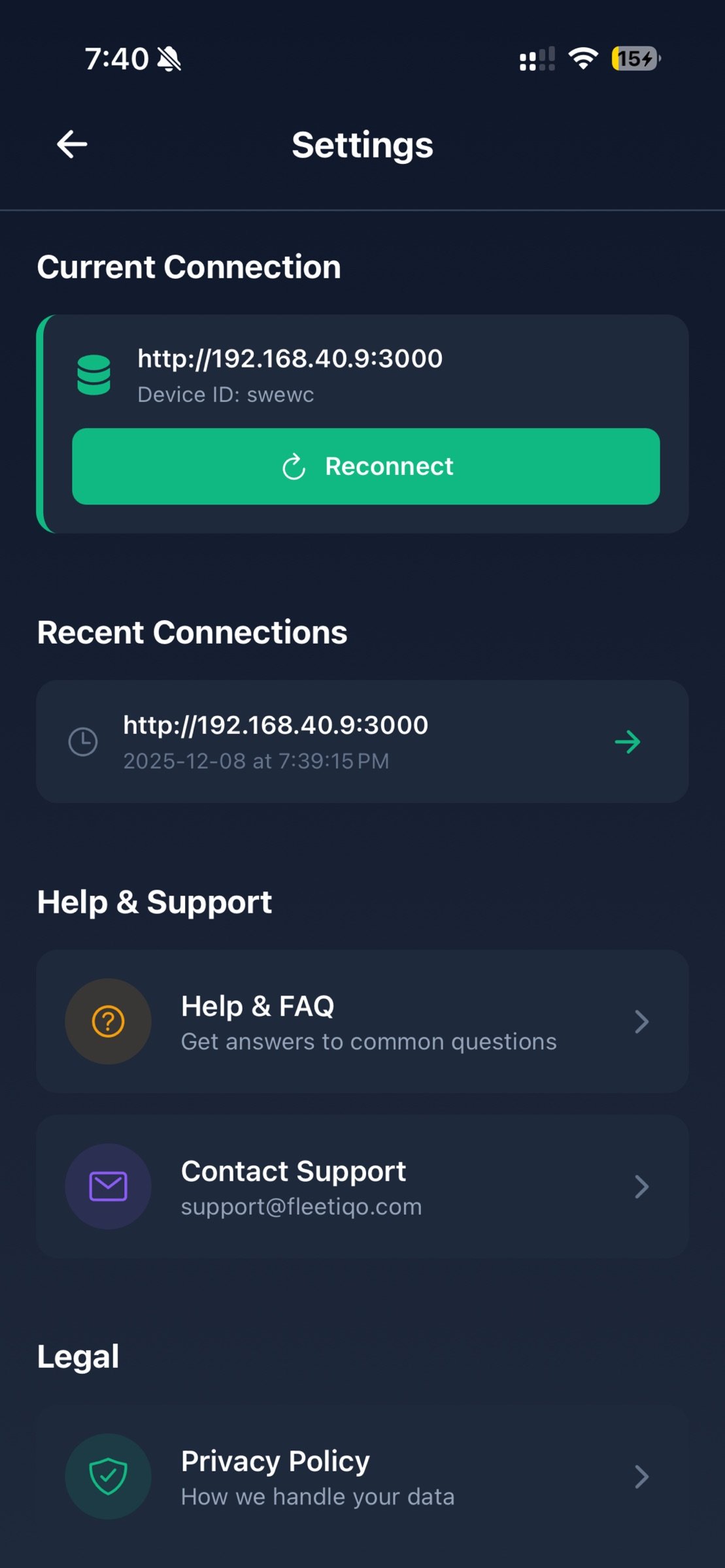
About Remote Terminal Companion
Manage Your Mac from Your iPhone
Remote Terminal provides a convenient way to interact with your Mac’s command-line environment and browse files directly from your iPhone. Designed for developers, IT professionals, and advanced users, it offers a secure and streamlined tool to perform routine tasks on your Mac when both devices are on the same local network.
Key Features
Terminal Access
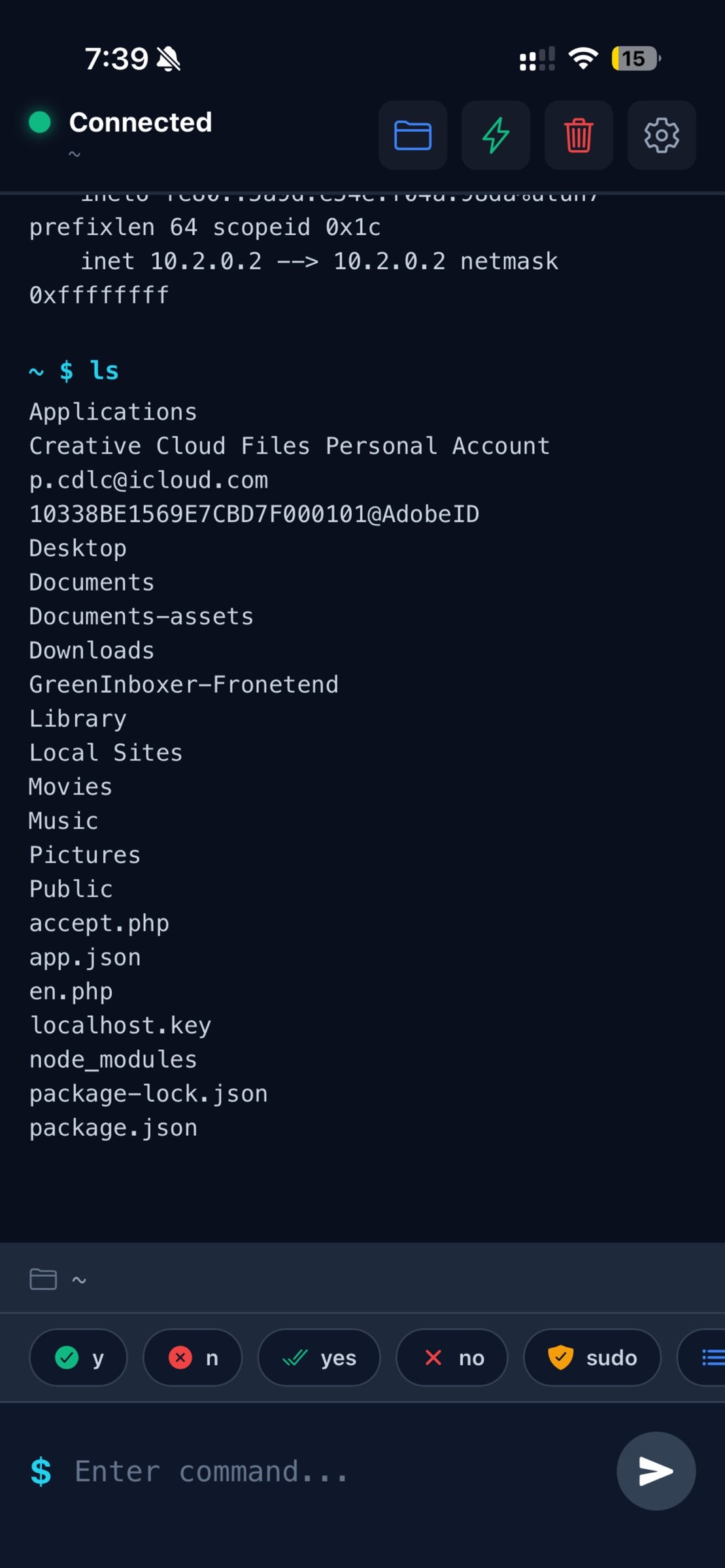
Send commands to your Mac’s terminal and view the output in real time. Ideal for performing development tasks, checking system information, managing files, and running scripts you have created.
File Browser
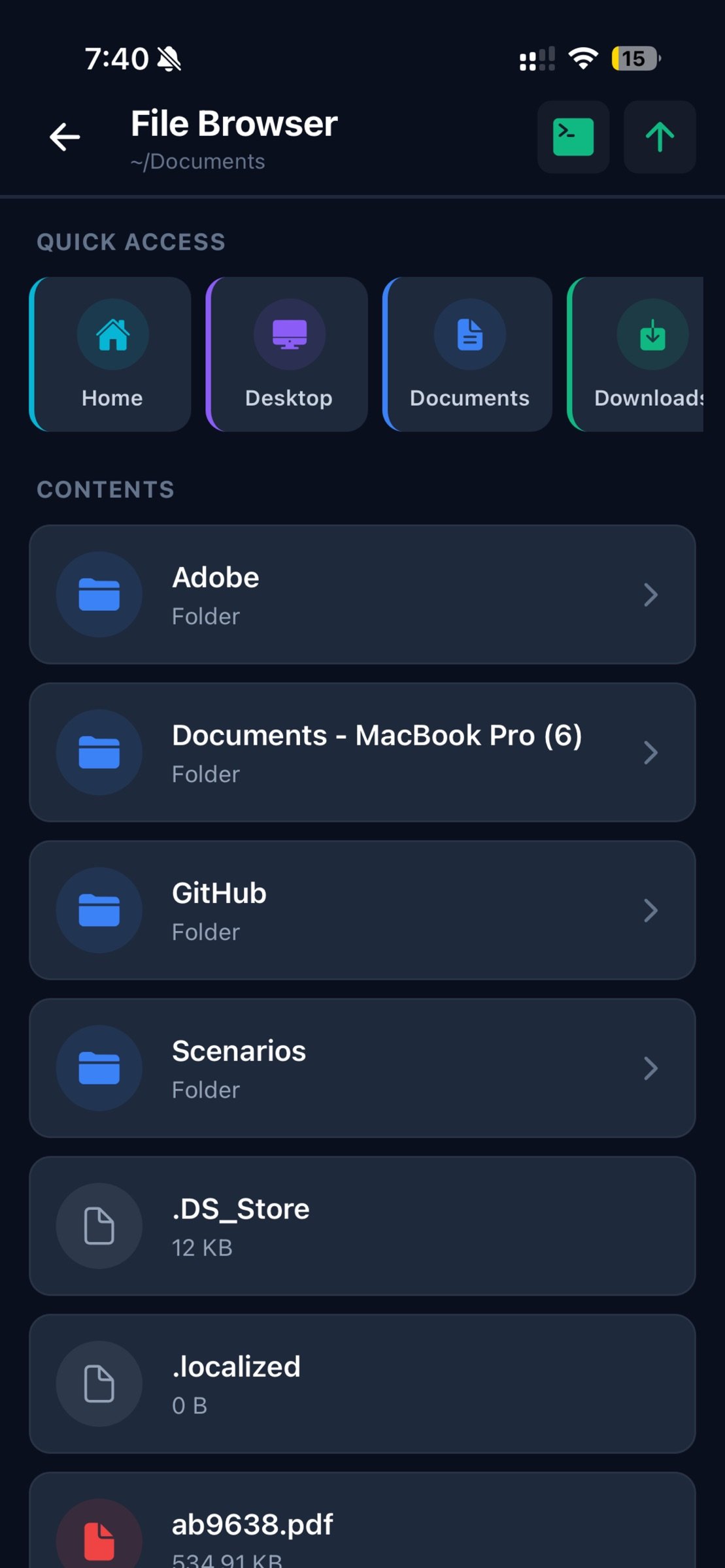
Explore your Mac’s file system with an intuitive visual interface. Quickly access common folders such as Home, Desktop, Documents, Downloads, and iCloud Drive.
Quick Actions
Use predefined shortcuts to retrieve system details such as:
• System information
• Storage usage
• Network configuration
• Active processes
Local & Secure Connection
Remote Terminal operates only when your Mac and iPhone are connected to the same local Wi-Fi network.
• No external servers
• No cloud usage
• No analytics or tracking
• Data remains on your devices
Simple Setup
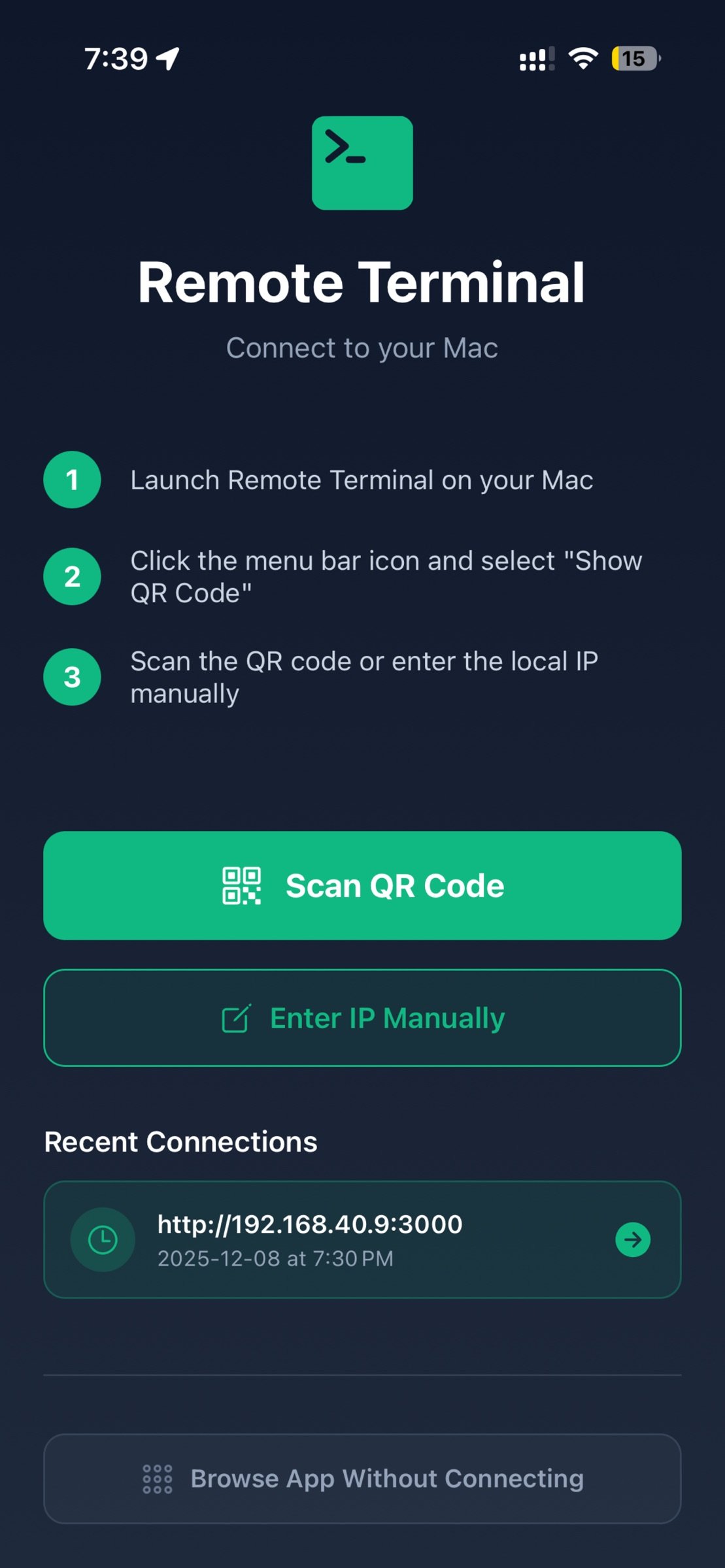
1. Install the companion Remote Terminal desktop app on your Mac
2. Pair your devices by scanning a QR code
3. Start managing tasks on your Mac from your iPhone
Ideal For
• Developers
• System administrators
• IT teams
• Power users who work with terminal tools
• Anyone needing convenient access to their Mac’s command-line environment
How It Works
The companion Mac app runs in your menu bar and creates a secure local connection that your iPhone can access. Only devices on the same network can connect, ensuring full user control and privacy.
What You Can Do
• Execute commands you would normally run on your Mac’s terminal
• Navigate folders and review file structure
• View system details
• Manage running tasks
• Access frequently used directories and utilities
Requirements
• macOS 10.13 or later
• Remote Terminal companion app for Mac (free download)
• iPhone with iOS 13.0 or later
• Both devices connected to the same Wi-Fi network
Privacy
Remote Terminal is designed with privacy in mind. All communication occurs directly between your iPhone and your Mac over your local network. No personal data, command content, or file information is transmitted externally.
Support
Access help anytime:
• In-app FAQ
• Email support: support@fleetiqo.com
• Step-by-step setup guide
License: Commercial
Remote Terminal provides a convenient way to interact with your Mac’s command-line environment and browse files directly from your iPhone. Designed for developers, IT professionals, and advanced users, it offers a secure and streamlined tool to perform routine tasks on your Mac when both devices are on the same local network.
Key Features
Terminal Access
Send commands to your Mac’s terminal and view the output in real time. Ideal for performing development tasks, checking system information, managing files, and running scripts you have created.
File Browser
Explore your Mac’s file system with an intuitive visual interface. Quickly access common folders such as Home, Desktop, Documents, Downloads, and iCloud Drive.
Quick Actions
Use predefined shortcuts to retrieve system details such as:
• System information
• Storage usage
• Network configuration
• Active processes
Local & Secure Connection
Remote Terminal operates only when your Mac and iPhone are connected to the same local Wi-Fi network.
• No external servers
• No cloud usage
• No analytics or tracking
• Data remains on your devices
Simple Setup
1. Install the companion Remote Terminal desktop app on your Mac
2. Pair your devices by scanning a QR code
3. Start managing tasks on your Mac from your iPhone
Ideal For
• Developers
• System administrators
• IT teams
• Power users who work with terminal tools
• Anyone needing convenient access to their Mac’s command-line environment
How It Works
The companion Mac app runs in your menu bar and creates a secure local connection that your iPhone can access. Only devices on the same network can connect, ensuring full user control and privacy.
What You Can Do
• Execute commands you would normally run on your Mac’s terminal
• Navigate folders and review file structure
• View system details
• Manage running tasks
• Access frequently used directories and utilities
Requirements
• macOS 10.13 or later
• Remote Terminal companion app for Mac (free download)
• iPhone with iOS 13.0 or later
• Both devices connected to the same Wi-Fi network
Privacy
Remote Terminal is designed with privacy in mind. All communication occurs directly between your iPhone and your Mac over your local network. No personal data, command content, or file information is transmitted externally.
Support
Access help anytime:
• In-app FAQ
• Email support: support@fleetiqo.com
• Step-by-step setup guide
License: Commercial
| Release info | New Release on Dec 11, 2025 |
|---|---|
| Release notes | Version 1.1.0 changelog : - Quick commands autofill added - Bug fixes - Pairing process simplified - ‘Review the app’ button added |
| Listing data | App Store |
Reviews
No reviews yet. Be the first to review Remote Terminal Companion.
Used Remote Terminal Companion? Tell other visitors what you thought.
Log in to write a reviewOther products by this publisher
- "No Distractions" for YouTube 4.10 ----
- #Bible 11.6.1 "Incredible App - My sister shared this app with me a few weeks ago and it is truly incredible.
- #filmphotography 1.4.2 So, you decided to shoot on film?
- #LookBusy Fake Calendar Events 1.0.6 Look Busy scans your work calendar for open time slots and fills them with realistic-looking (but secretly fake) work events.
- #Small Talk Is Canceled 1.0.2 #Small Talk Is Canceled — Conversations That Matter
Most viewed iOS Developer Tools
-
1
 ZScripter 14.1.0
ZScripter plays compatible Ren'Py, RealLive, NScripter, (PONS)ONScripter-EN/RU/JH/Yuri, Artemis, Siglus, CatSystem2, Ethornell BGI, N2System (Nitro+), AI5 and UK2 games as well as KiriKiri (+Kirikiroid2 patches), TyranoScript, RPG Maker MV/MZ & XP, …
-
2
 GitHub 1.285.0
There’s a lot you can do on GitHub that doesn’t require a complex development environment – like sharing feedback on a design discussion, or reviewing a few lines of code.
-
3
 Agents Anywhere 2.1.0
Agents Anywhere is a developer tools mobile application for remotely controlling your local computer to complete coding tasks.
-
4
 LocalDevVPN 1.3.0
LocalDevVPN is a developer tool for creating and managing local network tunnels directly on iOS.
-
5
 Shader Playground 1.0
Shader Playground is a powerful real-time shader editor built for iPhone and iPad.
-
6
 Code Workspace 0.9.1
Code Workspace is a free, agent-first development environment for iPad and iPhone.
-
7
 Termius 8.2.0
Termius is a modern SSH client designed for productivity and collaboration.
-
8
 Andarium 1.0
Andarium lets you run an Android virtual machine on your iPhone and iPad—no computer setup, extra downloads, or complicated configuration required.
-
9
 Rulify 1.0.7
Rulify ????? iOS App ????,???????? App ????,???????????????
-
10
 TestFlight 4.4.1
TestFlight makes it easy to test beta versions of apps and App Clips to provide valuable feedback to developers before they release their apps on the App Store.
Most downloaded iOS Developer Tools
-
1
Agents Anywhere 2.1.0
Agents Anywhere is a developer tools mobile application for remotely controlling your local computer to complete coding tasks.
-
2
Rulify 1.0.7
Rulify ????? iOS App ????,???????? App ????,???????????????
-
3
 a-Shell mini 2.3.2
a-Shell mini is a complete local terminal emulator, allowing to run most Unix commands on you iOS device.
-
4
 LadderTouch 2.1.5
LadderTouch is an app to learn the basics of ladder logic, which is a graphical programming language.
-
5
 FSNotes 7.6.1
FSNotes is a fast, modern notes manager for macOS and iOS.
-
6
 Herdy 1.5.1
Herdy puts your remote terminal and long-running coding-agent sessions in your pocket.
-
7
Andarium 1.0
Andarium lets you run an Android virtual machine on your iPhone and iPad—no computer setup, extra downloads, or complicated configuration required.
-
8
 C/C++$-LLVM Clang 2.7
This is a learning tool for efficient C/C++ learning, fast programming, ?(LLVM+Clang)offline compilation and local execution?, Git fetching, iCloud storage, and efficient transfer and sharing via LAN HTTP/FTP multi-point connections.
-
9
 Markdown2PDF 1.0
Easily Convert Markdown to PDF with Markdown2PDF
-
10
LocalDevVPN 1.3.0
LocalDevVPN is a developer tool for creating and managing local network tunnels directly on iOS.