
0downloads
0this week
FreeFreeware
0reviews
Screenshots
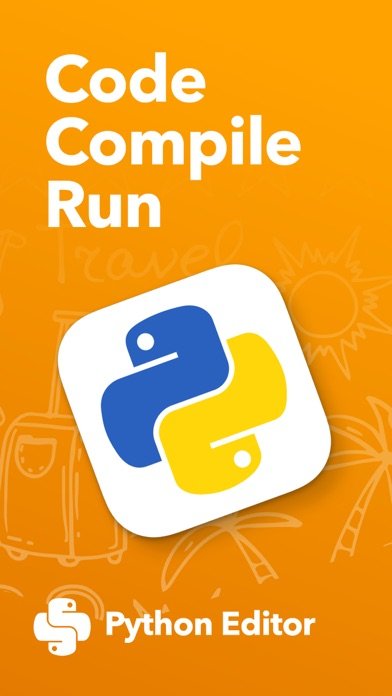
About Python Editor App
Introducing the ultimate Python editor for iOS!
Enjoy a powerful, easy-to-use environment for coding in Python right from your iPhone or iPad.
Whether you’re new to coding or an experienced developer, you’ll love the intuitive interface and feature-packed design that makes programming simple and efficient.
With our Python editor, you can create, edit, and run Python scripts directly on iOS.
Features include syntax highlighting, auto-indentation, and code completion, helping you write clean, error-free code.
A built-in library of reusable snippets—plus the option to create your own—makes development faster than ever.
Designed to take full advantage of iOS, the app supports Liquid Glass API for a fluid, responsive coding experience, along with multi-window support, letting you work on multiple files or scripts side by side.
Use touch gestures to navigate, split your screen to view code and console simultaneously, and keep scripts running in the background while you multitask.
And now, with the integrated Code Assistant, you can generate, refine, and debug Python code with AI-powered suggestions—directly inside the editor.
After a 3-day free trial, a subscription unlocks the complete experience:
- DeelSeek Integration (with your API key)
- DeelSeek Code Assistant
- Liquid Glass API & Multi-window support
- Editor customization
- Beautiful themes
- Complete Python guidebook
- Python learning resources
Privacy Policy: [link removed]
Terms of Service: [link removed]
Enjoy a powerful, easy-to-use environment for coding in Python right from your iPhone or iPad.
Whether you’re new to coding or an experienced developer, you’ll love the intuitive interface and feature-packed design that makes programming simple and efficient.
With our Python editor, you can create, edit, and run Python scripts directly on iOS.
Features include syntax highlighting, auto-indentation, and code completion, helping you write clean, error-free code.
A built-in library of reusable snippets—plus the option to create your own—makes development faster than ever.
Designed to take full advantage of iOS, the app supports Liquid Glass API for a fluid, responsive coding experience, along with multi-window support, letting you work on multiple files or scripts side by side.
Use touch gestures to navigate, split your screen to view code and console simultaneously, and keep scripts running in the background while you multitask.
And now, with the integrated Code Assistant, you can generate, refine, and debug Python code with AI-powered suggestions—directly inside the editor.
After a 3-day free trial, a subscription unlocks the complete experience:
- DeelSeek Integration (with your API key)
- DeelSeek Code Assistant
- Liquid Glass API & Multi-window support
- Editor customization
- Beautiful themes
- Complete Python guidebook
- Python learning resources
Privacy Policy: [link removed]
Terms of Service: [link removed]
| Release info | New Release on May 16, 2026 |
|---|---|
| Release notes | - Bugfix |
| Listing data | App Store |
Reviews
No reviews yet. Be the first to review Python Editor App.
Used Python Editor App? Tell other visitors what you thought.
Log in to write a reviewOther products by this publisher
- #Bible 11.5 "Incredible App - My sister shared this app with me a few weeks ago and it is truly incredible.
- % Percentage Calculator Pro 1.41 This is the Pro version of % Percentage Calculator.
- (beat) for iOS 0.5.8 An elegant Fountain screenwriting app, created by a screenwriter for screenwriters.
- (Deep) HIARCS Chess Explorer 1.14 Chess database, analysis and game playing program
- (How to) Pronounce PRO 1.5.6 This is a PRO version of (How to) Pronounce.
Most viewed iOS Developer Tools
-
1
 GitHub 1.280.0
There’s a lot you can do on GitHub that doesn’t require a complex development environment – like sharing feedback on a design discussion, or reviewing a few lines of code.
GitHub 1.280.0
There’s a lot you can do on GitHub that doesn’t require a complex development environment – like sharing feedback on a design discussion, or reviewing a few lines of code.
-
2
 Sekai 1.75.25
Don’t just watch content—play with it.
Sekai 1.75.25
Don’t just watch content—play with it.
-
3
 Cursor 1.13.0
Introducing Cursor for iOS: the best way to build, review, and ship software from anywhere.
Cursor 1.13.0
Introducing Cursor for iOS: the best way to build, review, and ship software from anywhere.
-
4
 Expo Go 57.0.9
Start learning to build projects using web technologies with just your iOS device.
Expo Go 57.0.9
Start learning to build projects using web technologies with just your iOS device.
-
5
 App Store Connect 3.3
Manage your apps on the go with the App Store Connect app for iPhone and iPad.
App Store Connect 3.3
Manage your apps on the go with the App Store Connect app for iPhone and iPad.
-
6
 Scarlet 1.1.3
Let's face it, there are a lot of developers who like the idea of an issue tracker, but find it too much effort to use & maintain for solo, indie or hobby projects.
Scarlet 1.1.3
Let's face it, there are a lot of developers who like the idea of an issue tracker, but find it too much effort to use & maintain for solo, indie or hobby projects.
-
7
 Replit 2.203.2
Describe what you want.
Replit 2.203.2
Describe what you want.
-
8
 O-KAM Pro 3.0.38
O-KAM Pro, feel home anytime, anywhere.
O-KAM Pro 3.0.38
O-KAM Pro, feel home anytime, anywhere.
-
9
 Termius 8.0.2
Termius is a modern SSH client designed for productivity and collaboration.
Termius 8.0.2
Termius is a modern SSH client designed for productivity and collaboration.
-
10
 Scriptable 1.7.19
Scriptable is an automation tool that enables you to write scripts that integrates with native features of iOS such as files, calendars, reminders, documents and much more.
Scriptable 1.7.19
Scriptable is an automation tool that enables you to write scripts that integrates with native features of iOS such as files, calendars, reminders, documents and much more.
Most downloaded iOS Developer Tools
-
1
 TestFlight 4.4.0
TestFlight makes it easy to test beta versions of apps and App Clips to provide valuable feedback to developers before they release their apps on the App Store.
TestFlight 4.4.0
TestFlight makes it easy to test beta versions of apps and App Clips to provide valuable feedback to developers before they release their apps on the App Store.
-
2
GitHub 1.280.0
There’s a lot you can do on GitHub that doesn’t require a complex development environment – like sharing feedback on a design discussion, or reviewing a few lines of code.
-
3
 LocalDevVPN 1.3.0
LocalDevVPN is a developer tool for creating and managing local network tunnels directly on iOS.
LocalDevVPN 1.3.0
LocalDevVPN is a developer tool for creating and managing local network tunnels directly on iOS.
-
4
Sekai 1.75.25
Don’t just watch content—play with it.
-
5
Cursor 1.13.0
Introducing Cursor for iOS: the best way to build, review, and ship software from anywhere.
-
6
Replit 2.203.2
Describe what you want.
-
7
O-KAM Pro 3.0.38
O-KAM Pro, feel home anytime, anywhere.
-
8
 Apple Developer 11.1
Welcome to Apple Developer, your source for developer news, features, and videos — and the best place to experience WWDC.
Apple Developer 11.1
Welcome to Apple Developer, your source for developer news, features, and videos — and the best place to experience WWDC.
-
9
Expo Go 57.0.9
Start learning to build projects using web technologies with just your iOS device.
-
10
App Store Connect 3.3
Manage your apps on the go with the App Store Connect app for iPhone and iPad.