
PSBDx SVN 1.1.2
Subversion (SVN) client with biometric-locked credentials
Download
14.20 MB · com.dev.svn.psbdx_4.apk
8downloads
0this week
FreeFreeware
0reviews
Screenshots
About PSBDx SVN
PSBDx SVN is a modern, fully open-source Subversion client for Android. Check out repositories, edit files, commit and review history from your phone, with your saved credentials protected by biometrics.
Subversion tools
o Checkout, update, commit, revert and cleanup
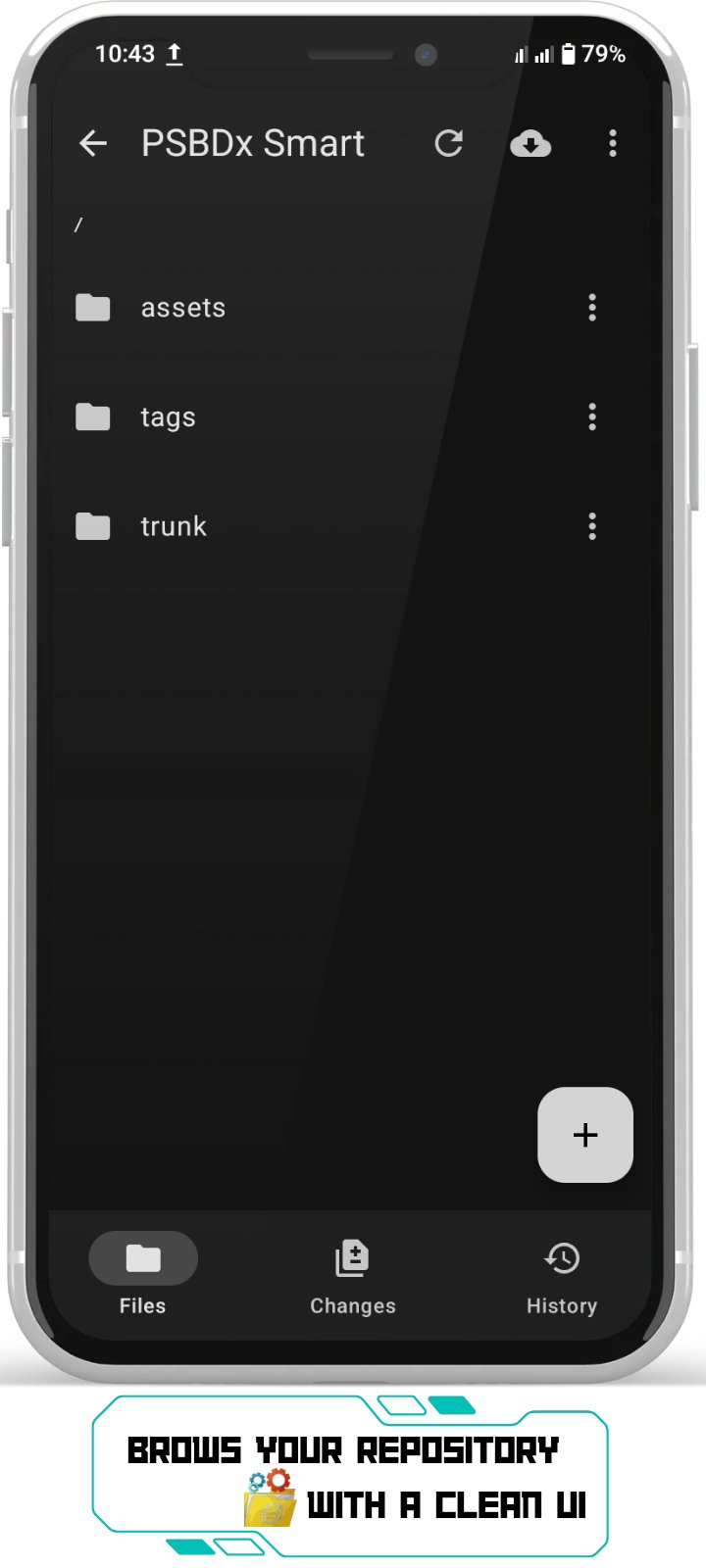
o Built-in file explorer: view, edit, rename, delete, copy, cut, paste and add files and folders
o Conflict resolution: keep mine, take theirs, or merge by hand
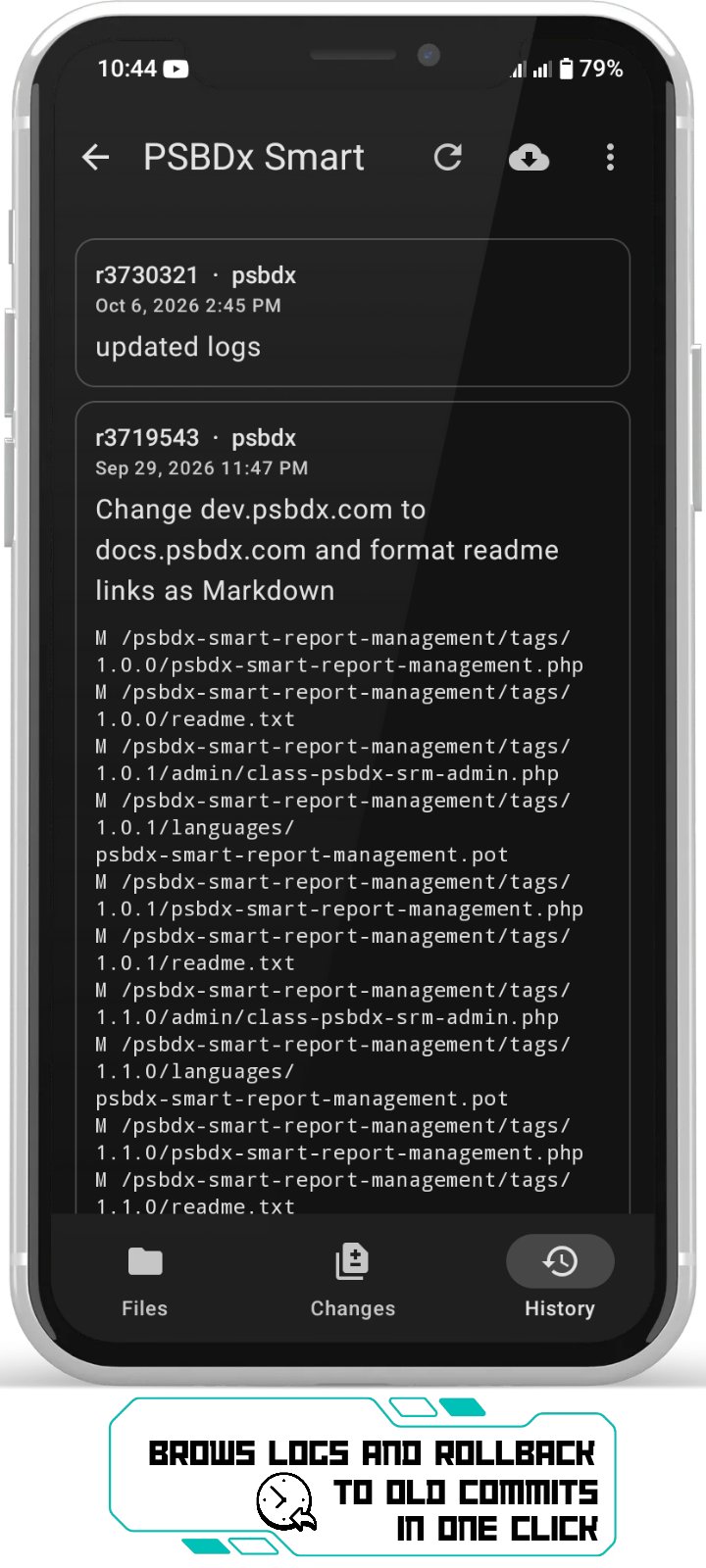
o Commit history with author, date, message and changed paths
o Visual diff of your working copy against the base revision
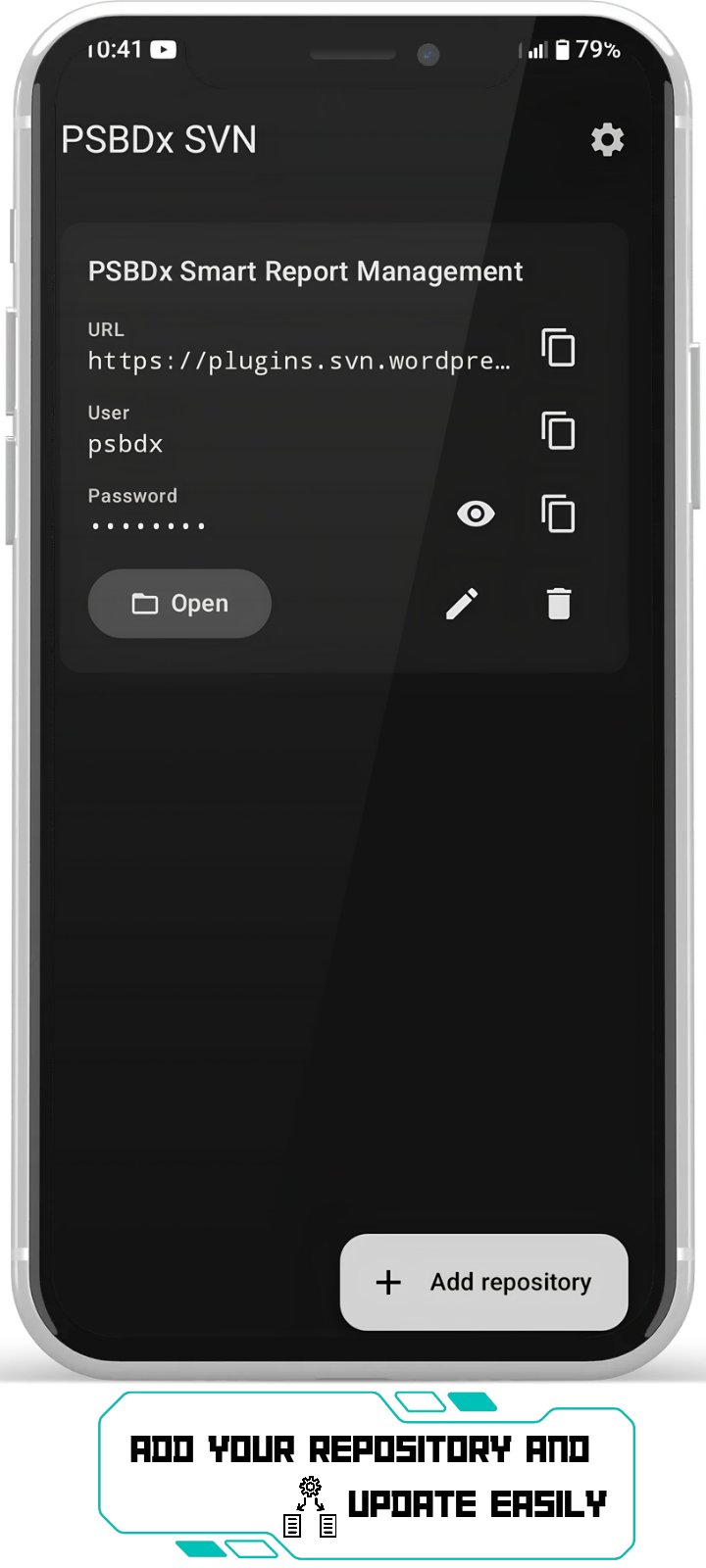
o Saved repository bookmarks with custom aliases
Bring files in and out
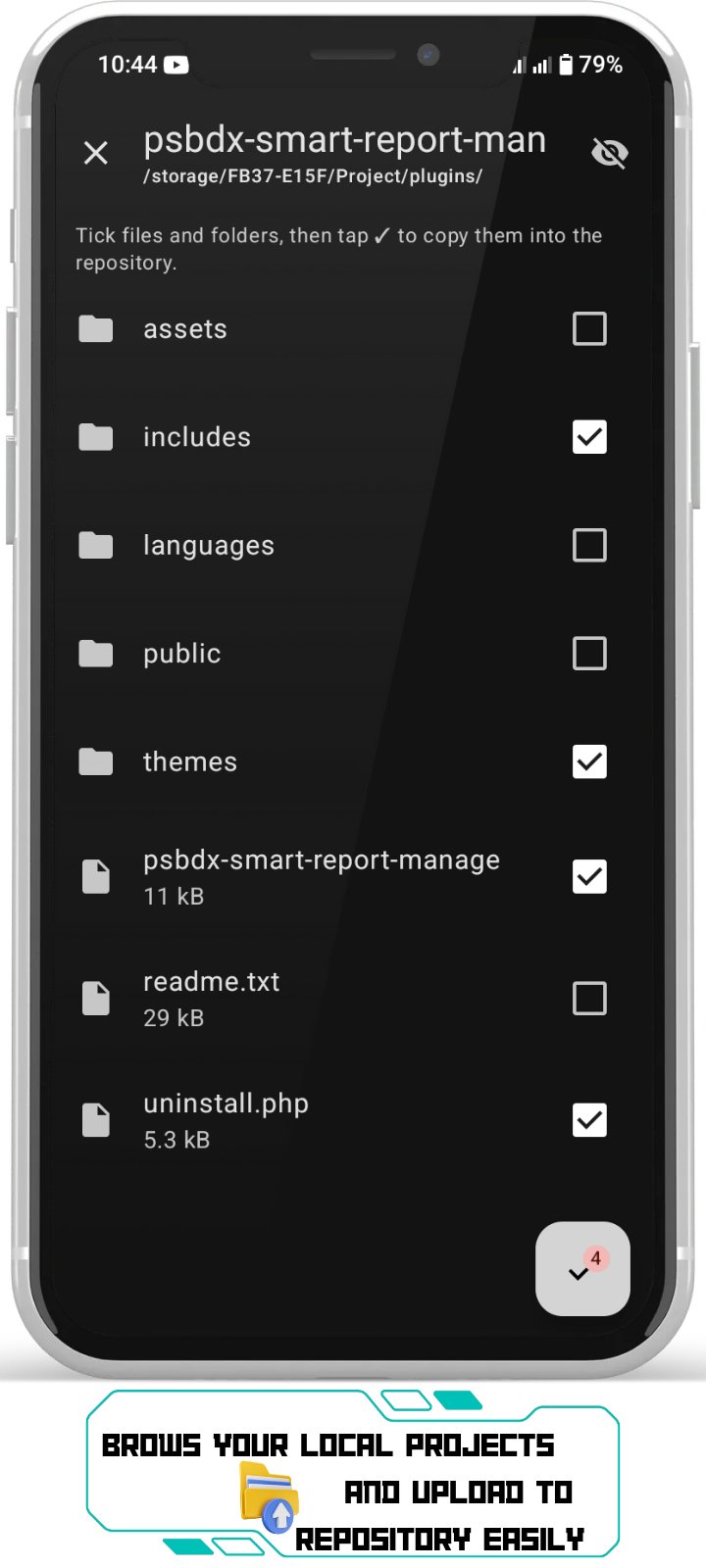
o Upload files or whole folders from internal storage, SD cards and USB drives with the built-in file browser
o Export a repository to your Download folder as a clean copy without .svn metadata
Your credentials stay yours
o Repository URL and username copy with one tap
o Viewing or copying a password requires fingerprint, face, or your device PIN / pattern
o Copied passwords are wiped from the clipboard after 30 seconds
o Credentials are stored with Android Keystore backed encryption
o System cloud backup is disabled for the app
Backup and restore, the F-Droid way
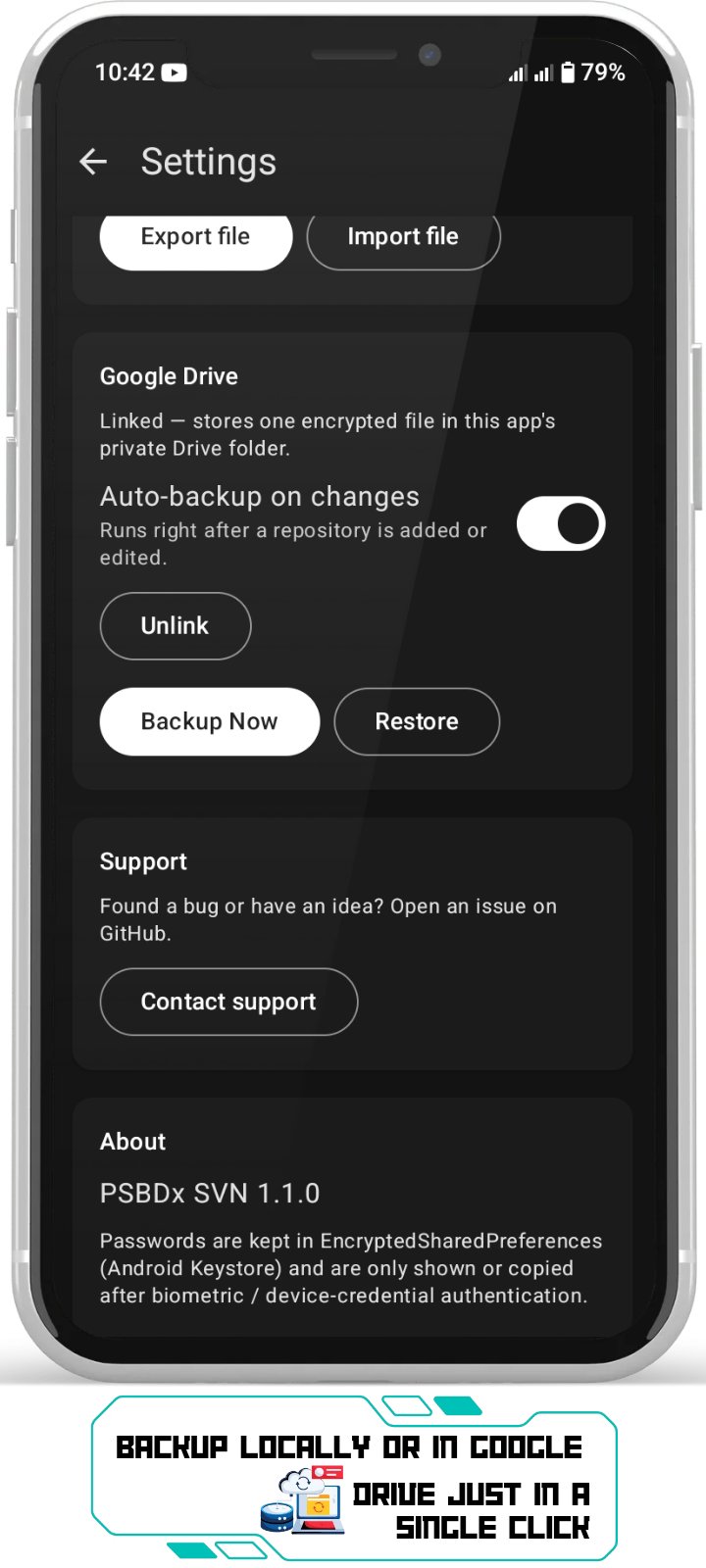
o Encrypted backup (AES-256-GCM with your own passphrase) to a local file, works with no account at all
o Google Drive backup is optional and off by default. It signs in with your Google account in the browser (OAuth 2.0 with PKCE) and uploads one encrypted file to the app's private Drive folder. No Google Play Services and no closed-source SDKs are used
o Automatic backup whenever you add or change a repository, plus manual Backup Now and Restore
Design
o Material 3 interface with light and dark themes, automatic system switching and a manual override
Good to know
o Supports http, https and svn:// repositories (svn+ssh is not supported)
o Browsing storage to upload files uses the "manage all files" permission, requested only when you first upload
Found a bug or have an idea? Use Settings -> Contact support to open an issue on GitHub.
License: GPL-3.0-or-later
Subversion tools
o Checkout, update, commit, revert and cleanup
o Built-in file explorer: view, edit, rename, delete, copy, cut, paste and add files and folders
o Conflict resolution: keep mine, take theirs, or merge by hand
o Commit history with author, date, message and changed paths
o Visual diff of your working copy against the base revision
o Saved repository bookmarks with custom aliases
Bring files in and out
o Upload files or whole folders from internal storage, SD cards and USB drives with the built-in file browser
o Export a repository to your Download folder as a clean copy without .svn metadata
Your credentials stay yours
o Repository URL and username copy with one tap
o Viewing or copying a password requires fingerprint, face, or your device PIN / pattern
o Copied passwords are wiped from the clipboard after 30 seconds
o Credentials are stored with Android Keystore backed encryption
o System cloud backup is disabled for the app
Backup and restore, the F-Droid way
o Encrypted backup (AES-256-GCM with your own passphrase) to a local file, works with no account at all
o Google Drive backup is optional and off by default. It signs in with your Google account in the browser (OAuth 2.0 with PKCE) and uploads one encrypted file to the app's private Drive folder. No Google Play Services and no closed-source SDKs are used
o Automatic backup whenever you add or change a repository, plus manual Backup Now and Restore
Design
o Material 3 interface with light and dark themes, automatic system switching and a manual override
Good to know
o Supports http, https and svn:// repositories (svn+ssh is not supported)
o Browsing storage to upload files uses the "manage all files" permission, requested only when you first upload
Found a bug or have an idea? Use Settings -> Contact support to open an issue on GitHub.
License: GPL-3.0-or-later
| Release info | New Release on Oct 22, 2026 |
|---|---|
| Release notes | • Fixed a crash when checking out from svn:// servers • Smooth editing of long files; big or binary files open with other apps (Open with) • Loading animations while folders open, one-tap "Restore missing files" |
| Listing data | F-Droid |
Reviews
No reviews yet. Be the first to review PSBDx SVN.
Used PSBDx SVN? Tell other visitors what you thought.
Log in to write a reviewOther products by this publisher
- "No Distractions" for YouTube 4.10 ----
- #Bible 11.6 "Incredible App - My sister shared this app with me a few weeks ago and it is truly incredible.
- #filmphotography 1.4.2 So, you decided to shoot on film?
- $quirrel 1.5.1 $quirrel Budget & Finance helps you plan each paycheck, track spending, manage debt, and see what is safe to spend before the next payday.
- % Percentage Calculator Pro 1.41 This is the Pro version of % Percentage Calculator.
Most viewed Android Developer Tools
- 1 ADB Captain 1.6 Run ADB commands on your phone. No root, no PC — via Shizuku.
- 2 DadosD 20160914_V4 Generate Brazilian test IDs for development/test
-
3
 AutoPie 0.20.3-beta
Turn Linux commands into Android apps.
- 4 Turtle 2.0.12 A Platform with Pythonic language to practice CPU/GPU programming on mobile
-
5
 TermuC 0.2.4
A simple C/C++ IDE backed on Termux
- 6 Fall 1.3 Lets your phone scream if it moves too fast
- 7 Squircle CE - Code Editor 2025.1.3 Fast and powerful code editor & file manager for over 30 programming languages
- 8 Termux:Float 0.17.0 Use Termux in a floating terminal window
-
9
 QR Code Displayer 1.4.1
Reconstruct damaged or blurry QR codes entirely on-device for easy scanning.
-
10
 DevSwitch 1.3
Toggle developer options, USB and wireless debugging, with Quick Settings tiles
Most downloaded Android Developer Tools
-
1
 Shellwave 1.10.0
Open-source SSH client and terminal with SFTP, port forwarding and jump hosts
- 2 ELM327 Emulator 31 OBD-II ELM327 adapter emulator for testing diagnostic apps
-
3
 Taiga Mobile Nova 2.2.3
Unofficial Android client for Taiga.io project management
-
4
 Terminator 3.4.1
Multi-session terminal emulator with Material UI theming and root support
-
5
 OMN-Go 26.10.23
Self-hosted Markdown notes with git sync, LAN sharing, and SQL scripting
- 6 HexViewer 1.60.00 Hexadecimal viewer for Android
- 7 ADB Captain 1.6 Run ADB commands on your phone. No root, no PC — via Shizuku.
-
8
AutoPie 0.20.3-beta
Turn Linux commands into Android apps.
- 9 Cookie Extractor 1.3.0 Extract your own session cookies after a manual login
- 10 TIC-80 1.4.1 TIC-80 is a fantasy video game console for making,