Prompt22 1.2.0
Prompt22 brings SSH terminals and SFTP file transfers to iPhone and iPad.
Download
17.55 MB
0downloads
0this week
FreeCommercial
0reviews
Screenshots
About Prompt22
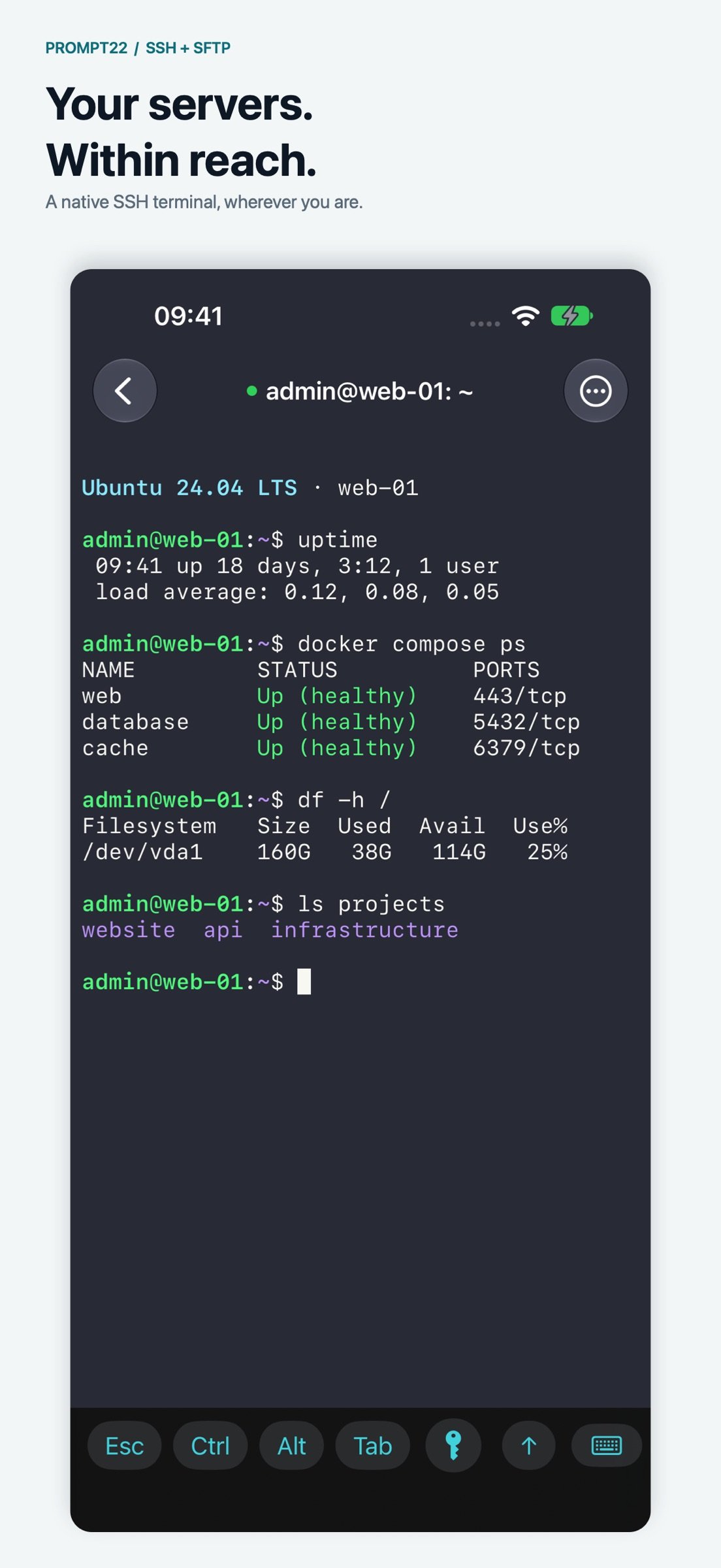
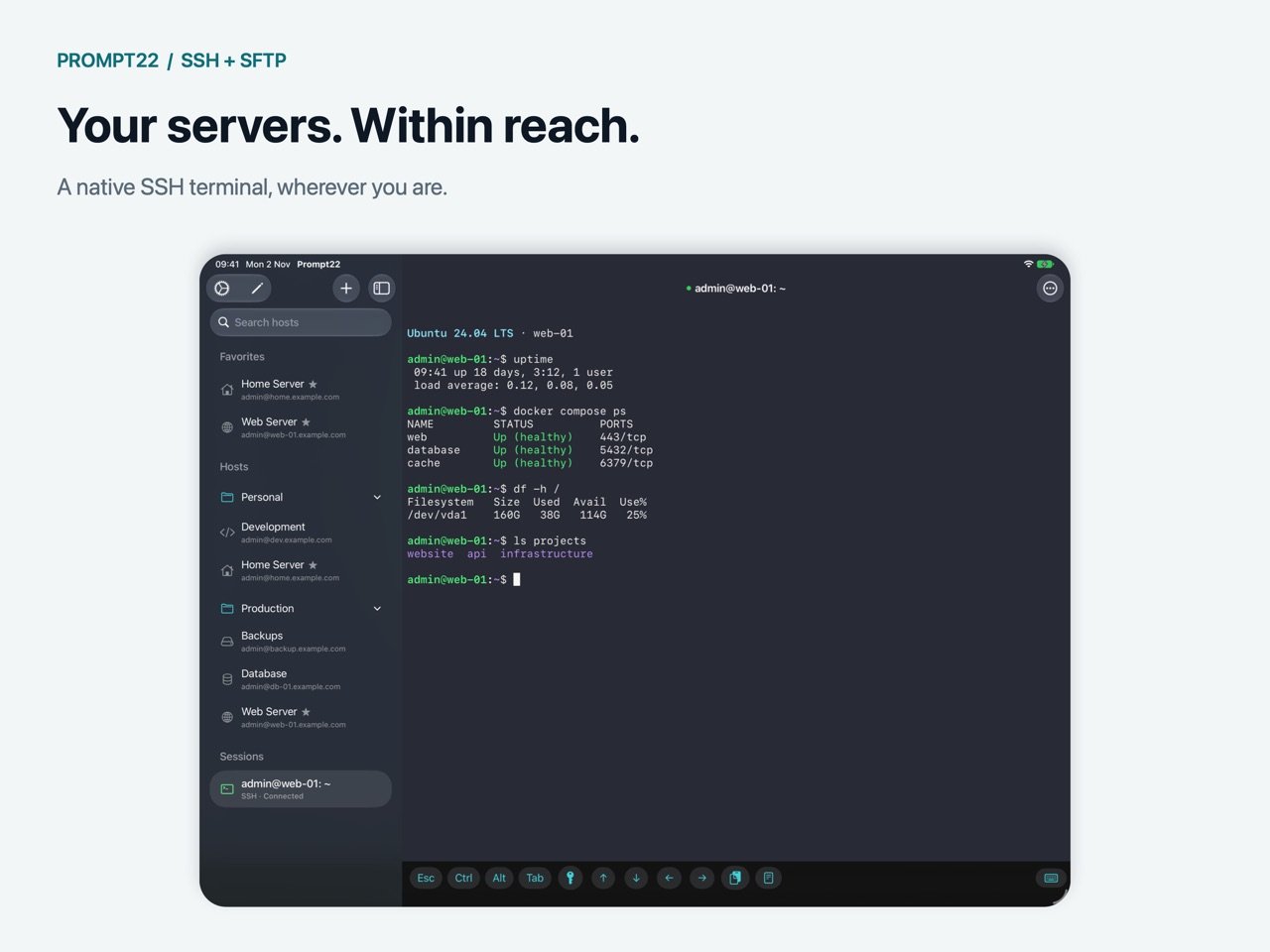
Prompt22 brings SSH terminals and SFTP file transfers to iPhone and iPad. Connect to your servers, run commands and manage remote files in a focused, native interface.
SSH TERMINALS
• Open multiple sessions and switch between them.
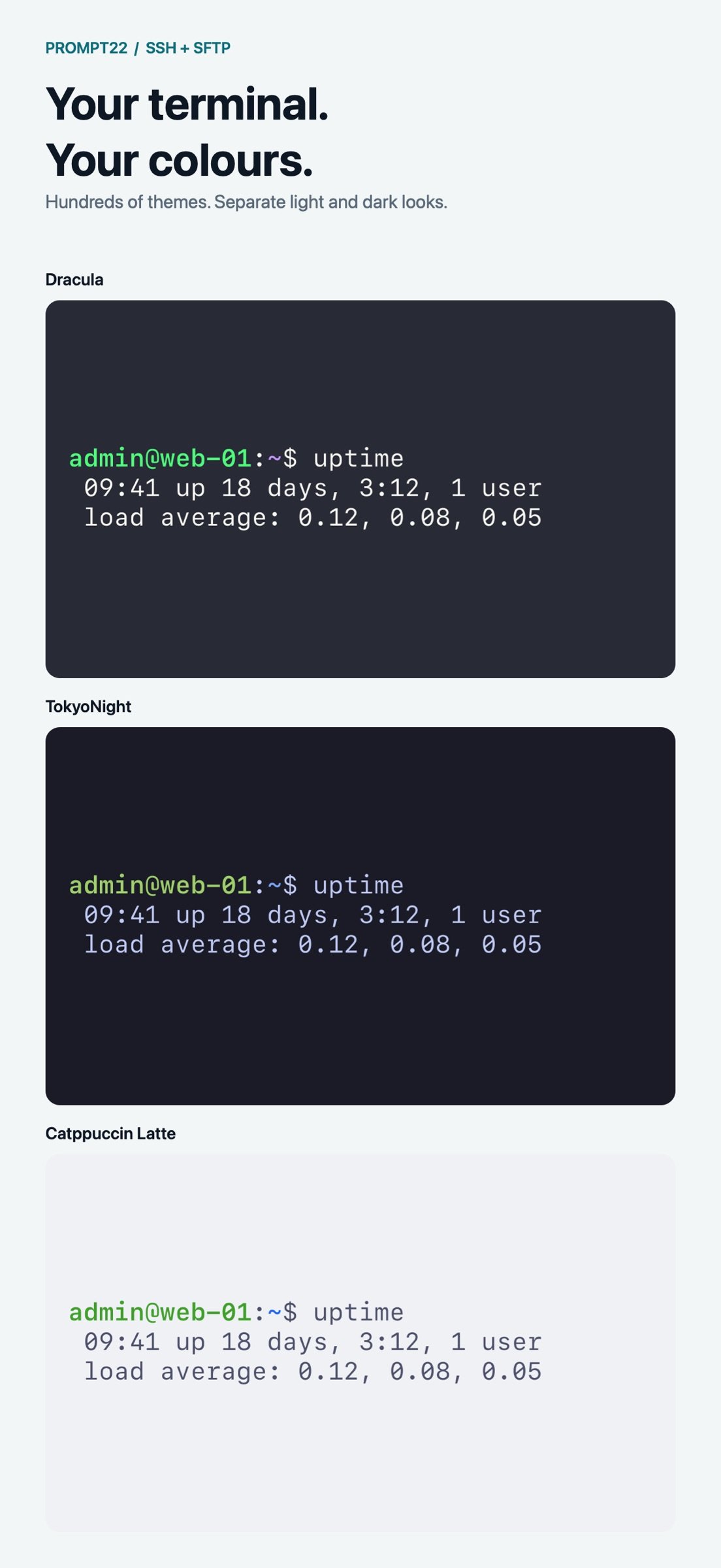
• Customize fonts, text size and scrollback limits, and choose separate terminal themes for light and dark mode.
• Choose from hundreds of themes or import your own Ghostty themes.
• Restore locally saved terminal scrollback when you reopen the app.
• Use external keyboard shortcuts and multiple windows on iPad.
• Enable hold-and-drag arrow controls to move the cursor with your thumb.
HOSTS AND IDENTITIES
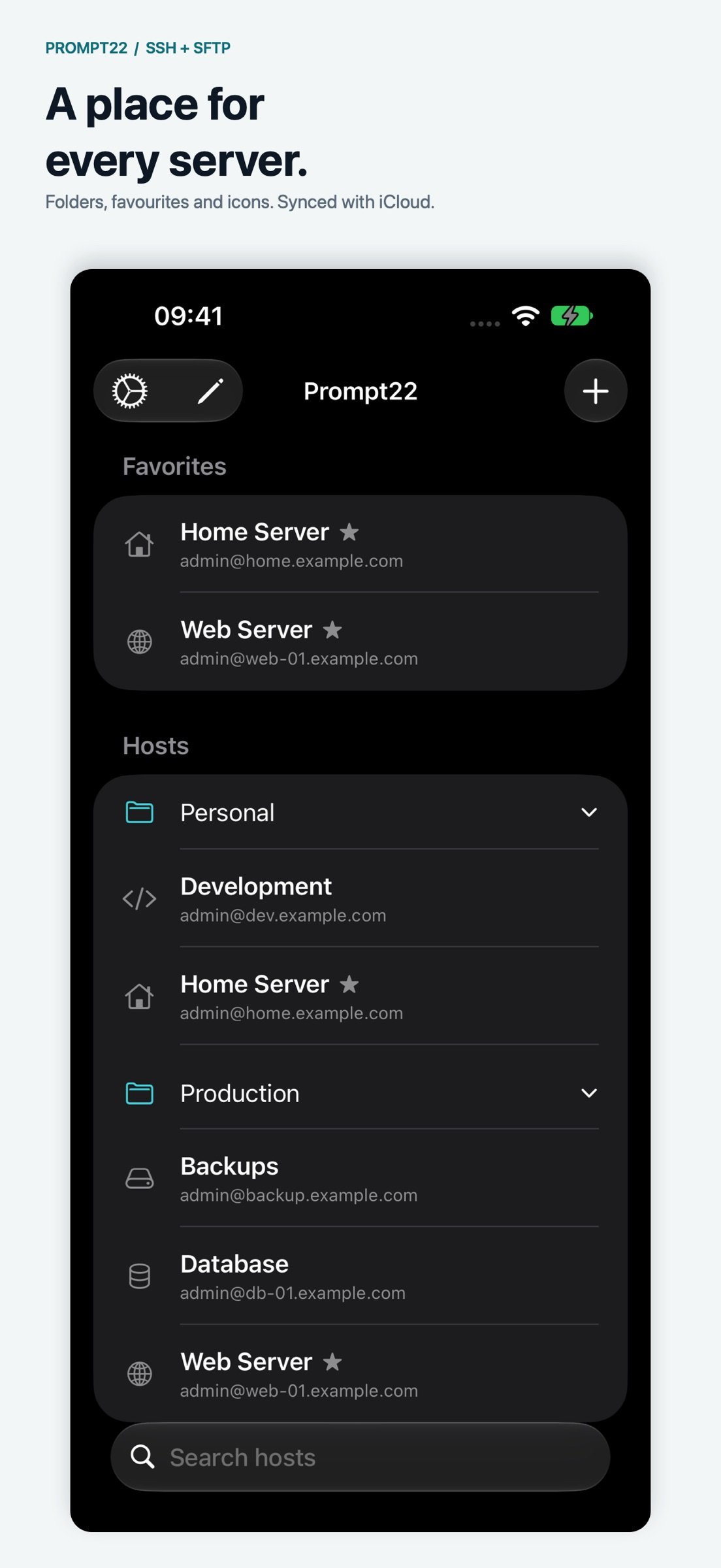
• Organize hosts into folders, move several at once, mark favorites and find them with search.
• Personalize hosts with symbols, emoji or custom images, synced with iCloud.
• Open favorite or recent hosts from the Home Screen quick actions.
• Generate, import or paste SSH identities stored in Apple Keychain.
• Optionally save host passwords in Keychain and sync them through iCloud Keychain.
• Sync hosts, trusted host keys and snippets through your private iCloud database.
COMMANDS AND SNIPPETS
• Run reusable snippets in a terminal or assign one to run after login.
• Opt in to local command history and suggestions on supported Bash shells.
• Keep successful commands with their arguments, organized by server and login account.
• Pause recording or clear saved command history whenever you choose.
SHORTCUTS AND SIRI
• Connect to a host or open its file browser with Shortcuts and Siri.
• Find hosts by name, folder or tags to build workflows across your servers.
• Run saved snippets or commands supplied by a previous Shortcuts action.
• Use command output and exit codes in later steps, and choose whether to keep the session history.
• Download, upload and list remote files over SFTP from Shortcuts, passing files between actions.
• Review commands before running, or automate in the background using saved credentials and trusted hosts when app lock is off.
SFTP FILE TRANSFERS
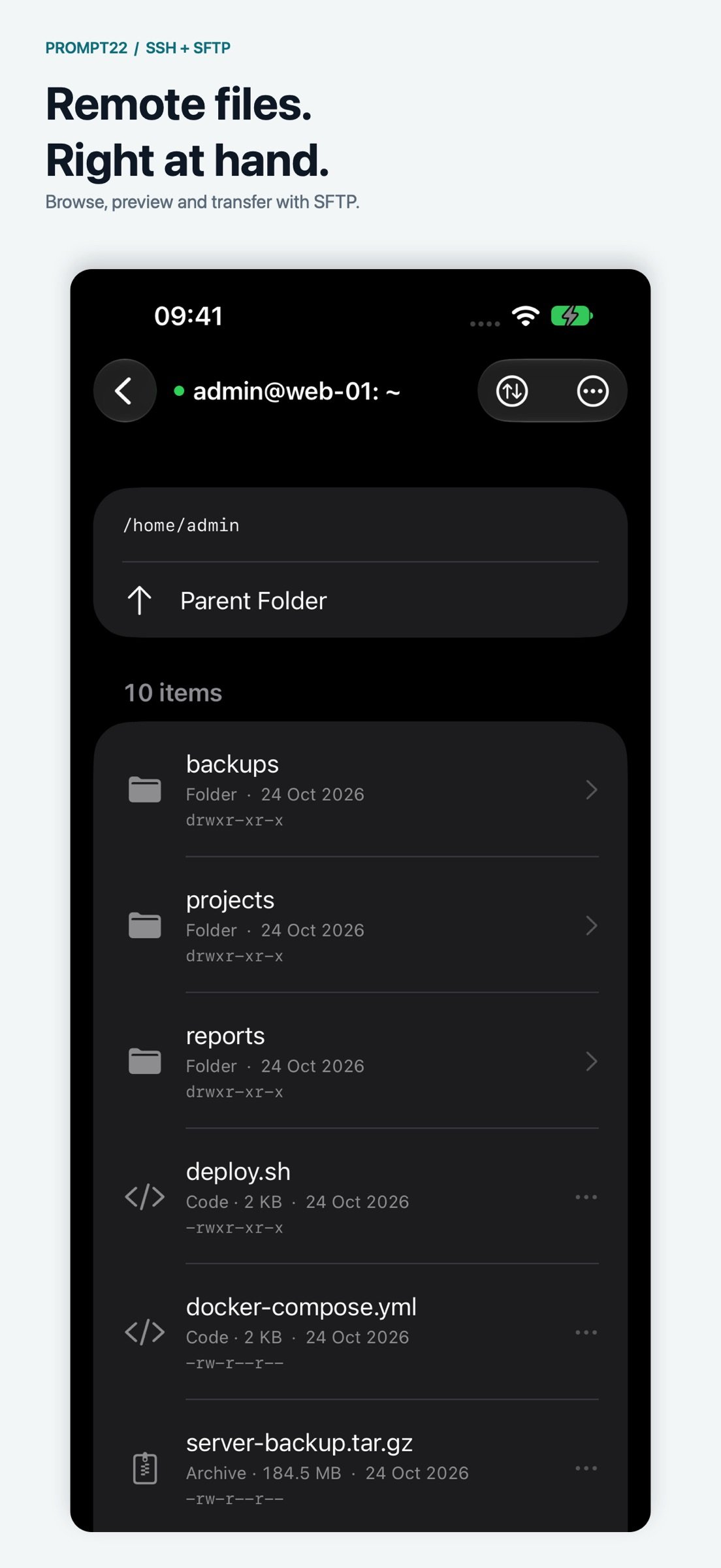
• Browse remote directories with file types, permissions, sizes and modification dates.
• Select multiple items to copy, move or delete, including folder contents when requested.
• Upload multiple files from Files to the current remote folder without overwriting existing files.
• Track uploads and downloads together with progress, transfer rate and estimated remaining time.
• Choose a default download folder and open completed downloads in Files.
• Continue user-started transfers in the background when iOS grants execution time.
PRIVACY AND CONTROL
Connections go directly to the servers you choose. Prompt22 has no ads or third-party analytics SDK. Command history stays on your device. Enable device authentication and choose whether to hide the app preview in the app switcher.
All features are included in your purchase. Optional coffee tips support ongoing development and do not unlock features or renew automatically.
An accessible SSH/SFTP server is required for remote connections. iOS may suspend connections in the background, and reopening a saved session requires reconnecting. Use a server-side tool such as tmux or screen for work that must continue while disconnected.
License: Commercial
SSH TERMINALS
• Open multiple sessions and switch between them.
• Customize fonts, text size and scrollback limits, and choose separate terminal themes for light and dark mode.
• Choose from hundreds of themes or import your own Ghostty themes.
• Restore locally saved terminal scrollback when you reopen the app.
• Use external keyboard shortcuts and multiple windows on iPad.
• Enable hold-and-drag arrow controls to move the cursor with your thumb.
HOSTS AND IDENTITIES
• Organize hosts into folders, move several at once, mark favorites and find them with search.
• Personalize hosts with symbols, emoji or custom images, synced with iCloud.
• Open favorite or recent hosts from the Home Screen quick actions.
• Generate, import or paste SSH identities stored in Apple Keychain.
• Optionally save host passwords in Keychain and sync them through iCloud Keychain.
• Sync hosts, trusted host keys and snippets through your private iCloud database.
COMMANDS AND SNIPPETS
• Run reusable snippets in a terminal or assign one to run after login.
• Opt in to local command history and suggestions on supported Bash shells.
• Keep successful commands with their arguments, organized by server and login account.
• Pause recording or clear saved command history whenever you choose.
SHORTCUTS AND SIRI
• Connect to a host or open its file browser with Shortcuts and Siri.
• Find hosts by name, folder or tags to build workflows across your servers.
• Run saved snippets or commands supplied by a previous Shortcuts action.
• Use command output and exit codes in later steps, and choose whether to keep the session history.
• Download, upload and list remote files over SFTP from Shortcuts, passing files between actions.
• Review commands before running, or automate in the background using saved credentials and trusted hosts when app lock is off.
SFTP FILE TRANSFERS
• Browse remote directories with file types, permissions, sizes and modification dates.
• Select multiple items to copy, move or delete, including folder contents when requested.
• Upload multiple files from Files to the current remote folder without overwriting existing files.
• Track uploads and downloads together with progress, transfer rate and estimated remaining time.
• Choose a default download folder and open completed downloads in Files.
• Continue user-started transfers in the background when iOS grants execution time.
PRIVACY AND CONTROL
Connections go directly to the servers you choose. Prompt22 has no ads or third-party analytics SDK. Command history stays on your device. Enable device authentication and choose whether to hide the app preview in the app switcher.
All features are included in your purchase. Optional coffee tips support ongoing development and do not unlock features or renew automatically.
An accessible SSH/SFTP server is required for remote connections. iOS may suspend connections in the background, and reopening a saved session requires reconnecting. Use a server-side tool such as tmux or screen for work that must continue while disconnected.
License: Commercial
| Release info | New Release on Nov 07, 2026 |
|---|---|
| Release notes | Build Shortcuts that run SSH commands and transfer files over SFTP. • Open a terminal or browse remote files with Shortcuts and Siri. Find hosts by name, folder, or tag. • Run saved snippets or custom commands. Pass command output and exit codes to the next step, and choose whether to keep each run in Sessions. • Review commands before running, or automate them in the background with saved credentials and trusted hosts when app lock is off. • Download, upload, and list remote files in Shortcuts. Pass downloaded files to another action or filter a directory by filename. • Match terminal controls and accessory backgrounds to your selected theme. • On iPhone Duo, see more of each command suggestion in the row above the keyboard when the phone is half folded. |
| Listing data | App Store |
Reviews
No reviews yet. Be the first to review Prompt22.
Used Prompt22? Tell other visitors what you thought.
Log in to write a reviewOther products by this publisher
- "No Distractions" for YouTube 4.10 ----
- #Bible 11.6 "Incredible App - My sister shared this app with me a few weeks ago and it is truly incredible.
- #filmphotography 1.4.2 So, you decided to shoot on film?
- $quirrel 1.5.1 $quirrel Budget & Finance helps you plan each paycheck, track spending, manage debt, and see what is safe to spend before the next payday.
- % Percentage Calculator Pro 1.41 This is the Pro version of % Percentage Calculator.
Most viewed iOS Developer Tools
-
1
 ZScripter 12.2.0
ZScripter plays compatible Ren'Py, RealLive, NScripter, (PONS)ONScripter-EN/RU/JH/Yuri, Artemis, Siglus, AI5 and UK2 games as well as KiriKiri (+Kirikiroid2 patches) and RPG Maker MV/MZ & XP, VX and VX Ace support.
-
2
 GitHub 1.283.0
There’s a lot you can do on GitHub that doesn’t require a complex development environment – like sharing feedback on a design discussion, or reviewing a few lines of code.
-
3
 Shader Playground 1.0
Shader Playground is a powerful real-time shader editor built for iPhone and iPad.
-
4
 Agents Anywhere 2.1.0
Agents Anywhere is a developer tools mobile application for remotely controlling your local computer to complete coding tasks.
-
5
 Code Workspace 0.9.1
Code Workspace is a free, agent-first development environment for iPad and iPhone.
-
6
 Termius 8.0.7
Termius is a modern SSH client designed for productivity and collaboration.
-
7
 LocalDevVPN 1.3.0
LocalDevVPN is a developer tool for creating and managing local network tunnels directly on iOS.
-
8
 Cursor 1.17.0
Introducing Cursor for iOS: the best way to build, review, and ship software from anywhere.
-
9
 TestFlight 4.4.1
TestFlight makes it easy to test beta versions of apps and App Clips to provide valuable feedback to developers before they release their apps on the App Store.
-
10
 HTTP Debugger+ 1.2.3
HTTP Debugger+ is a professional HTTP traffic inspector designed for developers and QA engineers.
Most downloaded iOS Developer Tools
-
1
Agents Anywhere 2.1.0
Agents Anywhere is a developer tools mobile application for remotely controlling your local computer to complete coding tasks.
-
2
 a-Shell mini 2.3.2
a-Shell mini is a complete local terminal emulator, allowing to run most Unix commands on you iOS device.
-
3
 Rulify 1.0.7
Rulify ????? iOS App ????,???????? App ????,???????????????
-
4
 LadderTouch 2.1.5
LadderTouch is an app to learn the basics of ladder logic, which is a graphical programming language.
-
5
 FSNotes 7.6.0
FSNotes is a fast, modern notes manager for macOS and iOS.
-
6
 C/C++$-LLVM Clang 2.7
This is a learning tool for efficient C/C++ learning, fast programming, ?(LLVM+Clang)offline compilation and local execution?, Git fetching, iCloud storage, and efficient transfer and sharing via LAN HTTP/FTP multi-point connections.
-
7
 python3$ 6.6
This is a Python 3.13 learning tool for efficient learning, fast programming, local execution, breakpoint debugging, precise error reporting, Git fetching, iCloud access, and efficient transfer and sharing via LAN HTTP/FTP multi-point connections.
-
8
 websta$-learn html css and js 3.2
This is a learning tool for efficient HTML, CSS, and JS learning, fast programming, local execution, Git retrieval, iCloud storage, efficient transfer and sharing via LAN HTTP/FTP multi-point connections.
-
9
HTTP Debugger+ 1.2.3
HTTP Debugger+ is a professional HTTP traffic inspector designed for developers and QA engineers.
-
10
 Herdy 1.3.0
Herdy puts your remote terminal and long-running coding-agent sessions in your pocket.