PDF Impress 10.91.16.252
Easy Adobe PDF conversion and PDF/A archiving from any application. Use PDF Impress Tools to view, print, merge, split, extract, insert, remove, rotate pages, add attachments, watermarks, stamps and digital signature, optimize and setup PDF layout.
Product Discontinued!
This product has been discontinued by its author.Product Specifications
| User Rating: | Discontinued | |
| FileCart Rating | Discontinued | |
| Submitted by: | Discontinued | |
| License | Shareware | |
| Expires | 30 Days | |
| Price | $79.95 | |
| Downloads | 478 | |
| OS Support | Windows Install and Uninstall | |
| File Name | pdfimpress10.exe | |
| File Size | 71.10 MB ( 72,807 KB ) | |
| Published | Feb 05, 2013 (14 years ago) | |
| Updated | Jan 14, 2017 (10 years ago) | |
Latest Searches
oenothera speciosa 2 minutes ago
samsung spaceline notification sound download 2 minutes ago
Art: Automatic multi step reasoning and tool use for large language models 4 minutes ago
El mito de que los que le tomamos fotos mueren. 5 minutes ago
liposome encapsulated magnesium threonate 6 minutes ago
Hipshot Doubleshot 8 minutes ago
DS 2CD2043G0 I4 MP Outdoor WDR Fixed Bullet Network Camera 8 minutes ago
A questão orçamentária, além da consulta popular. é quem viabiliza as políticas públicas. Essa afirmação está:a.Corretab.Errada 9 minutes ago
dolly partons siblings in order 10 minutes ago
Popular Searches
id cards 602 times
2025 495 times
2024 386 times
Softperfect 329 times
2026 297 times
5g spf sonicwall compatible copper module 290 times
Gypsy 2.0 Onlyfans Leaked Photos 272 times
targetamazon credit card.asp?highlight=0 266 times
Database Workbench Pro 258 times
Product Details
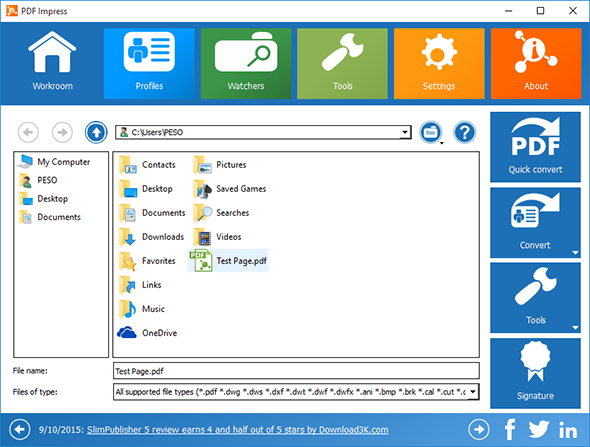
Additional Screenshots

| Requirements: | Windows XP/2003/Vista/2008/7/8/2012 |
| Release Info: | New Release on Jan 13, 2017 |
| Release Notes: | new release |
Reviews
You must be logged in to write a review
Reviews of PDF Impress 10.91.16.252
| Score | Review | Reviewed | User |
|---|---|---|---|
| 100% | Nice user interface, easy top use. PDF tools allow various pdf file manipulations. | Feb 05, 2013 | Guest |