1downloads
1this week
FreeFreeware
0reviews
Screenshots
About P-Toolkit
P-Toolkit adds over 70 actions to the Shortcuts app. Build your shortcut as usual and let P-Toolkit handle the screens and processing Shortcuts doesn't have built in.
Every action runs on your device. No account, no data collection.
IMAGE EDITING & PICKING
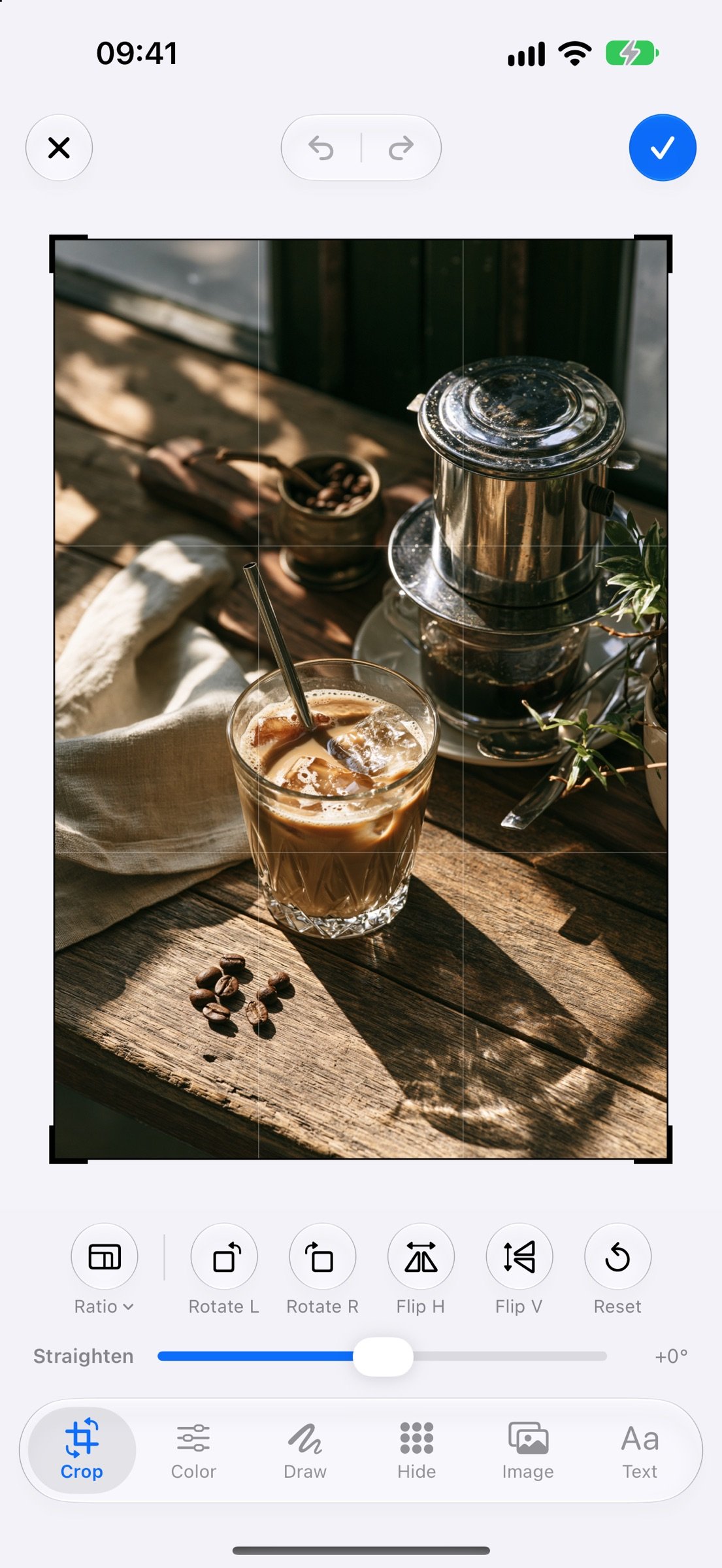
• Full-screen image editor: crop, rotate, flip, adjust colour, draw, blur/pixelate, insert images and text. Turn each tool on or off per shortcut.
• Before/after comparison with a slider.
• Tap to pick points or boxes on an image and get their coordinates.
• Paint an area to get a mask or a cut-out.
• Swipe through images card-style to keep or reject them, then pass them on.
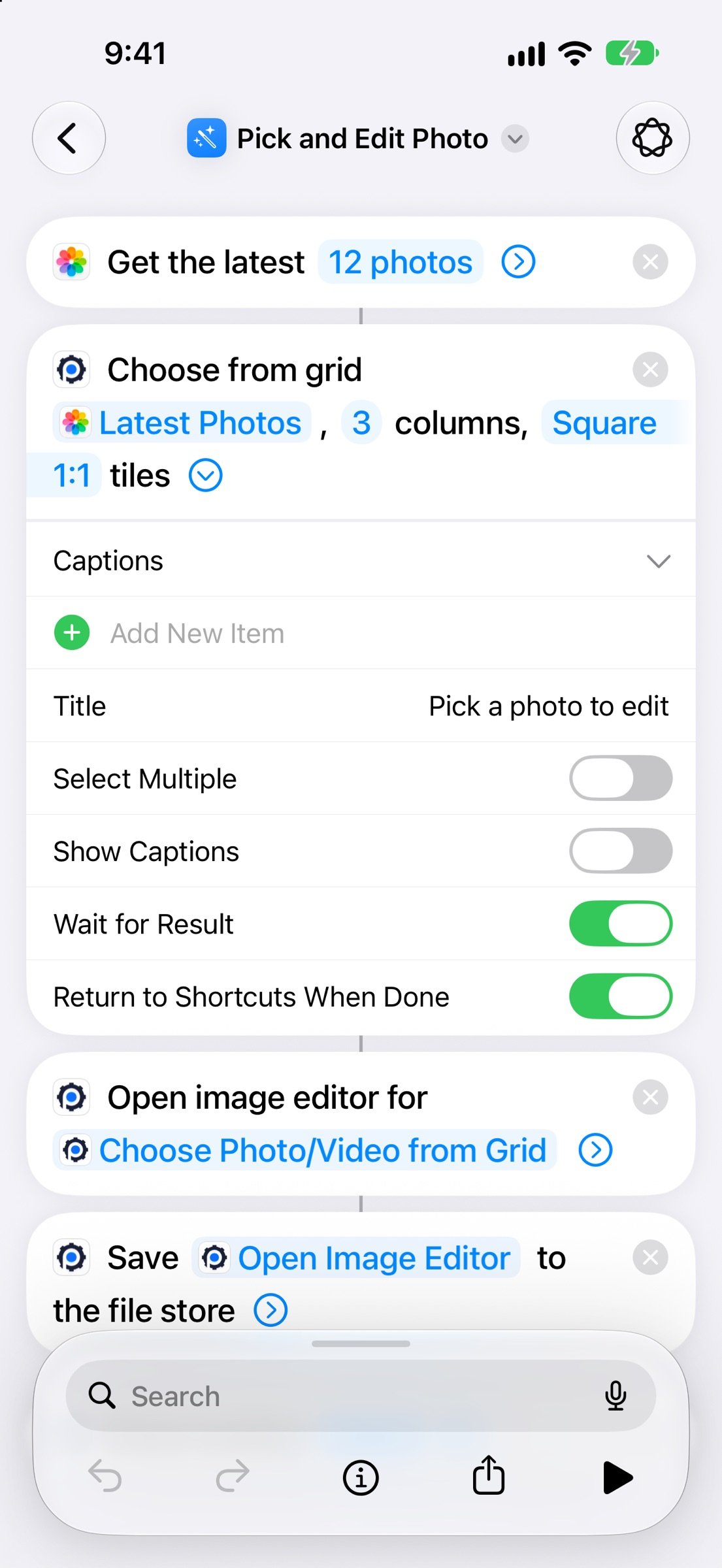
• Pick photos and videos from a grid: set the columns, aspect ratio and single or multiple selection.
• Swipe-clean your photo library; photos are deleted only after you confirm.
AUDIO & VIDEO
• Media trimmer with a zoomed trim strip and instant preview.
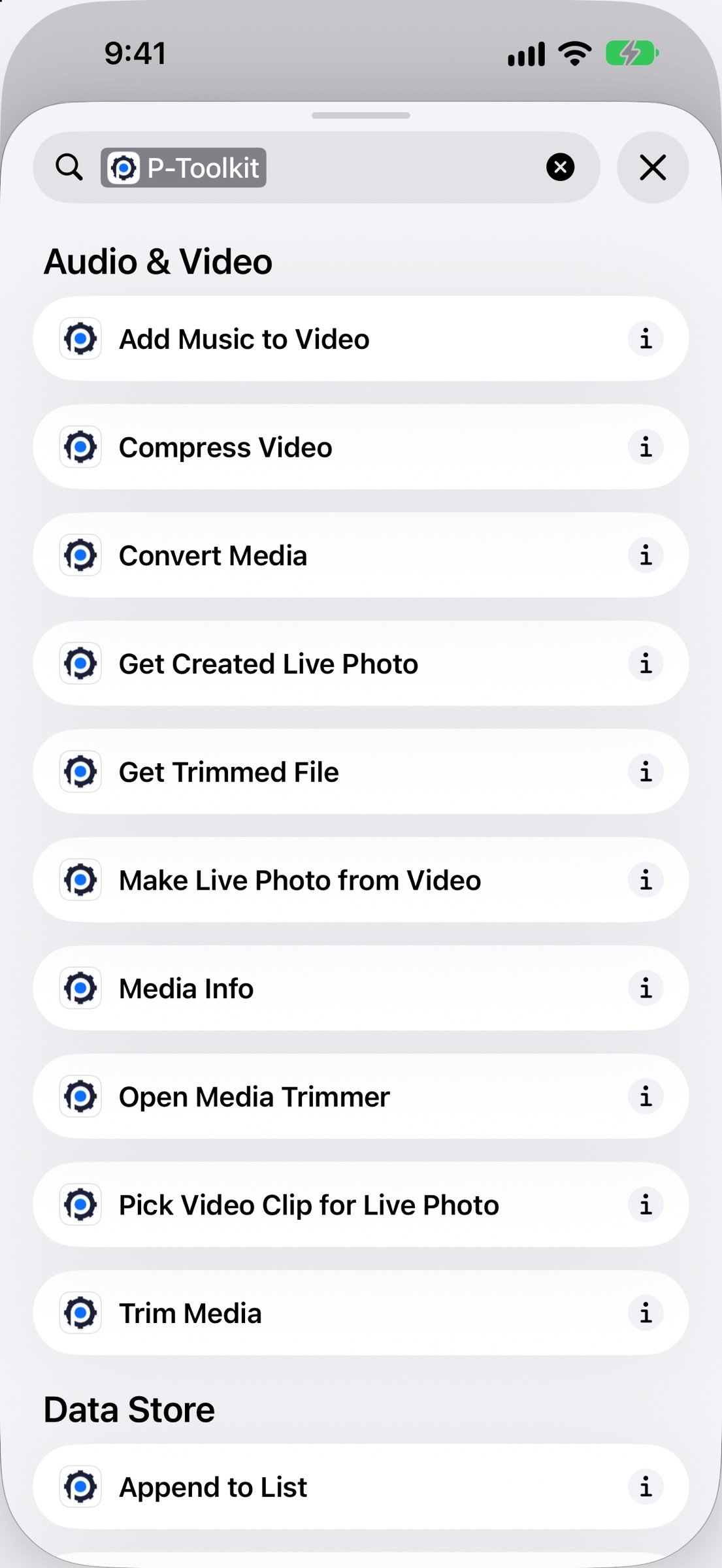
• Compress video, convert formats, add music to video, read media info.
• Create Live Photos from video: pick the cover frame, aspect ratio, crop, rotate and flip.
SHOW RESULTS
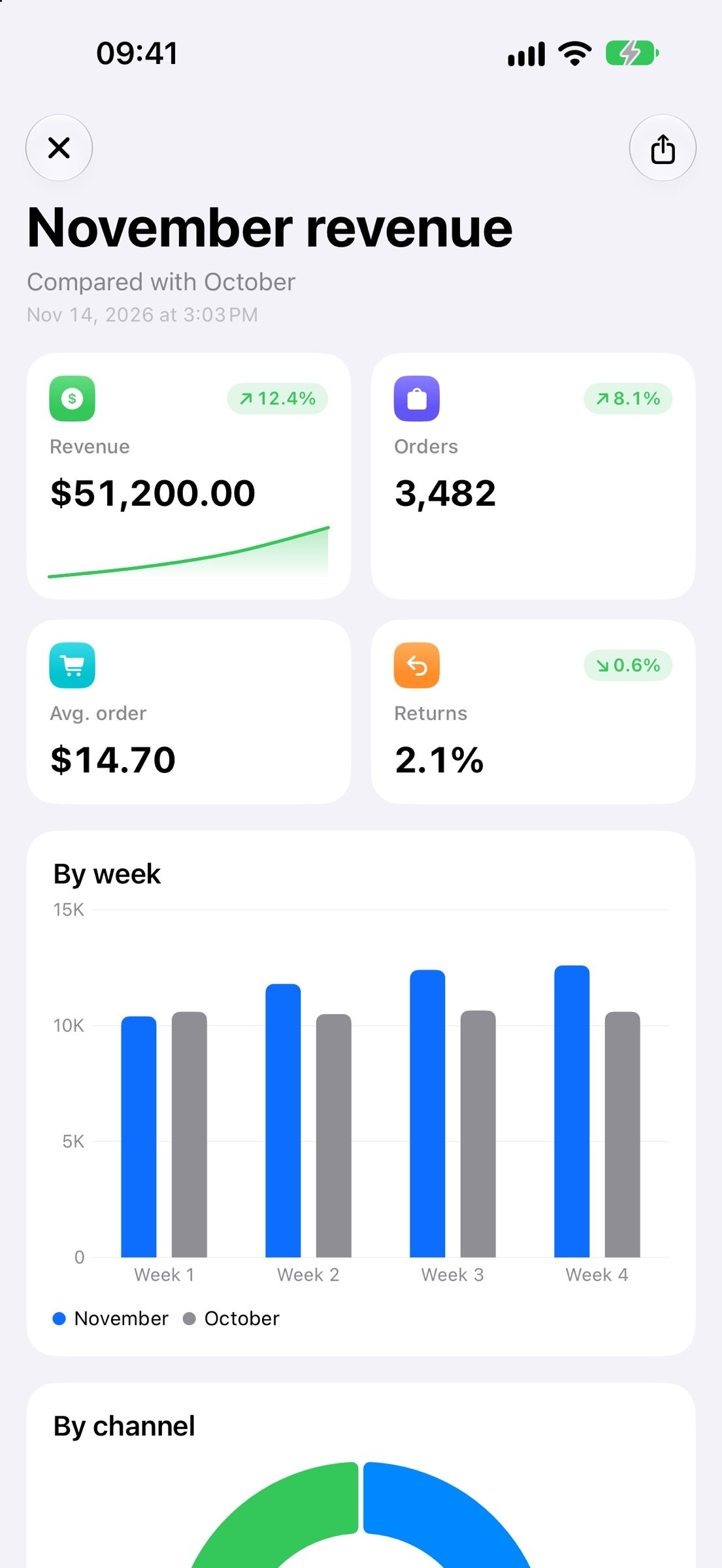
• Dashboards with stat cards, charts, tables, Week/Month/Year tabs and PNG/PDF export.
• Full-screen overlay for big messages or your own HTML page.
• Menus with images and symbols.
• View files, photos, videos, PDF and HTML right in the app.
LIVE ACTIVITIES
• Pin a checklist, timer, progress bar, counter or note to the Lock Screen and Dynamic Island, updated from your shortcuts.
DATA & FILES
• Data store: values, lists and counters shared between shortcuts.
• File store: save and get files, visible in the Files app.
NOTIFICATIONS
• Send notifications with buttons, images, schedules and priority levels.
ON-DEVICE AI
• Run your own Core ML models on images or text, with a progress screen for long-running models.
DEVICE
• Device details: chip, RAM, storage, iOS version, thermal state, display.
• Hardware check: touch screen, dead pixels, speakers, microphones, vibration, sensors, cameras, flash, volume buttons and Face ID.
Every action comes with a how-to and sample data inside the app, so you can try it before adding it to a shortcut.
Available on iPhone (including iPhone Duo, cover and inner screen), iPad and Mac. In English and Vietnamese.
License: Free
Every action runs on your device. No account, no data collection.
IMAGE EDITING & PICKING
• Full-screen image editor: crop, rotate, flip, adjust colour, draw, blur/pixelate, insert images and text. Turn each tool on or off per shortcut.
• Before/after comparison with a slider.
• Tap to pick points or boxes on an image and get their coordinates.
• Paint an area to get a mask or a cut-out.
• Swipe through images card-style to keep or reject them, then pass them on.
• Pick photos and videos from a grid: set the columns, aspect ratio and single or multiple selection.
• Swipe-clean your photo library; photos are deleted only after you confirm.
AUDIO & VIDEO
• Media trimmer with a zoomed trim strip and instant preview.
• Compress video, convert formats, add music to video, read media info.
• Create Live Photos from video: pick the cover frame, aspect ratio, crop, rotate and flip.
SHOW RESULTS
• Dashboards with stat cards, charts, tables, Week/Month/Year tabs and PNG/PDF export.
• Full-screen overlay for big messages or your own HTML page.
• Menus with images and symbols.
• View files, photos, videos, PDF and HTML right in the app.
LIVE ACTIVITIES
• Pin a checklist, timer, progress bar, counter or note to the Lock Screen and Dynamic Island, updated from your shortcuts.
DATA & FILES
• Data store: values, lists and counters shared between shortcuts.
• File store: save and get files, visible in the Files app.
NOTIFICATIONS
• Send notifications with buttons, images, schedules and priority levels.
ON-DEVICE AI
• Run your own Core ML models on images or text, with a progress screen for long-running models.
DEVICE
• Device details: chip, RAM, storage, iOS version, thermal state, display.
• Hardware check: touch screen, dead pixels, speakers, microphones, vibration, sensors, cameras, flash, volume buttons and Face ID.
Every action comes with a how-to and sample data inside the app, so you can try it before adding it to a shortcut.
Available on iPhone (including iPhone Duo, cover and inner screen), iPad and Mac. In English and Vietnamese.
License: Free
| Release info | Update on Nov 16, 2026 |
|---|---|
| Release notes | • New "Choose Photo/Video from Grid" action: choose the columns, aspect ratio and single or multiple selection; plus "Get Items Chosen from Grid". • Show Overlay accepts HTML (CSS, JavaScript, web images), with a new close button option and a new "Close Overlay" action. • Create Live Photo: choose the aspect ratio (original by default) and crop Photos-style with drag, zoom, rotate and flip. • Hardware check: Liquid Glass buttons and a wider colour test panel; on iPhone Duo the buttons sit in the right-hand column. • Swipe to Pick: the keep/reject counts sit on the same side as their buttons. • New trim handles in the media trimmer; evenly weighted round buttons across the editors. • Bug fixes and small improvements. |
| Listing data | App Store |
Reviews
No reviews yet. Be the first to review P-Toolkit.
Used P-Toolkit? Tell other visitors what you thought.
Log in to write a reviewOther products by this publisher
- "No Distractions" for YouTube 4.10 ----
- #Bible 11.6 "Incredible App - My sister shared this app with me a few weeks ago and it is truly incredible.
- #filmphotography 1.4.2 So, you decided to shoot on film?
- $quirrel 1.5.1 $quirrel Budget & Finance helps you plan each paycheck, track spending, manage debt, and see what is safe to spend before the next payday.
- % Percentage Calculator Pro 1.41 This is the Pro version of % Percentage Calculator.
Most viewed iOS Developer Tools
-
1
 ZScripter 13.1.0
ZScripter plays compatible Ren'Py, RealLive, NScripter, (PONS)ONScripter-EN/RU/JH/Yuri, Artemis, Siglus, AI5 and UK2 games as well as KiriKiri (+Kirikiroid2 patches) and RPG Maker MV/MZ & XP, VX and VX Ace support.
-
2
 GitHub 1.284.0
There’s a lot you can do on GitHub that doesn’t require a complex development environment – like sharing feedback on a design discussion, or reviewing a few lines of code.
-
3
 Agents Anywhere 2.1.0
Agents Anywhere is a developer tools mobile application for remotely controlling your local computer to complete coding tasks.
-
4
 Shader Playground 1.0
Shader Playground is a powerful real-time shader editor built for iPhone and iPad.
-
5
 Code Workspace 0.9.1
Code Workspace is a free, agent-first development environment for iPad and iPhone.
-
6
 LocalDevVPN 1.3.0
LocalDevVPN is a developer tool for creating and managing local network tunnels directly on iOS.
-
7
 Termius 8.2.0
Termius is a modern SSH client designed for productivity and collaboration.
-
8
 TestFlight 4.4.1
TestFlight makes it easy to test beta versions of apps and App Clips to provide valuable feedback to developers before they release their apps on the App Store.
-
9
 Cursor 1.18.0
Introducing Cursor for iOS: the best way to build, review, and ship software from anywhere.
-
10
 Rulify 1.0.7
Rulify ????? iOS App ????,???????? App ????,???????????????
Most downloaded iOS Developer Tools
-
1
Agents Anywhere 2.1.0
Agents Anywhere is a developer tools mobile application for remotely controlling your local computer to complete coding tasks.
-
2
Rulify 1.0.7
Rulify ????? iOS App ????,???????? App ????,???????????????
-
3
 a-Shell mini 2.3.2
a-Shell mini is a complete local terminal emulator, allowing to run most Unix commands on you iOS device.
-
4
 LadderTouch 2.1.5
LadderTouch is an app to learn the basics of ladder logic, which is a graphical programming language.
-
5
 FSNotes 7.6.0
FSNotes is a fast, modern notes manager for macOS and iOS.
-
6
 C/C++$-LLVM Clang 2.7
This is a learning tool for efficient C/C++ learning, fast programming, ?(LLVM+Clang)offline compilation and local execution?, Git fetching, iCloud storage, and efficient transfer and sharing via LAN HTTP/FTP multi-point connections.
-
7
 python3$ 6.6
This is a Python 3.13 learning tool for efficient learning, fast programming, local execution, breakpoint debugging, precise error reporting, Git fetching, iCloud access, and efficient transfer and sharing via LAN HTTP/FTP multi-point connections.
-
8
 Markdown2PDF 1.0
Easily Convert Markdown to PDF with Markdown2PDF
-
9
 websta$-learn html css and js 3.2
This is a learning tool for efficient HTML, CSS, and JS learning, fast programming, local execution, Git retrieval, iCloud storage, efficient transfer and sharing via LAN HTTP/FTP multi-point connections.
-
10
 Herdy 1.4.1
Herdy puts your remote terminal and long-running coding-agent sessions in your pocket.